Sprint Planning with Prax: How Agile Teams Use WorksBuddy for Sprints and Iterations

Learn how Agile teams use Prax for sprint planning, backlog management, velocity tracking, and iterative delivery to run smoother sprints.

  • Date

    05 Mar 2026

  • Category

    Prax

Table of Content
‌
‌
‌
‌
‌
‌
Ryan Mitchell

About Author

Ryan Mitchell

The Real Problem: Agile Sounds Simple. Running It Well Is Anything But

Every software team, product team, and a growing number of marketing and operations teams will tell you they run Agile.

Ask them how their last sprint went, and the story gets more complicated.

The sprint planning meeting ran for three hours and still ended with half the team unsure what they were committing to. The backlog is a graveyard of items nobody has touched in four months. The velocity chart is either not being tracked at all or exists in a spreadsheet that one engineer updates reluctantly on Fridays. The retrospective gets cancelled when things get busy, which is most of the time.

This is not a failure of Agile as a methodology. Agile works. The research on iterative, sprint-based delivery is consistent and compelling. The problem is the gap between the principles of Agile and the tools most teams are actually using to run it.

Notion documents, Trello boards, and spreadsheet backlogs are not sprint planning systems. They are improvised workarounds. And running a proper Agile process on top of improvised workarounds means the overhead of Agile, the planning, the tracking, and the retrospectives consumes the time that should go into actual delivery.

Prax is WorksBuddy's project management tool, and it is built to support how Agile teams actually work: with sprint cycles, structured backlogs, velocity tracking, and iterative planning that gets sharper with every cycle.

Where Sprint Planning Typically Falls Apart

The Sprint Planning Pain Point

What This Looks Like in Practice

Backlog chaos

Items are scattered across tools, Slack threads, and individual notes; nobody trusts what is in the backlog

No sprint structure

Work is pulled into 'this week' informally, with no defined sprint boundary, capacity limit, or commitment

Velocity is guesswork

Teams estimate story points or effort without historical data to calibrate against; every sprint is a fresh guess

Dependencies are invisible

A task in Sprint 3 depends on something from Sprint 2 that nobody tracked the team finds out when it matters most

Retrospectives are skipped

The one Agile ceremony proven to improve future sprints is the first one dropped when the team gets busy

No cross-sprint visibility

The team sees the current sprint, but has no clear view of what is coming in Sprint 4, 5, or 6

According to the 17th State of Agile Report, 58% of organizations cite inconsistent processes and practices as the top barrier to successful Agile adoption. The second most common barrier, cited by 46%, is inadequate tooling. Both problems are solved by Prax.

The methodology does not need fixing. The system running it does.

Agile and Scrum in Plain English: What They Actually Mean

Before getting into how Prax supports sprint-based work, it is worth being precise about what Agile and Scrum actually mean because the terms get used interchangeably when they are not the same thing.

Try Pro Free for 14 Days

Try Pro Free for 14 Days

Unlock unlimited features and premium support. No credit card required.

Start Free Trial

What Is Agile?

Agile is a philosophy of software and product development built around four core values, first published in the Agile Manifesto in 2001. At its heart, Agile prioritizes delivering working software frequently, responding to change over following a fixed plan, and collaborating closely with customers rather than negotiating scope at the start and disappearing for six months.

Agile is not a specific process. It is a set of values and principles. Teams can be Agile without using Scrum, Kanban, or any named framework. What matters is the behavior: iterative delivery, continuous feedback, and a willingness to adapt.

What Is Scrum?

Scrum is a specific Agile framework. It organizes work into fixed-length cycles called sprints, typically one to four weeks, with defined roles, ceremonies, and artefacts.

The key Scrum roles are the Product Owner, who prioritises the backlog, the Scrum Master, who facilitates the process, and the Development Team, who does the work. The key ceremonies are sprint planning, the daily standup, the sprint review, and the retrospective. The key artefacts are the product backlog, the sprint backlog, and the increment of the completed, working output of each sprint.

Scrum gives teams a structure to apply Agile values in practice. Done well, it produces faster delivery, better prioritization, and continuous improvement with every cycle.

Where Most Teams Actually Are

The reality for most growing teams is somewhere between pure Scrum and informal sprints working. They run two-week cycles, do some form of planning, skip some ceremonies, and track progress inconsistently. This is completely normal, and it is exactly the kind of flexible, practical Agile working that Prax is built to support.

You do not need to run textbook Scrum to benefit from Prax's sprint capabilities. You need a system that makes iterative planning, delivery, and improvement faster and more reliable than what you are doing today.

What Is Prax? A Quick Refresher

Prax is the project management tool inside the WorksBuddy platform, built alongside Taro for AI task management, LIO for lead management, REVO for workflow automation, and INZO for invoicing.

Where traditional project tools force teams to choose between waterfall-style project planning and lightweight Agile boards, Prax supports both and the range of working styles in between. Sprint based teams get the structure they need. Project-based teams get the Gantt timeline and milestone tracking covered in our previous article. Teams that blend both get a single tool that handles either mode without requiring a separate platform for each.

The Agile and Scrum capabilities in Prax are not a bolt-on feature set. They are built into how the platform handles planning, iteration, and delivery tracking from the ground up.

Prax's Agile and Scrum Capabilities: A Full Breakdown

Here is a complete walkthrough of how Prax supports sprint-based, iterative working from the first backlog grooming session to the final retrospective.

The Product Backlog: One Trusted Source of Truth

The backlog is where everything starts in Scrum. It is the prioritised list of all work the team might do, features, fixes, improvements, technical debt, and research tasks ordered by business value and readiness.

In most teams, the backlog is a mess. Items added during a meeting two months ago. Items added to a Notion doc that nobody opens. Items that exist only in the product owner's head. When sprint planning starts, half the energy goes into figuring out what the actual backlog even is.

Prax maintains the product backlog as a structured, prioritized list that the whole team can see and contribute to. Items can be added from anywhere in the WorksBuddy platform, including from client requests logged in LIO or from tasks flagged in Taro, so the backlog reflects the real work landscape, not just what someone remembered to type in during last week's planning meeting.

Each backlog item can carry a title, description, priority level, story point estimate, acceptance criteria, and labels. When sprint planning starts, the team is working from a backlog that is organized, estimated, and current.

Sprint Creation and Configuration

Prax lets you create sprints directly within a project, defining the sprint name, start date, end date, and capacity. Once a sprint is created, team members can pull items from the backlog into the sprint and commit to a defined scope of work.

Sprint capacity how many story points or task hours the team can realistically deliver in a given cycle, is visible during planning, so teams do not overcommit at the start. This is one of the most common sprint failures: agreeing to more than the team can actually ship, discovering this on day eight of a ten-day sprint, and entering the next planning session with incomplete work and dented confidence.

With capacity visible at the planning stage, Prax encourages realistic commitments rather than optimistic ones. And over time, the historical data make those capacity estimates sharper and more reliable.

Sprint Backlog and Board View

Once a sprint is active, Prax provides a sprint backlog with the specific items committed to for this cycle alongside a board view that shows each item moving through its workflow states: to do, in progress, in review, and done.

The board view is the daily working surface for most Agile teams. It gives everyone a real-time picture of where the sprint stands: what is in progress, what is blocked, what is complete, and what has not started yet. It replaces the daily standup question 'what is everyone working on?' with a view that answers it without anyone having to say a word.

Items on the board can be updated directly with status changes, comments, and blockers added so the sprint board stays current without requiring a separate task management layer.

Story Points and Effort Estimation

Prax supports story point estimation on backlog items, allowing teams to size work relative to complexity, effort, and uncertainty rather than raw time. This is the standard Agile approach to estimation and for good reason: time estimates sound precise but are usually wrong. Story points communicate relative difficulty without pretending to know exactly how long something will take.

When items are estimated in Prax before sprint planning, the planning session becomes a conversation about what to include rather than a group exercise in guessing how long things take. The team knows the size of each item. They know their capacity. Sprint planning becomes a matching exercise, not a negotiation.

Sprint Velocity Tracking

Velocity is one of the most useful and most underused metrics in Agile. It measures how many story points a team completes in each sprint, and over time, it produces a reliable guide to what the team can realistically commit to in any given cycle.

Prax tracks sprint velocity automatically across iterations. As sprints close and work is marked complete, the velocity data builds. After four or five sprints, the team has a factual baseline for planning conversations rather than an optimistic guess. Overcommitment, one of the most demoralizing patterns in Agile teams, becomes much less common when velocity data tells a clear story about what is actually achievable.

According to research by Scrum Alliance, teams that consistently track and use velocity data reduce sprint overcommitment by up to 35% within the first quarter of doing so. That reduction directly translates to fewer incomplete sprints, more predictable delivery, and a calmer working rhythm for the team.

Iteration Planning and Multi-Sprint Road Mapping

Individual sprint planning is important. But the teams that use Agile most effectively do not just plan one sprint at a time. They maintain a rolling view of the next three to five sprints, not in rigid detail, but with enough shape to understand sequencing, dependencies, and capacity constraints before they become urgent problems.

Prax supports multi-sprint road mapping so teams can see upcoming work across iterations. Dependencies between sprints are visible if Sprint 5 depends on something from Sprint 4; that connection is tracked in Prax rather than remembered in someone's head. The roadmap gives product owners and team leads the forward visibility they need to make good sequencing decisions and brief stakeholders accurately.

Retrospective Tracking

The sprint retrospective is the Agile ceremony with the clearest, most consistent evidence behind it. Teams that run structured retrospectives and act on the output ship faster, report higher morale, and have lower team turnover than those that skip them. The research on this is not subtle.

And yet, retrospectives are the first thing dropped when teams get busy. Which is, of course, exactly when they are needed most.

Prax supports retrospective logging directly within each sprint. Teams can record what went well, what did not, and what specific action items they are committing to for the next sprint, all linked to the sprint record, so the history of improvements is visible over time.

This transforms the retrospective from a meeting that happens in a room and then evaporates into a documented, trackable improvement process. When the same problem appears in three consecutive retrospectives without any action taken, it shows up in the record. When a process change from Sprint 3 makes a genuine difference in Sprint 5, that is visible too.

Burndown Charts and Sprint Progress Visualization

A burndown chart shows how much work remains in a sprint over time. The ideal line descends smoothly from total committed points on day one to zero on the final day. The actual line almost never follows the ideal, but how it diverges tells you something important about how the sprint is progressing.

Prax generates burndown charts automatically as work is completed during the sprint. If the team is burning through work faster than expected, the chart shows it. If a blocker on day three has stalled progress and the team is now at risk of not completing the sprint, the chart shows that too, while there is still time to act.

This visibility replaces the status call, where the scrum master asks everyone how they are tracking and compiles the answers manually. The data is already in Prax. The chart draws itself.

The Scrum Ceremonies Prax Supports

Scrum defines five key ceremonies. Here is how each one is supported inside Prax.

Scrum Ceremony

How Prax Supports It

Sprint Planning

Define sprint scope, pull items from backlog, confirm capacity, assign ownership, all inside Prax with full backlog and velocity context

Daily Standup

Sprint board shows Real-time status of all items who is working on what, what is blocked, and what is done. The standup question answers itself.

Sprint Review

Sprint completion summary shows what was delivered, what was not completed, and the team's final velocity for the cycle

Sprint Retrospective

Retrospective records are logged per sprint with what went well, what did not, and action items carried forward to the next cycle

Backlog Refinement

Backlog items can be estimated, prioritized, labelled, and described at any time. Grooming sessions work from a clean, current list

Not every team runs all five ceremonies. Prax supports whichever combination your team uses without forcing a rigid process on teams that work in a hybrid or adapted Agile style.

What This Looks Like When Agile Teams Actually Use Prax

The Product Team That Stopped Ending Sprints with Unfinished Work

A SaaS product team running two-week sprints consistently ended each cycle with three or four incomplete items that rolled forward into the next sprint. The team felt perpetually behind. The product owner could not give reliable delivery estimates to stakeholders. Morale was quietly suffering.

The problem was not effort. It was overcommitment at planning. Without velocity data, the team was estimating capacity based on optimism rather than history. They agreed to more than they could ship, every single time.

After moving sprint planning into Prax and tracking velocity across five sprints, the pattern became undeniable in the data. Their actual sustainable velocity was consistently about 20% lower than their planning commitments. They adjusted their planning target accordingly. Sprint completion rates improved to over 90% within two cycles. The team stopped feeling behind because, for the first time, they were being honest about what was achievable.

The Development Team That Found Its Dependencies Before They Became Blockers

A web development team was managing a large platform rebuild across eight sprints. Several features in later sprints depended on infrastructure work planned for earlier ones. These dependencies existed in the tech lead's head and, loosely, in a shared document that was not updated after the second sprint.

By Sprint 5, a dependency that had not been tracked became a three-day blocker. A feature the team had planned to build could not start because the underlying component was not ready. The sprint ended significantly short of its goal.

After rebuilding the sprint roadmap in Prax with explicit dependency tracking between items and sprints, the team could see at the planning stage which future sprints were contingent on current sprint delivery. Blockers were identified in planning, not during execution. The remaining four sprints of the project ran with no unplanned stoppages caused by dependency gaps.

The Marketing Team That Made Agile Work Outside Engineering

Agile is not exclusively for software teams. A content and campaigns marketing team adopted a two-week sprint structure to manage their output: blog posts, ad creative, campaign builds, social content, and landing pages.

Before Prax, their work ran on a mix of Asana tasks and a shared calendar that was perpetually out of date. Prioritisation happened in a Monday morning meeting that rarely ran to schedule. Work fell through the cracks at every campaign handoff.

With Prax, the team built a marketing backlog of all planned content and campaign work, pulled items into two-week sprints based on capacity and priority, and tracked delivery against sprint commitments. The sprint board replaced the Monday meeting. The retrospective, which the team had never run before, surfaced a recurring bottleneck in the design review process that had been invisible until it was written down three times in a row.

Campaign delivery time from brief to live dropped by 22% in the first quarter. The team attributed it to better planning discipline and the elimination of the repeated design bottleneck identified in retrospectives.

Prax vs. Other Tools Teams Use for Sprint Planning

There are established tools built specifically for Agile teams. It is worth being direct about where Prax fits relative to them.

Jira

Jira is the most widely used Agile project management tool in the enterprise market. It is powerful, highly configurable, and deeply integrated with development workflows. It is also complex to set up, expensive at scale, and overkill for teams that are not running large engineering organizations with dedicated scrum masters and project administrators.

Prax offers the core sprint planning, backlog management, velocity tracking, and retrospective capabilities that most Agile teams actually use without the configuration overhead, the steep learning curve, or the enterprise price tag. For teams inside the WorksBuddy ecosystem, Prax also connects natively to every other part of the business, which Jira cannot do without custom integrations.

Trello

Trello is a Kanban board tool that many teams repurpose for sprint-like working. It is simple, visual, and easy to start with. It also has no sprint structure, no velocity tracking, no burndown charts, no retrospective records, and no backlog prioritisation beyond manual card ordering.

Trello shows you what is on the board right now. Prax manages what the team is committing to, how they are tracking against that commitment, and what they are learning with each cycle.

Linear

Linear is a well-designed issue and sprint tracking tool popular with engineering teams that want speed and simplicity. It handles sprint cycles cleanly and has a thoughtful interface. It is primarily built for software development workflows and has limited cross-functional capability outside engineering.

Prax serves engineering, product, marketing, operations, and client delivery teams within the same platform and connects all of them to the business context that lives in the rest of WorksBuddy.

Capability

Prax

Jira

Trello

Linear

Sprint creation and management

Yes

Yes (complex setup)

No native sprints

Yes

Backlog with estimation

Yes

Yes

Manual only

Yes

Velocity tracking

Yes

Yes

No

Yes

Burndown charts

Yes

Yes

No

Yes

Retrospective logging

Yes

Limited

No

Yes

Multi-sprint road mapping

Yes

Yes

No

Partial

Non-engineering team support

Yes

Limited

Yes

Limited

Native business platform integration

Yes (WorksBuddy)

No

No

No

Setup complexity

Low

High

Very low

Low medium

How to Run Your First Sprint in Prax: A Practical Starting Point

You do not need a perfect process before you start. You need a good enough structure that you can improve with every sprint. Here is how to get the first one right.

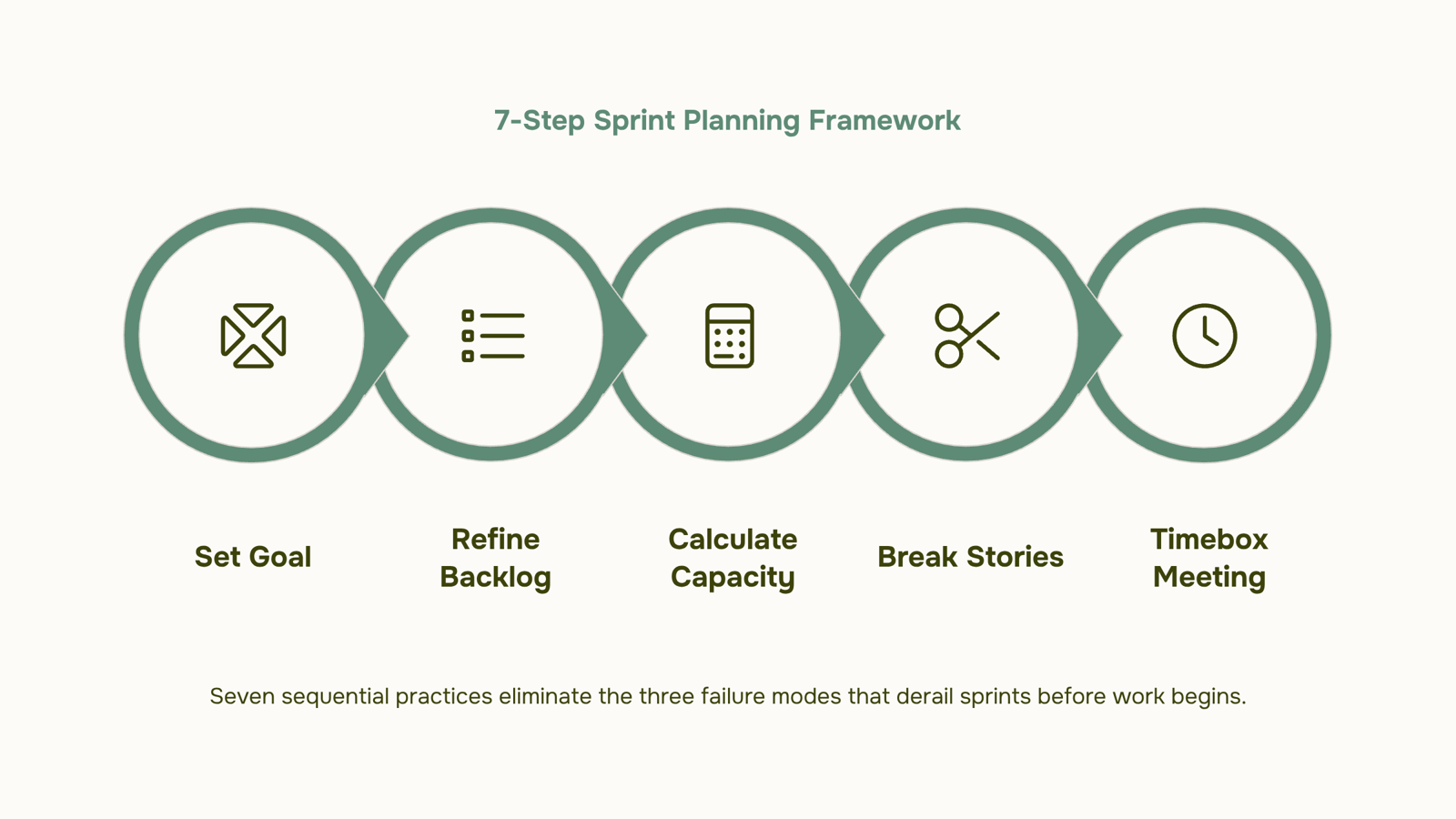
  1. Set up your project in Prax and open the backlog. Add every piece of work your team is considering for the next one to two months, features, tasks, fixes, and research items. Do not filter yet. Get everything into the backlog first.

  1. Estimate each backlog item. Use story points or a simple small/medium/large / extra-large sizing system. The goal is relative sizing, not precise time prediction. Even rough estimates are better than none.

  1. Prioritize the backlog. The product owner or team lead orders items by business value and readiness. What is most important? What is ready to be worked on right now? What depends on something that has not happened yet?

  1. Create your first sprint. Set the start date, end date, and team capacity in story points or hours. Be honest about the capacity factor in meetings, holidays, and the reality that not every hour is a productive working hour.

  1. Pull items into the sprint. Starting from the top of the prioritized backlog, add items to the sprint until you reach capacity. Stop when capacity is reached, even if it feels like the team could 'probably' do a bit more.

  1. Run the sprint. Use the board view as the daily working surface. Update item statuses as work progresses. Flag blockers as soon as they appear, do not wait for the standup to surface them.

  1. Close the sprint and run a retrospective. Record what went well, what did not, and what the team will do differently next sprint. Incomplete items roll back to the backlog with updated priority.

  1. Start the next sprint with velocity data. Use the completed sprint's velocity to calibrate the next planning session. Adjust capacity estimates. The planning gets smarter with every cycle.

The first sprint will be imperfect. That is not a failure; that is how Agile works. The retrospective finds what to fix. The next sprint is better. The one after that is better still. The system improves itself if you use it consistently.

Prax Is Connected to Your Business, Not Just Your Team

The capability that separates Prax from every standalone Agile tool is the same thing that separates all WorksBuddy tools from their standalone alternatives: context.

When a client request comes in through LIO, it can flow directly into the Prax product backlog for review and prioritization. There is no manual step. No copying from the CRM into the task tool. The request is already in the right place.

When Taro manages individual task execution at the granular level, that task activity is visible in the Prax project context. The sprint board and the task management layer reflect the same reality without requiring a manager to reconcile two separate systems.

When REVO's workflow automation fires a process, a sprint review is completed, or a milestone is reached, Prax can trigger the next workflow automatically. When INZO logs a client invoice tied to a project deliverable, the billing milestone in Prax can reflect it in real time.

Running Agile inside a connected business platform means the sprint is not an island. It is part of the full picture of how the business is operating. That context makes planning conversations smarter, stakeholder updates more accurate, and delivery more reliable than any standalone sprint tool can offer.

The Business Case for Structured Sprint Planning

Metric

Data Point

Projects using Agile methodology vs. traditional

Agile projects are 28% more successful (Project Management Institute, 2023)

Sprint overcommitment reduction with velocity tracking

Up to 35% improvement within one quarter (Scrum Alliance)

The top barrier to Agile success cited by organizations

Inconsistent processes and inadequate tooling, 58% and 46% respectively (State of Agile, 17th Annual Report)

Teams that run retrospectives vs. those that do not

Teams that retrospect consistently improve velocity by 1015% per quarter (Scrum Alliance research)

Average time wasted in poorly structured sprint planning meetings

1.5 to 3 hours per sprint, per team (various Agile research sources)

Time recovered per sprint with structured planning tools

Up to 40% reduction in planning session length (McKinsey digital productivity research)

Every row in that table represents either the cost of running Agile badly or an opportunity from running it well. The methodology does not change. The tool and the discipline around it are what separate teams that consistently ship from teams that are always almost done.

Agile Works. The Question Is Whether Your Tools Make It Easy or Hard.

Sprint planning is supposed to create clarity. A defined scope, a shared commitment, a realistic timeline, and a shared understanding of what done looks like. When it works, sprints are energizing. The team knows exactly what they are doing, why it matters, and how they will know when it is finished.

When the tooling is wrong, when the backlog is a mess, the velocity is unknown, and the retrospective is a conversation that evaporates the moment people leave the room sprint planning becomes a tax. A two-hour meeting that produces ambiguity instead of clarity.

Prax removes that friction. Backlog management, sprint creation, capacity tracking, velocity measurement, burndown visualization, and retrospective logging are all built in, connected to each other, and connected to the rest of the business through WorksBuddy.

The Agile framework does the thinking. Prax does the administration. Your team does the work.

That is what structured sprint planning is supposed to feel like.

Start your free trial with WorksBuddy and run your first sprint in Prax with the backlog, velocity, and retrospective tools your Agile team actually needs.

‌
‌
‌

Turn your growth ideas into reality today

Start your 14 day Pro trial today. No credit card required.