Let's start with something most people won't admit: a huge chunk of your workday is wasted on tasks a computer could handle in seconds.
Copying data from one app to another. Sending the same follow-up email for the 47th time this month. Manually updating spreadsheets that nobody actually reads until something breaks. Sound familiar?
The good news is that you don't need a developer, a six-figure IT budget, or a computer science degree to fix this. You need a no-code visual workflow builder. Specifically, you need Revo's.
This article walks you through exactly how Revo's Visual Workflow Builder works, from opening the canvas for the first time to publishing a fully automated workflow that runs on its own. No jargon. No fluff. Just a clear, practical walkthrough.
The Problem Revo Was Built to Solve
Revo is an intelligent business automation platform designed to eliminate the repetitive, manual work that slows modern teams down. At its core, Revo gives nontechnical users the power to build, manage, and run sophisticated automated workflows without writing a single line of code. But Revo is more than a workflow builder. It is built on top of WorksBuddy, Revo’s proprietary AI agent ecosystem that powers intelligent decision-making across your entire operation. WorksBuddy is a suite of specialized AI agents, each one purpose-built for a specific business function. The Sales Agent qualifies leads, follows up with prospects, and updates your CRM automatically. The HR Agent handles onboarding sequences, policy acknowledgements, and employee requests without a single manual touchpoint. The Finance Agent tracks invoices, routes approvals, and flags budget anomalies in real time. The Operations Agent monitors cross-team processes and keeps projects moving without constant human check-ins. And the Support Agent handles customer queries, triages tickets, and escalates issues based on priority and sentiment, all without a human in the loop until it matters. Together, WorksBuddy agents and Revo’s visual workflow builder form a complete automation platform: one that thinks as well as it executes.
Before Revo existed, businesses faced a frustrating gap. Automation was technically possible, but only if you could code, afford a developer, or survive the learning curve of enterprise tools built for IT departments, not for the people who actually do the work.
The HR manager who knows exactly which onboarding steps get skipped every time. The marketing lead who manually copies leads from a form into a CRM every morning. The finance analyst who chases invoice approvals via email chains that go nowhere. These people knew the problem cold. They just had no way to fix it themselves.
They had two options: submit a ticket to IT and wait weeks, or keep doing things manually. Neither is acceptable when your team is growing, and repetitive tasks are quietly eating 20% of everyone’s day.
Legacy automation platforms existed. But they came with a steep price: complex setup, developer dependencies, or pricing structures that made them realistic only for large enterprises with dedicated IT teams. Small and midsized businesses got left out entirely.
Early no-code tools like Zapier made a real dent. But they hit a ceiling fast. Multistep logic, conditional branching, error handling, and team collaboration weren’t afterthoughts for real business workflows. They were the whole point. And most lightweight tools simply couldn’t handle them cleanly.
The result? Businesses either overengineered their automation stack or gave up and went back to doing things manually. Both outcomes cost money.
The Scale of the Problem: McKinsey estimates that 60% of all occupations have at least 30% of activities that current technology could already automate. The technology gap isn’t the issue. The access gap is. (Source: McKinsey Global Institute)
Where Revo Steps In
Revo was built to close that access gap. Not by dumbing automation down, but by making it genuinely approachable without removing the power that real business workflows demand.
The core idea is simple: the person who understands the problem should be the one who builds the solution. Not an intermediary. Not a developer translating requirements. The HR manager, the ops lead, the marketing director should be able to open a canvas, drag a few nodes, connect their tools, and ship a working automation in the same afternoon.
That’s the market gap Revo fills. It sits squarely between “too simple to be useful” and “too complex to actually use” and that middle ground is exactly where most growing businesses operate.
Getting Started: Your First Look at the Revo Canvas
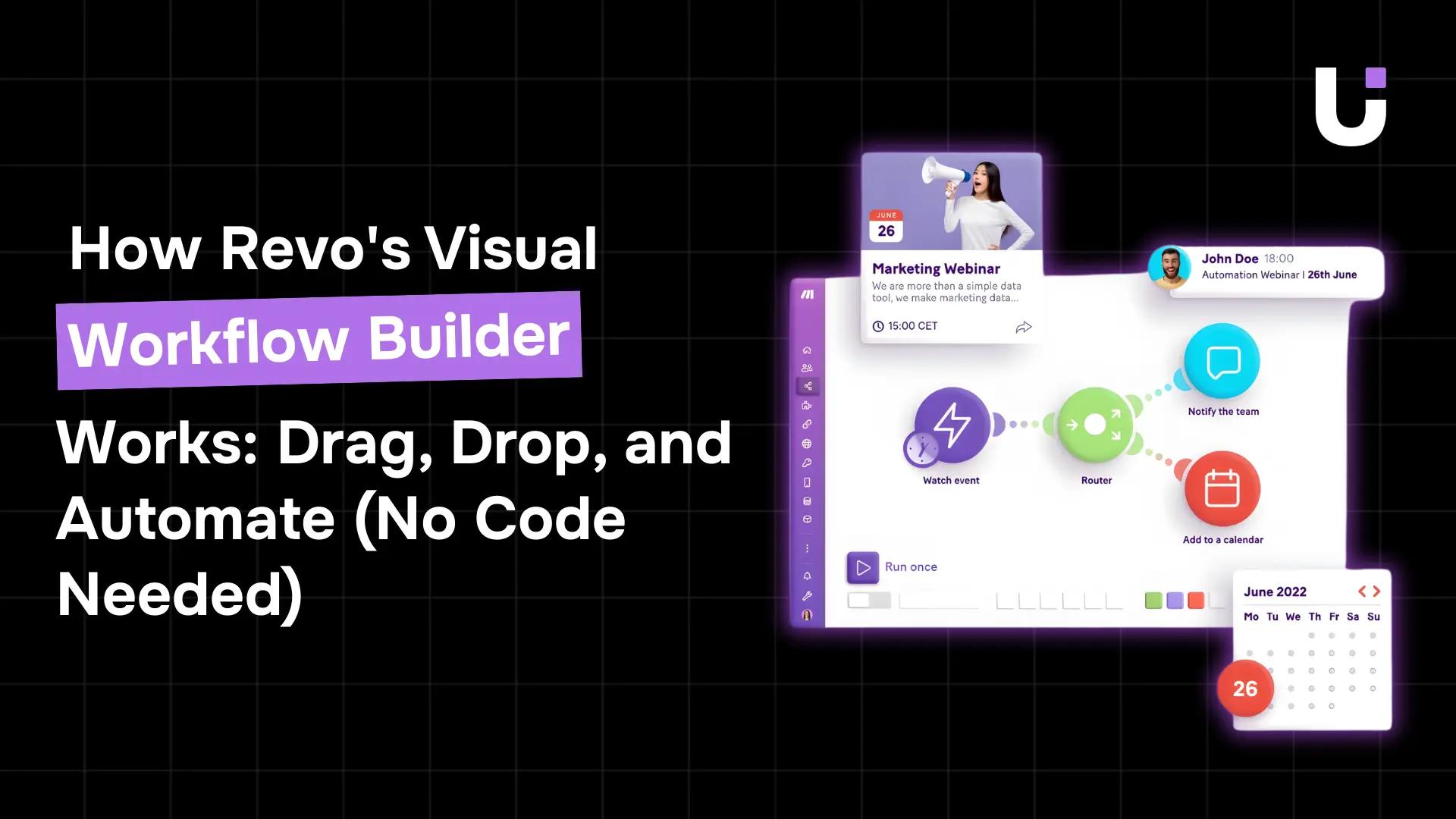
When you log into Revo and open the workflow builder, the first thing you see is the canvas. It's a clean, infinite workspace think of it like a digital whiteboard where every piece of your automation lives.
The canvas is intentionally minimal. No cluttered menus. No overwhelming options. Just a blank space and a "+" button to get started.
On the left side, you'll find the Node Library, a searchable panel of all the triggers, actions, and logic operators available to you. On the right, a properties panel appears whenever you click on a node, letting you configure its settings without leaving the canvas.
The Three Building Blocks of Every Workflow
Every workflow you build in Revo, no matter how simple or complex, uses these three elements:
-
Trigger Node: This is where your workflow starts. It defines the event that kicks everything off: a form submission, a new database entry, a scheduled time, an incoming email, or hundreds of other events.
-
Action Nodes: These are the tasks your workflow performs. Send an email. Create a record. Post a Slack message. Update a CRM. Each action node does one specific thing.
-
Condition Nodes: These are decision points. "If X is true, do this. If not, do that." They let your workflow branch and handle different scenarios intelligently.
That's it. Three elements. Everything else is just combining them in the right order.
Step-by-Step: Building Your First Workflow in Revo
Let's build a real workflow together. We'll automate something most teams deal with daily: sending a personalized onboarding email the moment a new lead fills out a contact form on your website.
This whole process takes about 10 minutes the first time. After that, you'll build faster.
Step 1: Open the Builder and Name Your Workflow
Click "New Workflow" from your Revo dashboard. Give it a clear name, something like "New Lead Onboarding Email." This matters more than you'd think. When you have 30 workflows running, clear names save you from a painful guessing game later.
Step 2: Set Your Trigger
Click the "+" on the canvas to open the Node Library. Under "Triggers," search for "Form Submission" or browse to find it. Drag it onto your canvas.
Click the trigger node to open its settings. Select which form you want to monitor. Revo connects directly to tools like Typeform, Google Forms, HubSpot Forms, and your own website forms via webhook. Save the settings.
Your workflow now has a starting point.
Step 3: Add Your Email Action
From the Node Library, drag a "Send Email" action node onto the canvas. Connect it to your trigger by clicking the arrow connector on the trigger node and dragging it to the email node. The arrow appears automatically when you just draw the line.
Click on the email action to configure it. You'll see fields for: recipient address, subject line, and email body. Here's where it gets smart: you can insert dynamic variables from the trigger. Click inside the recipient field and select "Form: Email." Now, Revo pulls the email address directly from whatever the lead submitted.
Do the same for the subject line. Something like: "Hi {Form: First Name}, here's what happens next" personalized for every single lead, automatically.
Step 4: Add a Condition Branch (Optional but Recommended)
Say you want to send a different email to leads who indicated they're interested in enterprise pricing versus standard plans. Drop a Condition Node between your trigger and email action.
Set the condition: "If Form: Plan Interest equals Enterprise → Route A. Otherwise → Route B." Now drag two separate email action nodes and connect each to the appropriate route.
You've just built logic into your workflow without writing a single if-else statement. It's genuinely satisfying.
Step 5: Test Before You Publish
Revo includes a built-in test mode. Click "Test Workflow" and submit a sample form entry. You'll watch the workflow execute in real time on the canvas. Each node lights up as it runs, and the data flowing through each step appears in the sidebar.
If something's wrong, Revo highlights the exact node that failed and tells you why. No hunting through error logs. No cryptic stack traces.
Step 6: Publish and Walk Away
Everything looks good? Hit "Publish." Your workflow goes live immediately.
From this point forward, every new form submission triggers the email automatically. You don't touch it. You don't check it. It just runs.
That's automation done right.
⏱️ Time Reality Check: Most teams build their first Revo workflow in under 15 minutes. Complex multibranch workflows with 10+ integrations typically take 1 to 2 hours to build and test.
A workflow that can't talk to your existing tools isn't much of a workflow. Revo integrates natively with over 200 applications and you connect them through a simple OAuth authentication flow, not API documentation.
You click "Connect," sign into the app, grant permissions, and you're done. Revo handles all the technical handshaking underneath.
What Revo Connects With
Here's a cross-section of the categories and tools available:
-
Communication & Email: Gmail, Outlook, Slack, Microsoft Teams, WhatsApp Business, Twilio
-
CRM & Sales: Salesforce, HubSpot, Zoho CRM, Pipedrive, Close
-
Project Management: Asana, Trello, Monday.com, ClickUp, Notion, Jira
-
Cloud Storage: Google Drive, Dropbox, OneDrive, Box
-
Finance & Billing: Stripe, QuickBooks, Xero, FreshBooks
-
E-commerce: Shopify, WooCommerce, BigCommerce
-
Data & Spreadsheets: Google Sheets, Airtable, Notion Databases
-
Forms & Surveys: Typeform, Google Forms, Jotform, Gravity Forms
MuleSoft's 2024 Connectivity Benchmark Report found that organizations now use an average of 1,061 applications across their operations but only 29% of those apps are integrated with each other. That integration gap is exactly the problem Revo is built to close.
When you connect all these tools in Revo, data flows automatically between them. No copypasting between tabs. No exporting CSVs and reimporting them somewhere else.
Real Workflows That Real Teams Are Running Right Now
It's one thing to explain how the builder works. It's another to show what people actually do with it. Here are three common workflows that teams build in Revo within their first week:
1. Automated Lead Routing for Sales Teams
A lead fills out a demo request form. Revo checks the company size field. If the company has over 500 employees, it creates a deal in Salesforce, assigns it to the enterprise sales rep, sends a Slack notification to the rep, and schedules a follow-up task for 24 hours later. If the company has under 500 employees, it routes to the SMB team instead.
The whole thing happens in under 30 seconds from the moment the form is submitted. No SDR intervention required for the routing decision.
2. Employee Onboarding for HR
A hiring manager changes a candidate's status to "Hired" in the ATS. Revo triggers automatically: it sends the offer letter template via email, creates accounts in Google Workspace, adds the employee to the correct Slack channels, assigns onboarding tasks in Asana, and schedules a 30-day check-in meeting all before the new hire's first day.
HR teams using this workflow report saving 4 to 6 hours per new hire on administrative setup.
3. Invoice Approval Routing for Finance
An invoice arrives via email. Revo extracts the amount and vendor name, checks the amount against department budget thresholds, routes it to the correct approver via Slack, logs the request in Google Sheets, and sends a reminder if no response comes within 48 hours. Once approved, it creates the payment record in QuickBooks.
This workflow eliminates the most common invoice processing delay: the email that sits unread in someone's inbox for three days.
Key Insight: According to McKinsey, 60% of all occupations have at least 30% of their activities that could be automated with existing technology. The bottleneck isn't technology it's setup time. Revo removes that bottleneck.
Features That Make Revo's Builder Stand Out
There are other visual workflow builders on the market. Zapier, Make (formerly Integromat), n8n, and Microsoft Power Automate all serve similar use cases. So it’s fair to ask: what does Revo do differently?
|
|
|
|
|
| Feature |
Revo |
Zapier |
Make |
Power Automate |
| NoCode Visual Builder |
✔ Yes |
✔ Yes |
✔ Yes |
⚠ Partial |
| AI Agent Ecosystem |
✔ WorksBuddy |
✕ No |
✕ No |
✕ No |
| Built-in Error Handling |
✔ Yes |
⚠ Limited |
✔ Yes |
✔ Yes |
| Version History & Rollback |
✔ Yes |
✕ No |
✕ No |
✕ No |
| Team Collaboration |
✔ Role-based |
⚠ Limited |
✔ Yes |
✔ Yes |
| 200+ Integrations |
✔ Yes |
✔ Yes |
✔ Yes |
✔ Yes |
| SOC 2 / GDPR Compliant |
✔ Yes |
✔ Yes |
⚠ Partial |
✔ Yes |
Error Handling as a First-Class Feature
Most workflow builders treat errors as edge cases. Revo treats them as part of the design. Every action node has a built-in "on failure" path. When an API call times out or a field mapping fails, you define exactly what happens: retry three times, send an alert to Slack, or log the error and move on.
This matters enormously for workflows running critical business processes. An invoice workflow that silently fails is worse than no automation at all.
Version History and Rollback
Revo keeps a full version history of every workflow. Every time you edit and publish, a new version is saved automatically. If a change breaks something, you roll back to the previous version in one click.
This is standard practice in software development but rare in no-code tools. For teams running mission-critical automation, it's not optional.
Execution Logs You Can Actually Read
Revo's execution logs show you every workflow run: what triggered it, what data passed through each node, what succeeded, and what failed. You can filter by status, date range, or specific trigger. The logs are readable by nontechnical users, which matters because the person debugging the workflow is often not the person who built it.
Collaboration Without Chaos
Teams can work on workflows together with role-based access control. Builders can create and edit. Reviewers can comment. Admins can publish. Nobody accidentally publishes a half-finished workflow to production.
Getting the Most Out of Your First Month
Here's honest advice from teams that have gone through the learning curve:
-
Start with one workflow, not ten. Pick the most painful manual task your team does every week. Build that first. Get comfortable before you scale.
-
Use templates. Revo's template library covers most common use cases. Customize a template rather than starting from scratch; it's faster, and you're less likely to miss an important step.
-
Test with real data. Revo's test mode uses sample data by default. Run a live test with actual records from your connected apps before publishing to production.
-
Document your workflows. Add descriptions to each workflow explaining what it does, who built it, and when it was last updated. Futureyou will be grateful.
-
Review execution logs weekly for the first month. Catch errors early and understand how your workflows behave under real conditions before you forget how you built them.
Key Takeaways About Revo
Before you dive into building your first workflow, here are the most important things to understand about what makes Revo different from every other automation tool on the market:
-
No code, no compromise. Revo’s drag-and-drop canvas gives nontechnical users full access to multistep, conditional, and branching workflows, the same power previously reserved for developers.
-
WorksBuddy makes Revo smarter than a standard automation tool. The built-in AI agents for Sales, HR, Finance, Operations, and Support handle intelligent decision-making that no simple trigger-action tool can match.
-
You can connect over 200 apps without touching an API. Gmail, Slack, Salesforce, Shopify, QuickBooks, and Asana all connected through a simple OAuth click, not API documentation.
-
Error handling is baked in, not bolted on. Every action node has a built-in failure path. When something breaks, Revo tells you exactly what failed and why, no cryptic error logs required.
-
Your first workflow takes about 15 minutes. Most teams go from zero to a published, live automation in under 15 minutes. Complex multibranch workflows with 10+ integrations typically take 12 hours.
-
Enterprise-grade security is standard. Revo is SOC 2 Type II certified and GDPR compliant. All data passing through workflows is encrypted in transit and at rest.
-
The access gap is finally closed. McKinsey estimates 60% of jobs have 30%+ automatable tasks. The technology has existed for years. Revo removes the final barrier to access so any team member can act on that opportunity today.
The Bottom Line
Automation used to require a developer. Then it required a power user who could navigate complex tools. Revo's Visual Workflow Builder has moved that bar again; now it requires someone who knows what they want to automate and about 15 minutes.
The drag-and-drop canvas, the built-in integrations, the error handling, and the version history none of it is magic. It's just good product design in service of a real problem: too many repetitive tasks, not enough people to handle them, and too much friction between the problem and the solution.
If your team is still manually routing leads, manually updating spreadsheets, or manually sending emails that follow a predictable pattern, there's a workflow for that. You can build it today.
Common Questions About Revo's No-Code Builder
Q. Do I need any technical background to use Revo?
A. No. If you can use a spreadsheet and navigate a website, you have all the skills you need. The learning curve is real; every new tool has one, but most users build their first working workflow on day one.
Q. What's the difference between a trigger and an action?
A. A trigger is the event that starts your workflow. An action is what your workflow does in response. Every workflow needs exactly one trigger. It can have as many actions as you need.
Q. Can one workflow trigger another workflow?
A. Yes. Revo supports workflow chaining. You can build modular subworkflows and call them from a parent workflow, which keeps complex automation manageable and reusable.
Q. How does Revo handle large data volumes?
A. Revo processes workflows asynchronously and scales automatically. You don't manage servers or worry about throughput limits for standard business volumes. Enterprise plans include dedicated infrastructure for higher volume needs.
Q. What happens to my data inside Revo?
A. Revo is SOC 2 Type II certified and GDPR compliant. Data passing through workflows is encrypted in transit and at rest. Execution logs are retained according to your plan settings and can be configured for compliance purposes.


 Elena Petrova15 September 2026


