Simple automation is easy. "When a form is submitted, send an email." Two steps. One outcome. Done. The problem is that real business processes are never that simple.
The same trigger a new form submission, might need to produce completely different outcomes depending on who submitted it, what they selected, what their company size is, or whether they've interacted with you before. A lead from an enterprise company needs a different response than a lead from a startup. A high-priority support ticket needs a different path than a routine inquiry. An invoice over a certain amount needs a different approval chain than a standard one.
This is where most basic automation tools hit their ceiling. They handle the straight line case just fine. But the moment you need a workflow to make a decision to look at the data and choose which path to take, they fall short.
Revo's conditional logic solves this. This article explains exactly how if/then rules work in Revo, the different types of conditions available, and how to combine them to build automations that handle real business complexity without writing a single line of code.
What Is Conditional Logic in an Automation Context?
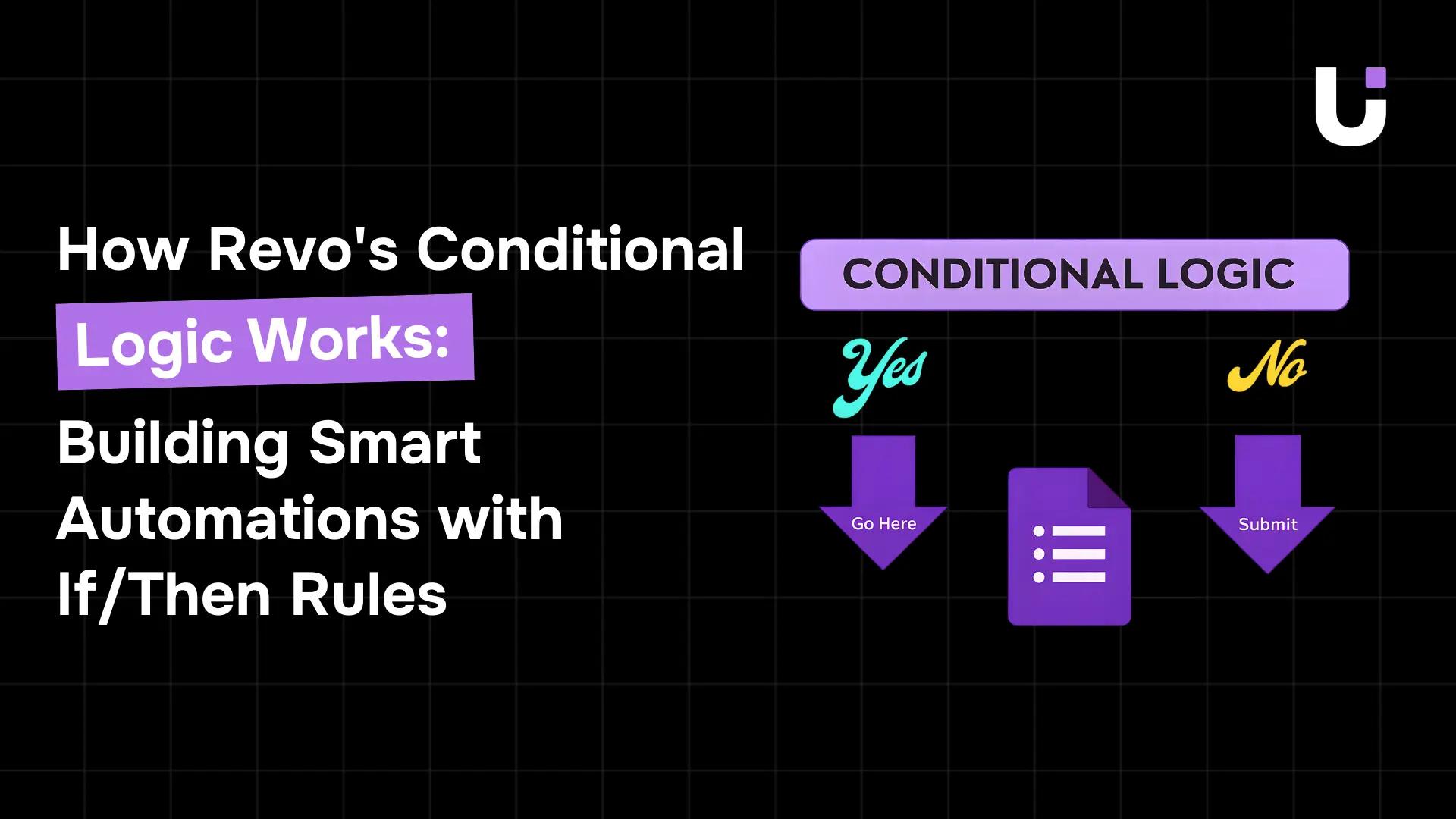
Conditional logic is the mechanism that lets a workflow make decisions. Instead of executing the same sequence of actions every time, a workflow with conditions evaluates a piece of data and takes a different path depending on what it finds.
You already use this kind of thinking every day. If the invoice is over £5,000, escalate it to senior management. If the lead is from a company with more than 500 employees, route it to the enterprise sales team. If a support ticket has been open for more than 24 hours without a response, send a reminder. These are all if/then decisions, and in Revo, you can encode every single one of them into your workflows visually, without any technical knowledge.
The core logic is always the same: IF [condition is true], THEN [do this]. OTHERWISE [do that]. What changes is the sophistication of the condition, how many variables it evaluates, how many outcomes it produces, and how those outcomes chain into further decisions downstream.
Key Concept: Conditional logic is what separates a workflow that moves data from a workflow that thinks. Without conditions, automation is a pipe. With conditions, it's a decision-maker.
Condition Nodes: How They Work on the Revo Canvas
In Revo, conditional logic lives inside Condition Nodes, a dedicated node type you drag onto the canvas just like any trigger or action. A condition node sits between a trigger (or a previous action) and the actions that follow, evaluating incoming data and routing the workflow down the correct path.
When you click on a condition node, you'll see a simple interface: a field selector on the left, an operator in the middle, and a value on the right. You're building a statement and once you save it, Revo evaluates that statement every time the workflow runs.
The condition node has two output paths by default: a True path and a False path. The True path executes when the condition is met. The False path executes when it isn't. You connect separate action nodes to each path, and each path can have its own independent chain of actions, its own further conditions, and its own logic.
The Condition Builder: Field, Operator, Value
Every condition in Revo is built from three components:
-
Field: The piece of data you want to evaluate. This can be any value from your trigger or from a previous action: a form field, a CRM property, an invoice amount, a timestamp, a record ID, a text string, a tag, or any other data point your workflow has access to.
-
Operator: How do you want to compare the field against your value? Revo supports a full range of operators depending on the data type: equals, does not equal, contains, does not contain, starts with, ends with, is greater than, is less than, is empty, is not empty, matches pattern, and more.
-
Value: What you're comparing against. This can be a fixed value you type in, or a dynamic variable from another part of your workflow. Comparing one piece of live data against another is where conditions become especially powerful.
You build the condition by selecting from each of these three elements using Revo's dropdown menus and variable picker, no typing of code, no syntax to remember. Once saved, the condition node displays your rule as a readable plainEnglish statement on the canvas so anyone reviewing the workflow can understand exactly what decision it makes.
The Four Types of Conditional Logic in Revo
Revo supports four distinct conditional patterns, each designed for a different level of workflow complexity:
1. Simple If/Then (Single Condition, Two Paths)
The most common pattern. One condition, two outcomes: True and False. Use this when a single data point determines which of two paths your workflow should take.
Example: IF Form: Company Size is greater than 500 THEN route to enterprise sales team. OTHERWISE route to the SMB team. Every lead gets handled just by the right person.
2. If/Then/Else If (Multiple Conditions, Multiple Paths)
An extension of the simple pattern. Instead of just True and False, you add additional condition branches evaluating a second or third condition before falling through to a default path.
Example: IF invoice amount is greater than £10,000 THEN route to CFO. ELSE IF invoice amount is greater than £2,000 THEN route to Finance Manager. OTHERWISE route to the direct line manager. Three different approval paths from a single condition chain.
3. AND / OR Logic (Compound Conditions)
Sometimes one condition isn't enough to make the right decision. Compound conditions let you combine multiple criteria using AND or OR logic within a single condition node.
AND logic: ALL conditions must be true. IF company size is greater than 500 AND selected plan is Enterprise AND industry is Financial Services THEN flag as high-priority enterprise lead.
OR logic: ANY condition can be true. If the ticket is marked Urgent OR ticket has been open for more than 4 hours OR customer tier is Premium, then escalate immediately to senior support.
4. Nested Conditions (Conditions Within Conditions)
For the most complex business logic, Revo allows you to nest condition nodes inside each other so the True path of one condition can itself contain another condition, which branches again, and so on.
Example: A lead passes the enterprise size condition (True path). Inside that path, a second condition checks the selected plan. If the plan is Enterprise, route to the dedicated enterprise team. If it's Professional, route to midmarket. If it's a starter, flag for nurture sequence. Three distinct outcomes from two nested conditions, all without a single line of code.
The Scale of the Problem: McKinsey estimates that 60% of all occupations have at least 30% of their activities that current technology could already automate. Conditional logic is what makes automation sophisticated enough to handle the 30%, not just the simple, straightline 5%. (Source: McKinsey Global Institute)
An Overview of Condition Types and How They Work
Here's how each condition type maps to real business use cases:
| Condition Type |
Logic Pattern |
Best For |
Example |
| Simple If/Then |
IF A → Path 1. Else → Path 2 |
Binary routing decisions |
Route enterprise vs SMB leads |
| If/Then/Else If |
IF A → P1. Else IF B → P2. Else → P3 |
Multitier routing with fallback |
Invoice approval by amount threshold |
| AND Logic |
IF A AND B AND C → True |
Highprecision qualification |
Flag VIP leads matching all criteria |
| OR Logic |
IF A OR B OR C → True |
Broad escalation triggers |
Escalate urgent or overdue tickets |
| Nested Conditions |
IF A → IF B → IF C... |
Complex multioutcome logic |
Multistage lead scoring and routing |
Step-by-step: Adding a Condition to a Revo Workflow
Let's build a real conditional workflow together. We'll take a common scenario: routing inbound support tickets based on priority and customer tier. This whole process takes about 10 minutes the first time.
Step 1: Set Your Trigger
Open a new workflow in Revo and add your trigger. In this case, a new ticket is submitted via Zendesk, Freshdesk, or your connected helpdesk tool. Click the trigger to configure which form or inbox you're monitoring. Save the settings. Your workflow now has a starting point and access to all ticket data, subject, priority level, customer email, account tier, and more.
Step 2: Add a Condition Node
From the Node Library, drag a Condition Node onto the canvas and connect it to your trigger. Click the condition node to open the builder. Set the field to "Ticket: Priority," the operator to "equals," and the value to "Urgent." Save. Your condition node now displays: IF Ticket Priority equals Urgent.
Step 3: Build the True Path
Connect an action node to the True output of your condition. Add a "Post Slack Message" action that alerts your senior support channel with the ticket details and a direct link. Then add a second action: "Update Ticket" in Zendesk to assign it to your Tier 1 specialist and set the SLA timer to 1 hour. The True path now handles urgent tickets with immediate escalation.
Step 4: Build the False Path
Connect a different action node to the False output. For nonurgent tickets, add a "Send Email" action that sends an automated acknowledgement to the customer confirming receipt and expected response time. Then add a second condition inside this path, checking the customer's account tier. If the account is Premium, assign to a dedicated support rep. Otherwise, add to the standard queue.
Step 5: Test Before Publishing
Click "Test Workflow" and submit sample tickets with different priority levels and account tiers. Watch each node light up on the canvas in real time as the workflow executes. Revo shows you exactly which path each test case took, the data at every decision point, and the outcome of every action. If a path behaves unexpectedly, Revo highlights the condition node that produced the wrong result and shows you the exact values it evaluated.
Step 6: Publish and Walk Away
Everything looks right? Hit "Publish." From this point forward, every new support ticket is evaluated, routed, and handled automatically. Urgent tickets are escalated in seconds, standard tickets are acknowledged and queued, and premium accounts are given priority treatment. No manual triage required.
Time Reality Check: Most teams build their first conditional workflow in Revo in under 20 minutes. Complex nested workflows with 4+ condition branches and 10+ actions typically take 1 to 3 hours to build and test end-to-end.
Real Workflows: Conditional Logic in Action
Here are three real conditional workflow patterns that Revo teams build in their first week, each one handling a process that would be impossible to automate without if/then logic:
1. Lead Scoring and Routing for Sales
A lead submits a demo request form. Instead of routing every lead the same way, Revo evaluates four conditions in sequence:
-
Condition 1: IF company size is greater than 500, AND selected plan is Enterprise THEN flag as Priority A lead → notify enterprise sales rep on Slack → create high-priority deal in Salesforce → schedule immediate outreach task
-
Condition 2: ELSE IF company size is between 50 and 500 THEN flag as Priority B lead → add to midmarket nurture sequence in HubSpot → assign to midmarket rep
-
Condition 3: ELSE IF source is referral THEN fasttrack regardless of size → notify the referring contact → create a deal with referral tag
-
Default: All other leads → add to standard nurture sequence → assign to SDR pool
Four different lead journeys. One workflow. Zero manual routing decisions.
2. Invoice Approval with Amount Thresholds
An invoice arrives via email. The Finance Agent parses the amount and runs it through a nested condition chain:
-
IF amount > £50,000 THEN route to CFO for approval via Slack → set 4-hour SLA → if no response, escalate to CEO
-
ELSE IF amount > £10,000 THEN route to Finance Director → set 8-hour SLA → if no response, remind and escalate to CFO
-
ELSE IF amount > £2,000 THEN route to Finance Manager → set 24hour SLA → if no response, send reminder
-
OTHERWISE THEN autoapprove if vendor is on approved list AND amount is within budget → log in QuickBooks → file receipt in Google Drive
This workflow eliminates the most expensive invoice processing failure: the approval that sat in the wrong inbox for a week because nobody knew whose job it was to handle it.
3. Customer Onboarding with Personalised Paths
A new customer signs up for a SaaS product. Instead of sending every customer the same onboarding sequence, Revo evaluates their plan and industry to personalise their experience:
-
IF plan is Enterprise AND industry is Financial Services THEN assign a dedicated customer success manager → schedule onboarding call within 24 hours → send compliance-specific setup guide → add to Financial Services Slack community
-
ELSE IF plan is Enterprise (other industries) THEN assign CSM → schedule onboarding call within 48 hours → send standard enterprise setup guide
-
ELSE IF plan is Professional THEN send self-serve onboarding email sequence → trigger in-app tooltips → schedule optional check-in call at Day 7
-
OTHERWISE (Starter plan) THEN send automated welcome sequence → direct to knowledge base → offer live chat support
Four different onboarding experiences. Delivered automatically. Personalised to the customer's actual context, not just their email address.
The Complete Guide to Condition Operators Explained
Revo supports a full set of condition operators across every data type. Here's what's available and when to use each**:**
| Operator |
Data Type |
What It Evaluates |
Example Use Case |
| equals |
Text, Number, Boolean |
Exact match between field and value |
Plan equals "Enterprise." |
| does not equal |
Text, Number, Boolean |
Field is anything other than the value |
Status does not equal "Closed" |
| contains |
Text |
Field includes the value as a substring |
Email contains "@enterprise.com" |
| does not contain |
Text |
The field does not include the value |
Subject does not contain "unsubscribe." |
| is greater than |
Number, Date |
Field value exceeds the threshold |
The invoice amount is greater than £5,000 |
| is less than |
Number, Date |
Field value falls below the threshold |
Days since last contact is less than 30 |
| is empty |
Any |
The field has no value, catches missing data |
Phone number is empty → request via email |
| is not empty |
Any |
Field has any value present |
Only proceed if the company name is not empty |
| starts with |
Text |
Field begins with a specific string |
Invoice ref starts with "ENT." |
| matches pattern |
Text |
Field matches a regex pattern |
Phone number matches UK format pattern |
Key Takeaways: Conditional Logic in Revo
Before you add your first condition node, here are the seven things most worth understanding about how Revo's if/then logic works:
-
Conditions are what make automation intelligent. Without them, every record gets the same treatment regardless of context. With them, your workflow evaluates real data and makes real decisions.
-
Every condition node has a True path and a False path. Always connect actions to both. An unhandled path is a place where data disappears silently, and silent failures are the hardest kind to debug.
-
You can combine conditions using AND and OR logic. AND requires all criteria to be true. OR requires anyone to be true. Mix them with grouping to handle complex real-world qualification logic.
-
Nested conditions handle multioutcome scenarios. When a True path itself needs to make a decision, drop another condition node inside it. Revo supports deep nesting build, as many levels as your process requires.
-
Conditions can reference action outputs, not just trigger data. Any value generated by an earlier action is available to a later condition. This lets you build workflows that evaluate their own intermediate results.
-
Test every branch before publishing. Submit sample data that covers every possible condition path. A condition that hasn't been tested is a condition that will eventually produce a surprise in production.
-
Start simple, then add complexity. Build the straight-line workflow first. Add one condition at a time. Test after each addition. Trying to build all your branching logic at once is the fastest way to get confused and lose track of which path handles which case.
The Bottom Line
Straight-line automation handles the easy cases. Conditional logic handles everything else, and in most business processes, everything else is the majority of the work.
The lead needs a different response because of their company size. The invoice needs a different approver because of its amount. The support ticket needs immediate escalation because of its priority level. The customer who needs a different onboarding path because of their plan and industry. These aren't edge cases. They're the norm. And before Revo, handling them automatically required either a developer or a tool that only big enterprises could afford.
Revo's conditional logic changes that. The person who understands the business rule, the sales manager who knows how leads should be routed, the finance lead who knows which invoices need which approval chain, can now encode that rule directly into a workflow themselves. No ticket to IT. No six-week implementation project. Just a condition node, a few dropdown selections, and a publish button.
Common Questions About Revo's Conditional Logic
Q. How many conditions can I add to a single workflow?
A. There’s no fixed limit. You can add and nest as many condition nodes as needed. Most workflows use 2–8 conditions before it’s easier to split them into modular sub-workflows.
Q. Can I combine AND and OR logic in the same condition?
A. Yes. Revo allows grouped logic with mixed AND/OR operators inside one condition node, fully visual, no syntax required.
Q. What happens if none of my conditions are met?
A. The default “False” or “Otherwise” path runs. Always connect an action to it to avoid silently dropping data.
Q. Can I test individual condition branches before publishing?
A. Yes. In test mode, you can run sample data and see exactly which path executes. Revo highlights evaluated conditions and compared values.
Q. Can conditions reference data from previous actions, not just the trigger?
A. Yes. Any data created earlier in the workflow is available for later conditions, allowing logic based on action results, not just trigger data.


 Elena Petrova15 September 2026


