TL;DR: Most guides define email segmentation and move on. This one shows IT company owners how to build segments from CRM data you already have, connect each segment to a specific campaign trigger, and measure whether the segment is actually driving results.
What email segmentation is and how it works
Email segmentation means dividing your subscriber list into smaller groups based on shared attributes, then sending each group a message matched to those attributes. As Campaign Monitor defines it, segmentation is "the division of email subscribers into smaller segments based on set criteria" typically used as a personalization tactic.
The mechanism is straightforward. You identify a meaningful attribute, industry, deal stage, last click, product tier, pull that data from your CRM, and create a filtered group. Every contact in that group gets a version of your campaign written for their specific situation. Contacts outside that group get a different version, or nothing at all.
That last part matters. Sending nothing to a segment that isn't ready is just as deliberate as sending something to one that is.
The result: relevance goes up because each message speaks to a real context, not a generic one. Unsubscribes fall because people stop receiving emails that have nothing to do with them. If you're building this out for the first time, targeted email marketing fundamentals for SMBs are a useful starting point.
Why segmentation improves open rates and conversions
Relevant emails get opened. Irrelevant ones get ignored, or worse, flagged as spam. That gap is what email marketing segmentation closes.
When you send a message that matches where a lead actually is in their buying process, email open rates climb because the subject line speaks to a real problem they have right now. Litmus notes that segmentation leads to higher open rates, more clicks, and improved conversions by tailoring content to subscriber interests rather than broadcasting to everyone at once.
The downstream effects matter just as much:
Fewer unsubscribes. Leads stop opting out when the content is relevant to their role or stage.
Shorter sales cycles. A lead who receives nurture emails matched to their behavior moves to a buying conversation faster than one who gets the same generic drip as everyone else.
Better lead qualification. Engagement signals from segmented sends (clicks, replies, time-on-page) tell your CRM which leads are warm before a rep touches them.
For IT company owners running multi-step campaigns, those three outcomes compound quickly. If you want a deeper look at execution, these email marketing tips cover the tactical layer.
Four types of email segmentation strategies
Most email segmentation strategies fall into four categories, and the one you start with depends entirely on what data you already have in your CRM.
Demographic segmentation groups contacts by attributes like job title, company size, or industry. A practical B2B example: IT services firms often separate "IT director" contacts from "procurement manager" contacts because each cares about different buying criteria.
Firmographic segmentation goes one level up, grouping by company-level data rather than individual attributes. Think segment rules like "SaaS companies with 50–200 employees" or "professional services firms in the US." This is where your lead CRM earns its keep — if you're capturing firmographic fields at signup or enrichment, you can build these segments without touching a spreadsheet.
Behavioral segmentation uses actions: who opened your last three campaigns, who clicked a pricing page, who went quiet after a demo. This type is the most predictive for sales cycles because it reflects intent, not just identity.
Lifecycle stage segmentation separates contacts by where they sit in your pipeline — new subscriber, marketing-qualified lead, active opportunity, or churned customer. Each stage warrants different messaging, cadence, and call to action.
If you're deciding where to start, begin with whatever data is already clean and complete in your system. For most IT company owners, that means firmographic or lifecycle stage first. Targeted email marketing services built for SMBs can help you match the right tooling to the segments you're actually ready to build.
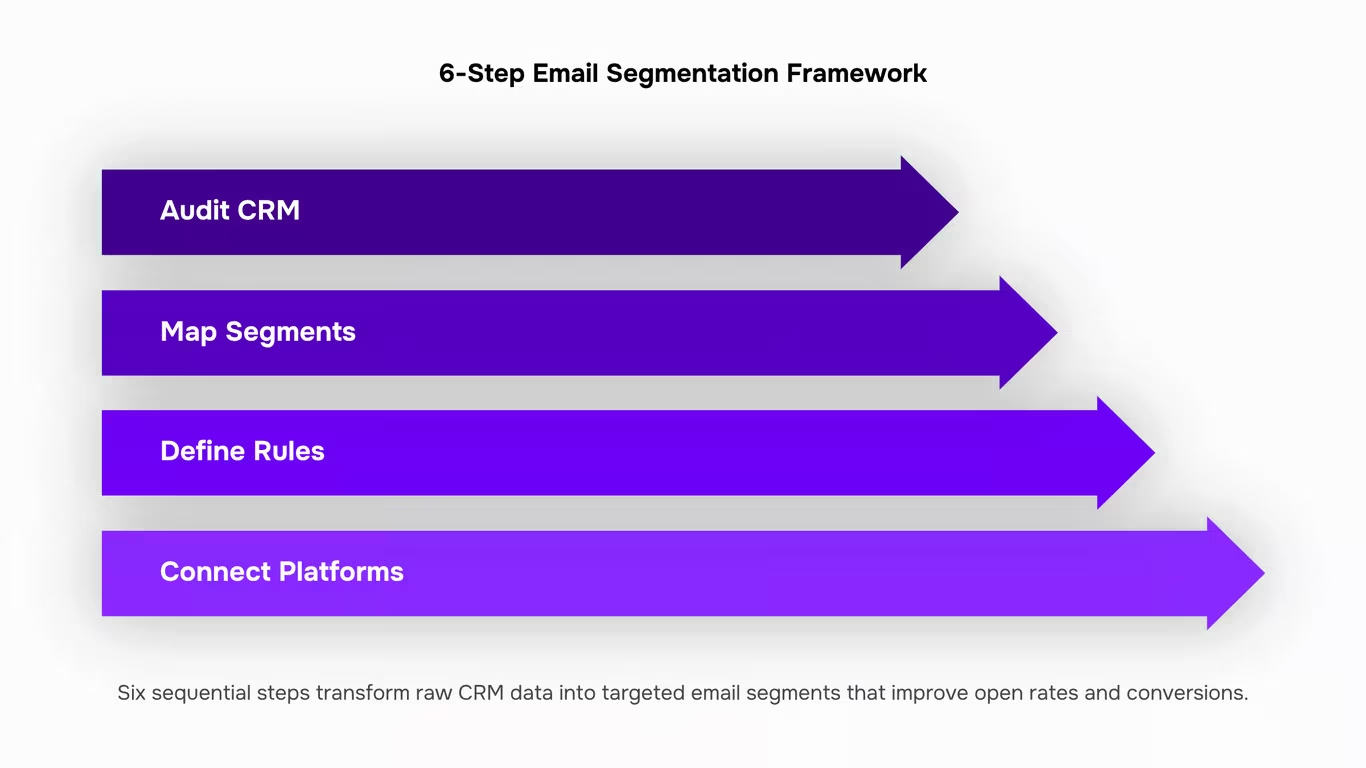
Six steps to segment your email list effectively
Start by auditing what you actually have. Pull your CRM export and look at which fields are consistently populated: job title, company size, industry, signup source, last email open, last login date. Most IT company owners discover they have more usable data than they thought, and a few critical gaps. Those gaps tell you which segments to build now versus which to build once you've added a data-collection step.
Map your data to a segment type. Take the four types covered above (demographic, firmographic, behavioral, lifecycle stage) and match each populated field to one of them. Company size maps to firmographic. Last login date maps to behavioral. Trial start date maps to lifecycle. This mapping step stops you from building segments that look logical but have no data behind them.
Define your segment rules in writing before touching any tool. A segment rule is a plain-English condition: "contacts at companies with 50 or more employees, in the IT services industry, who opened at least one email in the last 60 days." Write it out. If you can't write it clearly, you can't configure it correctly. This is where most email list segmentation efforts stall: the logic is fuzzy, so the output is too.
Connect your CRM to your sending platform. Your CRM holds the behavioral and firmographic signals; your email tool needs to read them in real time. If that sync is manual (CSV exports, weekly imports), your segments go stale fast. A contact who moved from trial to paid last Tuesday should leave the nurture segment the same day, not next Monday. Tools that maintain a live CRM-to-segment pipeline, like Evox, handle this automatically so your segment membership updates as contact data changes.
Map triggers to each segment. A trigger is the event that moves a contact into or out of a segment: trial started, invoice unpaid, last open more than 90 days ago. For each segment rule you wrote in step 2, define at least one entry trigger and one exit trigger. Without an exit trigger, segments bloat over time and your targeting degrades.
Write copy specific to the segment's context. A 200-person IT services firm has different pain points than a 12-person managed service provider, even if both are in your "IT industry" segment. The subject line, the example you use, the CTA you lead with: all of these should reflect what that segment actually cares about. For practical guidance on matching message to audience, email marketing tips for beginners covers the copy fundamentals worth reviewing before you write.
Launch, then review at 30 days. Check open rate, click rate, and unsubscribe rate per segment, not just overall. If one segment's unsubscribe rate is running high, the segment definition is probably too broad or the copy isn't matching intent. Tighten the rule or split the segment. If you want a broader look at targeted email marketing services before committing to a platform, that comparison covers what to look for at the SMB level.
The framework repeats: audit, define, connect, trigger, write, review. Each cycle produces tighter segments and better data for the next one.
Three segmentation examples for IT and B2B teams
Here are three patterns you can map directly to your own list.
Trial-user nurture. A 20-person IT consultancy signs up for your SaaS product but never completes onboarding. Your email segmentation rule triggers on "trial started + day 3 + setup incomplete." The sequence sends a short how-to on the one feature most trials skip, then a case study from a similar-sized firm on day 6. Conversion rates on this segment typically outperform generic nurture emails because the message matches exactly where the contact is stuck.
Firmographic segment by company size and industry. Pull company size and vertical from your CRM, then build a rule: "IT services + 50–200 employees." This group gets pricing and ROI messaging calibrated to mid-market budgets, not enterprise decks. If you need a starting point for building this kind of targeted list, targeted email marketing services for SMBs covers the tooling decisions.
Re-engagement for cold leads. Flag contacts who have not opened in 90 days. Send one direct email: "Still relevant?" with a single CTA. If they do not engage within two weeks, suppress them. This keeps your list clean and protects deliverability, which is where most email marketing segmentation gains quietly disappear.
Common segmentation mistakes that hurt deliverability
Three mistakes show up repeatedly once teams start taking email list segmentation seriously.
Over-segmenting is the first. Splitting a 2,000-person list into fifteen micro-segments leaves some groups too small to generate statistically meaningful email open rates. You end up optimizing noise. A segment needs enough volume to tell you something real before you treat it as its own audience.
Stale data is the second. A lead's job title, company size, or product usage from eight months ago may no longer reflect their situation. Segments built on outdated CRM fields quietly degrade, and you won't notice until reply rates drop.
Dead segments that never get retired are the third. According to Klaviyo's segmentation research, continuing to send to disengaged groups hurts sender reputation and deliverability for your entire list, not just that segment.
Audit your segments quarterly. Merge the thin ones, refresh the data behind the active ones, and suppress or delete the rest.
Email segmentation vs. email personalization
Both terms get used interchangeably, but they do different jobs. Email segmentation determines who receives a message. Personalization determines what that message says once it arrives. Conflating them leads to campaigns that reach the right group with the wrong content, or craft a tailored message and blast it to everyone.
Think of it as a two-layer decision: segment first, then personalize within that segment. Litmus describes them as two paths to the same destination — more relevant email — which is only true when you apply both in sequence, not as substitutes.
Dimension | Segmentation | Personalization |
|---|
What it controls | Who gets the email | What the email says |
Input required | CRM data, behavior, firmographics | Dynamic fields, rules, or ML logic |
Applies to | The list | The message |
Failure mode | Irrelevant audience | Generic copy to the right audience |
For email marketing segmentation to pay off, both layers need to be active. One without the other cuts your results roughly in half.
Closing
Here's the thing: segmentation only works if your segments stay current. You can build perfect rules in your CRM, but if updating them requires manual work every week, your team burns cycles on mechanics instead of crafting better messages. Once you've defined your segments and triggers, the next step is automating how contacts flow between them—that's where tools like Evox handle the routing so you focus on what actually moves the needle: the copy itself.
FAQ
Q. What is email segmentation and how does it work?
A. Email segmentation divides your subscriber list into smaller groups based on shared attributes (industry, deal stage, product tier), then sends each group a message matched to their specific situation. Contacts outside a segment get a different version or nothing at all.
Q. How can I segment my email list for more effective marketing?
A. Start by auditing which fields in your CRM are clean and complete, then map them to one of four segment types: demographic, firmographic, behavioral, or lifecycle stage. Write your segment rules in plain English before configuring them in any tool to ensure the logic is solid.
Q. What are the benefits of using email segmentation in my marketing campaign?
A. Segmentation boosts open rates because messages match real context, cuts unsubscribes since people stop receiving irrelevant emails, shortens sales cycles by nurturing leads at their actual stage, and improves lead qualification through engagement signals that tell your CRM who's warm.
Q. Can you describe the different types of email segmentation strategies?
A. Demographic groups by job title or company size; firmographic by company-level data like employee count; behavioral by actions like clicks or opens; lifecycle stage by pipeline position like MQL or active opportunity. Start with whichever type has the cleanest data in your system.
Q. How can I use email segmentation to improve my email open rates?
A. Match your subject line and message to the segment's specific context—what a 200-person IT firm cares about differs from a 12-person MSP. Relevant emails get opened; irrelevant ones get ignored or flagged as spam. Segmentation closes that gap.
Q. How many segments should I start with?
A. Begin with one segment type based on your cleanest CRM data—usually firmographic or lifecycle stage. Master that before adding complexity. Quality segments matter far more than quantity.
Q. What data do I need before I can start segmenting my list?
A. Audit your CRM export for consistently populated fields: job title, company size, industry, signup source, last email open, or last login date. You likely have more usable data than you think; the gaps tell you which segments to build now versus later.


 Elena Petrova15 September 2026


