TL;DR: Most marketing integration guides stop at "connect your CRM and sync your data." This one maps the handoff points, ownership decisions, and automation triggers that determine whether your integration holds up at week four, not just week one. IT company owners get a seven-practice framework tied to real workflow outcomes, not setup checklists.
What marketing integration actually means
Marketing integration is the practice of connecting your marketing tools, data, and workflows so they operate as a single system rather than a collection of separate platforms that happen to share a login screen.
Most IT company owners already have the tools: a CRM, an email platform, maybe a project management layer. The problem is those tools don't talk to each other in any meaningful way. A lead fills out a form, the data sits in one place, and someone manually copies it somewhere else. That's not integration. That's just overhead.
True marketing integration means a contact record updated in your CRM automatically triggers the right email sequence. It means your marketing automation workflow reflects real pipeline data, not a snapshot from last Tuesday. It means your team stops reconciling spreadsheets and starts acting on signals.
The distinction matters because CRM and email marketing integration is where most revenue leakage actually happens in multi-tool stacks. Fix the connection between those two systems first, and the rest of your marketing integrations become significantly easier to manage.
Why marketing integration matters for your business
Disconnected tools don't just slow your team down — they actively cost you deals.
When your CRM, email platform, and campaign tools don't share data, four specific problems compound. First, clarity disappears. Your team works from different versions of the same lead record, so no one knows which contacts have been touched, by whom, or when. Second, speed drops. Research consistently shows that response time to inbound leads is one of the strongest predictors of conversion — and manual handoffs between disconnected systems add hours, sometimes days, to that window.
Third, customer experience fractures. A prospect who downloaded a whitepaper gets a cold outreach email two days later because your CRM email marketing integration isn't passing engagement signals across. They notice. Fourth, team productivity erodes. Sales reps manually re-entering lead data from email marketing integration reports into the CRM isn't a minor inconvenience — it's a recurring tax on your highest-cost headcount.
The compounding effect is the real problem. Each gap is manageable in isolation. Together, they create a system where your marketing automation workflow produces outputs no one fully trusts, and your team compensates with workarounds that introduce more gaps.
Marketing integration fixes this by making your tools operate as one system: shared data, consistent triggers, and outcomes you can actually track against your marketing KPIs.
Where most marketing integrations break down
Three failure points account for most broken marketing integrations, and they rarely show up in setup guides.
Undefined data ownership is the first. When two tools write to the same contact record, the last sync wins. Without a declared master source, CRM fields get overwritten by email marketing integrations mid-campaign, and no one notices until a sales rep calls a lead who unsubscribed three weeks ago.
Missing trigger logic is the second. Connecting tools is not the same as building a workflow that converts. Most teams wire up a basic sync and assume behavior follows. It doesn't. Without explicit if/then rules, events fire out of sequence or not at all.
No sync validation is the third. A CRM and marketing automation integration that worked at setup will drift as field names change, API versions update, or team members add custom properties. Without scheduled validation checks, silent failures accumulate for weeks before anyone traces a revenue gap back to a broken field map.
The seven steps ahead are designed to close each of these gaps before they cost you pipeline.
7 best practices for successful marketing integration
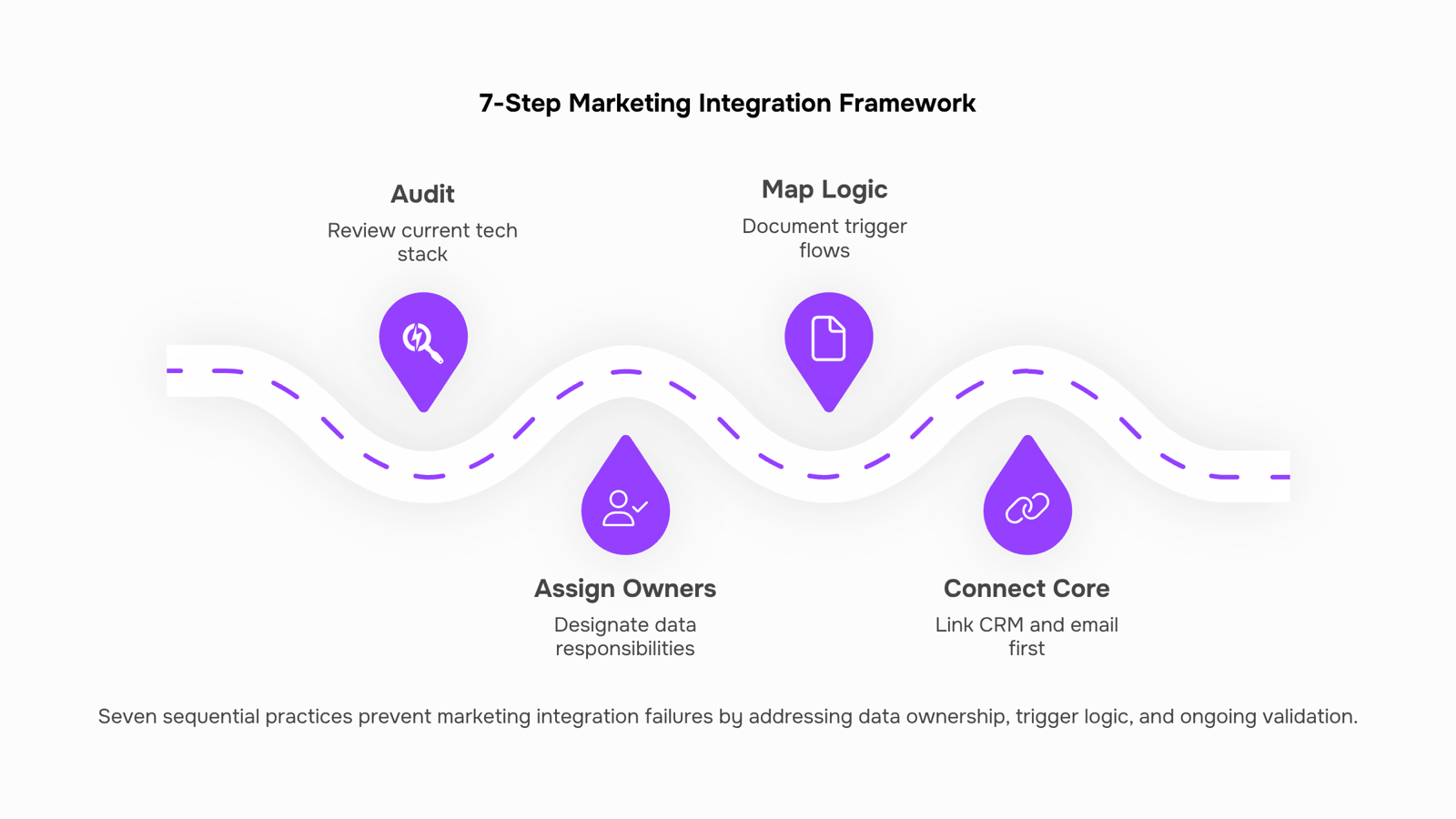
Audit your current stack before touching a single connector: List every tool your team uses to capture, move, or act on marketing data. Include your CRM, email platform, ad accounts, and any direct mail digital marketing integration tools you've bolted on over time. The goal is a single-page map showing where data enters, where it lives, and where it stops moving. Most broken integrations trace back to a tool someone added six months ago that nobody documented.
Assign a data owner to each system, not each team: Undefined ownership is the first failure point the previous section named, and the fix is specific: one named person owns the CRM record, one owns the email platform, one owns the ad feed. When a sync breaks, you know who calls whom. Without that, three people investigate the same Shopify email marketing integration issue and none of them fix it.
Map your trigger logic before you build: Write out every condition that should cause data to move: a form submission, a purchase, a status change in the CRM. For each trigger, name the source system, the destination, and the field that carries the data. This step is where search marketing integration breaks most often. Teams wire up the connection but never define what event should fire it.
Connect CRM and email first, then expand: CRM email marketing integration is the highest-leverage starting point because it touches every lead from first contact to close. Get that sync clean and validated before adding ad platforms, SMS, or direct mail layers. Setting up that CRM-to-email connection correctly is its own discipline — treat it as the foundation, not one item on a checklist.
Use a staging environment or test segment for every new connection: Send 10 records through before you send 10,000. For Shopify email marketing integrations specifically, test with a single product segment before enabling store-wide sync. One misconfigured field mapping can overwrite contact data across your entire list, and most platforms don't offer a clean rollback.
Build your marketing automation workflow around validated data, not assumed data: Automation that fires on bad data doesn't just fail quietly — it sends wrong messages to wrong contacts and damages deliverability. Before enabling any workflow, confirm the fields it depends on are populated consistently across at least 90% of records. If they're not, fix the data problem first.
Set a recurring sync validation cadence, not a one-time check: The third failure point from the previous section was no sync validation. The fix isn't a post-launch audit — it's a standing calendar event. Most teams find that a monthly 30-minute review of field mappings, error logs, and bounce rates catches drift before it compounds. Tie your validation to the marketing KPIs you're already tracking so the check has a measurable outcome, not just a completion checkbox.
Each step protects against one of the three failure modes named earlier. Run them in order the first time. After that, steps 1, 3, and 7 become the recurring operational loop that keeps your marketing integration stable as your stack changes.
Marketing integration vs. marketing automation: what is the difference
Most teams conflate these two concepts, then wonder why their stack still leaks data.
Marketing integration connects your tools so data moves between them. Your CRM receives a new contact from a form submission. Your email platform sees that contact. That's integration.
Marketing automation triggers actions based on that data. The contact enters a nurture sequence because their lead score crossed a threshold. That's automation. One feeds the other.
Dimension | Marketing integration | Marketing automation |
|---|
Scope | Data movement between systems | Action execution within systems |
Trigger type | Event-driven sync (new record, field update) | Rule-based logic (score, segment, behavior) |
Ownership | IT or ops team | Marketing team |
You need both, but in the right order. Integration without automation is a clean database that does nothing. Automation without integration fires on incomplete data and produces noise.
For a practical walkthrough on connecting these layers, the CRM and marketing automation integration setup guide covers the wiring step by step. Email marketing integration specifically sits at this boundary: it only performs well once the data layer underneath it is solid.
Scattered integration logic is a maintenance problem disguised as a setup problem. When each marketing integration lives in a separate tool, a broken connection means hunting through three dashboards to find the failure point.
The fix is centralizing your integration logic in one place. Instead of managing your CRM email marketing integration in your CRM, your email tool, and a point-to-point connector separately, you wire the rules once and monitor them from a single view.
Revo's drag-and-drop workflow builder handles exactly this: you define the trigger, the data transformation, and the downstream action in one canvas. When a rule breaks, you see it immediately rather than discovering it two weeks later through a missed follow-up.
For a deeper look at how teams structure this, the best practices for optimizing marketing automation workflows guide covers the operational patterns that hold up at scale. Pair that with a review of tools for building a marketing automation workflow to choose the right execution layer.
Closing
Marketing integration only works when you treat it as a system, not a series of point connections. The seven practices above—from auditing your stack to validating syncs monthly—are what separate integrations that hold up at week four from ones that silently fail. Start this week: map your current tools on a single page, name a data owner for each system, and identify the one handoff point (usually CRM to email) that's costing you the most manual work. That's your foundation. Once it's solid, the rest scales.
FAQ
How do I integrate marketing tools with my existing workflow?
Audit your stack first, assign data owners to each system, then map trigger logic before building anything. Connect CRM and email first, test with a small segment, and validate monthly. This prevents the silent failures that break most integrations.
What are the benefits of marketing integration for my business?
Integrated tools restore clarity on lead status, cut response time by eliminating manual handoffs, prevent duplicate or off-target outreach, and free your highest-cost headcount from data re-entry. The compounding effect is a system your team actually trusts.
Can marketing integration improve my team's productivity?
Yes. Sales reps stop manually re-entering lead data, marketers stop reconciling spreadsheets, and your team acts on real signals instead of workarounds. That's a measurable productivity lift tied directly to tool alignment.
How does marketing integration enhance customer experience?
Integrated systems pass engagement signals across platforms, so prospects don't receive cold outreach after downloading a whitepaper. Consistent data means personalized, timely touchpoints instead of fractured, repetitive ones.
What are the best practices for successful marketing integration?
Audit first, assign data owners, map triggers before building, connect CRM and email as your foundation, test in staging, validate data before automation, and schedule monthly sync reviews. These seven practices close the failure points that break most integrations.
What is the difference between marketing integration and marketing automation?
Integration connects your tools so data moves consistently between them. Automation defines the rules that govern how and when that data triggers actions. You need integration first; automation runs on top of it.


 Elena Petrova15 September 2026


