TL;DR: Most work plan content stops at the template and never addresses what makes one actually stick with a delivery team. This piece covers the specific decisions — scope boundaries, task ownership, and review cadence — that separate a work plan your team follows from one that gets ignored after week one.
What is a work plan?
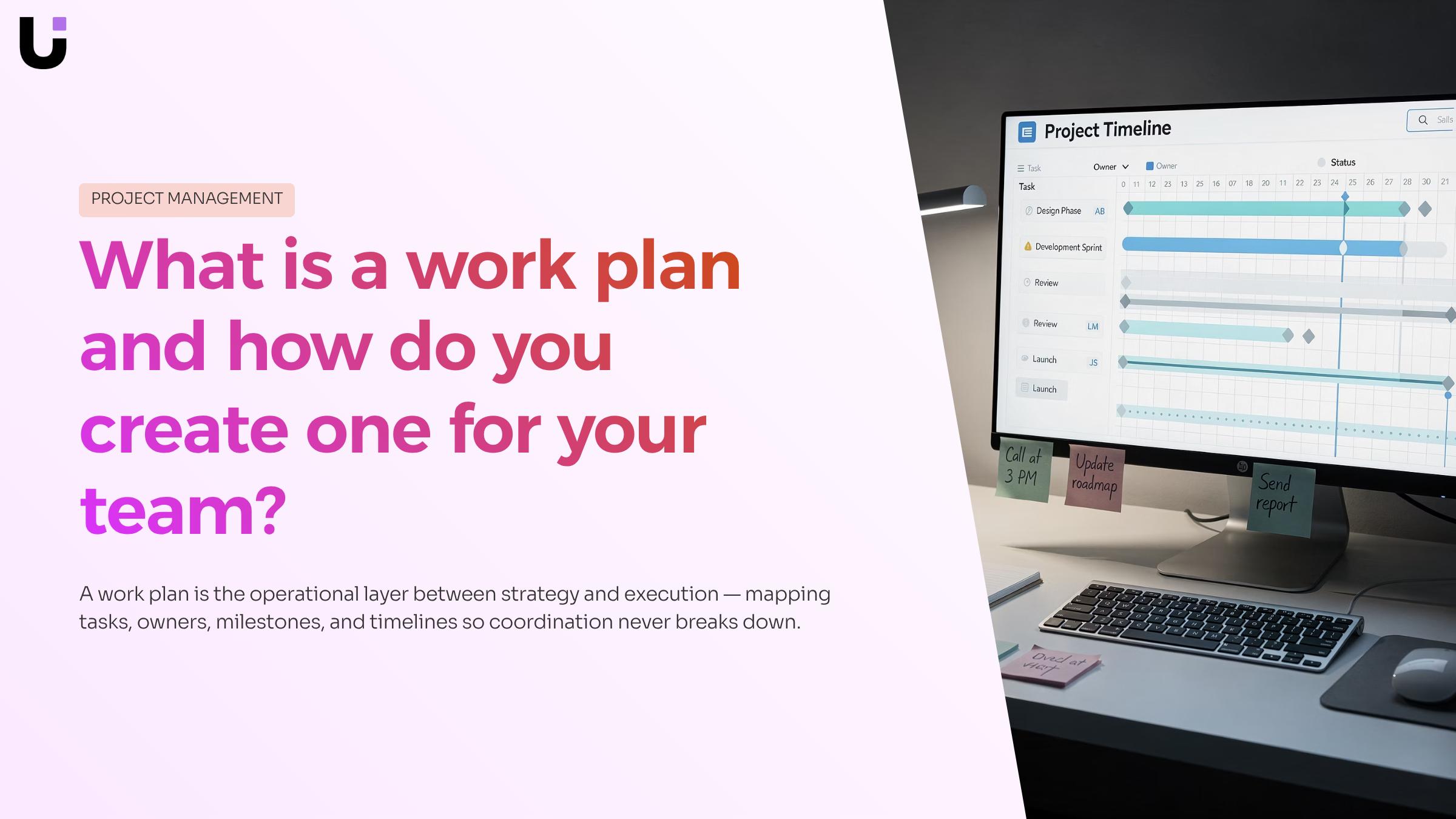
Structured work plan framework displayed on tablet with organized task sections, milestones, and timeline in professional 3D render
A work plan is a document that maps out the tasks, owners, milestones, and timeline needed to complete a specific project or goal. Think of it as the operational layer between a high-level strategy and the day-to-day work your team actually executes.
For IT teams, that gap matters. A sprint goal or a product roadmap tells you where you're going. A project management work plan tells you who does what, in what order, and by when. Without it, engineers pick up work based on proximity rather than priority, handoffs break down, and rework compounds.
Most teams treat a work plan as a one-time document: write it at kickoff, file it, move on. That's where coordination falls apart. A useful work plan is a live reference. It connects the components of your work management system to individual task ownership, so anyone on the team can answer "what should I be working on right now?" without a meeting.
The scope is deliberately bounded. A work plan covers one project or initiative, not an entire department. That specificity is what makes it actionable. When the scope creeps beyond a single deliverable, the plan stops functioning as a coordination tool and starts becoming background noise.
The next section breaks down the five structural elements every work plan needs to stay useful beyond day one.
Essential components of a work plan
A work plan without all its parts is just a list. These six components are what separate a document your team actually uses from one that sits in a shared drive.
Goals and objectives: come first. Goals name the outcome ("migrate the client's infrastructure to AWS"); objectives break that into measurable checkpoints. Without both, your team can't tell whether the work is on track or done.
Scope and requirements: define what's in and what's out. For IT teams, this is where you document system dependencies, access requirements, and hard constraints like compliance deadlines. Skipping this is where scope creep starts.
Task breakdown: turns objectives into assignable work. Think of it as the layer between "what we're delivering" and "who does what on Tuesday." According to projectmanager.com, a solid work plan includes a structured task breakdown alongside roles, timelines, and resource requirements — all connected, not listed separately.
Roles and ownership: attach a name to every task. Shared ownership is no ownership. Each item needs one accountable person, even when multiple people contribute.
Timeline and milestones: give the work a spine. Milestones mark decision points, not just calendar dates — they're the moments when your team confirms the previous phase is complete before starting the next.
Review cadence: is the component most work plan templates leave out entirely. IT projects shift. A weekly check against the plan catches drift before it becomes rework. If your current templates for work plans don't include a review schedule, add one before anything else.
For the task-level layer, priority management techniques help your team decide what to act on when everything feels urgent.
How to create a work plan for your team
Building a work plan from scratch takes less time than most teams expect. The structure is straightforward once you know the sequence.
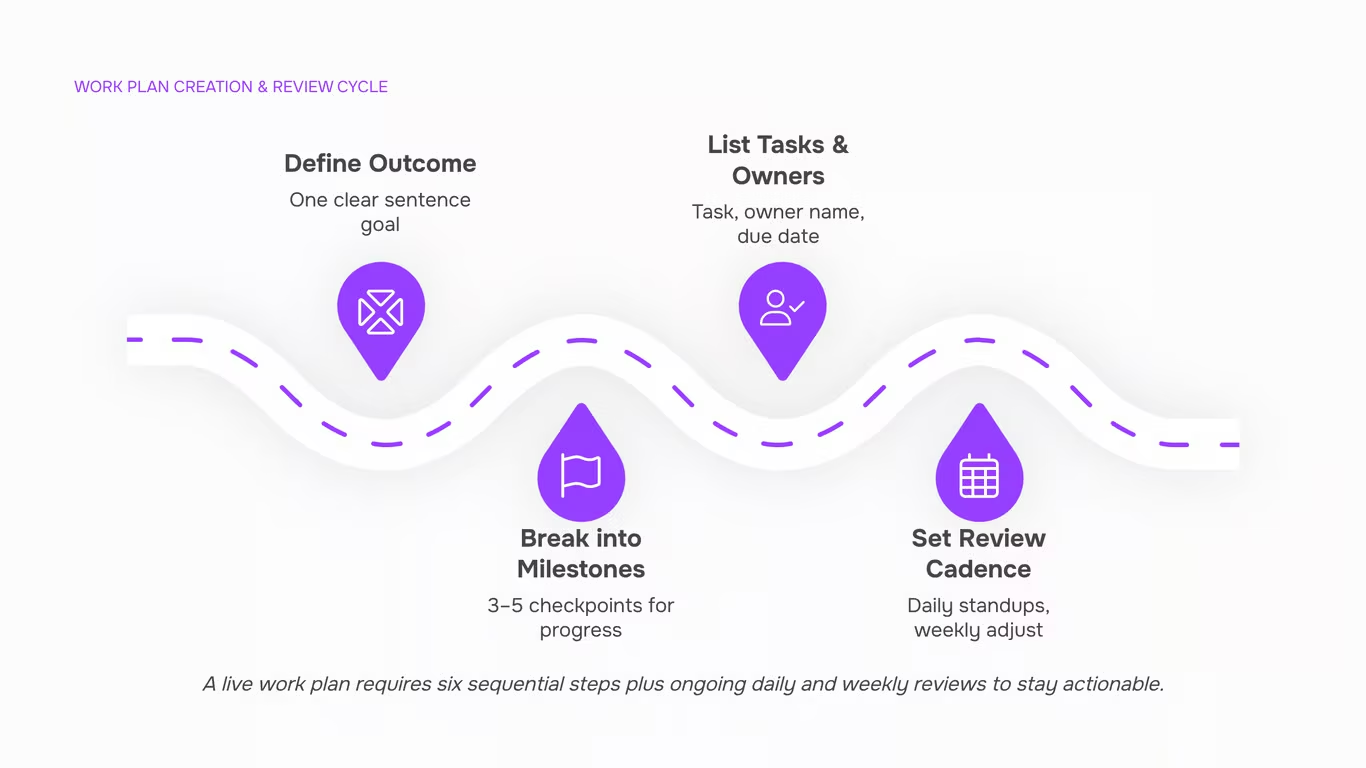
- Define the outcome first: Write one sentence that describes what done looks like. For an IT team migrating to a new ticketing system, that might be: "All support staff are using the new platform with zero open P1 tickets by end of Q3." Everything else in the plan flows from this.
- Break the outcome into milestones: Identify three to five checkpoints that confirm you're on track. For the migration example: vendor selected, environment configured, staff trained, go-live complete. Milestones are not tasks they're evidence that a phase finished.
- List the tasks under each milestone: Assign an owner and a due date to every task. Vague ownership ("the dev team") is where plans collapse. One name per task.
- Map dependencies: Before you lock in dates, check which tasks block others. Configuration can't start until the vendor is selected. Training can't start until configuration is complete. A five-minute dependency check prevents a week of rework.
- Attach a review cadence: A work plan that isn't reviewed becomes a filing artifact. Set a weekly check-in to compare actual progress against planned milestones. High-performing teams review their plans at least weekly — daily for active sprints. A daily work planner template helps translate the weekly plan into specific task decisions each morning.
- Prioritize before you publish: Before sharing the plan, rank the tasks by impact and dependency order. Priority management techniques like MoSCoW or weighted scoring take under an hour and prevent the common mistake of treating everything as equally urgent.
Once the plan is live, a work planner app can surface which tasks deserve attention today based on deadlines and dependencies — so the plan stays connected to daily execution rather than sitting in a shared drive untouched.
How a work plan helps you prioritize tasks and manage time
Without a written work plan, every task feels equally urgent. That's the core problem: when nothing is ranked, everything competes for attention at once, and your team defaults to whatever is loudest rather than what matters most.
A work plan solves this by forcing explicit prioritization before the work starts. When you document goals, assign owners, and set deadlines in one place, you create a reference point for daily decisions. Instead of asking "what should I work on now?", your team asks "what's next on the plan?" That shift alone cuts the time lost to context-switching and re-prioritization meetings.
The key components of an effective work management system all point to the same principle: visibility drives execution. A work plan makes dependencies visible, so a developer doesn't start a task that's blocked by a pending API credential. It surfaces scheduling conflicts before they become missed deadlines.
A daily work planner template takes this further by breaking the plan into time-boxed slots, which helps individuals translate weekly goals into hourly decisions. For IT teams specifically, this matters because unplanned interruptions are constant. A structured plan gives you a baseline to return to after every context switch, rather than rebuilding your priorities from scratch each morning.
How often should you review and update your work plan?
Review frequency depends on the scope of change, not a fixed calendar rule. For a project management work plan covering a two-week sprint, three review layers work well in practice.
Daily standup check. Spend two to three minutes confirming that today's tasks still match yesterday's priorities. If a blocker emerged overnight, adjust the day's assignments before work starts, not after. This keeps the plan descriptive of reality rather than a record of original intentions.
Weekly adjustment. At the end of each week, compare actual progress against planned milestones. Shift timelines, reassign tasks, or flag scope creep before it compounds. Reviewing your work plan on a weekly basis is the minimum cadence most advisors recommend for keeping delivery on track.
Sprint-end overhaul. At the close of each sprint or delivery phase, do a fuller pass: update dependencies, reprioritize the backlog, and confirm the plan still reflects the client's current requirements. This is also the right moment to apply priority management techniques to decide what moves into the next sprint.
A plan that gets reviewed daily at the task level and weekly at the milestone level rarely needs emergency rescues. The discipline is small; the payoff is compounding.
Work plan in action: an IT team sprint example
Picture a five-person IT team delivering a client-facing authentication feature in a two-week sprint. Before writing a single line of code, the team builds a work plan that maps every task to an owner, a dependency, and a due date.
Day one: the team pulls the three highest-priority backlog items into the sprint. If you're unsure how to sequence that backlog, priority management techniques can sharpen that decision. Each task gets an acceptance criterion so "done" means the same thing to the developer, the QA engineer, and the client.
Days two through nine: daily standups take fifteen minutes. The work plan is the agenda. If a task slips, the team adjusts scope that day, not at the end of the sprint when it's too late to recover.
Day ten: sprint review. The team compares planned output against delivered output, notes where estimates were off, and updates the plan for the next cycle. This is the overhaul cadence from the previous section in practice.
The work plan here isn't a static document filed in a shared drive. It's the operating layer that connects the key components of a work management system to daily execution. A work planner app like Taro can read the backlog and surface what to build first, removing the guesswork from sprint planning entirely.
Frequently asked questions about work plans
What is a work plan? A work plan is an action plan that maps tasks, owners, milestones, and deadlines to a specific goal. It gives your team a shared reference for what needs to happen, in what order, and who is responsible.
How is a work plan different from a project plan? A project plan covers the full lifecycle of a project, including budget, risk, and stakeholder communication. A work plan is narrower: it focuses on execution, typically for a phase, sprint, or deliverable.
Do I need a work plan template? A work plan template reduces setup time and ensures you capture the right components every time: goals, tasks, owners, and due dates. Most teams adapt a standard template to fit their delivery rhythm.
How does a work plan connect to daily priorities? A project management work plan only holds value if it shapes daily decisions. Pairing it with priority management techniques keeps task order aligned with actual delivery goals, not just calendar order.
Closing
A work plan only works if your team treats it as a live reference, not a filing artifact. The difference between plans that stick and plans that get ignored comes down to three decisions: bounded scope, clear ownership on every task, and a weekly review cadence that catches drift before it becomes rework. You now know what those decisions look like and how to structure them. The next step is choosing a tool that keeps the plan connected to daily execution — one that auto-prioritizes tasks based on dependencies and deadlines, so your team knows exactly what to work on without a meeting. Taro does this by structuring projects, surfacing task priority in real time, and tracking progress in one place. Ready to see how it works? Explore Taro's features.
FAQ
Q. How do I create an effective work plan for my team?
A. Start with one sentence defining done, break it into three to five milestones, list tasks under each with one owner per task, map dependencies, attach a weekly review cadence, and prioritize before publishing. This sequence takes under a day and prevents the common mistake of treating everything as equally urgent.
Q. What are the essential components of a work plan?
A. Goals and objectives, scope and requirements, task breakdown with owners, roles and ownership, timeline and milestones, and review cadence. Most templates skip the last one — add it first. Without a review schedule, plans become background noise within a week.
Q. Can a work plan help me prioritize tasks and manage time?
A. Yes. A work plan forces explicit prioritization before work starts, so your team asks 'what's next on the plan?' instead of 'what feels urgent?' This cuts context-switching time and prevents everything from competing for attention at once.
Q. How often should I review and update my work plan?
A. Review frequency depends on scope. For two-week sprints, use daily standups (2–3 min), weekly deep reviews, and real-time adjustments when blockers emerge. High-performing IT teams review at least weekly; active sprints benefit from daily checks.
Q. What is the difference between a work plan and a project plan?
A. A work plan covers one project or initiative with specific tasks, owners, and deadlines — the operational layer. A project plan is broader, covering scope, budget, risk, and resource allocation across multiple workstreams. Work plans are more granular and actionable.
Q. Do I need a work planner app or is a spreadsheet enough?
A. A spreadsheet works for simple plans, but an app keeps the plan connected to daily execution by auto-prioritizing tasks based on dependencies and deadlines. This prevents the plan from sitting untouched and ensures your team knows what to work on without a meeting.


 Elena Petrova15 September 2026


