TL;DR: Most guides list proposal tools without connecting them to the deal cycle. This one sequences six steps from CRM data pull to follow-up trigger, so every proposal goes out faster and every response gets acted on automatically. Built for IT company owners who want fewer bottlenecks between qualified lead and signed deal.
What automating sales proposals actually means
Sales proposal automation means a system generates, personalizes, sends, and tracks proposals without a rep manually assembling each one from scratch. It is not the same as saving a Google Doc as a template and swapping the client name.
A template saves formatting time. Automation handles the full chain: pulling CRM data into the document, selecting the right pricing tier based on deal size, delivering the proposal at the optimal moment, and triggering a follow-up sequence if the prospect goes quiet. The distinction matters because most IT company owners stall at the template stage and still lose hours on the steps that surround the document itself.
When you automate sales proposals, you are solving for three things simultaneously:
Assembly speed. CRM fields populate the proposal body without copy-paste.
Delivery timing. The proposal fires when a lead hits a qualification threshold, not when a rep remembers.
Post-send action. Opens and clicks feed back into your pipeline and kick off the next touch automatically.
If you are still handling any of those three manually, you have a template, not sales proposal automation. For a broader look at where manual work hides in your pipeline, see five manual sales tasks worth eliminating.
Why proposal automation increases conversion rates
Speed kills deals in reverse. When a prospect requests a proposal, every hour of delay drops close probability. Research from multiple sales benchmarks suggests that responding within the first five minutes of a request can make you up to 10× more likely to connect than waiting 30 minutes. Manual proposal creation averages 30 to 45 minutes per document. That gap is where deals quietly die.
Sales proposal automation compresses that window to near-zero. Your prospect fills out a discovery form or your rep logs a qualified opportunity, and the proposal generates within seconds, pre-populated with the right pricing, scope, and case studies. The result: faster delivery, which directly lifts conversion rates.
Personalization compounds the effect. Generic proposals that read like mail-merge templates convert poorly because they signal low effort. An automated sales workflow that pulls prospect-specific data (company size, pain points from discovery, relevant portfolio work) into a tailored document outperforms a generic PDF by a meaningful margin. Proposify's annual benchmarks consistently show personalized proposals closing at higher rates than one-size-fits-all versions.
For IT company owners running lean teams, this matters doubly. Your reps are often doing discovery, scoping, and closing simultaneously. If proposal creation eats 30 minutes per opportunity, that is time not spent on the next call. Automating the document frees capacity without hiring.
The business case is straightforward: faster response plus relevant content equals higher conversion rates. If you want to see where else manual steps are costing you pipeline velocity, this breakdown of CRM tasks worth eliminating maps the full picture.
6 steps to automate your sales proposals
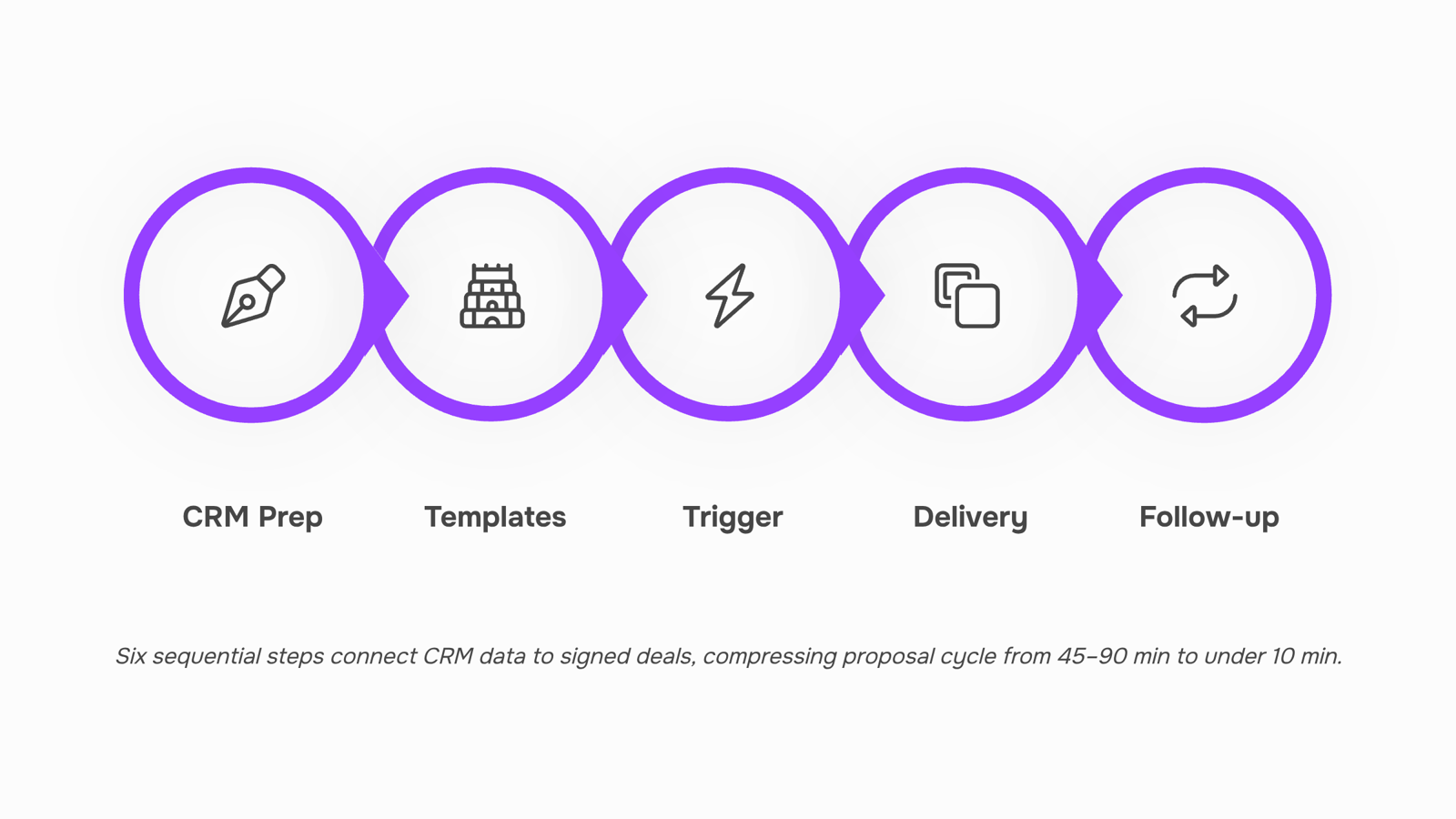
Most teams stall on proposal automation because they try to automate everything at once. A better approach: build the system in six discrete steps, each one functional on its own, so you get value from day one and compound it as you connect the pieces.
1. Structure your CRM data for proposal fields.
Before you automate sales proposals, your CRM needs clean, consistent fields that map directly to proposal content. At minimum: company name, contact name, deal size, service line, project scope notes, and pricing tier. If your CRM data is messy, your proposals will be messy at scale. Spend an afternoon standardizing picklist values and required fields. This CRM proposal integration groundwork is what separates teams that automate successfully from those who generate garbage documents faster. If you are still running manual data entry across multiple tools, eliminating those tasks first will make every downstream step cleaner.
2. Build modular proposal templates.
Create three to five base templates that cover your most common deal types. Each template should have merge fields tied to the CRM fields from step one, plus conditional blocks. A conditional block shows or hides a section based on a trigger value. For example, if the deal includes managed services, the SLA section appears automatically. If it is a one-time project, it does not. Most IT company owners sell two to four service categories. You do not need 20 templates. You need four smart ones.
3. Set the automation trigger.
Define when a proposal gets generated. The most reliable trigger for IT services: a deal moves to a specific pipeline stage (e.g., "Qualified" or "Proposal Requested"). When that stage change fires, your automation tool pulls CRM data, populates the template, and either drafts the proposal for review or sends it directly. The trigger should also log a timestamp. You will need it for step five.
4. Route the proposal for delivery.
Decide how the proposal reaches the prospect. Options: direct email attachment, a hosted link with tracking, or an e-signature-ready document. Hosted links with open tracking give you the most intelligence. You will know when the prospect opened it, how long they spent on each page, and whether they forwarded it. That behavioral data feeds your follow-up logic. For a deeper walkthrough on structuring proposals that actually convert, the template design matters as much as the delivery mechanism.
5. Wire up proposal follow-up automation.
This is the step most competitors skip entirely. Once the proposal is delivered, start a time-based and behavior-based follow-up sequence. Time-based: if no open after 48 hours, send a nudge. Behavior-based: if the prospect opened the proposal three times in 24 hours, alert your rep immediately because that signals buying intent. This proposal follow-up automation closes the gap between "sent" and "signed" that kills deals silently. Evox handles this natively. It watches for open and click signals, scores the lead's engagement, and triggers the next email in your sequence or pings your rep when intent spikes. Because Evox syncs your inbox bidirectionally and ties activity back to the lead record, your follow-up sequence adjusts based on real behavior rather than arbitrary timers.
6. Measure and tighten the loop.
Track three numbers weekly: time-from-trigger-to-delivery (target under 10 minutes), proposal open rate, and days-to-signature. If open rate drops below 60%, your subject line or delivery timing needs work. If days-to-signature creeps past seven, your follow-up cadence is too passive. These sales automation tools only compound value when you review the data and adjust.
The full sequence, from CRM field to signed deal, can run in under a week if your data is already reasonably clean. If you are starting from scratch on automating your B2B sales process, tackle steps one and two this week, then layer in the triggers and follow-up logic next week. Each step works independently, but the real conversion lift comes when they are connected into a single automated sales workflow.
Most sales automation tools handle one slice of the proposal workflow. The trick is matching each tool to the step where it removes the most friction.
CRM + data pull (Step 1-2): Your CRM feeds deal context into templates. HubSpot and Pipedrive both do this natively. If you want deeper CRM automation that eliminates manual data entry, that connection needs to be tight before anything downstream works.
Template generation (Step 3): PandaDoc and Proposify handle document assembly. They pull CRM fields into branded layouts. Useful if your proposals are document-heavy with pricing tables and scope sections.
Delivery + follow-up triggers (Step 4-6): This is where most stacks break. The proposal goes out, then nothing happens until a rep remembers to check. Evox closes that gap by connecting proposal delivery directly to automated follow-up sequences, tracking opens, and triggering the next email based on recipient behavior rather than a calendar reminder.
Workflow orchestration: Zapier or Make can glue disconnected tools together, but they add maintenance overhead. A connected automated sales workflow where CRM, proposal, and follow-up live in one system reduces the points of failure.
For IT company owners running lean teams, the priority is fewer tools with tighter connections, not more tools with more integrations to babysit. Start by mapping which step currently loses you the most deals, then automate your B2B sales process from that point outward.
Proposal automation vs. manual proposals: what you actually give up
Most comparisons frame this as speed vs. quality. The real tradeoff is more specific.
Dimension | Manual proposals | Sales proposal automation |
|---|
Time per deal | 45–90 min drafting, formatting, approvals | 5–10 min reviewing a pre-built draft |
Personalization quality | High if the rep is good; inconsistent across the team | Consistent, pulls live CRM data for each prospect |
Follow-up consistency | Depends on the rep remembering | Triggered automatically on open, delay, or no-reply |
Error rate | Pricing typos, outdated case studies, wrong contact name | Near-zero on templated fields; errors only in custom sections |
When you automate sales proposals, you don't sacrifice personalization. You sacrifice the illusion that every rep personalizes equally. Most don't. They copy last week's deck, swap the logo, and forget to update pricing.
The dimension most teams overlook is follow-up consistency. A manual process means the proposal leaves your inbox and enters a black hole until someone checks back. Automation closes that gap by firing a sequence the moment the prospect engages, which is where automating your B2B sales process connects proposal delivery to pipeline movement.
What you give up: control over one-off edge cases. That tradeoff is worth it for the other 80% of deals.
Common mistakes that break the automation
Most proposal automation fails not from bad tools but from bad inputs. Three errors show up repeatedly in IT sales teams:
Stale CRM data feeding the template. If your CRM proposal integration pulls outdated pricing or wrong contact names, every automated proposal ships with built-in credibility damage. Audit your CRM fields monthly, not quarterly.
No fallback for edge cases. Custom scoping, multi-currency deals, or non-standard payment terms break rigid templates. Build a manual review trigger for any deal flagged outside your standard parameters.
Skipping the follow-up trigger. Sending the proposal without proposal follow-up automation is the most common gap. If no sequence fires when a prospect opens but doesn't reply within 48 hours, you're losing deals to silence.
Fix these before scaling. Otherwise you'll rebuild your entire sales workflow twice.
Closing
Sales proposal automation is not about replacing your reps with robots. It is about freeing them from repetitive assembly work so they can focus on discovery, negotiation, and relationship building. The six-step framework above gives you a clear path from messy CRM data to signed deals without manual friction. Start this week by auditing your CRM fields and building two modular templates. Once those are solid, layer in the trigger logic and follow-up sequences. The conversion lift compounds as each piece connects. What is the biggest manual bottleneck in your proposal process right now—assembly, timing, or follow-up?
FAQ
How can I automate sales proposals to save time?
Structure your CRM data, build modular templates with merge fields, set a pipeline-stage trigger, and wire up follow-up sequences. This compresses proposal creation from 30-45 minutes to seconds and removes manual follow-up entirely.
What are the benefits of automating sales proposals?
Faster delivery (seconds vs. 30-45 minutes), consistent personalization, zero manual follow-up work, and clear visibility into prospect engagement. Teams report higher conversion rates and more rep capacity for pipeline building.
Can automating sales proposals increase conversion rates?
Yes. Responding within five minutes of a proposal request makes you 10× more likely to connect. Automation delivers in seconds, and personalized proposals close at higher rates than generic templates.
What tools can I use to automate sales proposals?
Lio's pipeline builder triggers proposals based on deal stage. Evox handles post-send follow-up by tracking opens, clicks, and engagement, then automatically triggering the next touch or alerting your rep when intent spikes.
How do I get started with automating sales proposals?
Start with steps one and two: clean your CRM fields and build two to four modular templates. Add triggers and follow-up logic the following week. Each step works independently, so you get value from day one.
Does automated proposal software work for IT services businesses?
Yes. IT services typically sell two to four service categories, making modular templates ideal. Automation frees reps from document assembly so they can focus on discovery and scoping—where IT sales actually close deals.


 Elena Petrova15 September 2026


