TL;DR: Most articles treat Gantt charts and critical path as separate theory lessons. This guide shows IT team leads the exact six-step process for overlaying a critical path onto a Gantt chart, so you can identify which tasks will blow your deadline before it happens. You'll leave with a working method you can apply to your next project this week.
What a Gantt chart and critical path actually are
A Gantt chart is a visual format: horizontal bars plotted on a timeline, showing when each task starts, how long it runs, and how tasks relate to each other. It answers "what is happening when."
The critical path is a scheduling calculation. It identifies the longest sequence of dependent tasks from project start to finish. That sequence sets the earliest possible completion date. Any task sitting on that path has zero scheduling flexibility.
The two work together. A Gantt chart gives you the visual layout; the critical path tells you which bars on that chart actually control your deadline. When you combine them, you can see a gantt chart and critical path as one integrated system rather than two separate planning exercises.
Here is the practical difference. Imagine a software deployment with 12 tasks. Eight of those tasks have slack, meaning delays on them do not shift the finish date. The remaining four form the critical path. Miss a deadline on any of those four, and the project end date moves by the same amount.
For IT company owners, that distinction matters. Knowing how to apply critical path project management tells you exactly where to focus attention and where you have room to flex.
How the critical path affects your project timeline
Every task on the critical path carries zero float. That means total float equals Late Start minus Early Start — and for critical tasks, that calculation comes out to zero. No buffer, no wiggle room. A one-day slip on any of those tasks moves your project finish date by exactly one day.
Non-critical tasks work differently. They carry slack, so a two-day delay on a non-critical task might cost you nothing if it finishes before its successor needs to start. Knowing how dependencies shape that slack is what separates reactive firefighting from actual schedule control.
Here is why this matters in practice. On a typical IT project, you might have 40 tasks on your Gantt chart and only 8 on the critical path. If you treat all 40 with equal urgency, you burn attention on tasks that have days of slack while the 8 that actually control your deadline get the same priority as everything else.
Gantt chart and critical path analysis makes the distinction visible. The critical path shows up as a highlighted chain of bars running from start to finish. Any gap in that chain is a risk. Any resource conflict sitting on that chain is a deadline threat.
For a deeper look at the calculation behind this, the CPM steps and formula are worth reviewing before you move to the next section.
Using either tool alone leaves gaps. A Gantt chart shows you when tasks are scheduled; the critical path method tells you which ones actually control your finish date. Overlay them, and four things get noticeably sharper.
Deadline visibility improves immediately. You can see at a glance which bars, if delayed by even a day, push the project end date. Non-critical tasks fade into the background as scheduling flexibility, not noise.
Resource focus sharpens. Your team knows where to protect capacity. When a critical task needs an extra engineer, you pull from a non-critical task with slack rather than guessing.
Risk surfaces earlier. Because task dependencies drive the critical path, a dependency change on a zero-float task is visible before it becomes a missed milestone, not after.
Stakeholder communication gets specific. Instead of "we're on track," you can point to the highlighted critical path on the Gantt and show exactly where the schedule stands.
For a deeper comparison of how these two methods interact, see Gantt chart and critical path method explained as a single system.
How to build a Gantt chart with a critical path in 6 steps
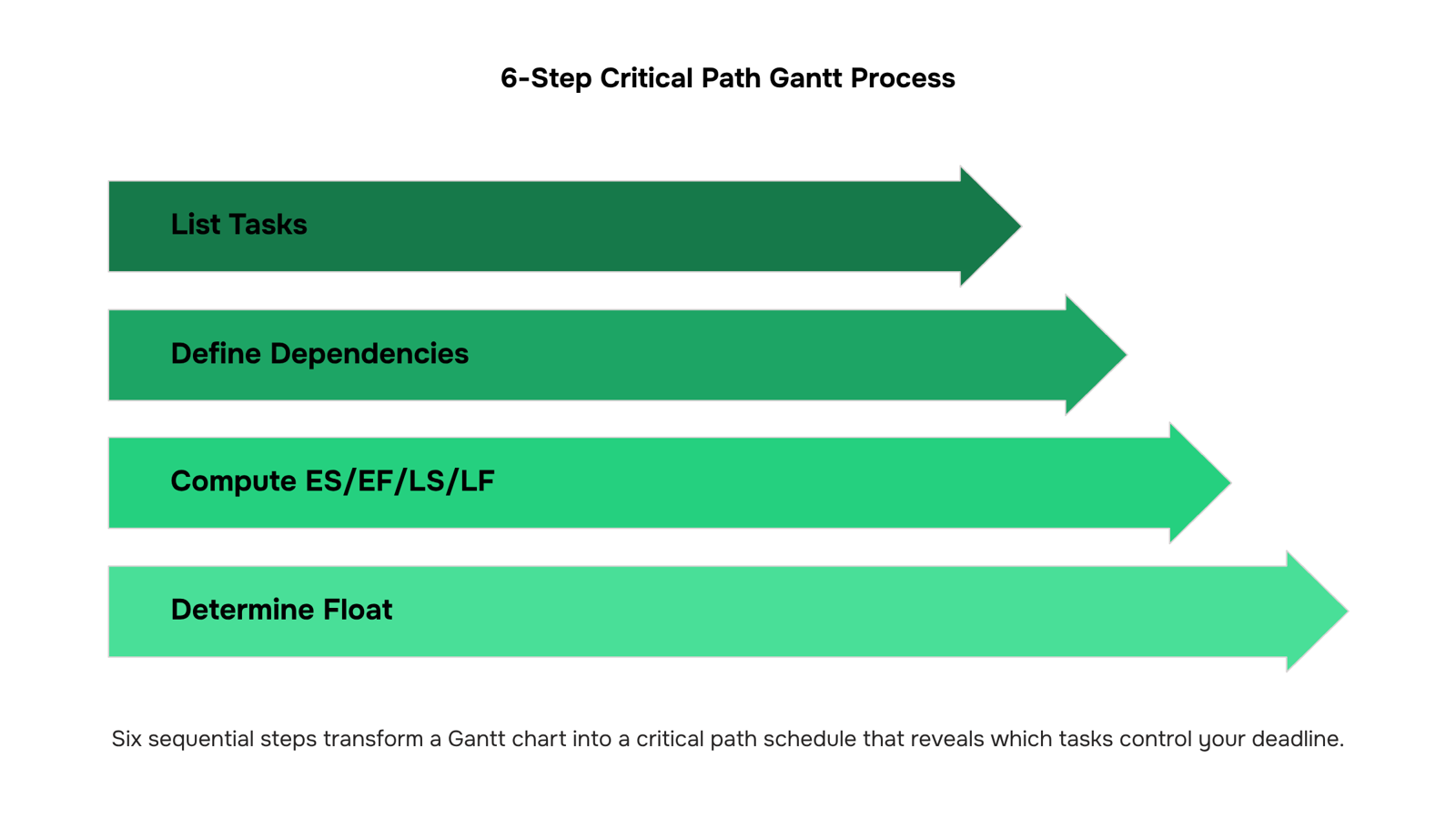
Building a gantt chart and critical path together takes six discrete steps. Each one builds on the last, so skipping ahead creates gaps you'll feel later when dependencies shift and your schedule falls apart.
1. List all tasks and durations
Write out every task your project requires, then assign a realistic duration to each. For a software release, that means listing requirements gathering, design, development, QA, and deployment as separate line items, each with its own day count. Keep tasks small enough to be assignable to one owner. If a task spans three weeks with no measurable midpoint, break it down.
2. Define task dependencies
For each task, identify which ones must finish before it can start. This is the foundation of gantt chart and critical path analysis — without accurate dependencies, your critical path calculation is guesswork. In the software release example, QA cannot start until development finishes. Document these finish-to-start relationships explicitly, not just in your head.
If you want a deeper look at how dependency types affect your schedule, dependency types and their timeline impact is worth reading before you move to step three.
3. Calculate earliest and latest start and finish times
Run a forward pass through your task list to find the Earliest Start (ES) and Earliest Finish (EF) for each task. Then run a backward pass from your project end date to find the Latest Start (LS) and Latest Finish (LF). For development in a 30-day release cycle, if it can start no earlier than day 6 and must finish by day 20 to keep QA on schedule, those are your boundary values.
4. Find float for each task
Total float tells you how much a task can slip before it delays the project end date. The formula is straightforward: Total Float = Late Start minus Early Start. A task with an LS of day 10 and an ES of day 6 has four days of float. Tasks with float give you scheduling flexibility. Tasks without it do not.
5. Identify the zero-float chain as the critical path
The critical path is the sequence of tasks where every task has zero float. Any delay on this chain delays the entire project by the same amount. In a software release, if requirements, development, QA, and deployment all have zero float and connect end-to-end, that chain is your critical path. Understanding the full CPM calculation helps if you want to verify your forward and backward pass arithmetic.
6. Mark it visually on the Gantt chart
Once you know which tasks form the critical path, highlight those bars on your Gantt chart, typically in red or a contrasting color. This is the step most tools skip or make manual, but it is where the gantt chart and critical path method pays off in practice. Your team can see at a glance which bars they cannot let slip and which ones have room to move.
When your Gantt lives in a tool that tracks dependencies and durations in one place, the critical path becomes visible without manual recalculation every time scope changes. The next section walks through a concrete five-task example using this exact sequence, so you can see the numbers before applying the method to your own project.
A simple example: critical path on a software release Gantt
Take a five-task software release and the numbers become clear fast.
Task | Duration | Depends on | Float |
|---|
Requirements | 3 days | None | 0 |
Design | 4 days | Requirements | 0 |
Development | 8 days | Design | 0 |
QA | 3 days | Development | 0 |
Deployment | 1 day | QA | 0 |
Every task here carries zero float, so the entire chain is the critical path. Total project duration: 19 days. Delay Development by two days and the release slips by two days, no exceptions.
Now add a parallel task: writing release notes (2 days, depends on Requirements, must finish before Deployment). That task has 12 days of float. It never appears on the critical path in a Gantt chart, even though it's on the schedule.
This is how to identify the critical path in a project schedule: find the zero-float chain, not just the longest sequence of tasks. Those two things often match, but not always.
For a deeper comparison of how these methods interact, see Gantt chart vs critical path method explained and the full CPM steps and example guide.
Common mistakes that hide the critical path from your team
Three mistakes consistently bury the critical path before your team can act on it.
Skipping dependency mapping means your Gantt chart and critical path method produce different answers. Tasks appear independent when they aren't, so float calculations are wrong from the start. Map every finish-to-start and start-to-start relationship before you run the analysis. Dependencies shape your entire schedule more than durations do.
Treating all tasks as equally urgent spreads team attention across low-float and high-float work alike. Flag zero-float tasks visually so the team knows where a slip causes a deadline miss.
Not updating the critical path after scope changes is the most common failure. When requirements expand mid-sprint, the path shifts. Recalculate immediately.
Spreadsheets and standalone Gantt tools force you to recalculate float by hand every time a task slips. That breaks your gantt chart and critical path analysis the moment scope changes, which is exactly when you need it most.
Taro's timeline view connects tasks through four dependency types, so when one critical task shifts, downstream dates update automatically. You can see which chain of tasks carries zero float without running a separate calculation. Milestones and checklists inside Taro also let you mark the critical deliverables that anchor your schedule, keeping the gantt chart and critical path method working as one system rather than two separate documents you reconcile manually.
For a deeper look at the underlying method, the CPM steps and examples guide covers the float formula and sequencing logic in full.
Closing
Building a Gantt chart with a critical path transforms how you manage IT projects. Instead of treating all 40 tasks with equal urgency, you focus attention on the 8 that actually control your deadline, pull resources strategically, and surface risks before they become missed milestones. The six-step process—list tasks, define dependencies, calculate start and finish times, find float, identify the zero-float chain, and mark it visually—is straightforward to execute once, but keeping it accurate as scope shifts and dependencies change is where most teams stumble. That's where task dependency tracking in a work management tool becomes essential. Start by mapping your next project's critical path using these steps, then ask yourself: how will you keep that path current when timelines inevitably move?
FAQ
What is the critical path in a Gantt chart?
The critical path is the longest sequence of dependent tasks from project start to finish, with zero scheduling flexibility. Any delay on this chain delays the entire project by the same amount.
How do I create a Gantt chart with a critical path?
List all tasks and durations, define dependencies, calculate earliest and latest start/finish times, find float for each task, identify tasks with zero float as the critical path, then highlight those bars visually on your Gantt chart.
How do I identify the critical path in a project schedule?
Run a forward pass to find earliest start and finish times, then a backward pass to find latest times. Tasks where Total Float (Late Start minus Early Start) equals zero form the critical path.
What are the benefits of using a Gantt chart with a critical path?
You gain deadline visibility, sharpen resource focus on zero-float tasks, surface dependency risks earlier, and communicate specific schedule status to stakeholders instead of vague updates.
How does a critical path affect project timelines and deadlines?
The critical path sets your earliest possible completion date. Every task on it has zero float, so any slip moves your finish date by the same amount. Non-critical tasks have slack and can slip without affecting the deadline.
What happens if a task on the critical path is delayed?
The entire project end date moves by the same number of days. A one-day slip on a critical task costs you one day on your deadline, making critical path monitoring essential for on-time delivery.
Can the critical path change during a project?
Yes. When dependencies shift, durations change, or tasks complete faster or slower than planned, a different chain of tasks may become critical. This is why recalculating the critical path regularly is necessary as the project moves.


 Elena Petrova15 September 2026


