TL;DR: Most controlled document guides stop at definitions. This one gives IT company owners a six-step framework for building a document control system that holds up under audit: how to classify and version documents correctly, where most teams create compliance gaps without realizing it, and how to connect document workflows to the tools your team already uses.
What is a controlled document
A controlled document is any file your organization treats as an official record: a version number is assigned, changes require approval, and only the current version is available for use. That last part is what separates a controlled document from one that's simply saved to a shared drive.
Most IT teams already have documents. The gap is control. Without a defined process, multiple versions of the same contract, policy, or SOP circulate simultaneously, and no one knows which one is current. When an auditor asks for your signed NDA from Q3 or your latest data-handling policy, "I think it's in the folder" is not an acceptable answer.
The definition of a controlled document comes down to four properties: it has an owner, a version history, an approval trail, and a clear status (draft, active, or retired). Remove any one of those and the document loses its audit value.
Version control for your documents is the mechanical side of this. The harder part is connecting that version history to actual approvals and signatures, so the record is complete, not just organized.
Connecting document management to your broader workflow is where most IT firms fall short, and where audit failures tend to originate.
Why controlled documents matter for your business
Without a controlled document system, the gaps show up in the worst moments: an auditor asks for the approved version of your security policy, and your team sends three different files with three different dates.
The cost is concrete. Audit failures tied to version errors are one of the most common compliance findings for IT firms, and they're almost entirely avoidable. When documents circulate without approval trails or version locks, your team makes decisions on outdated information. That's how configuration errors, missed SLA terms, and liability gaps get introduced quietly.
Four outcomes improve immediately when you apply document control best practices:
Audit readiness: Every document has an approval record and a clear revision history, so you can respond to auditor requests in minutes, not days.
Team alignment: Everyone works from the same approved version. No more "which one is current?" threads.
Reduced errors: Outdated procedures get retired rather than recycled.
Compliance coverage: Quality management documents tied to standards like ISO 9001 require demonstrable control over creation, approval, and distribution.
The flip side is also true. A document that's saved but not controlled is a liability, not an asset. Good version control for your documents is where that protection starts.
Controlled vs. uncontrolled documents: key differences
The difference comes down to accountability. A controlled document has an owner, a version number, an approval record, and a defined distribution path. An uncontrolled document has none of those things — which means when an auditor asks "is this the current version?", you can't answer with confidence.
Dimension | Controlled document | Uncontrolled document |
|---|
Versioning | Numbered (v1.2, v2.0), with change log | Filename reflects last save, no history |
Approval | Requires sign-off before distribution | Anyone can edit and share |
Distribution | Sent to named recipients, tracked | Emailed freely, no record of who has it |
Access | Permission-based, superseded versions archived | Open folder, old versions persist alongside new |
For IT companies, the practical gap shows up fast. A support runbook with two versions in circulation means engineers follow different steps. A client agreement without an approval record means you can't prove what was agreed or when.
If you're unsure where your documents fall, start with version control for your documents — that post covers the naming and history mechanics in detail. For the broader picture of connecting document management to your workflow, the stakes become clearer once you see how one missing approval record can stall an entire project handoff.
6 steps to manage controlled documents
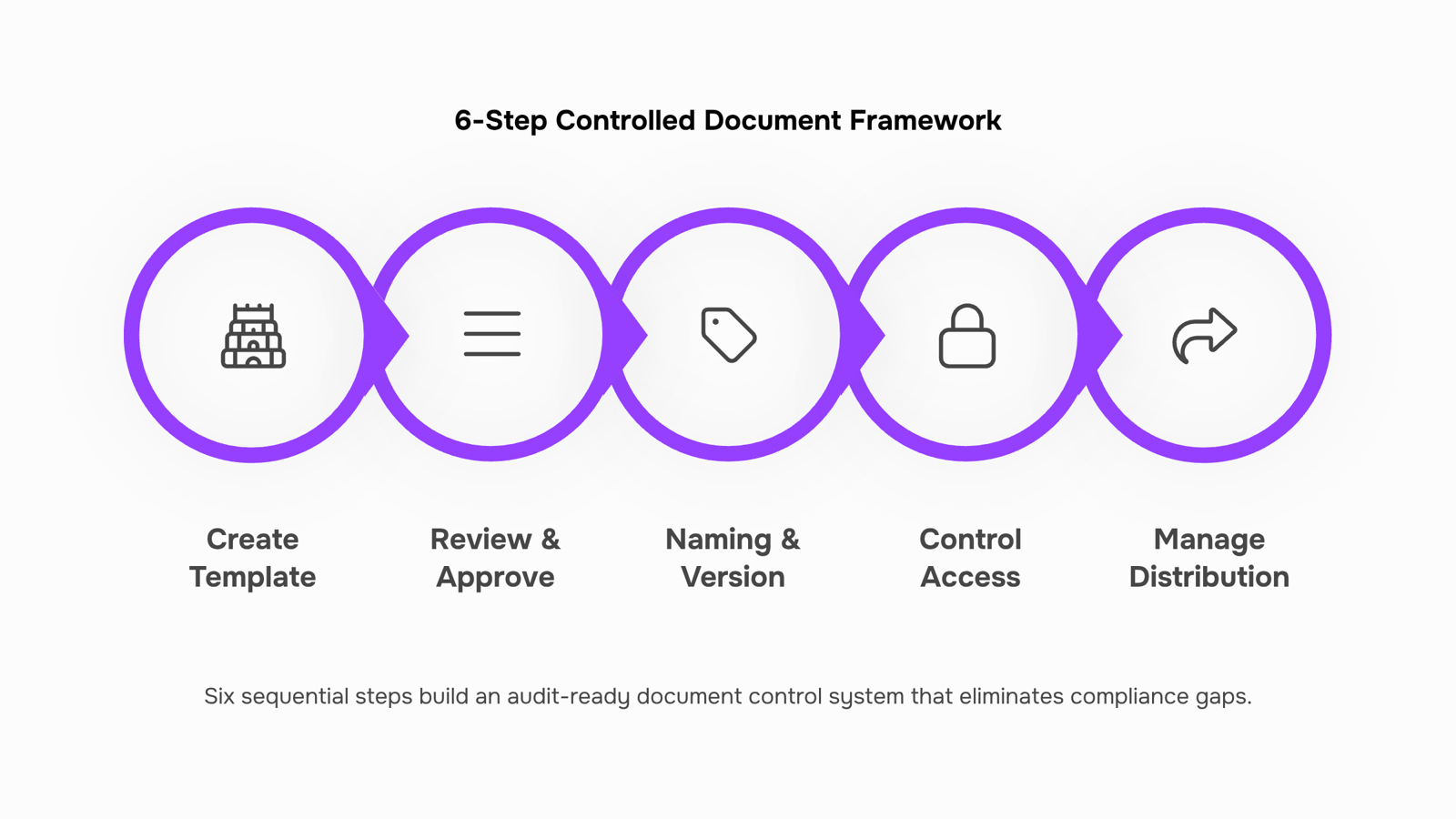
Each step below maps directly to what auditors check first. Skip one and you'll feel it when the request comes in.
Step 1: Create with a defined template
Every controlled document starts from an approved template, not a blank file. The template sets the required fields: document title, owner, version number, effective date, and approval signatures. For an IT company, that means your incident response procedure and your vendor onboarding checklist both follow the same header structure, so nothing gets missed when someone creates a new version under pressure.
Step 2: Build a formal review and approval chain
Before a document goes live, at least one named approver signs off. Define who approves what by document type: your CTO approves security policies, your operations lead approves process SOPs. This is where most IT teams lose ground. They circulate a draft over email, someone replies "looks good," and that reply never gets attached to the document. Use a workflow that captures the actual signature against the actual version, not a forwarded thread.
Step 3: Apply a consistent naming and versioning convention
A workable convention looks like this: [DocType]-[ShortTitle]-v[Major].[Minor]-[YYYYMMDD]. So POL-DataRetention-v2.1-20260115 tells you what it is, where it sits in the revision history, and when it was approved, without opening the file. If you want to go deeper on version control for your documents, the naming convention is the foundation everything else builds on.
Step 4: Control storage and access
Controlled documents live in one location. Not a shared drive folder, a personal cloud account, and an email attachment simultaneously. Set folder-level permissions so that only document owners can edit, while the rest of the team reads the current approved version. For IT companies managing client-facing agreements alongside internal policies, separate those two libraries from day one.
Step 5: Manage distribution deliberately
When a new version is approved, the old one gets archived, not deleted. Anyone who held a copy of v1.0 needs to know v2.0 exists. That sounds obvious, but connecting document management to your broader workflow is where most teams break down: the document gets updated, but the person running the client onboarding call is still working from the version they downloaded three months ago.
For contracts and agreements that require external signatures, Sigi handles the distribution and signature capture in one step, and generates a tamper-proof completion certificate tied to the exact document version that was signed.
Step 6: Schedule periodic reviews
Every controlled document has an expiry date for review, typically 12 months for IT policies, shorter for anything touching active compliance frameworks. Set a calendar trigger 30 days before the review date. The owner either reaffirms the document as current (with a new effective date) or initiates a revision. Either way, the audit trail shows the document was actively managed, not just filed and forgotten.
A tool that handles document upload, versioning, and e-signature in one place can automate the review reminder so the cycle doesn't depend on someone remembering.
Common mistakes that break your document control
Four mistakes show up repeatedly when IT teams get audited and fail.
No naming convention. Files named "MSA_final," "MSA_final_v2," and "MSA_FINAL_USE_THIS" are not version control for documents. They're guesses. Auditors want a traceable sequence, not a folder full of competing candidates.
Distributing unversioned copies. Once a PDF leaves your storage system by email or Slack, you lose control of it. A vendor signs an outdated NDA. A client references a clause you removed in revision 3. The signed document no longer matches your current controlled document. That gap is exactly what auditors flag.
Skipping periodic review cycles. Policies and SOWs go stale. If your team can't show a documented review date and an approval signature for each current version, the document fails the document control best practices test regardless of its content.
Treating approval as informal. A Slack "looks good" is not an approval record. Every controlled document needs a named approver, a date, and a log entry that survives the next personnel change.
Maintaining version control properly starts with fixing these four gaps before anything else.
Spreadsheets, shared drives, and email threads can each hold a version of the same controlled document — and none of them talk to each other. That's how you end up distributing an outdated NDA the week before an audit.
A purpose-built tool removes that fragmentation. With Sigi, you upload your quality management documents once, organize them into folders by type or project, and control who can access or sign each file. There's no manual distribution step, no parallel copies floating in inboxes, and no guesswork about which version is current.
If you're evaluating options, document control software purpose-built for IT teams does more than store files — it enforces the workflow around them.
Centralization also makes periodic reviews tractable. When every controlled document lives in one place, scheduling a quarterly review is a filter, not a search.
Closing
Controlled documents aren't a compliance checkbox—they're the difference between responding to an audit in hours and scrambling for days. When every document has an owner, a version history, and an approval trail, your team works from the same source of truth, and auditors get the records they need without the back-and-forth.
If your team is still managing document versions manually—emailing drafts, losing track of who approved what, or hunting for the current version—Sigi's document management features let you automate the approval workflow, capture signatures against specific versions, and archive superseded documents so nothing gets lost. Start by mapping your highest-risk document types (contracts, policies, SOPs) and wire up the approval chain this week. What document type causes the most version confusion on your team right now?
FAQ
What is the purpose of a controlled document in a business setting?
A controlled document creates an audit trail: it has an owner, version history, approval record, and clear status so your organization can prove what was approved, when, and by whom. This prevents compliance gaps and ensures everyone works from the same current version.
How do I create a controlled document template?
Start with required fields: document title, owner, version number, effective date, and approval signatures. Use a consistent format across all document types so nothing gets missed when someone creates a new version under pressure.
What are the benefits of using controlled documents in quality management?
Controlled documents deliver audit readiness, team alignment on current procedures, reduced errors from outdated versions, and demonstrable compliance with standards like ISO 9001 that require proof of creation, approval, and distribution control.
How can I ensure version control for my company's documents?
Use a consistent naming convention (e.g., POL-DataRetention-v2.1-20260115), store all versions in one location with permission-based access, archive superseded versions rather than deleting them, and notify stakeholders when new versions are approved.
What are the differences between controlled and uncontrolled documents?
Controlled documents have numbered versions, require approval before distribution, track who receives them, and archive old versions. Uncontrolled documents have no version history, anyone can edit and share them, and old versions persist alongside new ones, creating confusion and liability.


 Elena Petrova15 September 2026


