TL;DR: Most lead routing tool guides stop at feature comparisons. This one gives IT company owners a decision framework tied to real routing logic, team size, and CRM setup, so you can match a tool to how your sales process actually works before you commit to one.
A lead routing tool is software that automatically assigns incoming leads to the right sales rep the moment a lead enters your pipeline — no manual review, no CRM tagging queue, no "who's taking this one?" in Slack.
The core problem it solves is speed-to-lead. Research from InsideSales.com has long shown that response time is one of the strongest predictors of whether a lead converts. Manual assignment adds minutes or hours between a lead's first touch and a rep's first response. A lead routing tool removes that gap entirely.
What separates it from basic CRM tagging is logic. Tagging categorizes. Routing decides — based on territory, deal size, product line, rep capacity, or any rule your team sets. Most teams get that logic wrong early on, which is why the configuration matters as much as the tool itself.
Lead assignment automation and lead distribution are the two mechanical outcomes: the right rep gets the lead, and no rep gets buried while another sits idle. That's the foundation the rest of this framework builds on.
How lead routing improves your sales team's efficiency
When a lead comes in and sits unassigned for even five minutes, your odds of reaching that person drop sharply. Research from InsideSales.com shows that contacting a lead within the first minute increases conversion likelihood by 391% compared to waiting 30 minutes. That single data point explains why real-time lead routing matters more than most small teams realize.
Here is what changes operationally when you stop assigning leads by hand:
Response time drops from hours to seconds: Manual assignment requires someone to notice the lead, decide who gets it, and notify the rep. Automated routing removes all three steps. The rep gets the lead the moment it arrives.
Rep utilization evens out: Without routing rules, the same two reps get most of the leads because they are visible or vocal. Round-robin and capacity-based rules distribute work by availability, not proximity to the manager.
Conversion rate improves because fit improves: Routing by territory, deal size, or product line means the rep who picks up already knows the context. That first call is a conversation, not a discovery session from scratch.
Pipeline data becomes reliable: When every lead is assigned through a consistent rule set, your CRM reflects actual workload. You can forecast without guessing who has capacity.
For a deeper look at where manual assignment breaks down, What Is Lead Routing and Why Most Teams Get It Wrong covers the failure patterns in detail.
Lead management for small business teams works best when the routing decision is made before the rep even opens their inbox. A lead routing tool like Lio handles that automatically, so your team focuses on the conversation, not the queue.
Split features into two buckets before you evaluate any tool: what a team under 20 reps needs on day one, and what becomes useful once you're scaling past that.
Must-haves for small teams
These are the features that directly affect whether a lead gets contacted in the first few minutes or the next morning:
Real-time lead routing: The moment a form is submitted or an inbound call ends, the lead moves to a rep automatically. No queue, no manual check. This is the single feature that most directly affects speed-to-lead, and how lead routing software works in practice shows why the gap between real-time and batch routing matters more than most teams expect.
Round-robin lead distribution: For teams without territory rules, equal rotation keeps workload balanced and removes the "who gets this one?" conversation from every new lead.
Rule-based assignment by source or geography: Even a five-person team benefits from routing web leads differently from referrals, or sending local leads to the rep who covers that region.
CRM write-back: The routing action should log itself in your CRM without a manual step. If it doesn't, you've added a data gap.
Nice-to-haves for scaling teams
Once you're past 15 to 20 reps, these start earning their cost:
Lead scoring integration, so routing decisions factor in fit and intent, not just availability
Overflow and fallback rules that reassign a lead if the primary rep doesn't claim it within a set window
Capacity-based routing that accounts for each rep's current pipeline load
The common routing rule mistakes that hurt conversion tend to happen when teams skip the must-haves and jump straight to the advanced logic. Get the basics running first. A lead routing tool that does real-time assignment and round-robin distribution well will outperform a complex system configured poorly.
The simplest way to frame this: a standalone lead routing tool does one job. It takes an incoming lead and sends it to the right rep. A lead management platform does that plus everything around it: scoring, nurturing, pipeline tracking, and reporting.
For most small businesses, the question isn't which is better. It's which one you're missing.
Dimension | Standalone routing tool | Platform with routing built in |
|---|
Cost | $20–$60/seat/month | $50–$150/seat/month |
Setup complexity | Low; configure rules in hours | Medium; full onboarding required |
CRM dependency | High; needs your CRM to store and score leads | Low to none; data lives in the platform |
Scalability | Hits limits as lead volume and team size grow | Scales with territory, product line, and team changes |
If your CRM lead routing is already working and you just need cleaner lead distribution across reps, a standalone tool is the faster, cheaper fix. You're not buying what you already have.
If you're running lead management for small business without a real system yet — no consistent scoring, no follow-up tracking, no visibility into which rep closed what — a platform pays for itself quickly. The routing is just one piece of what you get.
The overlap risk is real. Teams that buy a routing tool on top of a CRM that already has basic assignment rules often end up with two systems doing the same job inconsistently. Before you buy, audit what your CRM already handles. Common routing rule mistakes usually start there.
Lio sits in the platform category: real-time lead routing with scoring, assignment, and pipeline tracking in one place, so you're not stitching together three tools to see what's happening with a lead.
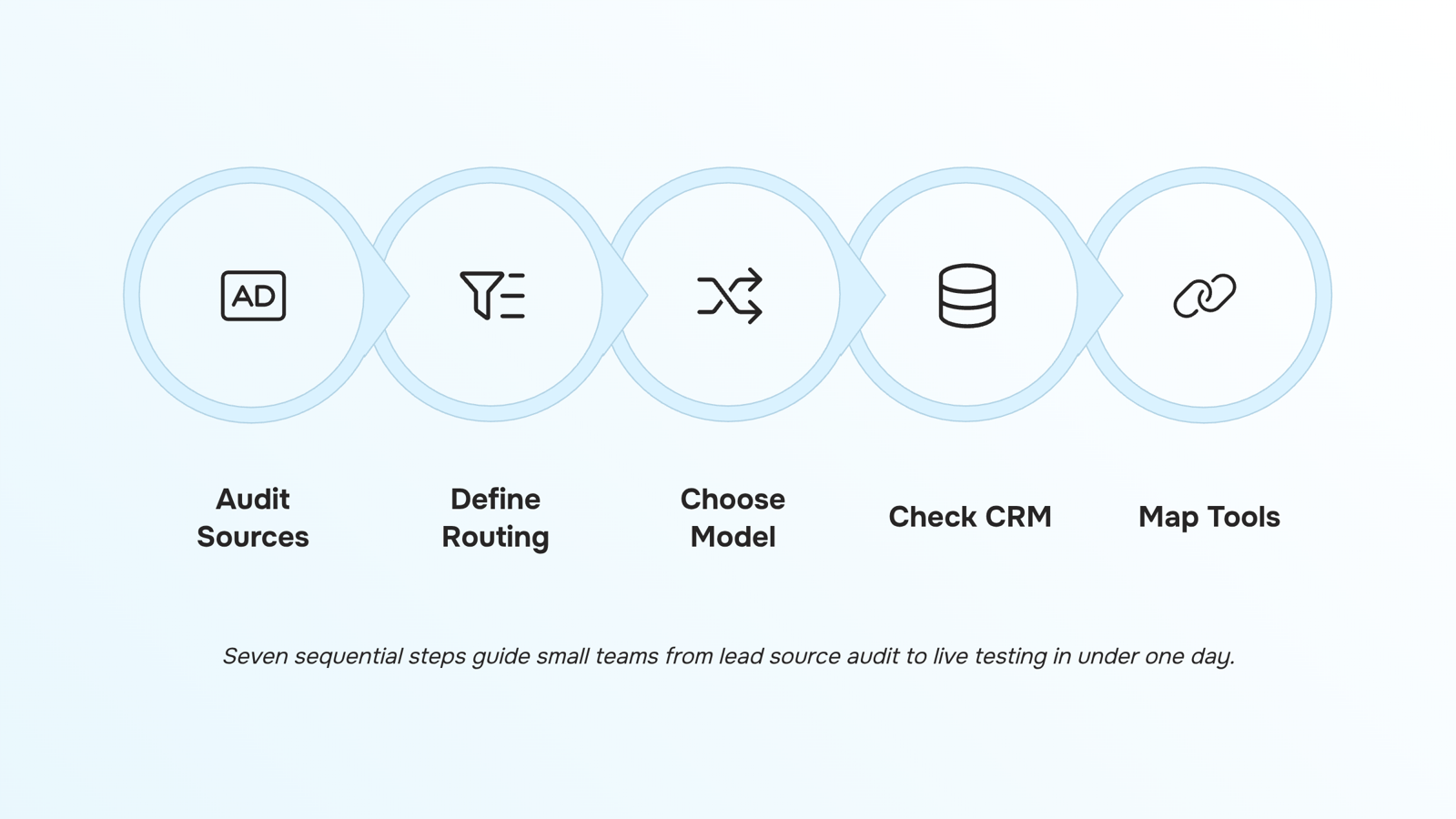
Seven steps sounds like a lot. Done in order, it takes less than a day.
1. Audit your lead sources: List every channel sending leads into your business right now: contact forms, paid ads, referrals, inbound calls. You cannot build routing rules for sources you haven't mapped.
2. Define your routing criteria before you touch any tool: Decide what signals matter: geography, company size, product interest, lead score. Teams under 20 reps typically need three to five rules, not twenty. Start there.
3. Choose your distribution model: Round-robin lead distribution works when reps have equal capacity and similar close rates. Skill-based routing works when certain reps own specific verticals or territories. Pick one as your default; you can layer exceptions later.
4. Check CRM field availability: Your routing logic is only as good as the data fields it reads. Before evaluating any lead routing tool, confirm your CRM already captures the fields your rules depend on. Missing fields mean broken rules on day one.
5. Map the tool to your existing stack: If the previous section's comparison pointed you toward a platform with routing built in, confirm it handles bi-directional sync with your CRM. If you're adding a standalone tool, document every integration touchpoint before signing. Understanding how lead routing software works in practice helps here.
6. Configure your highest-volume rule first: Don't try to automate every scenario at once. Identify the lead source that generates the most volume and build lead assignment automation for that path only. Validate it works, then expand.
7. Run a live test before full rollout: Send a small batch of real leads through the new rules. Check that assignments land on the right rep, that CRM records update correctly, and that no leads fall through. The routing rule mistakes that hurt conversion almost always surface at this stage, not during setup.
Tools like Lio handle real-time routing logic inside a single platform, which removes the field-mapping guesswork from steps four and five.
CRM lead routing integration is more than checking a "connects with Salesforce" box. Three things actually determine whether the sync works: field mapping, trigger logic, and bi-directional data flow.
Field mapping means your CRM's lead fields (source, industry, deal size) must map cleanly to the routing tool's assignment conditions. If the fields don't align, your routing rules fire on incomplete data.
Trigger logic defines what action starts the routing sequence — form submission, inbound call, or CRM record creation. Confirm your vendor supports all the triggers your lead sources generate.
Bi-directional sync ensures that when a rep reassigns a lead inside the CRM, the lead routing software reflects that change, and vice versa. One-way sync creates ownership conflicts fast.
Before signing with any vendor, ask for a field-mapping checklist and a test environment. The benefits of lead routing software only materialize when the CRM connection is solid from day one.
Pricing for a lead routing tool falls into three models: per-seat (typically $15–$45/user/month), flat monthly (often $99–$299/month for teams under 20), and usage-based (charged per lead processed or API call). For lead management for small business budgets, flat monthly usually wins on predictability.
The costs small businesses miss are the ones that show up after signup:
CRM connector fees (some vendors charge $50–$150/month per integration)
Onboarding or setup fees, often $500–$2,000 for custom routing logic
Overage charges on usage-based plans once lead volume spikes
Before committing, ask vendors to itemize every line item beyond the base plan. A tool priced at $99/month can quietly land at $400 once connectors and onboarding are added. Understanding how lead routing software works in practice helps you spot which features you actually need to pay for.
Closing
A lead routing tool only works if it matches how your team actually sells. The framework above — auditing sources, defining criteria, testing rules, and measuring speed-to-lead — takes a day to run but saves weeks of misconfiguration and false starts. The goal isn't to buy the fanciest tool. It's to remove the gap between a lead arriving and a rep responding. Start by mapping your lead sources and routing logic this week, then demo a tool that handles both without requiring a full CRM overhaul. Lio is built for exactly this: real-time routing, multi-source lead capture, and priority-based distribution without the complexity. Try a free demo to see how it fits your team's workflow.
FAQ
What are the best lead routing tools for small businesses?
The best tool depends on your CRM setup and team size. Standalone routing tools like Lio work for teams under 20 reps and cost $20–$60/seat/month. If you need scoring and pipeline tracking too, a platform with routing built in scales better as you grow.
How does a lead routing tool improve sales efficiency?
It cuts response time from hours to seconds by assigning leads automatically. Research shows contacting a lead within the first minute increases conversion by 391% versus waiting 30 minutes. It also balances workload and ensures reps get leads they're equipped to close.
What features should I look for in a lead routing tool?
For small teams: real-time routing, round-robin distribution, rule-based assignment by source or geography, and CRM write-back. Avoid complex scoring or overflow logic until you're past 15–20 reps. Get the basics running first.
Can a lead routing tool integrate with my existing CRM?
Yes, most standalone routing tools require CRM integration to store and assign leads. Lio integrates with major CRMs and logs every routing action back automatically, so your pipeline data stays accurate without manual steps.
How much does a lead routing tool cost?
Standalone routing tools run $20–$60/seat/month. Platforms with routing built in cost $50–$150/seat/month. Cost scales with team size, not lead volume, so audit your current CRM to avoid paying twice for the same feature.
What is the difference between round-robin and rules-based lead routing?
Round-robin rotates leads equally across all reps regardless of fit or capacity. Rules-based routing sends leads to specific reps by territory, deal size, product line, or availability. Most small teams need both: round-robin as a fallback, rules for leads with clear context.
Do I need a separate lead routing tool if my CRM already has assignment rules?
Audit your CRM first. If it handles real-time routing and round-robin well, you don't need a separate tool. If assignment is manual or batch, a dedicated routing tool removes that bottleneck without replacing your entire CRM.


 Siddharth Rao10 September 2026


