TL;DR: Most SMART goals content stops at the acronym and hands you a blank template. This piece shows IT company owners how to take a completed smart goals template and wire it directly into sprint planning, task assignment, and deadline tracking — so goals drive actual work instead of sitting in a folder.
What a SMART goals template actually is
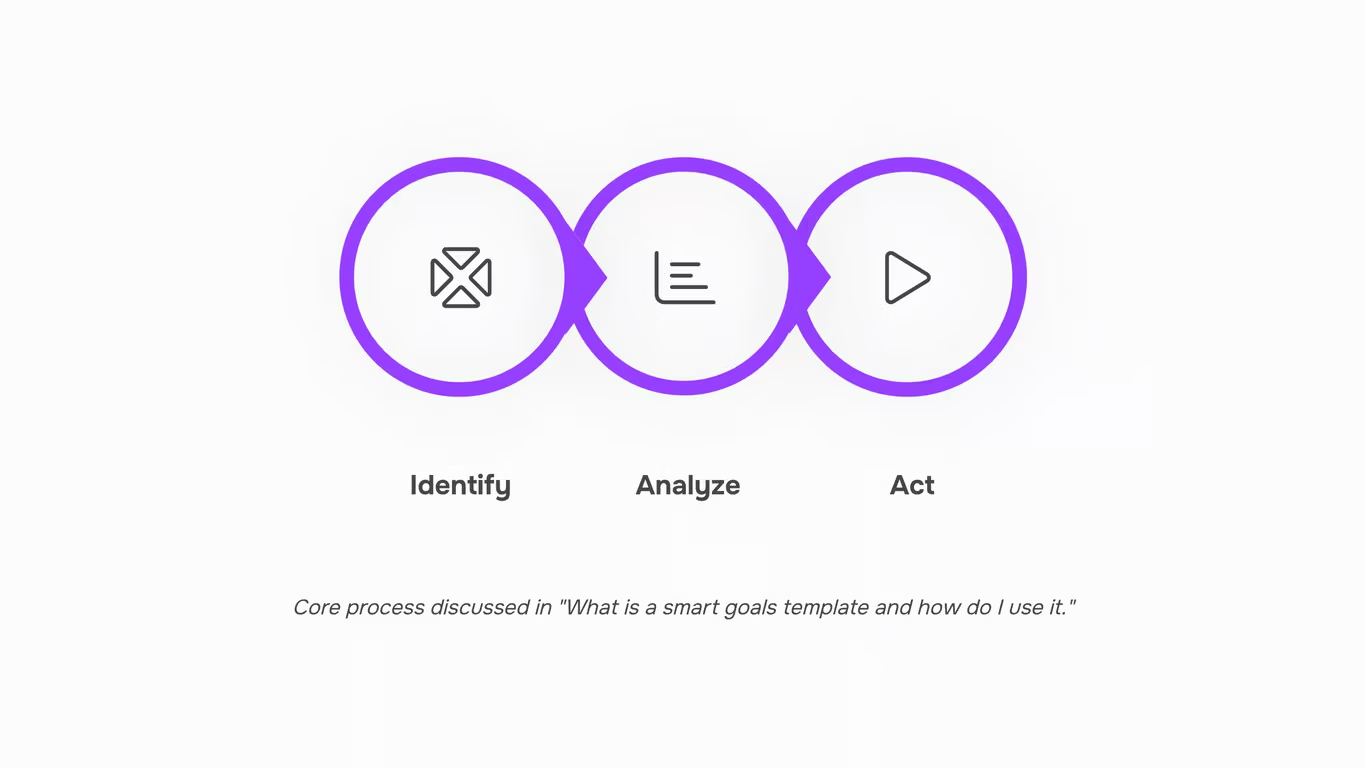
A SMART goals template is a structured form with five labeled fields — Specific, Measurable, Achievable, Relevant, and Time-bound — that turns a vague objective into a documented, actionable goal.
Most teams treat SMART as a mental checklist. A template makes it a repeatable input process: you fill in each field, and the output is a goal precise enough to assign, track, and close. As the University of San Diego's HR guidance puts it, a SMART goal clarifies exactly what is expected and the measures used to determine if the goal is achieved.
Each field has a specific job. "Specific" defines the action and scope. "Measurable" names the metric — a ticket count, uptime percentage, or deployment frequency. "Achievable" forces a realistic capacity check against your current sprint load. "Relevant" connects the goal to a business priority, not just a team habit. "Time-bound" sets the deadline that makes the other four fields mean something.
For IT teams, this matters because goals written without structure tend to drift. A completed template gives you something concrete enough to connect your SMART goals to KPIs and trackable tasks, feed into sprint planning, and review in a standup without ambiguity.
The next section breaks down each field using IT-project examples so you can see exactly what belongs in each one.
What each letter in SMART means for IT teams
Each letter in SMART defines a specific field in the template — and for IT teams, each one maps to a decision you'd make anyway during project scoping.
Specific: Means the goal names the system, team, or process being changed. Not "improve server performance" but "reduce average API response time on the customer portal from 1.2s to under 400ms." The more precisely you define the target, the easier it is to connect your SMART goals to KPIs and trackable tasks later.
Measurable: Requires a number or observable state. For IT projects, that's usually a metric already in your monitoring stack — uptime percentage, ticket resolution time, deployment frequency, defect rate. If you can't pull the number from a dashboard, the goal isn't measurable yet.
Achievable: Is where IT teams most often drift into trouble. A goal is achievable when the team has the access, tooling, and headcount to reach it within the timeframe. Scope it against your current sprint capacity, not a hypothetical future team.
Relevant: Asks whether this goal actually moves a business needle. Migrating from one internal wiki to another might feel productive; if it doesn't reduce ticket resolution time or cut onboarding hours, it may not belong in a smart goals template for employees at all. Relevant goals tie directly to a client deliverable, a service-level agreement, or a product milestone.
Time-bound: Sets the deadline and, critically, the first check-in date. A 90-day goal with no interim milestone is just a wish. Most IT teams using team planning and collaboration tools for IT teams set a mid-point review at day 45 — enough time to course-correct without losing the sprint rhythm.
Applied together across smart goals templates, these five fields turn a vague project intention into something you can feed directly into sprint planning without rewriting it first.
How to fill out a SMART goals template step by step
Most teams stall at the definition stage — they understand what SMART means but freeze when facing a blank template. Here's how to fill one out in under 20 minutes, using a real IT-team example: reducing mean time to resolve (MTTR) incidents.
Step 1: Write the goal statement (Specific)
Start with a single sentence that names the outcome, the owner, and the scope. Vague: "Improve incident response." Specific: "Reduce MTTR for P1 incidents handled by the infrastructure team from 4 hours to 90 minutes." If you can't name who owns it and what changes, the goal isn't ready yet.
Step 2: Define the metric (Measurable)
Name the data source and the target number. Here: MTTR pulled from your ticketing system, baseline 4 hours, target 90 minutes. No metric, no accountability. This is also where you connect your SMART goals to KPIs and trackable tasks so progress is visible week to week.
Step 3: Confirm feasibility (Achievable)
Check your current capacity. A 62% MTTR reduction is aggressive but achievable if you have runbooks in place and a team of 3+ on-call engineers. If neither exists, adjust the target or the timeline before committing.
Step 4: Tie it to a business outcome (Relevant)
One sentence: "Faster P1 resolution reduces client SLA breaches and protects renewal revenue." If you can't write that sentence, the goal may not belong in this quarter's plan.
Step 5: Set the deadline (Time-bound)
Pick a specific date, not a range. "By August 29, 2026" beats "end of Q3." Then feed SMART goals directly into sprint planning so the work actually gets scheduled.
A free smart goals template in Word or a smart goals template free download gives you the fields — but the value comes from filling each one with numbers and names, not placeholders. That's what separates a goal that ships from one that sits in a folder.
SMART goals examples for employees on IT teams
Three filled-out examples show what a smart goals template for employees actually looks like when applied to real IT work — not HR performance reviews, but operational goals your team can track in a sprint.
Example 1: Reduce incident response time
- Specific: Cut mean time to resolution (MTTR) for P1 incidents from 4 hours to 90 minutes
- Measurable: Tracked via PagerDuty incident logs, reviewed weekly
- Achievable: Runbooks exist for 80% of P1 incident types; gaps identified last quarter
- Relevant: Directly tied to the SLA penalty clause in three enterprise client contracts
- Time-bound: Achieved within the current quarter (90 days)
Example 2: Ship a feature by a fixed date
- Specific: Deliver the SSO integration for the client portal to production
- Measurable: Passes QA checklist, zero critical bugs in staging for 5 consecutive days
- Achievable: Backend API is complete; front-end work estimated at 3 sprints
- Relevant: Unblocks onboarding for 12 enterprise accounts currently in contract hold
- Time-bound: Deployed by March 28
Example 3: Onboard a new enterprise client
- Specific: Complete technical onboarding for Meridian Group, including data migration, user provisioning, and training
- Measurable: All 40 users active, first project created, IT admin signed off on handover checklist
- Achievable: Onboarding playbook used successfully for 6 prior clients of similar size
- Relevant: Triggers the first invoice milestone in the Meridian contract
- Time-bound: Completed within 30 days of contract signature
Each example follows the same smart goals templates structure from the previous section. Notice that every goal names a specific number, a verification method, and a hard date — the three fields most teams leave vague.
Once these are written, the next step is connecting your SMART goals to KPIs and trackable tasks
Turning your completed template into assignable tasks
A filled-out smart goals template is a statement, not a plan. The work of converting it into something your team can actually execute happens in the step most articles skip: breaking the goal into assignable tasks with owners and due dates.
Start with the measurable outcome from your template. Take the incident response goal from the previous section — "reduce mean time to resolution from 4 hours to 90 minutes by August 31." That single statement implies several distinct tasks: audit current escalation paths, update runbooks, configure alerting thresholds, run two tabletop exercises, and measure results at the 30-day mark. Each of those is a separate task with a specific owner and a deadline that feeds the final date.
The mapping logic follows a consistent pattern:
- Outcome (from the Time-bound field) → sets the project deadline
- Metric (from the Measurable field) → defines the acceptance criteria for each task
- Action steps (from the Attainable field) → become individual tasks or subtasks
- Owner → assigned per task, not just per goal
This is where connecting your SMART goals to KPIs and trackable tasks pays off. A goal that stays in a document gets reviewed quarterly at best. A goal broken into tasks inside a project gets checked every sprint.
Taro's smart task creation accepts a free-text goal statement and auto-populates task fields — title, assignee slot, due date, and acceptance criteria — so you're not rebuilding the template logic manually. If your team already runs sprints, you can feed SMART goals directly into sprint planning rather than treating them as a separate planning artifact.
A free smart goals template gives you the structure. Task assignment is what gives it a deadline that someone is actually responsible for.
Tracking progress after you set the goal
Filling out a smart goals template for employees is the easy part. The harder part is building a check-in rhythm before the deadline arrives and the goal is already off track.
A weekly or biweekly check-in works for most project goals. The first check-in should happen within 5 to 7 days of setting the goal — not at the halfway point. Goals that go unchecked for three or four weeks tend to drift quietly, with no visible signal until a milestone is already missed.
Milestone markers are what make that signal visible early. Inside Taro, each goal maps to a set of milestones (epics) with their own due dates and owners. When a milestone slips, the dashboard surfaces it immediately — you're not waiting for a status meeting to find out. That live visibility is what separates a goal written in a smart goals template Word doc from one that's actively managed.
To tell if a goal is off track before the deadline, watch three things: milestone completion rate, task overdue count, and whether the assigned owner has logged any activity in the past week. If two of those three are red, the goal needs intervention now, not at the next review.
You can connect your SMART goals to KPIs and trackable tasks to make this monitoring automatic rather than manual.
Closing
A SMART goals template is only useful when it closes the gap between planning and execution. Most teams fill out the five fields, file the doc, then watch the goal disappear into a folder while actual work happens in a separate tool. That's where the breakdown happens — not in the template itself, but in the handoff.
Taro bridges that gap by turning a written SMART goal into a tracked task the moment it's created, so your goals feed directly into sprint planning, task assignment, and deadline tracking without reformatting. Your team spends less time rewriting plans and more time finishing them. Ready to see how your goals move from paper to shipped work?
FAQ
Q. What is a SMART goals template and how do I use it?
A. A SMART goals template is a structured form with five labeled fields—Specific, Measurable, Achievable, Relevant, Time-bound—that turns vague objectives into actionable goals. Fill each field with concrete numbers and names, then feed the completed template into sprint planning and task tracking so goals drive actual work.
Q. How do I create a SMART goals template for my business?
A. Start with a blank five-field form (Specific, Measurable, Achievable, Relevant, Time-bound). For each goal, write a single-sentence outcome, name your metric and data source, confirm team capacity, tie it to a business result, and set a specific deadline—not a range.
Q. What are some examples of SMART goals for employees?
A. Reduce MTTR for P1 incidents from 4 hours to 90 minutes by quarter-end; deliver SSO integration to production by March 28 with zero critical bugs; complete technical onboarding for a new enterprise client within 30 days of contract signature.
Q. Can I use a SMART goals template for personal development?
A. Yes. The five-field structure works for any goal—professional skill-building, fitness, learning. The key is naming a specific metric, confirming it's realistic given your current capacity, and setting a hard deadline with interim check-in dates.
Q. Where can I find a free SMART goals template download?
A. Free templates are widely available in Word and Google Docs formats. The value isn't in the form itself—it's in filling each field with real numbers, names, and deadlines instead of placeholders. A blank template sitting in a folder won't move work forward.
Q. How often should I review goals set with a SMART template?
A. Set a mid-point review at 45 days for 90-day goals, then a final check at the deadline. Most IT teams review progress weekly during standups to catch blockers early and course-correct without losing sprint rhythm.
Q. What is the difference between a SMART goal and a regular task?
A. A SMART goal is a business outcome with a deadline and success metric—'reduce MTTR to 90 minutes by August 29.' A task is a single action—'update runbooks.' Goals set direction; tasks are the work that closes the gap.



 Elena Petrova15 September 2026


