TL;DR: Most time management content lists Pomodoro, GTD, and time blocking as equal options and leaves you to guess. This one maps each method to a specific multi-project scenario, shows where each breaks down, and tells you what to use instead. If you're running three or more concurrent projects, you'll finish with a clear answer, not a longer reading list.
Why Most Time Management Methods Fail IT Owners
Most time management methods were built for a different job. Pomodoro, GTD, time blocking — they assume you own your calendar, work one project at a time, and control when interruptions arrive. IT company owners don't get those conditions.
You're typically running three to five concurrent projects: a client migration, an internal infrastructure upgrade, a support queue, and a sales proposal — often on the same Tuesday. A client escalation doesn't wait for your 2 p.m. focus block. A vendor going dark doesn't respect your weekly review.
The structural problem is context-switching cost. Research from the University of California, Irvine found it takes an average of 23 minutes to fully regain focus after an interruption. When you're fielding five of those before noon, no productivity method survives contact with your actual day.
Generic guides on time management methods list the same four or five frameworks without asking: which one breaks first under real IT workload conditions? Time blocking collapses the moment a P1 ticket lands. Pomodoro doesn't account for asynchronous team dependencies. GTD captures everything but doesn't tell you what to do when three "next actions" are all urgent.
Effective time management for IT teams requires methods that bend under pressure rather than shatter. The next section breaks down which ones actually hold.
The Four Methods Worth Knowing and What Each One Does
Each of these four time management methods has a real mechanism behind it — not just a philosophy. Here's what each one actually does, and where each one starts to crack under multi-project pressure.
Pomodoro breaks your day into 25-minute focused intervals separated by short breaks. The logic is simple: fixed time boxes reduce decision fatigue and make interruptions visible. The problem for IT owners is that 25 minutes rarely maps to the natural unit of a technical task, and a client call mid-sprint doesn't pause for your timer.
Getting Things Done (GTD), developed by David Allen, is a capture-and-clarify system. You collect every open loop into a trusted inbox, process it into next actions, and work from context-based lists. GTD handles volume well, but it's a personal productivity system — it doesn't tell you how to sequence competing deliverables across three client projects with different deadlines.
Time blocking assigns specific tasks to specific calendar slots. It's the closest thing to a structured answer for managing time across multiple projects, because it forces you to make allocation decisions in advance. The failure mode is well-documented: a single escalation from a client at 10 a.m. collapses the rest of the day's blocks, and recovery requires rebuilding the schedule from scratch.
Agile sprint planning organizes work into fixed cycles — typically one or two weeks — with a committed backlog and a daily check-in to surface blockers. Originally built for software teams, sprint planning for small teams in IT operations is increasingly common because it creates a natural forcing function for how to prioritize tasks when everything feels urgent. The gap: sprints assume a relatively stable team and a single product. When you're running five client engagements simultaneously, sprint boundaries blur fast.
None of these methods were designed for the IT owner context. They each solve one dimension of the problem — focus, capture, allocation, or sequencing — but not all four at once. That's why most IT owners have tried at least two of them and abandoned both. The next section covers the priority management techniques for IT teams that actually hold up when tasks from different projects compete for the same slot.
How to Prioritize Tasks Across Multiple Projects at Once
When tasks from three different projects all claim "urgent" status on the same Tuesday morning, a priority label solves nothing. You need a scoring logic that works across projects, not just within one.
The most reliable approach for IT company owners is a deadline-weighted impact-effort matrix. Score each competing task on three dimensions: deadline proximity (days until due), client or revenue impact (high/medium/low), and effort required (hours). Assign simple point values — 3/2/1 — and total them. The highest score gets your next available time block. This takes about five minutes per week and removes the "gut feel" bottleneck that causes missed deadlines.
MoSCoW (Must have, Should have, Could have, Won't have) works well when you're running parallel client projects with overlapping deliverables. Assign each task a category at the start of the week, not the start of the project. What was a "Should" last Monday can become a "Must" by Thursday when a client escalates. Reviewing categories daily keeps your list honest.
For teams running sprints, the problem is cross-project task bleed: a task from Project B sneaks into Project A's sprint because it feels quick. The fix is a single backlog per person, not per project, with sprint slots allocated by project weight. If Project A owns 60% of your billable hours this week, it gets roughly 60% of your sprint capacity.
Knowing which time management methods for multiple projects actually fit your situation matters more than picking the most popular one. A scoring matrix without a defined review cadence drifts. MoSCoW without daily re-categorization becomes a static list. Whichever method you use, build in a 15-minute Monday check to re-score and re-rank before the week starts.
Which Method Fits Which Project Load
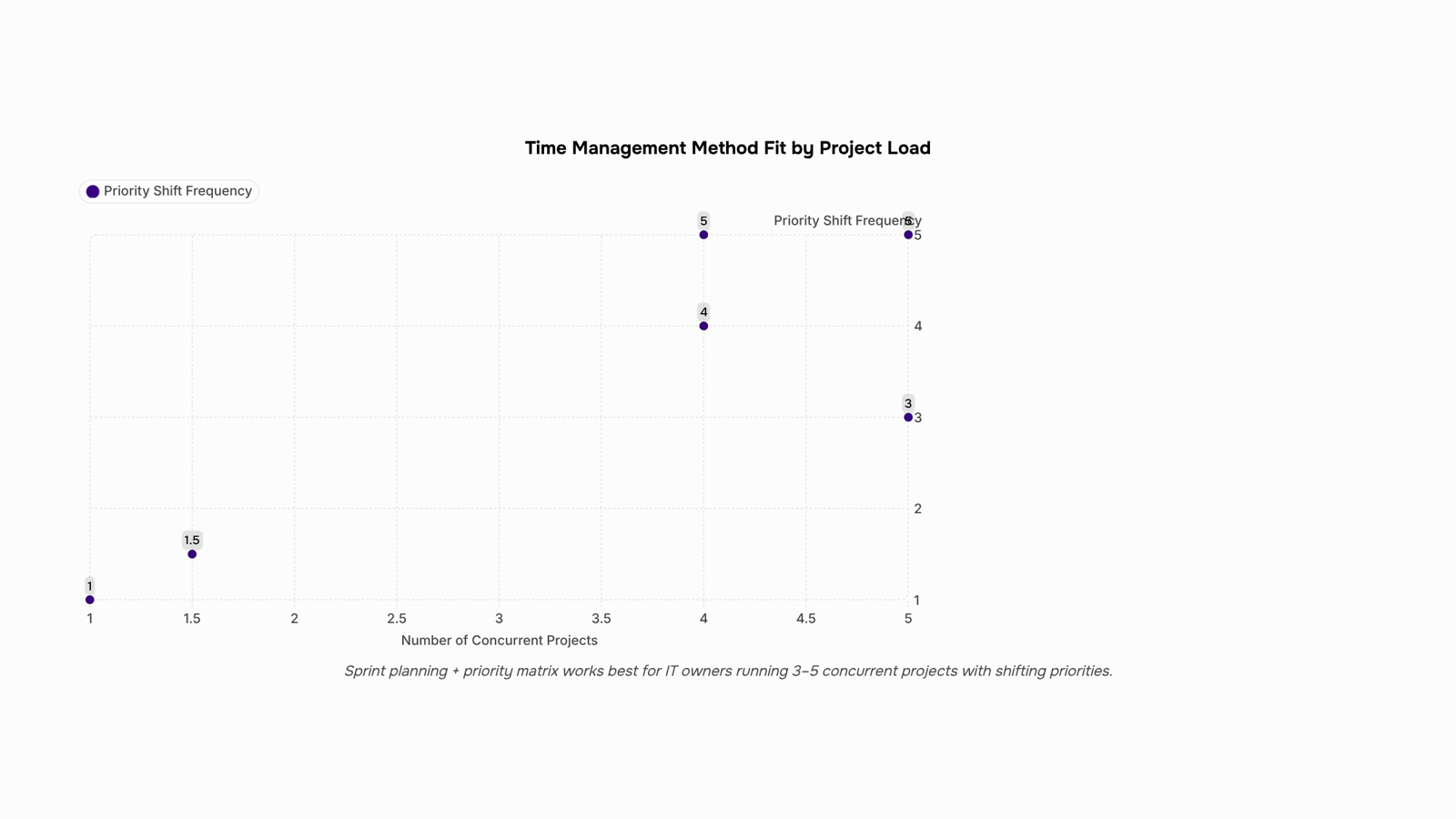
The right time management method depends almost entirely on how many projects you're running and how often priorities shift. Here's a direct mapping.
1 to 2 projects with long horizons (3+ months) Time blocking works here. You have enough calendar stability to pre-commit deep work slots, and project scope changes slowly enough that a blocked schedule survives the week intact. Waterfall sequencing or milestone-based planning fits this load well. The failure mode to watch: a single client escalation can collapse a blocked day if you haven't built buffer time explicitly into the schedule.
3 to 5 projects with mixed cadences This is where most IT company owners actually live. Some projects have weekly deliverables; others are slow-burn. A hybrid approach works best: use sprint planning for small teams to anchor your short-cycle work in two-week sprints, then use a simple priority matrix (impact vs. effort, or MoSCoW) to decide what gets your first two hours each day. Pure time blocking breaks here because too many projects compete for the same slots.
4+ projects with frequent context switches Kanban-style WIP (work-in-progress) limits are more reliable than any calendar method. The mechanism is simple: cap active tasks per person at 3 to 5, and nothing new enters until something closes. This is specifically useful for time management for IT teams running support tickets alongside project work, where unpredictable demand makes time blocking impractical.
The scenario most guides skip When tasks from different projects compete for the same slot, no method saves you without a single visible backlog. If your priorities live across three tools, the method you chose doesn't matter. Managing time across multiple projects gets significantly easier when sprints, tasks, and project status share one view. That's the specific problem Taro is built to solve: one workspace where sprint planning, task ownership, and project timelines stay connected rather than siloed.
Pick the method that matches your actual project load, not the one that sounds most productive.
Can Time Management Methods Actually Reduce Stress
The short answer is yes, but the mechanism matters. A packed calendar doesn't reduce stress. Pre-committed priorities do.
The specific driver is decision fatigue reduction. When you've already decided what gets worked on and in what order, every interruption has a clear answer: it either fits the current sprint or it doesn't. That boundary removes the low-grade cognitive load of constantly re-evaluating priorities mid-day, which is where most work stress actually lives.
The second driver is visible workload limits. Methods like Kanban's WIP (work in progress) caps and sprint-based time-boxing make overcommitment visible before it becomes a deadline crisis. You can see the pile growing. That visibility is what lets you push back on scope before a client escalation forces the conversation.
What doesn't work: filling every hour with tasks and calling it a system. That approach trades one kind of stress for another. If you want to reduce work stress with time management, the method needs to answer two questions before the week starts: what is protected time, and what gets dropped if something urgent lands.
For a deeper look at how to prioritize tasks when everything feels urgent, that framework applies directly here.
Where Methods Break Down Without the Right Structure
Most time management methods fail IT owners by week two for the same reason: they're designed for single-project focus, not the reality of running three client engagements, an internal infrastructure upgrade, and a sales pipeline simultaneously.
The first failure mode is context-switching. Research from the American Psychological Association shows that switching between tasks can cost as much as 40% of productive time. For IT teams juggling support tickets, sprint work, and client calls in the same afternoon, that loss compounds fast. Time blocking looks clean on paper until a client escalation lands at 10 a.m. and the whole day restructures around it.
The second failure mode is unlogged time. When your team isn't tracking hours against specific tasks, you lose the data that tells you which projects are over-resourced and which are quietly burning out your engineers. Most task prioritization methods don't solve this — they just reorganize the same invisible workload.
The third is no sprint cadence. Without sprint planning for small teams built into the workflow, priorities reset informally, ownership blurs, and the method gets abandoned.
This is where sprint planning and task tracking in one place removes the overhead. Taro's sprint management gives IT teams a structured two-week rhythm with visible workload limits. Time tracking ties logged hours to tasks automatically, so you're not chasing timesheets. If you're working through how to prioritize tasks when everything feels urgent, that structure is the missing layer.
Closing
The method that works is the one that bends under real pressure instead of breaking. Time blocking fails when a P1 ticket lands. Pomodoro doesn't account for asynchronous dependencies. GTD captures everything but doesn't sequence competing urgencies. For IT owners running three or more concurrent projects, a hybrid approach — sprint planning anchored to a priority matrix, with daily re-scoring — survives contact with actual work. The catch is that no method sustains itself on willpower alone. Taro brings sprint planning, task prioritization, and time tracking into one view, so your method stays intact even when priorities shift mid-week. What does your current setup look like when a client escalation hits on Tuesday morning?
FAQ
What are the most effective time management methods for increasing productivity?
For IT owners, hybrid methods work best: sprint planning paired with a priority matrix (deadline-weighted impact-effort scoring). Pure Pomodoro, GTD, or time blocking each solve one dimension but fail under multi-project pressure.
How can I prioritize tasks using different time management methods?
Use a deadline-weighted impact-effort matrix: score each task on deadline proximity, client impact, and effort required, then rank by total points. MoSCoW categories work too, but require daily re-review to stay honest.
What time management method is best for managing multiple projects?
For 3 to 5 concurrent projects, combine sprint planning with a priority matrix. For 4+ projects with frequent context switches, add Kanban WIP limits (cap active tasks at 3 to 5 per person). Pure time blocking breaks under this load.
Can time management methods help reduce stress and improve work-life balance?
Yes, but only if the method matches your actual workload. Mismatched methods (like time blocking under multi-project chaos) increase stress. The right fit reduces decision fatigue and makes interruptions visible rather than invisible.
What are some simple time management methods for beginners?
Start with MoSCoW categorization (Must, Should, Could, Won't) at the start of each week, or a simple impact-effort matrix. Both take five minutes to set up and don't require new tools.
Why do time management methods stop working after a few weeks?
Methods drift because they lack a review cadence. A scoring matrix without weekly re-ranking becomes stale. The fix: build in a 15-minute Monday check to re-score and re-rank before the week starts, and track execution in a single system.


 Elena Petrova15 September 2026


