TL;DR: This guide covers how to actually implement IT lifecycle management, not just define the stages. You'll get a clear sequence, role assignments, and how automation removes the manual work that causes most programs to fail.
Why IT Lifecycle Programs Fail
The five stages are not the problem. Most IT company owners can name them: plan, acquire, deploy, maintain, retire. Programs fail because those stages never get operationalized.
Here is what failure looks like in practice:
No one owns the transitions : A laptop gets deployed. No one tracks it through maintenance. A license hits renewal. No workflow exists to trigger a review.
The program lives in a spreadsheet : A static spreadsheet records what happened. It does not drive what happens next. Teams spend more time updating the record than acting on it.
Leadership treats it as a one-time project : The initial audit happens. The follow-through does not.
The tools are fragmented : Asset data sits in one system. Procurement runs over email. Maintenance tickets live in a helpdesk that never connects to the asset register. No one has a complete picture.
These are not edge cases. They are the standard failure pattern.
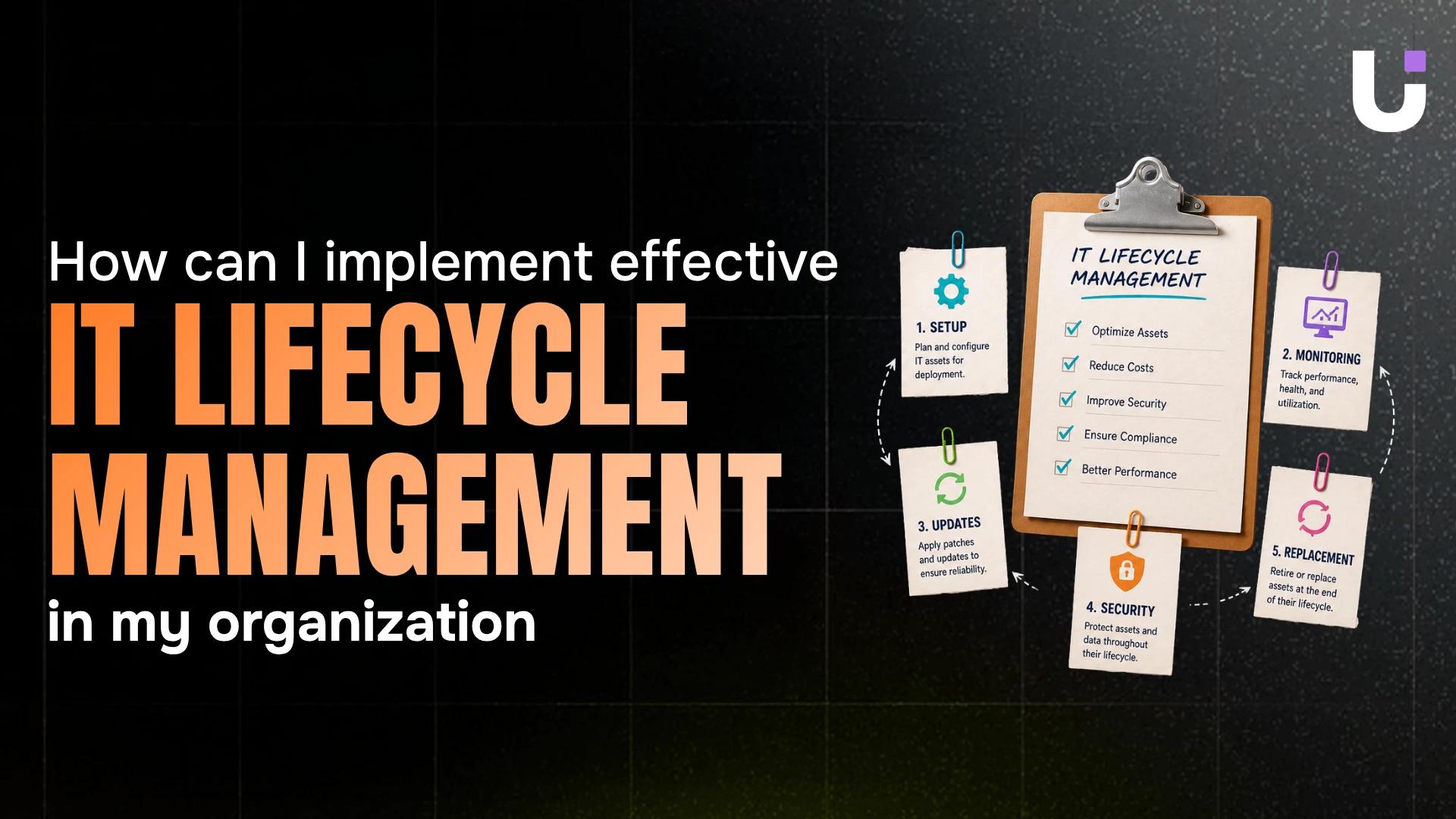
The 5 Stages of IT Lifecycle Management
Each stage has a defined input, a core activity, and an output the next stage depends on. When any output goes undocumented, the next stage starts blind.
1. Planning
Identify what assets are needed, why, and when. Output: a requirements document tied to a budget approval. Without this, procurement becomes reactive and every asset that enters without a planning record is one you will eventually lose track of.
2. Procurement
Source vendors, negotiate contracts, execute purchases. Output: a purchase record with vendor, cost, contract terms, renewal date, and warranty window. Every gap in this record compounds over time.
3. Deployment
Configure, assign, and onboard. Output: an active asset record with the device or license assigned to a named user and a deployment date logged. Laptops carry a useful life of three to four years. Servers run closer to five. The deployment date is what lets you plan replacement before failure.
4. Operation and Maintenance
Patch cycles, hardware repairs, license audits, performance reviews. Output: updated asset records with current status, incident history, and configuration changes. This is the longest stage and the most under-documented. Teams that skip regular documentation discover mid-audit that a third of their assets are misclassified or untracked.
5. Retirement and Disposal
Data wiping, hardware disposal, license termination or reassignment. Output: a closed asset record with disposal method, date, and certificate of destruction where applicable. GDPR and HIPAA both treat data on improperly discarded hardware as a breach risk. This is where the most compliance exposure sits.
How to Implement IT Lifecycle Management in 7 Steps
Step 1: Audit what you actually have
List every asset: hardware, software licenses, subscriptions. Assign each one a current lifecycle stage. Pull data from your network, finance system, and helpdesk. Do not guess. Untracked assets cannot be managed.
Step 2: Define your stages explicitly
Generic stage names are not enough. Define the transitions: who approves a purchase request, what triggers a refresh review, what end-of-life means for a laptop versus a server. If your team cannot answer those questions in under 30 seconds, the stages are not defined yet.
Step 3: Assign an owner to every stage
Each stage needs one person responsible for moving assets through it. Without a named owner, assets stall. Licenses auto-renew without review. Hardware skips disposal. That is where the money leaks.
Step 4: Build your approval and task structure
Map each lifecycle stage to a task or approval workflow. Procurement approvals, onboarding checklists, maintenance schedules, and decommissioning sign-offs all need to live in the same system as the asset record.
Step 5: Identify where transitions stall
Most lifecycle failures happen between stages, not within them. An asset completes deployment but no one triggers the support handoff. A refresh is approved but procurement sits idle. Identifying where stage transitions stall before they become a pattern saves you from discovering the problem six months later in a budget review.
Step 6: Configure automated triggers for routine transitions
Set triggers for predictable transitions: a warranty expiration fires a refresh review task, a license renewal date creates an approval request, a decommission checklist opens automatically when an asset hits end-of-life.
This is where Revo pays off directly. Revo connects the tools already in your stack and runs these transitions without manual prompts. Instead of someone remembering to check a renewal date, Revo fires the task automatically. No manual intervention. No missed renewals.
Step 7: Track progress against lifecycle milestones
Use sprint or burndown tracking to monitor whether assets are moving through stages on schedule. Managing lifecycle stage transitions with task carryover and burndown tracking gives you visibility into what is slipping before it becomes an unplanned cost.
Run this sequence once, document it, then automate the parts that repeat. That is the difference between lifecycle management as a concept and lifecycle management as a running system.
The Roles You Need Before You Start
1. Lifecycle Program Owner
Accountable for the program as a whole. Sets stage definitions, resolves ownership disputes, reviews metrics, and escalates when the program stalls. In most IT companies, this is the IT director or the owner directly. One person, not a committee.
2. Stage Owners
Each of the five stages needs a named owner. In smaller IT organizations, one person may own two or three stages. What matters is that every stage has a name attached to it.
3. Asset Custodians
End users or team leads assigned specific assets. They report issues, return assets when offboarding, and confirm assets are still in active use. Without custodian accountability, devices get shelved and licenses sit assigned to users who left months ago.
4. Finance or Budget Approver
This role does not need to be involved in day-to-day operations. They need to be in the approval workflow for any purchase or renewal above a defined threshold.
5. Automation Administrator
Someone needs to own the workflow layer. This person configures triggers in Revo, monitors automation logs, and updates workflows when stage definitions change. Without this role, automated workflows go stale and fire against outdated rules.
Where Automation Fits
Manual lifecycle management breaks down at scale. When you manage dozens of assets, a spreadsheet works. When you manage hundreds, it does not.
Revo automates the parts that repeat:
- Renewal alerts fire before a license or warranty expires, not after
- Onboarding workflows trigger automatically when a new asset is deployed
- Decommission checklists open when an asset hits its end-of-life date
- Approval requests route to the right person without manual forwarding
- Cross-tool connections keep your asset register, helpdesk, and finance system in sync
The result is fewer missed renewals, fewer compliance gaps, and less time spent chasing status updates. Your team works on decisions, not data entry.
Key Metrics to Track
| Metric |
What It Tells You |
| Assets past end-of-life |
Replacement backlog and risk exposure |
| Average time per lifecycle stage |
Where transitions are stalling |
| Licenses assigned to inactive users |
Wasted spend |
| Missed renewal dates |
Gaps in your automation coverage |
| Disposal records completed |
Compliance coverage at retirement |
Review these monthly. If a metric is moving in the wrong direction, trace it back to the stage owner and the workflow responsible.
Frequently Asked Questions
Q. What is IT lifecycle management?
A. IT lifecycle management is the process of tracking and managing every asset, hardware or software, from the moment it is planned and purchased through to disposal. It covers five stages: planning, procurement, deployment, operation and maintenance, and retirement.
Q. Why do IT lifecycle programs fail?
A. Most fail because the stages are defined but never operationalized. No one owns the transitions between stages, the tools are fragmented, and there are no automated triggers to move assets forward. The result is assets that stall, licenses that auto-renew without review, and compliance gaps at disposal.
Q. How does automation improve IT lifecycle management?
A. Automation removes the manual work that causes transitions to stall. Tools like Revo connect your existing systems and fire tasks automatically when a trigger condition is met.


 Elena Petrova15 September 2026


