


Sprint and Agile Management
with Full Lifecycle Tracking
Full sprint lifecycle with task carryover. Burndown charts, velocity tracking, and AI workload balancing.
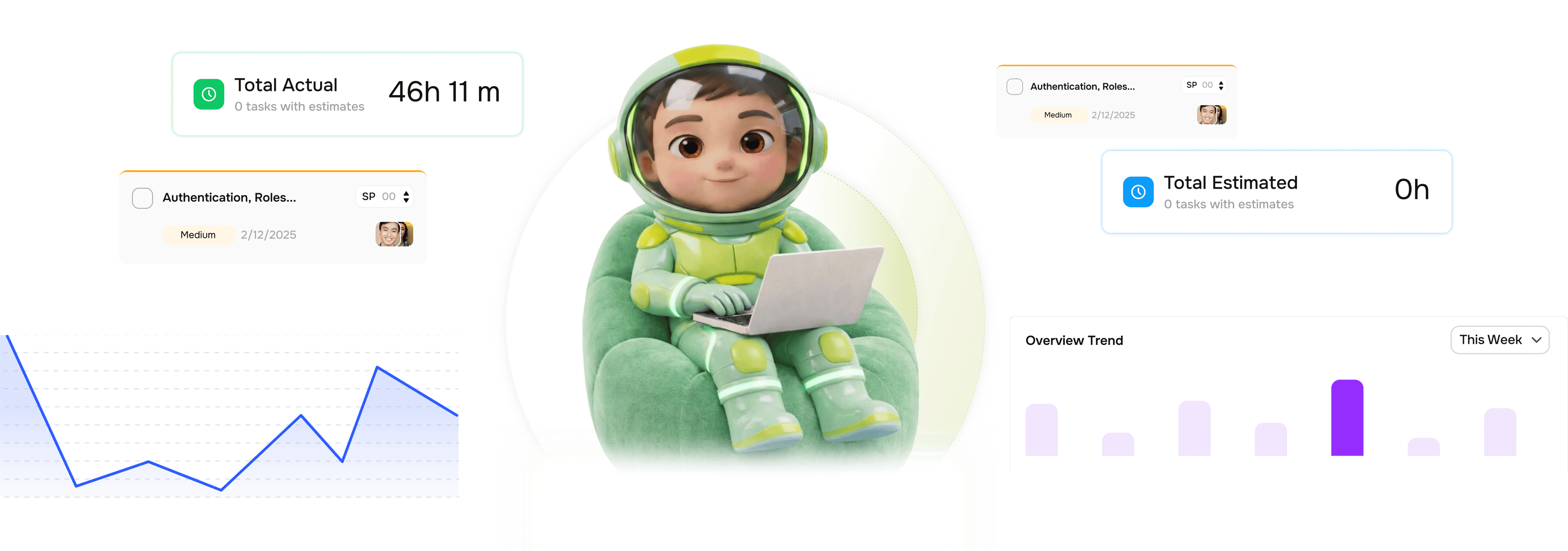
From sprint planning to retrospective in four steps
TARO handles the full sprint lifecycle, from backlog to close, carrying unfinished tasks forward.
Plan
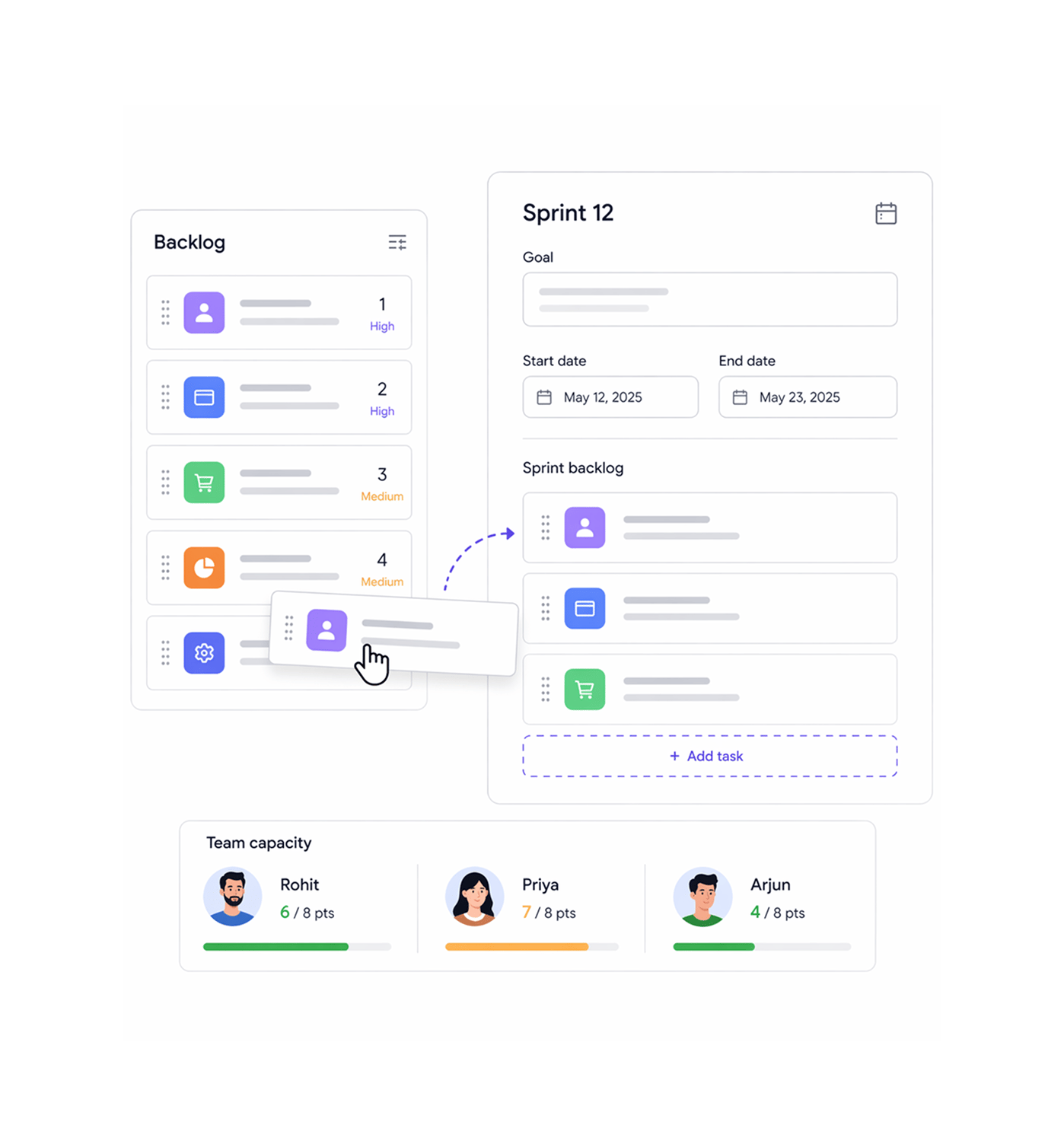
Plan the sprint with the full backlog in front of you
Sprint planning pulls from your backlog, already ranked by Auto Prioritization. Set the name, goal, and dates, then drag tasks in. TARO shows capacity signals per member as you go, so you commit to a deliverable sprint.
Track
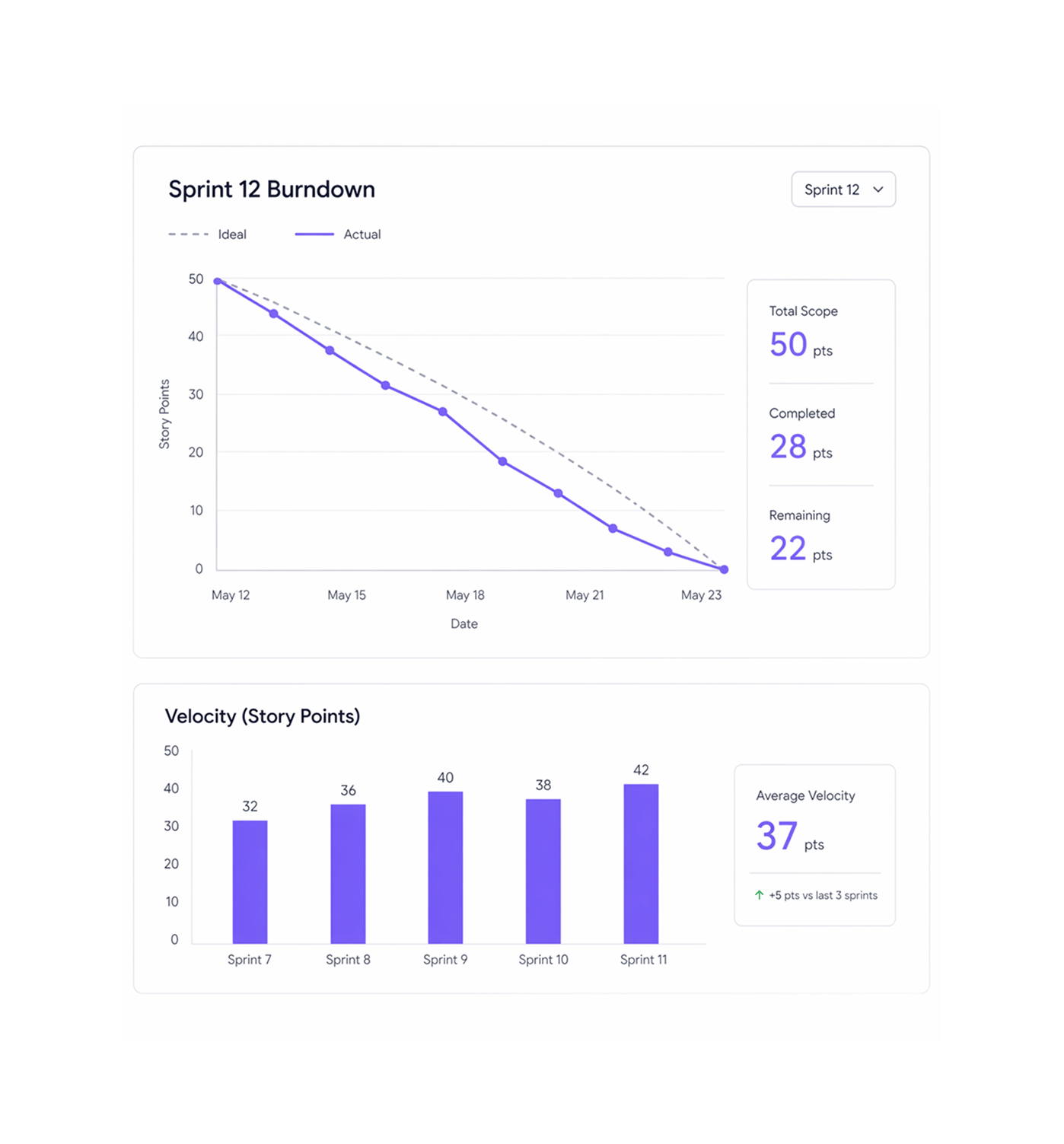
Burndown charts and velocity tracked across every sprint
TARO generates a live burndown chart for every active sprint, comparing the ideal completion rate against actual in real time. It also tracks velocity across completed sprints, and whether it's rising or falling.
AI
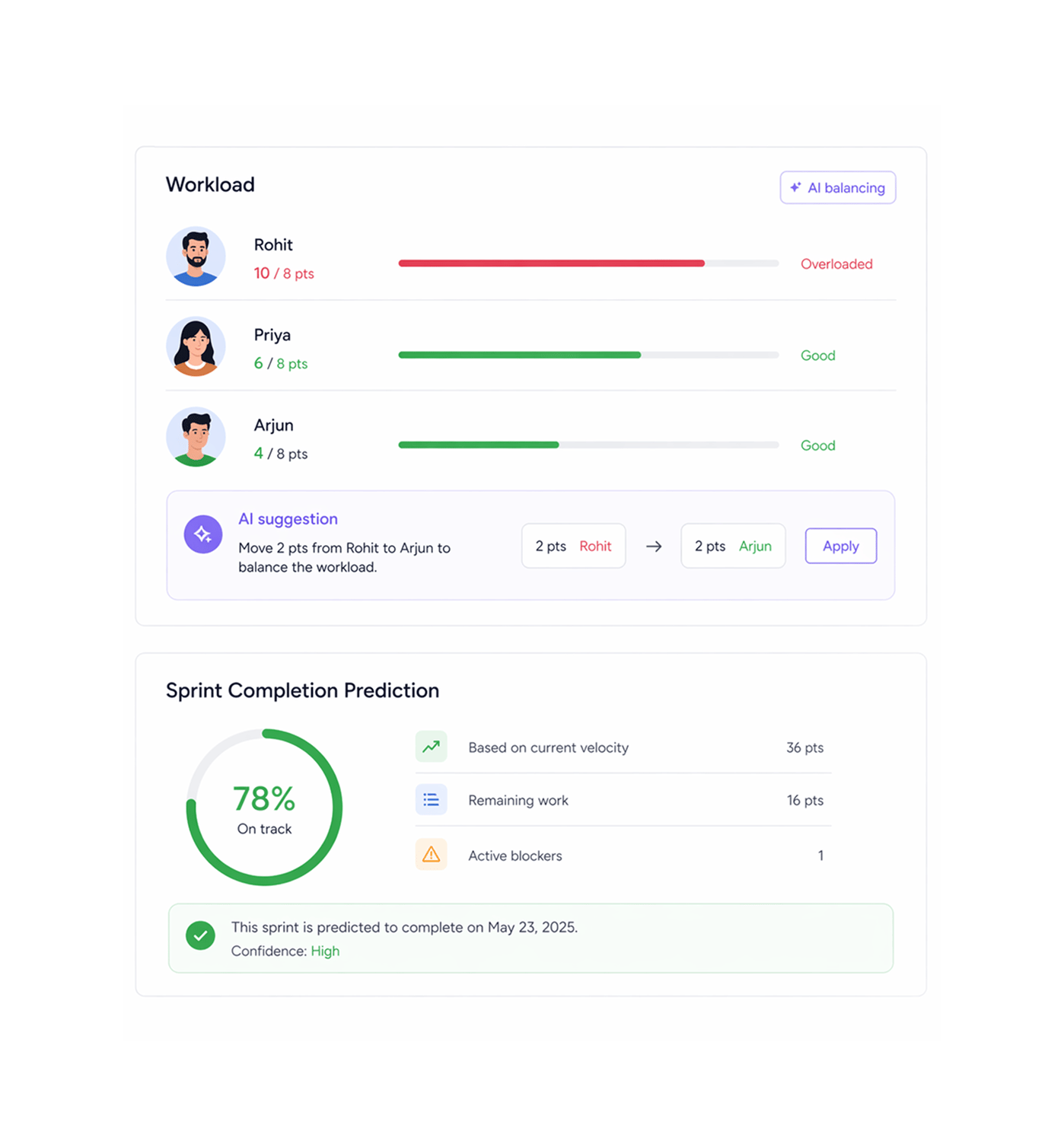
AI balances the sprint and predicts whether it finishes
TARO's AI runs two operations during a sprint: workload balancing and completion prediction. Balancing flags overloaded members and suggests reassignments. Prediction forecasts on-time close with confidence.
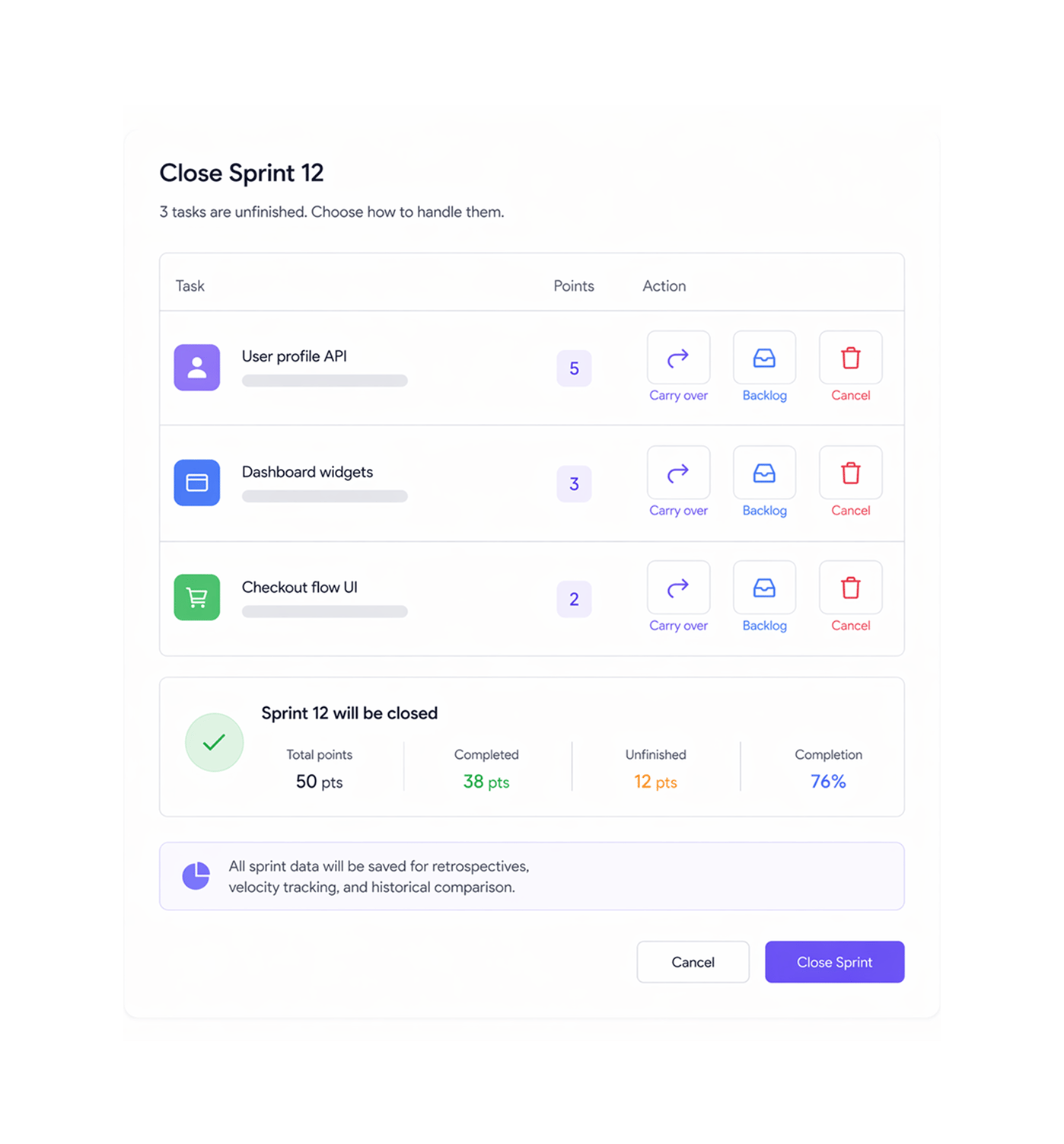
Close
Close the sprint. Every unfinished task handled cleanly.
When you close a sprint, TARO presents every unfinished task with three options: carry over to the next sprint, move to the backlog, or cancel. Carried-over tasks appear at the top, prioritized above new work.
- Resolve payment gateway timeout
- Write unit tests for checkout API
- Dark mode toggle Settings page
- Refactor legacy CSV export utility
- Live table update
Six reasons teams never go back
Sprint planning on real velocity, live burndown charts, and an AI that tells you on day 3 whether the sprint closes on time.

Burndown charts that update on every task completion
TARO's burndown chart recalculates the moment any task status changes. The ideal and actual lines stay in sync with real work, not a static chart.

Velocity data makes planning honest
When TARO's planning panel says the team averages 26 tasks per sprint, adding 38 to the commitment is a visible choice with visible consequences, not a guess.

Completion prediction on day 3, not day 9
TARO's AI predicts sprint completion at any point, not just the end. An 87% confidence on day 3 gives you 7 days to act. A 42% on day 8 gives you one.

AI workload balancing runs during the sprint
Planning balances work at the start. TARO's AI watches the sprint and surfaces rebalancing suggestions as things shift, keeping distribution healthy.

Carryover handled at close not forgotten
Every unfinished task at close gets an explicit decision: carry forward, backlog, or cancel. Nothing disappears, and nothing carries over unreviewed.

Full sprint history preserved for retrospectives
Every closed sprint keeps its full data: burndown shape, velocity, completion rate, carryover, blockers. Retrospectives run on the actual numbers, not memory.


800+
trusted teams
Built for every team running
sprints with real deadlines
Engineering leads, scrum masters, and PMs use TARO Sprint & Agile for one reason: the sprint should reflect what the team can actually deliver. Burndown charts and AI prediction make it visible.
Sprint lifecycle stages
AI prediction accuracy
Earlier overcommitment detection
Sprint history preserved
Sprint planning starts with velocity data. Not gut feel about capacity.
Engineering teams plan with the last 5-sprint velocity average beside the backlog. When the lead tries to commit 38 tasks against an average of 26, TARO makes the overcommitment visible.
Sprint & Agile is just the cadence
TARO's intelligence runs beneath every sprint, predicting risks, flagging bottlenecks, and ranking the backlog.

Auto Prioritization
Drop your backlog. TARO re-orders every task with AI by due dates, dependencies, and impact. Planning starts ranked, not blank.

Risk Prediction
Scans for overdue tasks, stalled workflows, and blocked dependencies surfaces exact action recommendations before risks become sprint-ending incidents.

Bottleneck Analysis
Identifies which pipeline stages have too many tasks, who's a single point of failure, and which handoffs are breaking down.

Completion Analysis
Predicts your project's actual finish date from velocity, blockers, and sprint history. Predicted date, variance, and confidence level before you commit.
Everything you need to know about Sprint & Agile
Common questions from engineering leads, scrum masters, and PMs evaluating TARO's sprint management.
TARO tracks velocity as the number of tasks (or story points, if used) completed per sprint, recorded automatically when a sprint closes, and calculated per team, project, and member. The velocity dashboard shows a sprint-by-sprint trend line, so you see whether the team is delivering, improving, or declining. Velocity feeds sprint planning, where TARO shows the historical average and a recommended commitment range, and completion prediction.