


Automatically Balance Team
Capacity Across Every Sprint
TARO reads active tasks and sprint capacity, then suggests exact reassignments to balance overloaded members before deadlines.
From unbalanced sprint to rebalanced team in four steps
TARO reads capacity continuously, surfacing imbalances before they become missed deadlines.
Scan
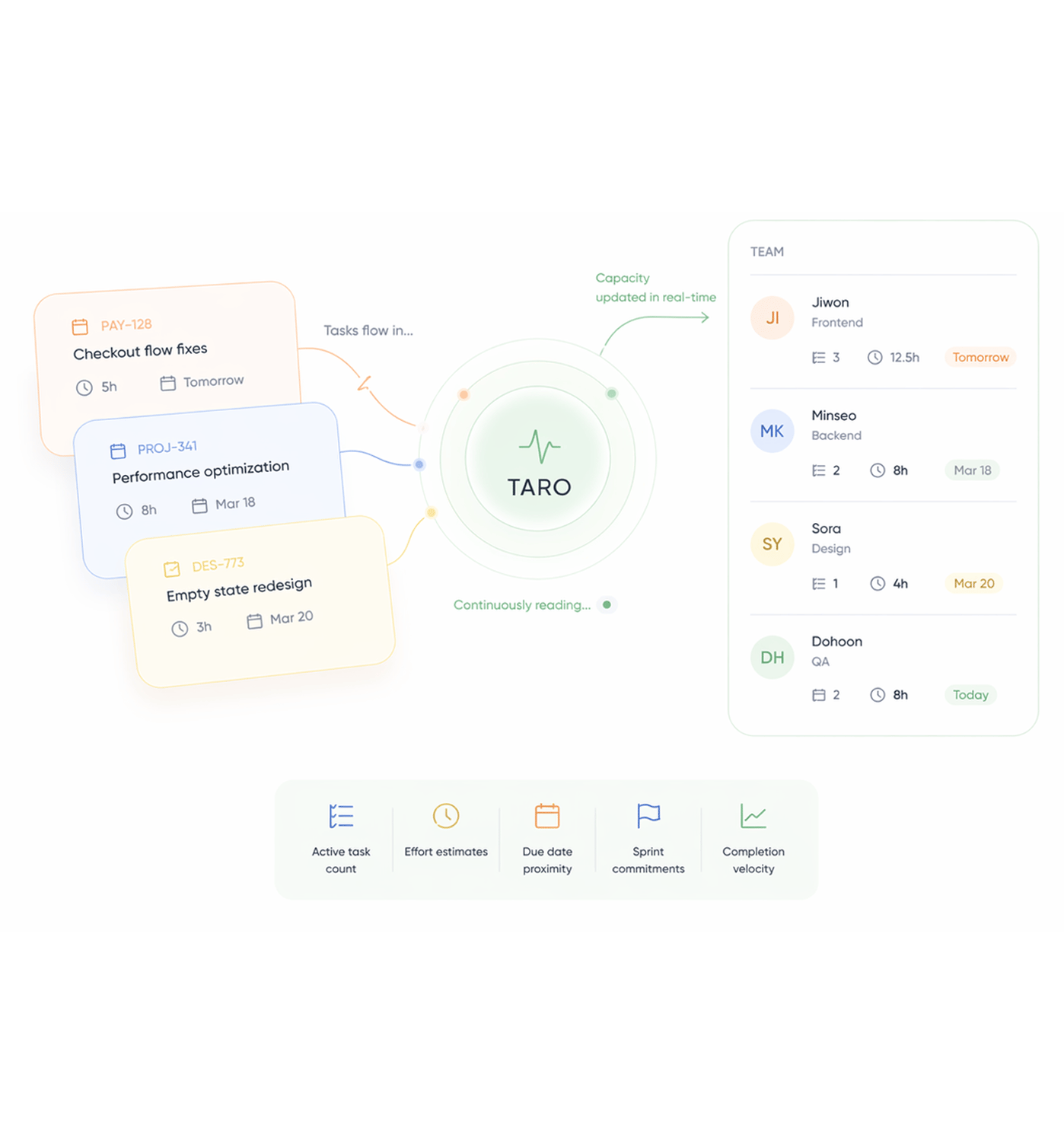
TARO reads every task and every member's capacity
TARO keeps a live view of every member's active task count, estimated effort, due dates, and sprint commitments. Not a snapshot from sprint planning a continuous read that updates every time a task is added, moved, or completed.
Detect
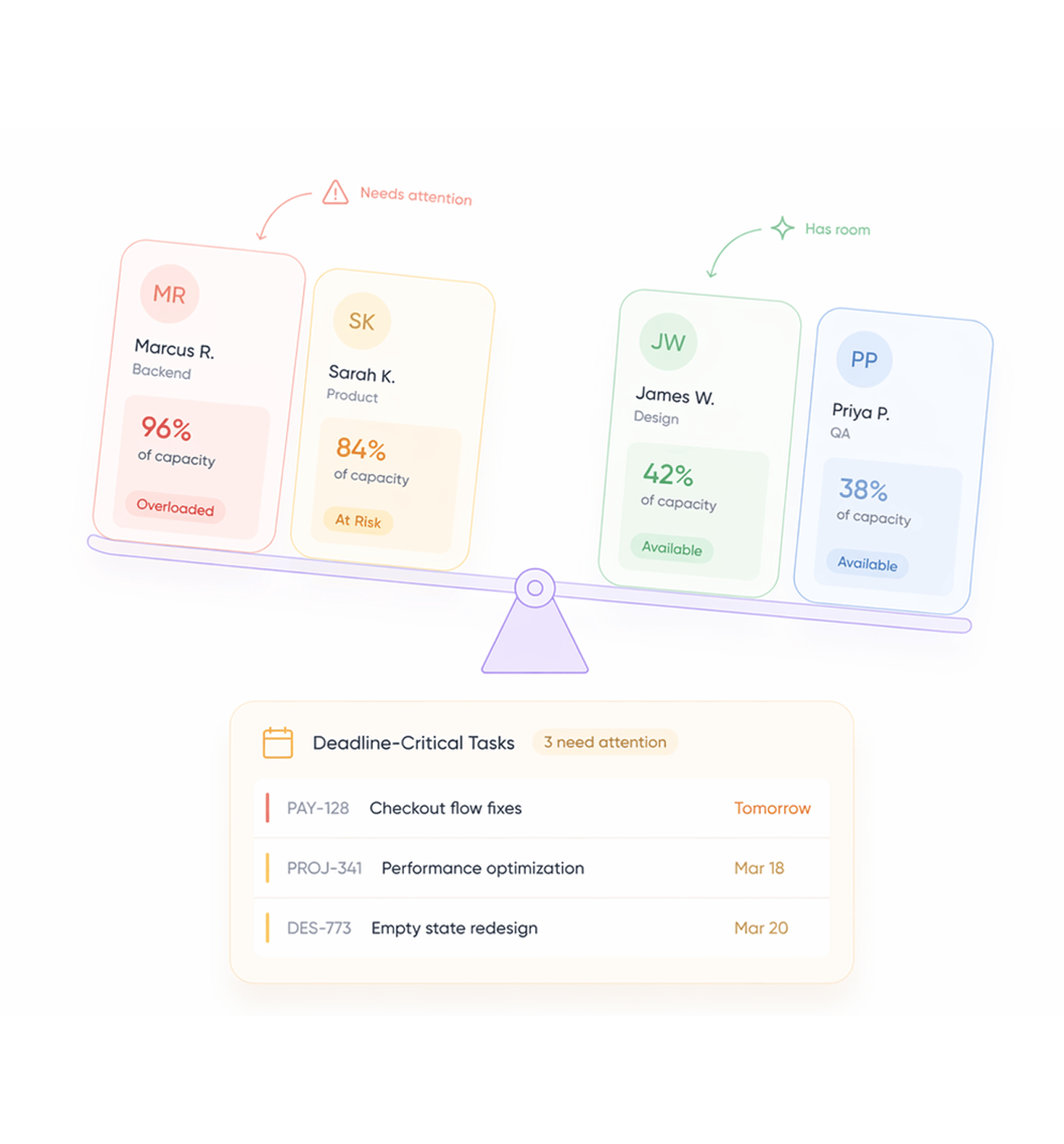
Identifies who's overloaded, who has room, and what's at risk
TARO flags every member carrying more than they can realistically deliver before the sprint ends, and pairs them with members who have capacity now. It also surfaces which tasks are deadline-critical, so rebalancing focuses on what matters most.
Suggest
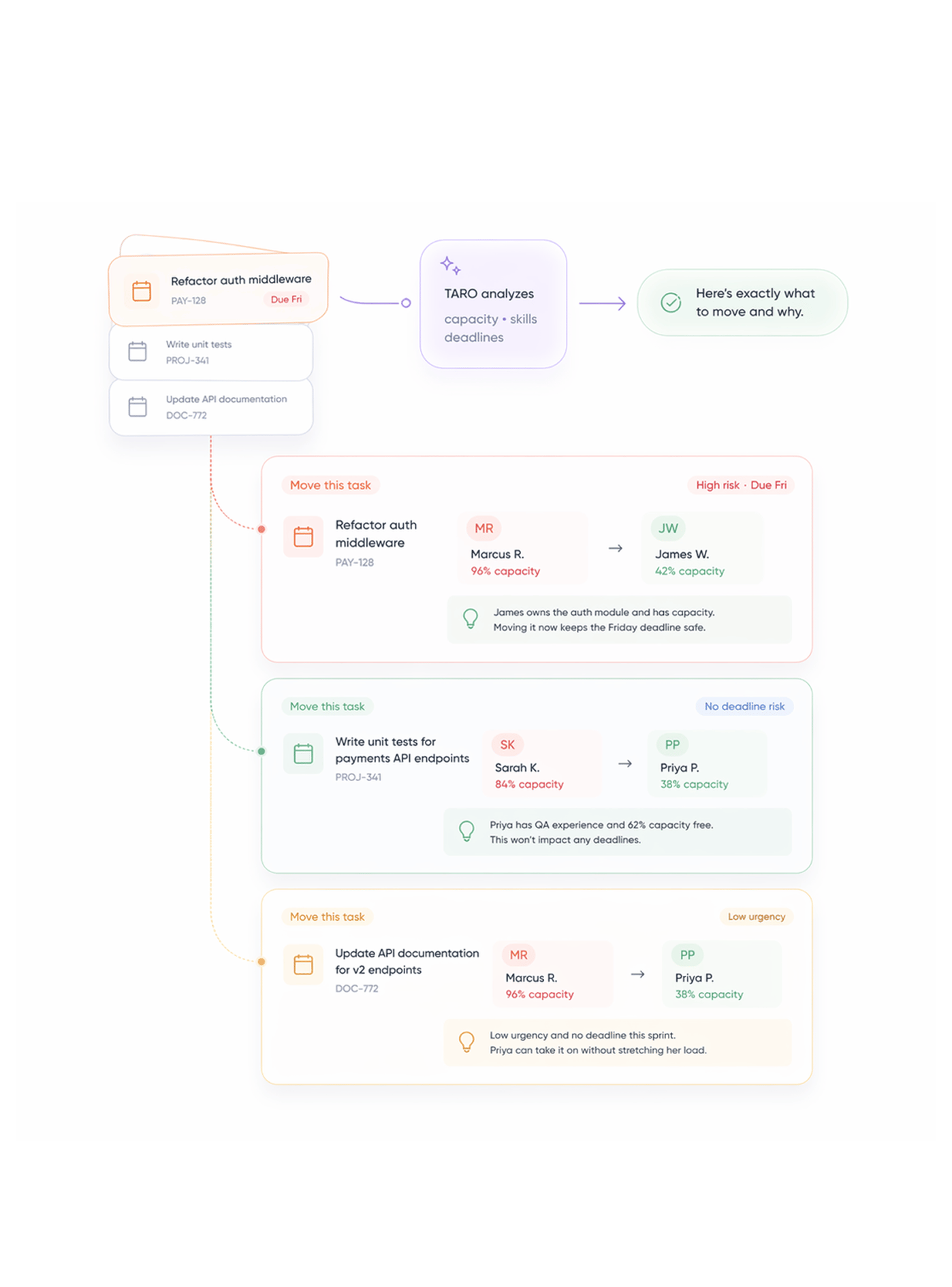
Exact reassignments. Not vague advice.
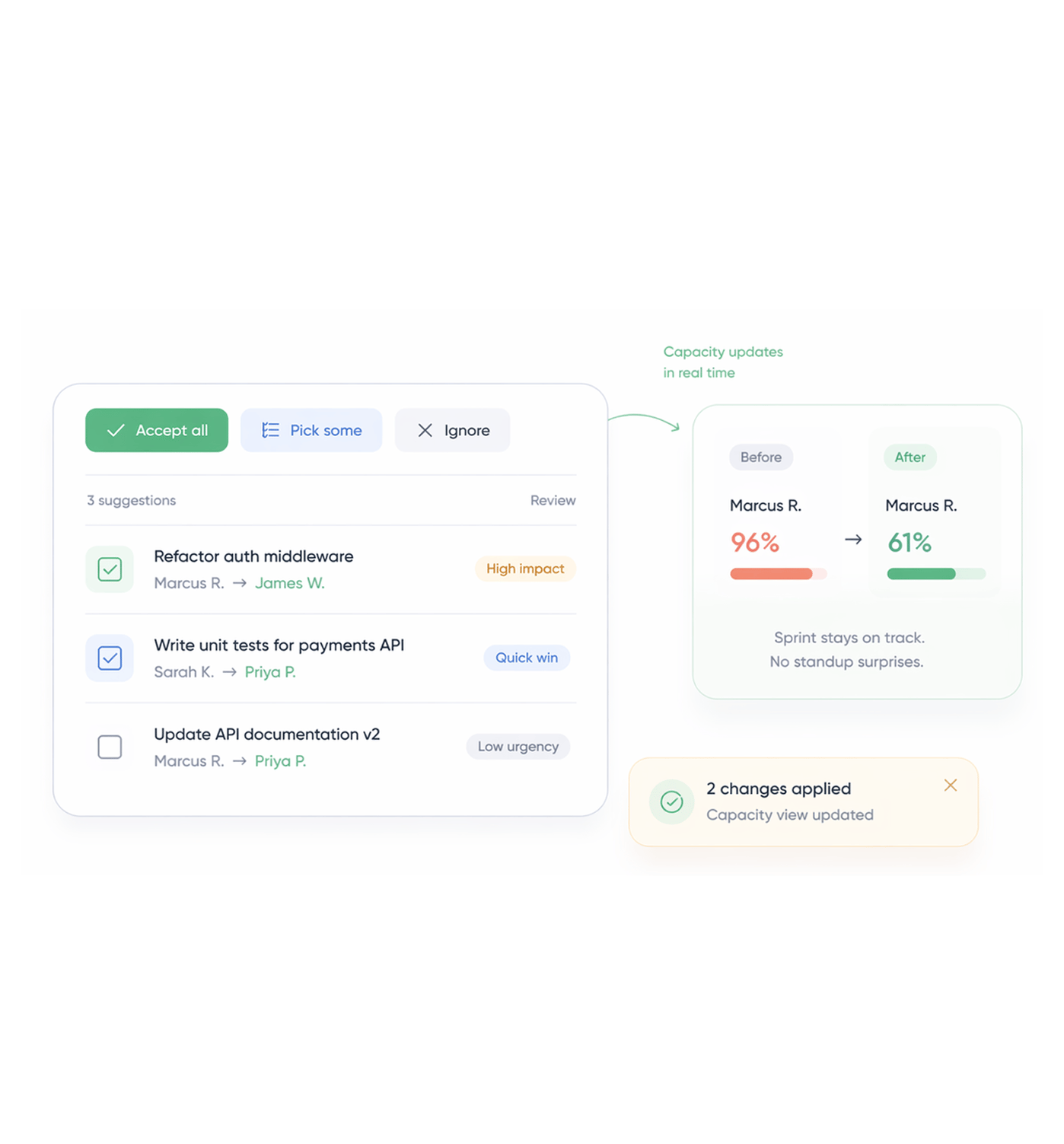
TARO doesn't just say Marcus is overloaded, consider rebalancing. It tells you exactly which task to move, who to move it to, and why based on their available capacity, skill match, and the deadline risk of leaving it.
Apply
Accept all, pick some, or ignore. Your call.
TARO's suggestions are a starting point, not a mandate. Accept all in one click, cherry-pick what makes sense, or dismiss them. Every reassignment is logged, every decision tracked, and the capacity view updates in real time as changes apply.
- Accept all in one click
- Cherry pick suggestions
- Instant board update
- Marcus: 96% → 61%. Sprint delivered on time, no surprises.
Six reasons teams never go back
When TARO flags an overload on Tuesday, your lead can fix it before the deadline slips on Friday the difference between visibility and surprise..

Catch overloads before deadlines slip
TARO flags capacity problems while there's still time to act not after the missed deadline hits the retrospective. Tuesday visibility beats Friday surprises.

Exact reassignments, not vague warnings
TARO names the task, names who to move it to, and explains why. Leads stop spending their morning working out who can absorb what TARO already did that thinking.

Balanced teams ship more consistently
Consistently overloaded engineers burn out; underutilised ones disengage. TARO keeps the load even all the way through delivery, not just at planning.

Skill match, not just headcount
TARO doesn't just find whoever has the most free capacity. It matches tasks to people with the right skills and ownership, so the person receiving it is the right choice.

Live capacity view across the whole sprint
The capacity dashboard updates every time a task is added, moved, or completed. Leads always have the current picture, not a stale spreadsheet from Monday's planning.

Suggestions, not mandates
TARO recommends; every lead stays in control accept all, accept some, or override. The AI informs the decision, the human makes it.


800+
product teams
Built for every team running against a deadline
Engineering leads, scrum masters, and PMs use Workload Distribution differently, but all solve one problem: capacity visible early can be managed. TARO makes sure nothing becomes a Friday surprise that was knowable on Tuesday.
Earlier overload detection
Fewer missed sprint deadlines
Click to apply all reassignments
Suggestions accepted by leads
Who has capacity for this bug? stops being a Slack message.
Engineering leads open TARO's capacity view and instantly see who has room, who's at risk, and which tasks are safest to move. What took 15 minutes in a standup resolves in 30 seconds, before the standup even happens.
Workload distribution is just the start
TARO's intelligence layer runs across the full task lifecycle, not just when things go out of balance.

Smart Task Creation
Type one sentence. TARO generates a fully structured task title, description, priority, due date, and assignee in under 3 seconds. No forms, no clicks.

Risk Analytics
TARO tracks overdue tasks, blocked dependencies, and sprint velocity trends, surfacing which tasks are most likely to slip before they do.

Sprint Planning
Create sprints, assign tasks, track timelines, and manage the backlog in one unified planning view with capacity context baked in from the start.

Overdue Alerts
Automated daily digests and in-app alerts notify leads and assignees before overdue tasks cascade into blocked sprints and missed milestones.
Everything you need to know about Workload Distribution
Common questions from engineering leads, scrum masters, and PMs evaluating TARO's capacity management.
TARO builds a capacity score for each member from four signals: active task count in the current sprint, estimated effort per task, deadline proximity of the soonest tasks, and historical completion velocity how many tasks they typically complete per day over the last 30 days. Someone with 12 tasks and a 6-task-per-sprint average is flagged overloaded; someone with 4 tasks and 10-task capacity is flagged available. The overloaded threshold is configurable by workspace admins.