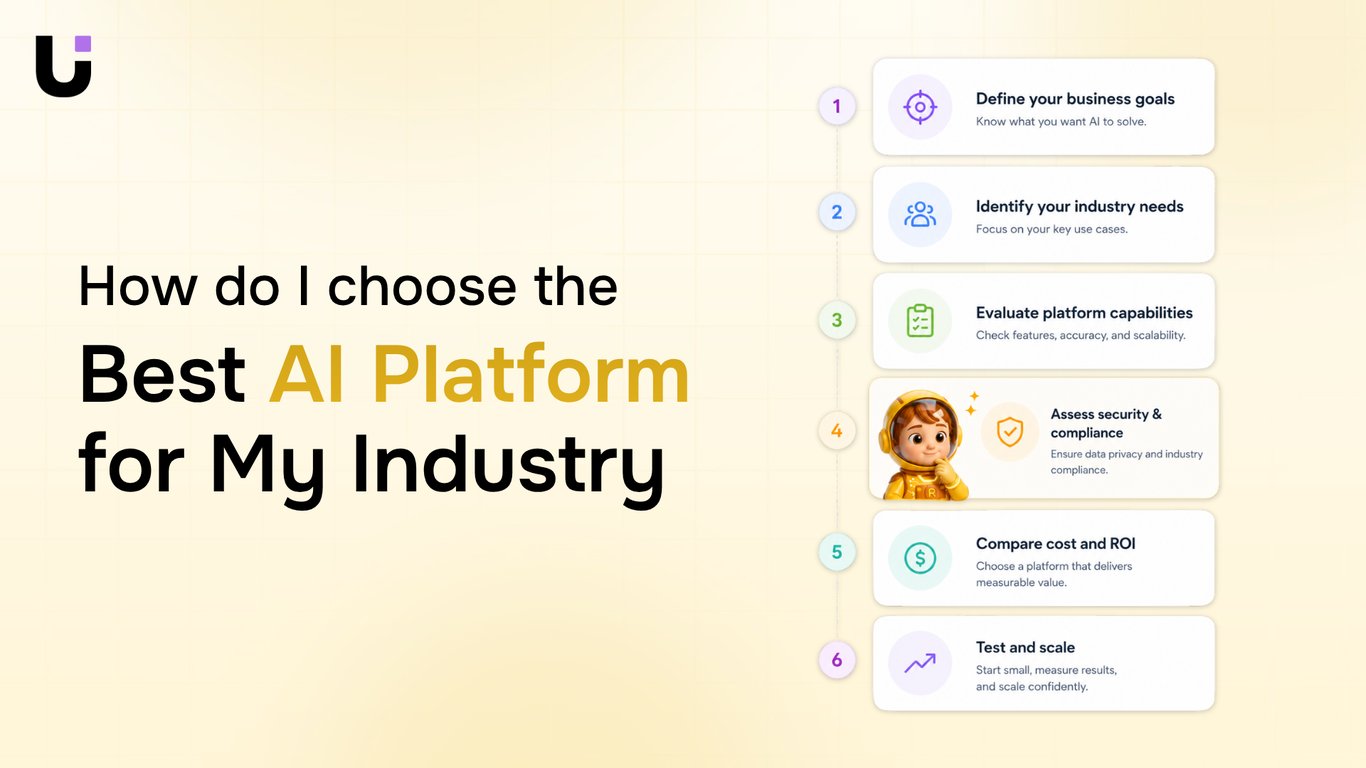
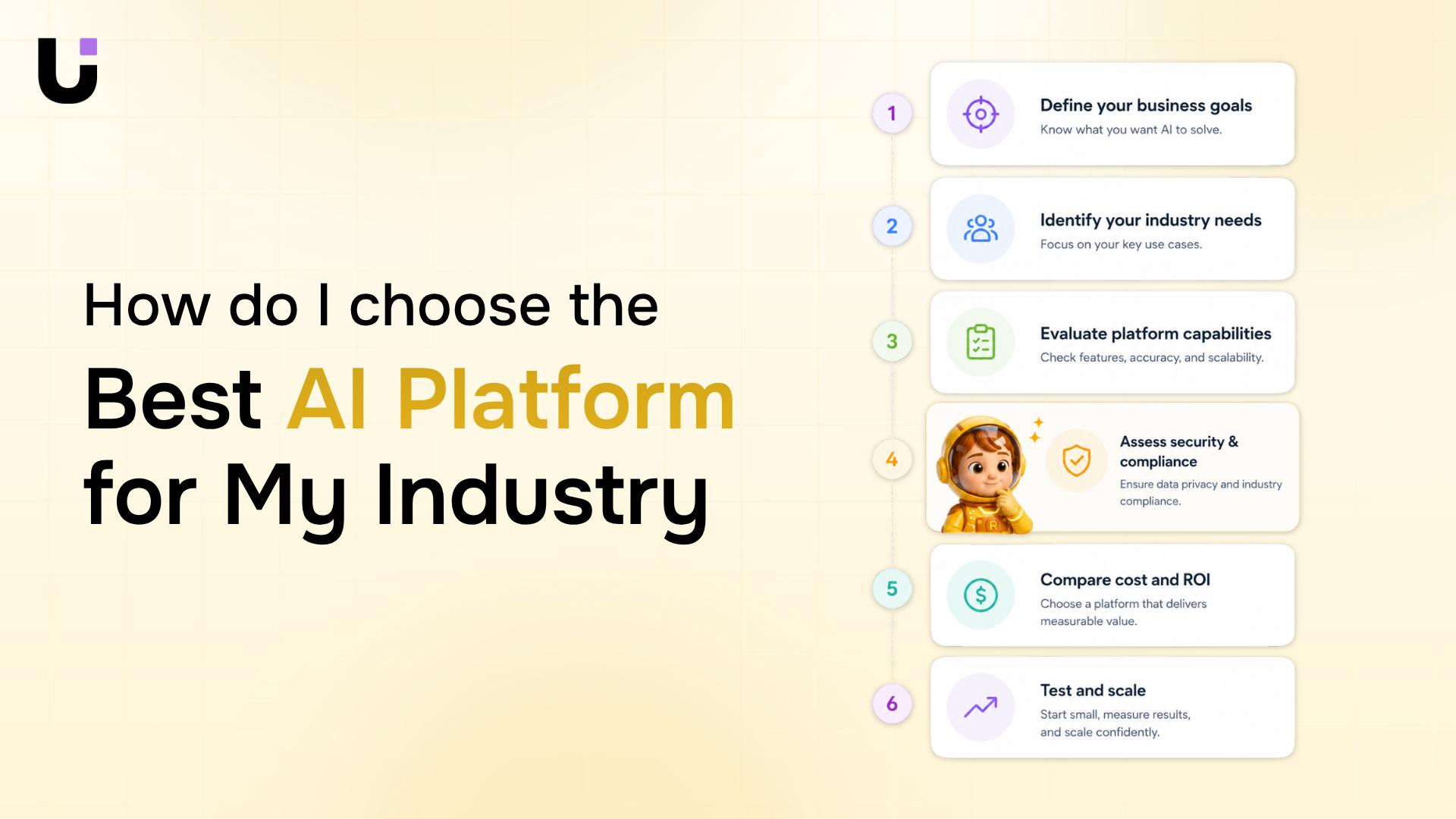
TL;DR: Most "best AI platforms" roundups compare feature counts and stop there. This one evaluates platforms through the lens of operational fit for IT company owners: how lead handling, project execution, invoicing, and workflow automation work as a connected system. You'll finish with a clear decision framework tied to the workflows that actually determine whether a platform earns its cost.
Most comparisons of the best ai platforms rank tools by feature count: how many integrations, how many AI models supported, how many workflow templates. That framing feels useful until you're six months in, running five disconnected tools, and your team is manually copying data between a CRM, a project board, and an invoicing app.
The failure mode has a name: platform sprawl. An IT company owner evaluating the best ai platforms for business process automation 2025 doesn't need the longest feature list. They need to know whether a platform handles the full ops loop, from the moment a lead arrives to the moment an invoice is paid, without creating new data silos at every handoff.
Most roundups, including those focused on best ai platforms like chatgpt for task automation, never ask that question. They compare standalone capabilities in isolation. A lead capture tool gets reviewed separately from a project management tool, which gets reviewed separately from a billing tool. Nobody maps whether those three systems actually talk to each other, or whether your team fills the gaps manually every time.
That's the real evaluation criterion: workflow integration depth across the entire delivery cycle, not feature breadth within a single category.
The next section gives you a concrete framework for what to look for in an IT automation platform before you commit to anything.
The Five Criteria That Actually Matter for IT Businesses
When most IT owners evaluate AI platforms, they score features. That's how you end up six months later with three overlapping subscriptions and a workflow that still breaks between sales and delivery.
These five criteria cut through that.
1. Workflow integration depth
The question isn't "does it have integrations?" Every platform has integrations. The question is whether it handles handoffs automatically — lead assigned, project kicked off, invoice triggered — without a human bridging the gap. Platforms that require Zapier or Make to connect their own modules are already telling you something.
2. Lead-to-delivery handoff automation
For IT service businesses, the most expensive gap is between a closed deal and a running project. If your AI platform captures leads in one tool, manages delivery in another, and invoices in a third, you don't have a platform — you have platform sprawl. The best ai platforms for business process automation 2025 handle this loop inside a single data model, not across three APIs.
3. Data security posture
Ask specifically about data residency, SOC 2 Type II status, and whether your client data trains shared models. Many platforms are vague here until you push. For IT businesses handling client infrastructure data, this isn't a checkbox — it's a liability question.
4. Pricing model transparency
Per-seat pricing sounds predictable until your team grows. Usage-based pricing sounds flexible until one busy month triples your bill. Get the total cost at 10 users, 25 users, and 50 users before you commit. Platforms that won't give you that projection upfront are worth treating as a yellow flag.
5. Vendor lock-in risk
If you switch platforms in 18 months, what do you lose? Proprietary workflow logic, historical data in a non-exportable format, and custom automations that don't transfer are the three most common traps. Ask for the data export spec before you sign.
These criteria work together. A platform strong on security but weak on handoff automation still creates manual work. For a fuller look at how these trade-offs play out across specific tools, this breakdown of all-in-one AI platforms for IT businesses maps each criterion to real platform decisions.
The category you choose shapes everything downstream, so the distinction matters more than most buying guides admit.
Single-function tools do one job well. A standalone AI transcription tool, an AI-powered invoicing add-on, a chatbot builder — each solves a specific pain point. For a 5-person IT shop that has one broken workflow, this is often the right call. The tradeoff: you accumulate tools fast. Three separate SaaS subscriptions covering sales, project management, and invoicing is already the norm for most SMB IT companies, and each new single-function AI tool adds another login, another data silo, and another renewal to track.
Multi-module suites bundle several functions under one roof. Think platforms that combine CRM, project tracking, and billing in a single interface. The appeal is obvious — one vendor, one contract, consolidated data. The real cost shows up when you need to swap one module. Switching is painful because your data is coupled to the vendor's schema. If the suite's lead qualification is weak, you're stuck with it unless you build workarounds. This is the platform sprawl failure mode in a different form: you traded five tools for one vendor with five mediocre modules.
Agent builders let you design custom AI workflows without writing code. This category is worth understanding if you're evaluating no-code AI agent platforms worth considering for the first time. The ceiling is high; so is the setup time.
Category | Best for | Main risk |
|---|
Single-function | 1–2 specific gaps | Tool sprawl |
Multi-module suite | 10–50 person teams wanting consolidation | Vendor lock-in |
Agent builder | Teams with custom workflows | Long implementation |
For IT companies evaluating all-in-one AI platform options, the suite category deserves the most scrutiny — specifically whether its modules are genuinely connected or just co-branded.
What to Look for in Workflow Automation and Lead Handling
For IT service companies, two functions separate AI platforms that pay off quickly from ones that collect dust: how well they automate internal workflows, and how fast they handle inbound leads.
Workflow automation is where most teams feel the most pain. The benchmark worth holding any platform to: can it trigger multi-step processes across your existing tools without requiring a developer to maintain it? That means native integrations with your PSA, ticketing system, and CRM, not just Zapier webhooks duct-taped together. A platform like Revo handles this inside a connected system, so when a client submits a support request, the intake, assignment, and status update happen without anyone touching a queue. If you're evaluating the best AI workflow automation platforms for businesses, the concrete question to ask is: how many manual handoffs does this eliminate in your first 30 days?
Lead qualification speed is the second lever. Research consistently shows that response time within the first five minutes of an inbound inquiry dramatically increases conversion, yet most IT service companies are responding in hours, not minutes. Lio addresses this directly, scoring and routing leads automatically so your sales team touches only the ones worth their time. No lead sits uncontacted because someone forgot to check a shared inbox.
The platforms worth shortlisting for best ai platforms in 2025, including those optimized for answer engine optimization, share one trait: they connect these two functions rather than treating them as separate tools. Platform sprawl, five disconnected SaaS subscriptions doing pieces of the same job, is the failure mode no one talks about but most IT owners are living inside.
When you evaluate, run both functions against a real scenario from last quarter. If the platform can't walk you through that workflow end-to-end, it's not ready for your business.
Data security is where most IT owners discover what a platform's terms of service actually mean.
The first question to ask any vendor is where your data lives. Data residency determines which legal jurisdiction governs your client data. Platforms like Make and Zapier offer EU or US data centers, but region selection is often a paid-tier feature, not a default. If you manage clients in regulated industries, verify this before signing, not after.
Access controls matter just as much. Look for role-based permissions, audit logs, and the ability to isolate one client's data from another's. Platforms that lack tenant-level separation create real liability when you're running workflows across multiple client environments.
SOC 2 Type II certification is the baseline for any platform touching client data. Some platforms list "SOC 2 compliant" in marketing copy but haven't completed a Type II audit. Ask for the report, not the badge.
Three criteria worth confirming in writing:
Data residency region and whether it's configurable on your plan
Audit log retention period (90 days is common; 12 months is better)
Sub-processor list and how you're notified when it changes
For IT owners evaluating the best all-in-one AI platform for IT businesses, security posture should filter your shortlist before features do. The best ai platforms for visibility into client environments are the ones that give you control, not just access.
Free Tiers, Paid Plans, and What You Actually Get
Free tiers on most AI platforms are real enough to demo but not to deploy. Zapier's free plan caps at 100 tasks per month — enough for a proof of concept, not enough for a live client workflow. Make gives you 1,000 operations monthly before throttling kicks in. Both cut off the multi-step automations that actually matter for best ai platforms for business process automation 2025 use cases.
The honest cost calculation isn't sticker price. It's cost-per-workflow: take the monthly plan, divide by the number of automations running, then factor in the staff time you're replacing. A $49/month plan that eliminates four hours of manual work per week at a $60/hour rate pays back in the first week.
Where IT owners get burned is platform sprawl. They pick three free tools, hit the caps, upgrade each one separately, and end up paying $200/month across five disconnected subscriptions. Before committing, read what to look for in an IT automation platform to avoid that trap.
How to Make the Final Call: A Short Checklist
Before you commit to any platform, run it through these five checks:
Does it replace a tool you already pay for? If not, you're adding sprawl, not capability.
Can non-technical staff use it without a developer? Check the no-code AI agent platforms worth considering before assuming you need one.
Does it cover your full workflow — lead capture through invoicing — or just one slice?
Is SOC 2 compliance documented and current? Ask for the report, not a checkbox.
What's the real cost per automated workflow at your volume?
The best ai platforms for enhancing visibility and business process automation pass all five. Most pass two or three.
Closing
The best AI platform for your IT business isn't the one with the longest feature list—it's the one that connects your entire ops loop without creating new manual work. Use the five criteria (workflow integration depth, lead-to-delivery handoff automation, data security, pricing transparency, and vendor lock-in risk) to evaluate any platform you're considering. The platforms that fail on integration depth will feel like wins for the first month, then slow you down for the next 18. Before you commit, ask one hard question: if a lead arrives today, can this platform move them from intake to project kickoff to first invoice without anyone manually copying data between tools? If the answer is no, you're not choosing a platform—you're choosing platform sprawl. WorksBuddy's suite—Revo for workflow automation and Lio for lead management—was built specifically for IT service businesses that need these functions connected, not bolted together. Check out the all-in-one platform guide for a full walkthrough of how it works in practice.
FAQ
What are the top AI platforms for developers?
For developers, the top platforms are GitHub Copilot, OpenAI's API, Anthropic's Claude, and Replit. Choose based on your tech stack and whether you need code generation, API access, or a full IDE integration.
How do I choose the right AI platform for my project?
Start with your core pain point: lead capture, workflow automation, invoicing, or project management. Then evaluate platforms on workflow integration depth, handoff automation, data security, pricing transparency, and vendor lock-in risk—not feature count alone.
What are the differences between AI platforms?
Single-function tools solve one problem but create tool sprawl. Multi-module suites consolidate data but risk vendor lock-in. Agent builders offer custom workflows but require longer setup. Choose based on your team size and whether you need tight integration across sales, delivery, and billing.
Can I use AI platforms for free?
Many platforms offer free tiers or trials: OpenAI's ChatGPT, GitHub Copilot's free version, and Claude's free tier. For business automation, free tiers are usually too limited; expect to pay for production use.
How do AI platforms handle data security?
Ask about data residency, SOC 2 Type II certification, and whether your data trains shared models. For IT businesses handling client infrastructure data, this is a liability question, not a checkbox.
Which AI platform is best for automating IT service workflows?
Platforms like Revo excel at automating multi-step workflows across your PSA, ticketing, and CRM without developer maintenance. The key is native integrations that eliminate manual handoffs, not Zapier workarounds.
Do I need separate AI tools for sales, projects, and invoicing, or can one platform handle all three?
One connected platform is better if its modules are genuinely integrated. Separate tools create data silos and manual copying. For IT businesses, platforms handling the full lead-to-invoice loop inside a single data model eliminate the most expensive gaps.


 Elena Petrova11 September 2026


