TL;DR: Most platform roundups rank AI workflow automation platforms by feature count and stop there. This one evaluates them the way IT company owners actually buy: integration depth, automation logic, and what breaks when your operation scales. You'll get a decision framework tied to team size and process complexity, not a repackaged spec sheet.
An AI workflow automation platform is software that connects your business tools, executes multi-step processes automatically, and uses AI to handle decisions that would otherwise require a human.
The operational problem these platforms solve is straightforward: your team is spending hours on work the software could do. Ticket routing, client onboarding steps, approval chains, data syncing between apps — these tasks are repeatable, rule-based, and expensive when done manually.
What separates modern business process automation tools from older rule-based schedulers is the AI layer. A basic automation fires when a trigger matches. An AI-native platform can interpret unstructured inputs, choose between branching paths, and adapt when conditions change — without you rewriting the logic every time.
If you're evaluating ai workflow automation platforms because your IT team is losing hours to manual handoffs, you're in the right place. The next section gives you a concrete checklist to assess any platform before you commit. For a practical starting point, building your first AI automation workflow walks through the setup step by step.
Before you compare pricing tiers or count integrations, settle one question: is the AI in this platform native to the workflow engine, or was it added on top of an existing rule-based system?
That distinction matters more than any feature checklist. AI-native platforms reason across steps, handle exceptions without a human in the loop, and adjust to changing conditions mid-run. Bolt-on AI adds a chatbot interface to the same rigid trigger-action logic that's been around since 2015.
Once you've answered that, evaluate against these criteria:
Trigger flexibility: Can the platform start a workflow from an unstructured input, like an email or a support ticket, not just a form submission?
No-code workflow automation depth: Non-technical staff should be able to build and modify workflows without opening a JSON editor.
Error handling: What happens when a step fails at 2 a.m.? Look for automatic retries, fallback branches, and alert routing.
Integration scope for IT teams: An ai automation platform for IT teams needs connectors for ticketing, monitoring, and identity management, not just CRM and email.
Audit trail: Compliance-sensitive IT environments need a full log of what ran, when, and why.
Any platform you're seriously considering should pass all five.
Platform | Type | Starting price | Best for | AI-native? |
|---|
Revo | All-in-one workflow automation | Contact for pricing | IT teams automating internal ops end-to-end | Yes |
Zapier | App connector | $19.99/month (Starter) | Simple trigger-action automations | No (bolted on) |
Make.com | Visual workflow builder | $9/month (Core) | Multi-step scenarios with branching logic | No (bolted on) |
n8n | Open-source automation | $20/month (Cloud Starter) | Developer teams wanting self-hosted control | No (bolted on) |
Workato | Enterprise iPaaS | Custom pricing | Large orgs with complex integration needs | Partial |
Microsoft Power Automate | Microsoft-stack automation | $15/user/month | Teams already running Microsoft 365 | Partial |
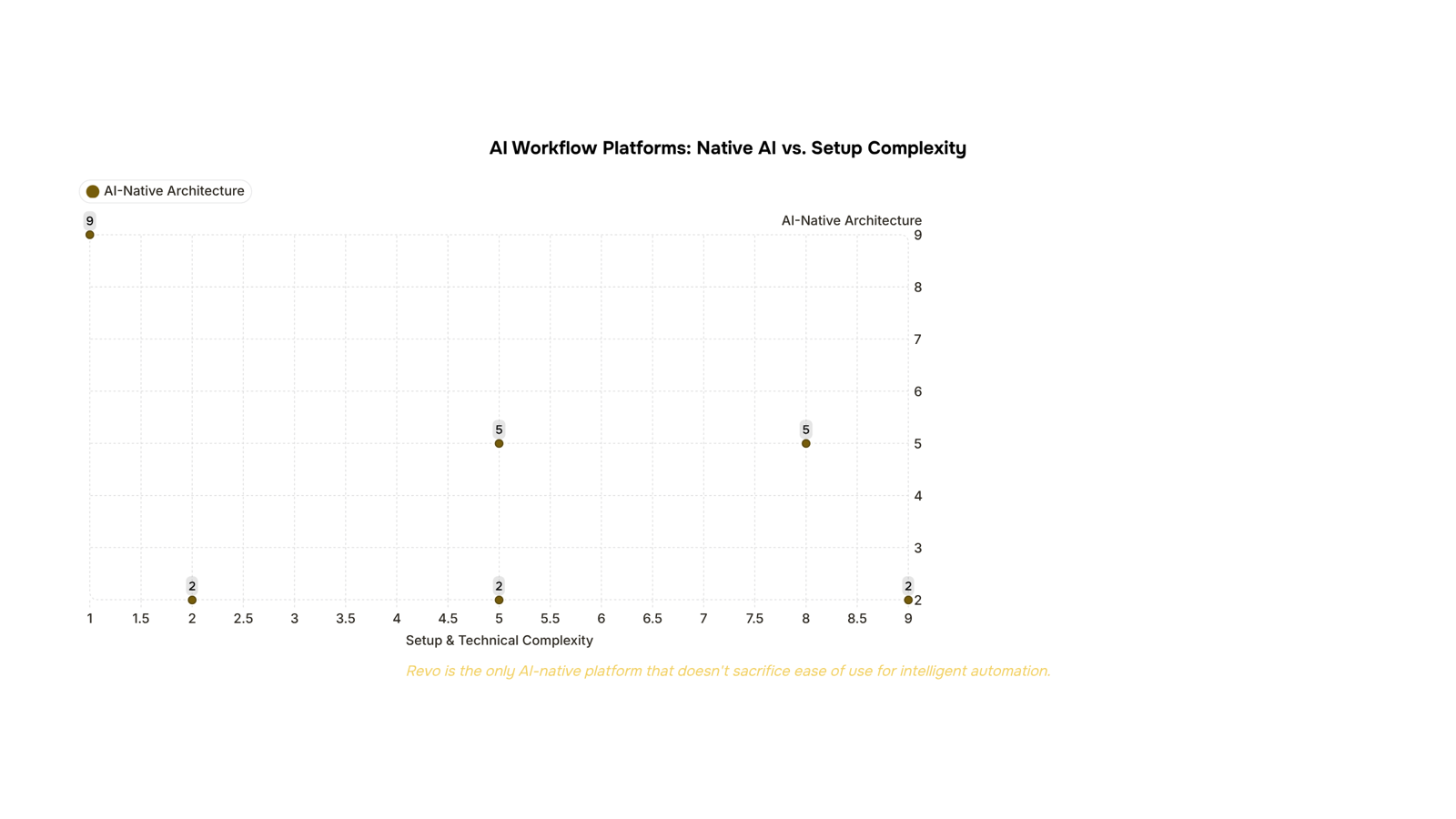
Revo is the only platform here built as AI workflow automation from the ground up, rather than adding AI features to an existing connector tool. If you're still narrowing your criteria, the workflow automation software selection guide covers what to prioritize before you commit.
Revo (WorksBuddy)
Revo is an AI-native workflow automation platform built inside the WorksBuddy ecosystem. Unlike tools that bolt AI onto existing rule-based engines, Revo treats automation as a connected system: workflows share context across agents, so a trigger in one process can update tasks, send notifications, and log data without you writing a single line of code.
Key capabilities:
Visual workflow builder with no-code configuration
Native connections to internal WorksBuddy agents (Taro for task ownership, Inzo for billing, Sigi for contracts)
24/7 autonomous execution with error handling and retry logic
Cross-platform automation across external tools via API and webhook support
Best for: IT company owners running multiple operational workflows who want one platform rather than a stack of disconnected point solutions.
Pricing: Contact WorksBuddy for current pricing.
Zapier
Zapier is the most widely adopted workflow automation software in the market, with a library of over 7,000 app integrations. Its strength is breadth: if two SaaS tools exist, Zapier likely connects them. The AI layer added in recent releases lets you build "Zaps" using natural language prompts.
Where it falls short for IT teams: Zapier's AI features are model-agnostic wrappers rather than purpose-built automation logic. You get flexibility, but you assemble the intelligence yourself.
Best for: Teams already deep in the Zapier ecosystem who need fast, low-code connectors between popular SaaS apps.
Pricing: Teams plan starts at $69/month (billed annually) for up to 25 active Zaps.
Make (formerly Integromat)
Make uses a visual, node-based canvas that handles complex, multi-branch workflows better than most drag-and-drop builders. It's a strong choice for IT teams comfortable with conditional logic and data transformation. The learning curve is steeper than Zapier, but the execution control is tighter.
AI capabilities are available via HTTP modules and OpenAI integrations, meaning you configure the intelligence rather than getting it out of the box. If you're evaluating alternatives to Make for workflow automation, the AI-native distinction matters here.
Best for: Technical teams that need precise data routing and multi-step logic without writing code.
Pricing: Core plan starts at $9/month for 10,000 operations.
n8n
n8n is open-source, self-hostable, and built for teams that want full control over their automation infrastructure. The AI node support is genuinely useful for IT teams building internal tools, and the self-hosted option eliminates data residency concerns.
The tradeoff: setup and maintenance require engineering time. It's not a platform you hand to a non-technical operations manager.
Best for: IT teams with developer resources who need on-premise deployment or custom integrations.
Pricing: Cloud Starter at $20/month; self-hosted is free.
Workato
Workato targets enterprise IT and ops teams with a focus on governance, role-based access, and audit trails. Its "recipes" handle complex business process automation across ERP, HRIS, and CRM systems. The AI Copilot feature helps build recipes faster, but the platform is designed for structured, enterprise-grade deployments.
Best for: Mid-market to enterprise IT teams with compliance requirements and multi-department automation needs.
Pricing: Entry-tier pricing is not publicly listed; most teams report starting budgets in the hundreds of dollars per month.
Microsoft Power Automate
Power Automate is the default choice for organizations already running Microsoft 365. It connects natively to Teams, SharePoint, Dynamics, and Azure, and the AI Builder add-on adds document processing and prediction models. Outside the Microsoft stack, integration depth drops noticeably.
For IT teams evaluating ai workflow automation platforms across mixed-tool environments, the Microsoft dependency is a real constraint worth mapping before committing. Reviewing workflow automation trends IT teams should track in 2026 can help you pressure-test that dependency against where the market is heading.
Best for: IT teams standardized on Microsoft 365 who want automation without adding a new vendor.
Pricing: Starts at $15/user/month for the standalone plan.
The right choice depends on two variables: how many people are in your team and how tangled your existing processes are.
Small teams (under 20 people) with straightforward workflows do well with no-code workflow automation tools that require no developer involvement. You need fast setup, pre-built connectors, and pricing that doesn't punish you for low volume. Most platforms in this category get you running in a day.
Mid-size IT teams (20 to 100 people) usually hit the limits of simple trigger-action tools within six months. Your processes involve conditional logic, multi-step approvals, and data moving between five or more systems. Here, business process automation tools with branching logic and role-based access matter more than ease of onboarding.
Larger operations or those with complex client delivery workflows need AI-native platforms, not tools where AI was added later as a feature layer. The distinction matters: AI-native platforms reason across workflows; AI-bolted-on platforms just suggest the next step.
A practical way to self-select: count how many manual handoffs happen in your most error-prone process. Under five, a lighter tool works. Over five, you need something built for orchestration.
For IT teams evaluating options across all three tiers, this workflow automation software selection guide walks through the criteria in detail. If your team is also tracking where the category is heading, the latest workflow automation trends for 2026 is worth a read before you finalize a shortlist.
Most teams don't automate to add technology. They automate because manual work is quietly expensive.
Here's what shifts when you put a capable AI workflow automation platform in place:
Error rates drop. Manual data entry carries a consistent failure rate. Automated handoffs between tools remove the copy-paste step where mistakes happen.
Response time compresses. Triggers fire in seconds. A lead form submission, a payment received, a support ticket opened — each one routes instantly without someone watching a queue.
Headcount scales without headcount. Business process automation tools let a 10-person IT team run processes that previously needed 15.
Audit trails appear automatically. Every automated action is logged, which matters when a client or compliance review asks what happened and when.
Burnout from repetitive tasks decreases. Your team's attention goes to work that actually requires judgment.
Closing
The platforms that win aren't the ones with the longest feature list — they're the ones built to handle your actual stack. Most IT company owners end up juggling Zapier for one workflow, Make for another, and manual handoffs for the rest. That fragmentation costs you hours every week and breaks the moment your operation scales.
Revo is built differently. It connects your existing tools into one automation layer where workflows share context, errors self-heal, and your team stops context-switching between platforms. If you're tired of assembling point solutions, see how Revo handles your current workflow stack: explore the Revo platform.
FAQ
What are the best AI workflow automation platforms for businesses?
Revo, Zapier, Make, n8n, Workato, and Microsoft Power Automate lead the market. The best choice depends on whether you need AI-native automation (Revo) or broad SaaS connectors (Zapier). Evaluate based on integration depth, error handling, and whether AI is native to the engine or bolted on.
How do I evaluate AI workflow automation platforms for my company?
Prioritize trigger flexibility, no-code depth, error handling, integration scope for your stack, and audit trails. Most critically: confirm the AI is native to the workflow engine, not added on top of rigid rule-based logic. Test against your actual processes before committing.
Can AI workflow automation platforms integrate with existing systems?
Yes, all major platforms integrate with external tools via APIs, webhooks, and pre-built connectors. Revo and n8n offer the deepest integration flexibility; Zapier offers the broadest connector library. Verify your specific tools are supported before evaluating.
What are the benefits of using an AI workflow automation platform?
You eliminate manual handoffs, reduce human error, free your team from repetitive tasks, and scale operations without hiring. AI-native platforms add adaptive logic that adjusts to changing conditions without rewiring workflows every time.


 Elena Petrova15 September 2026


