TL;DR: Most guides show a generic double-entry table and call it a day. This one walks IT company owners through a real general ledger example built around service-based revenue, explains what each account and entry actually does, and connects the ledger directly to the financial reports you'll run at month-end. You get a five-step process you can apply to your own books today.
What a general ledger is and why it matters
A general ledger is the master record of every financial transaction your business makes. Every time you invoice a client, pay a contractor, or renew a software license, that transaction gets recorded in the ledger under a specific account — revenue, expense, asset, or liability.
For a small IT business, this matters because your financials don't stay in one place. Managed services revenue, hardware resale, and contractor costs all flow through different accounts. Without a central ledger, you can't produce a reliable profit and loss statement, balance sheet, or trial balance at month-end.
The ledger isn't just a record — it's the source your accountant pulls from at tax time and the document a lender reviews if you apply for credit. Gaps or misclassified entries create problems downstream, not just in your books.
If you want a deeper look at structure before seeing the example, how to set up a general ledger for your business covers the setup logic in detail. The next section shows exactly what a populated ledger looks like for a real IT service company.
A real general ledger example for a small IT business
Here is what a general ledger looks like for a small IT business running managed services contracts, software resale, and project-based work.
Date | Account | Description | Debit (USD) | Credit (USD) | Balance (USD) |
|---|
2026-01-03 | Managed Services Revenue | Monthly retainer – Client A | — | 4,500 | 4,500 CR |
2026-01-05 | Accounts Receivable | Invoice #1042 – Client B | 2,800 | — | 2,800 DR |
2026-01-08 | Software Licensing Revenue | Microsoft 365 resale – Client C | — | 620 | 620 CR |
2026-01-12 | Contractor Costs | Freelance network engineer | 1,200 | — | 1,200 DR |
2026-01-15 | Accounts Receivable | Payment received – Client B | — | 2,800 | 0 |
2026-01-20 | Operating Expenses | Cloud hosting – AWS | 340 | — | 340 DR |
Every row here maps to a real transaction. The managed services retainer hits a revenue account the moment the invoice is issued, not when cash arrives. The contractor cost posts as a debit to an expense account on the day the work is delivered. When Client B pays, accounts receivable drops back to zero because the obligation is settled.
This is what separates a working general ledger example from a blank template: the numbers tell a story about timing, obligation, and cash position simultaneously.
Notice that revenue and expense accounts are already separating themselves by type. That structure is what lets your ledger data flow directly into a profit and loss statement without manual reclassification. The accounts receivable rows feed directly into AR aging reports and financial dashboards that show which clients are overdue.
If you are building this from scratch, setting up your general ledger with the right account structure before you enter a single transaction saves significant cleanup later.
Key components every general ledger example includes
Each component in a general ledger example has a specific job. Understanding what that job is makes the difference between a ledger you can read and one you just maintain.
Chart of accounts is the index. For an IT service business, this means account categories like managed services revenue, software licensing income, contractor costs, and accounts receivable — each assigned a unique number (typically 1000s for assets, 4000s for revenue, 5000s for expenses). Setting up that numbering structure correctly from the start saves significant rework later.
Journal entries are the raw transactions before they're sorted by account. Every entry records a date, a description, and two sides of the same event.
Debits and credits are those two sides. In the IT services example above, a $4,200 managed services payment hits accounts receivable as a debit and revenue as a credit. Neither side is "positive" or "negative" in isolation — they only mean something relative to the account type.
Account balances are the running totals inside each account. This is where you see, at a glance, that your contractor costs account has accumulated $11,500 this quarter.
Trial balance is the output that proves the ledger is internally consistent: total debits equal total credits. It's also the direct input into your income statement. How your ledger data flows into a profit and loss statement follows directly from this step, as does the data behind AR aging reports and financial dashboards.
These five components appear in every general ledger example, regardless of business size.
How to create a general ledger for your business in 5 steps
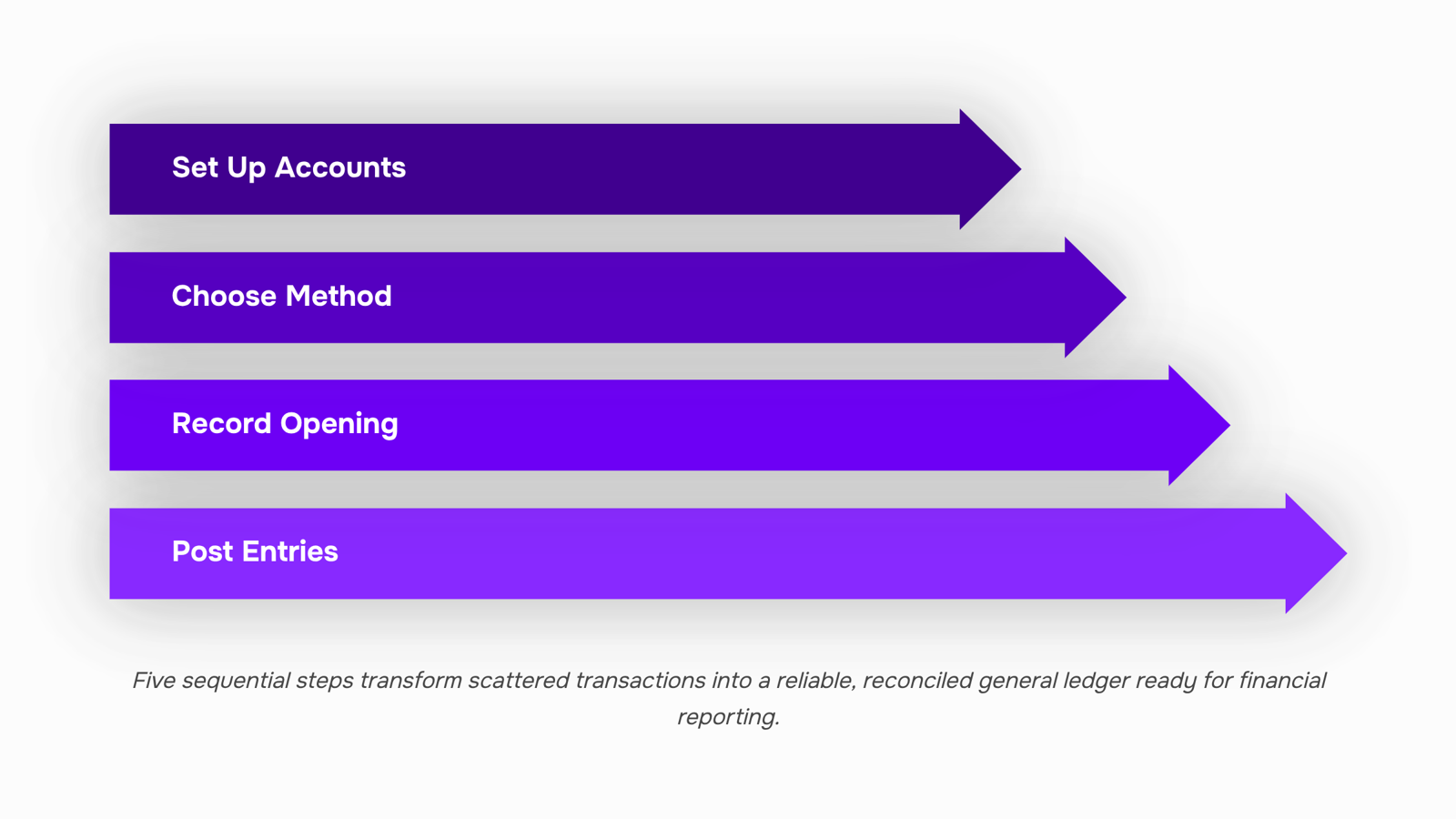
Building a general ledger from scratch is straightforward once you know the sequence. Here is a five-step process you can start today — each step produces something concrete before you move to the next.
Set up your chart of accounts. List every account your IT business uses, grouped into five categories: assets, liabilities, equity, revenue, and expenses. A typical IT services firm needs accounts like Accounts Receivable, Software Subscriptions (expense), and Service Revenue. Number them — 1000s for assets, 2000s for liabilities, 3000s for equity, 4000s for revenue, 5000s for expenses. This numbering is the backbone of every entry that follows.
Choose your recording method. Decide whether you are using a spreadsheet or accounting software before you record a single transaction. Spreadsheets work for businesses with fewer than 50 transactions a month; beyond that, manual entry errors compound fast. If you want a deeper look at the tradeoffs, how to set up a general ledger for your business covers both approaches side by side.
Record your opening balances. Pull your most recent bank statement and enter the current balance in your Cash account. If clients owe you money, enter those totals in Accounts Receivable. These are your starting journal entries — date, account name, debit or credit, and amount. No opening balance means your trial balance will never reconcile.
Post journal entries for every transaction. Each transaction hits at least two accounts. A $5,000 client payment, for example, debits Cash (1000) and credits Service Revenue (4000) for the same amount. Post entries as transactions happen, not in batches at month-end.
Run a trial balance at month-end. Add up all debit balances and all credit balances. They must match. If they do not, find the entry where debits and credits are unequal before moving on. This is your checkpoint before your ledger data flows into a profit and loss statement.
If you want the entry and reconciliation work handled automatically, Inzo connects your invoices, payments, and expenses directly to your ledger so month-end closes without manual re-entry.
How your general ledger supports financial reporting
Every financial report your business relies on pulls its numbers directly from the general ledger. The profit and loss statement totals your revenue and expense accounts. The balance sheet draws on assets, liabilities, and equity. AR aging reports and financial dashboards built from your ledger data show exactly which client invoices are overdue and by how many days. None of those reports are more accurate than the ledger entries behind them.
This is why general ledger and financial reporting are inseparable. A missed entry in your services revenue account understates your P&L. A miscategorized expense inflates the wrong cost line and distorts your margin. Small errors compound across a quarter before anyone notices.
The practical test is the trial balance. At any point, you pull a trial balance from your ledger and confirm that total debits equal total credits. If they don't, you have a recording error somewhere. If they do, your reports are ready to run.
For IT businesses billing multiple clients on different schedules, keeping those entries clean manually is where things slip. How your ledger data flows into a profit and loss statement matters more when you're managing retainers, project milestones, and one-off engagements at the same time. Accurate general ledger examples start with consistent entry habits, not cleanup at month-end.
Use accounting software to generate your general ledger
A spreadsheet requires you to post every journal entry manually. Accounting software captures transactions automatically as they happen, which means your ledger stays current without a separate data-entry step.
Three things accounting software does that a spreadsheet cannot:
Automatic journal capture: every invoice, payment, and expense posts to the correct account the moment it's recorded
Real-time balances: you see current account totals without recalculating formulas
Audit trail: every entry logs who created it and when, which matters during a tax review or client dispute
For IT businesses, this is where setting up your general ledger correctly pays off. Inzo handles the ledger side inside WorksBuddy, posting invoices and payments without manual entry so your profit and loss statement and AR aging reports reflect accurate data the moment a transaction clears.
Three mistakes that make your general ledger unreliable
Three errors show up repeatedly when IT business owners share their ledger setups.
Copying a generic chart of accounts is the first. A retail-focused template includes inventory and cost of goods sold accounts your service business will never use, while missing categories like billable hours, software subscriptions, or contractor payments. Start with a service-business chart of accounts, then trim it to your actual revenue streams. How to set up a general ledger for your business walks through the right starting structure.
Skipping monthly reconciliation is the second. Unmatched transactions accumulate quietly. By quarter-end, tracing a $400 discrepancy back through general ledger examples from three months ago takes hours. Reconcile every account against your bank statement before closing each month.
Mixing personal and business accounts is the third. A single personal charge forces your accountant to manually separate expenses before your ledger data flows into a profit and loss statement or AR aging reports. Keep accounts completely separate from day one.
Closing
A general ledger isn't just a record-keeping exercise — it's the foundation that turns your scattered transactions into reliable financial reports. Once you understand what belongs in each account and why timing matters, you can build a ledger that feeds directly into profit and loss statements, balance sheets, and AR aging reports without rework or reconciliation headaches.
The five-step process works whether you're starting fresh or cleaning up an existing set of books. The real payoff comes when your month-end close takes hours instead of days because your accounts are already reconciled and your balances are current. Ready to stop manual entry and let your ledger build itself? Explore how Inzo captures journal entries automatically, keeps your account balances live, and produces the financial reports you need without the reconciliation burden.
FAQ
What is a general ledger example for a small business?
A general ledger example is a real-world record of transactions organized by account — showing date, description, debits, credits, and running balances. For an IT service business, it tracks managed services revenue, contractor costs, accounts receivable, and expenses in one master document.
What are the key components of a general ledger example?
Chart of accounts (indexed by category), journal entries (raw transactions), debits and credits (two sides of each entry), account balances (running totals), and trial balance (proof that debits equal credits). Together, they ensure your ledger is complete and internally consistent.
How do I create a general ledger for my company?
Set up your chart of accounts with numbered categories, choose a spreadsheet or accounting software, record opening balances from your bank statement, post journal entries as transactions occur, and run a trial balance at month-end to verify accuracy.
How does a general ledger example help with financial reporting?
Your ledger data flows directly into profit and loss statements, balance sheets, and AR aging reports without reclassification. Organized accounts by type mean month-end close is faster and your financial reports are accurate from the start.
Can I use accounting software to generate a general ledger example?
Yes. Accounting software captures journal entries automatically, maintains current account balances, and generates trial balances and financial reports without manual entry. It eliminates reconciliation errors and saves significant time beyond 50 transactions per month.
What accounts should an IT service business include in its general ledger?
Managed Services Revenue, Software Licensing Revenue, Accounts Receivable, Contractor Costs, Operating Expenses, Cash, and Cloud Hosting Expenses. Structure them by category — assets (1000s), liabilities (2000s), equity (3000s), revenue (4000s), expenses (5000s) — for consistency and reporting clarity.


 Elena Petrova15 September 2026


