TL;DR: Most project brief guides hand you a template and leave the hard thinking to you. This one shows IT team leads what to write in each section, which failure mode each section prevents, and how to get from blank document to signed brief the same day.
What a project brief actually is
A project brief is a short document that defines what a project is, why it exists, who owns it, and what done looks like. It is written before work starts, not after confusion sets in.
Most teams treat it as a formality. That is where projects go wrong. Without a brief, every stakeholder carries a slightly different version of the project in their head. Scope expands quietly. Deadlines slip. According to PMI research, poor requirements management is the primary cause of project failure in roughly one in three projects, and most of those failures trace back to what was not written down at kickoff.
A well-written project brief forces the team to agree on what to include in a project brief before a single task is assigned: objectives, deliverables, constraints, stakeholders, and success criteria. That agreement is the document's real value.
Think of it as a living alignment tool, not a filed-away form. When scope shifts or a stakeholder changes, the brief is where you go to reset. You can use a ready-made project brief template to structure that process, or track your project brief fields inside a single project workspace so nothing drifts between updates.
What a project brief is for in project management
A project brief does three things that most project documents don't: it locks in stakeholder alignment before work starts, holds the scope boundary when requests expand mid-sprint, and cuts the time your team spends in kickoff meetings because the answers are already written down.
Stakeholder alignment happens at the brief stage, not the review stage. When a client, a developer, and a project manager all sign off on the same one-page project brief form, you eliminate the version of events where each person remembers the goal differently six weeks later.
Scope control is where the brief earns its keep most visibly. According to PMI research, scope creep is among the top reasons projects miss deadlines and budgets. A brief that names what is explicitly out of scope is the cheapest insurance you have against that.
Faster kickoffs follow naturally. When your brief covers objectives, constraints, deliverables, and success criteria upfront, the kickoff meeting shifts from defining the project to confirming it. That's a 30-minute call instead of a 90-minute one.
For IT teams specifically, this matters at every client handoff and sprint boundary. You can use a ready-made project brief template to standardize that process, or decide which projects to brief first when your pipeline is crowded.
Project brief vs. project proposal: what's the difference
The confusion is understandable: both documents involve a project, both land in someone's inbox before work starts. But they serve different purposes at different moments.
Dimension | Project brief | Project proposal |
|---|
Timing | After approval, before kickoff | Before approval, during scoping |
Audience | Internal team and delivery leads | Stakeholders, clients, or budget holders |
Level of detail | Operational: goals, scope, roles, timeline | Strategic: business case, ROI, options |
Primary purpose | Align the team on how to execute | Persuade decision-makers to greenlight |
Think of the proposal as the argument for doing the work. The project brief is the instruction set for doing it well.
For IT teams specifically, the distinction matters at handoff points. A client signs off on a proposal outlining deliverables and budget. Your delivery team then needs a project brief that translates that agreement into sprint scope, ownership, and acceptance criteria. Skipping the brief and working from the proposal is a common source of scope creep.
Once you know which document you need, you can use a ready-made project brief template to move from approval to kickoff without rebuilding the structure each time.
What to include in a project brief
A complete project brief covers seven sections. Skip one and you're not just missing a field — you're creating a specific failure point.
Project overview: One paragraph on what you're building and why. Prevents the "wait, I thought we were doing X" conversation three weeks in.
Goals and success metrics: Define what done looks like, in measurable terms. Without this, scope creep starts the moment someone says "while we're at it."
Scope and deliverables: List what's in and what's explicitly out. For IT projects, this is where you document whether the brief covers a single sprint, a full client handoff, or a multi-phase rollout.
Timeline and milestones: Key dates, dependencies, and any hard deadlines tied to contracts or client commitments. Vague timelines are the single fastest path to missed delivery.
Roles and ownershipP: Name who is responsible for each deliverable, not just who is "involved." Ambiguous ownership is one of the leading causes of mid-project realignment work that eats hours your team doesn't have.
Budget and resources: Approved spend, headcount, and any tooling constraints. Catching a budget mismatch in the brief is a five-minute fix; catching it at delivery is a client conversation.
Risks and assumptions: Document what you're assuming to be true and what could break the plan. IT projects in particular carry hidden dependencies — third-party APIs, client infrastructure access, legacy system constraints — that belong here, not in a post-mortem.
If you want a ready-made structure, use a ready-made project brief template to fill these fields without building from scratch. You can also decide which projects to brief first if your backlog is longer than your bandwidth.
How to write a project brief in 7 steps
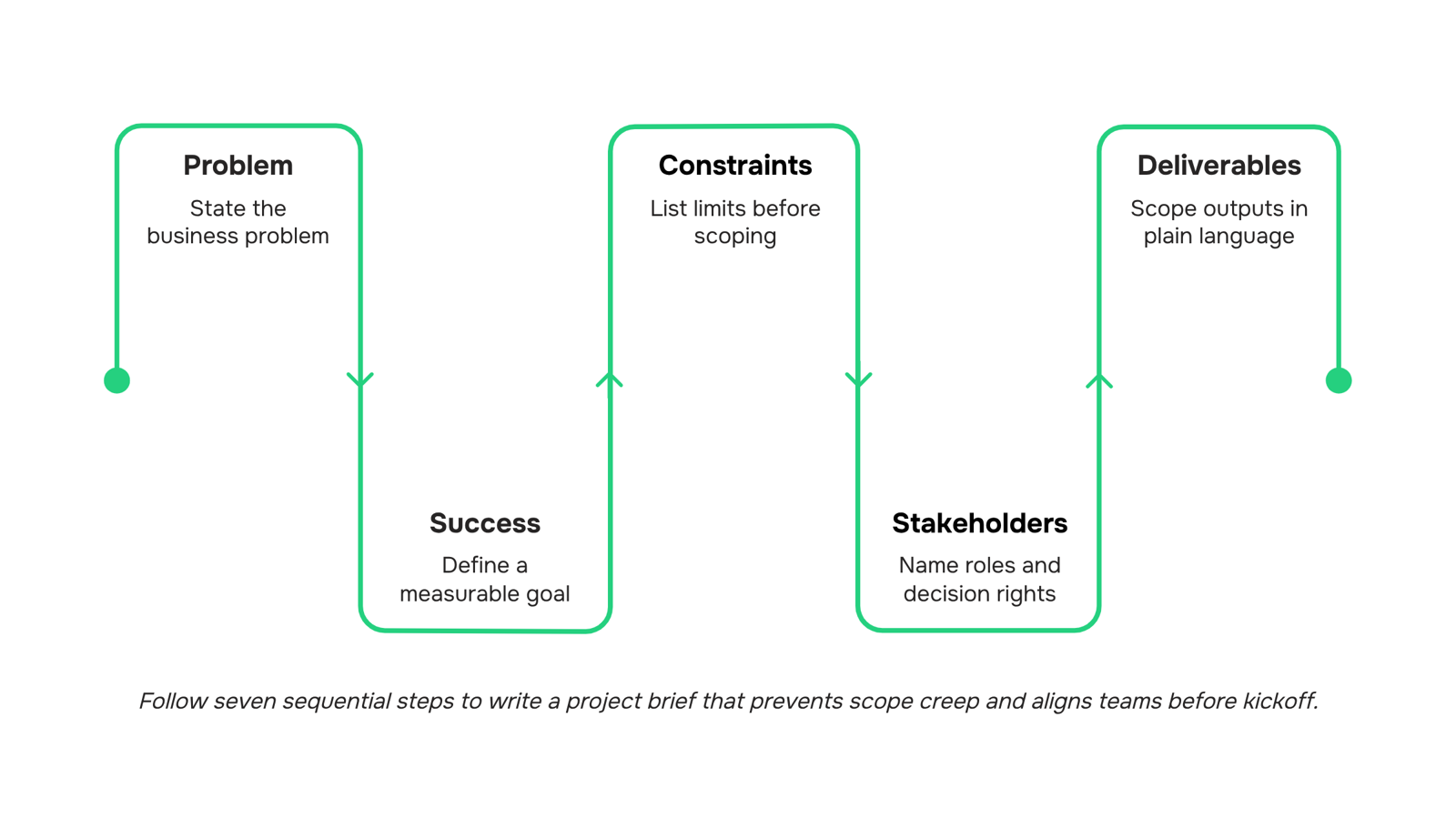
Seven steps sounds like a lot until you realize most briefs fail at step one. Here is the sequence that keeps IT projects on track from kickoff to delivery.
State the business problem, not the solution: Write one sentence that explains why this project exists. For a network migration brief, that looks like: "Our current infrastructure cannot support the client's planned 40% headcount growth without service degradation." If you open with the solution instead, you anchor the team to an approach before they understand the goal.
Define success with a measurable outcome: Attach a number to every objective. "Improve system performance" is not an objective. "Reduce average API response time from 800ms to under 200ms by end of Q3" is. Teams that skip this step spend hours mid-sprint debating whether they are done.
List constraints before anyone starts scoping: Budget ceiling, compliance requirements, legacy system dependencies, fixed go-live dates. Put these on page one, not buried in an appendix. Missing constraints are one of the most common reasons IT projects run over budget or miss deadlines, and surfacing them early is the single cheapest fix available.
Name the stakeholders and their decision rights: Who approves scope changes? Who signs off on the final deliverable? Who is consulted but not a decision-maker? A one-row-per-person table with a "role" and "authority" column takes ten minutes to build and prevents weeks of escalation loops.
Scope the deliverables in plain language: Write what the project will produce, and write what it will not produce. For a client portal build, that might mean: "Includes single sign-on integration. Excludes mobile app development." That boundary is your scope creep defense. If you want a ready-made structure for this, use a ready-made project brief template rather than starting from a blank document.
Set a timeline with named milestones, not just an end date: Break the work into phases with a date and an owner on each. "Discovery complete by April 11, owned by the solutions architect" is actionable. "Done in Q2" is not.
Get a formal sign-off before work begins: A brief without a signature is a suggestion. Route it to every decision-maker named in step four and require written approval. You can track your project brief fields inside a single project workspace so approvals, revisions, and the final version live in one place rather than scattered across email threads.
Work through these in order. The brief you produce in one sitting will prevent more mid-project realignment than any status meeting you schedule afterward.
Common mistakes that make project briefs useless
Four errors show up in almost every flawed project brief, and each one is preventable.
Vague objectives: "Improve the client portal" is not a goal. A goal names the measurable outcome: reduce login errors by 30% before the Q3 release. If your objective can't be tested, it will be interpreted differently by every person who reads it.
No formal sign-off: A brief without stakeholder approval is a suggestion. Without sign-off, scope creep has no paper trail to push back against, and mid-project realignments become expensive conversations nobody wins.
Missing constraints: Budget ceilings, compliance requirements, and integration limits belong in the brief, not in a Slack message three sprints later. Knowing what to include in a project brief means documenting what the project cannot do, not just what it should.
Confusing a brief with a proposal: A proposal sells an idea. A project brief aligns a team that already said yes. Mixing the two produces a document that's too long to scan and too vague to execute.
Before you share your draft, run it against these four checks. The 7-part project brief template gives you a structured format to catch gaps before kickoff.
A project brief document sitting in a shared drive doesn't keep anyone aligned. Moving it into a structured workspace does.
When you track your project brief fields inside a single project workspace, your objectives, constraints, and sign-off requirements become live checkpoints rather than static text. Taro's project-based task auto-creation converts brief sections directly into assigned work, so nothing gets lost between planning and execution.
From there, use a ready-made project brief template to populate the workspace consistently across every engagement. Approval workflows handle sign-off without email chains, and trigger-based automation flags scope changes before they compound.
If you're not sure which projects need a formal brief first, decide which projects to brief first before you build out the workspace.
Closing
A project brief is not a checkbox—it's the difference between a team that knows what it's building and a team that finds out mid-sprint. The seven sections you've learned here (overview, goals, scope, timeline, roles, budget, risks) are not optional; each one prevents a specific failure mode. Start with your next project: pick one section that your team skips most often, write it first, and watch how much faster alignment happens. Then move the brief into a live workspace where tasks, timelines, and budgets stay synced to it.
FAQ
What should be included in a project brief?
Seven sections: project overview, goals and success metrics, scope and deliverables, timeline and milestones, roles and ownership, budget and resources, and risks and assumptions. Each section prevents a specific failure point.
How do I write an effective project brief?
Start with the business problem, not the solution. Define success with measurable outcomes. List constraints upfront. Name stakeholders and their decision rights. Assign ownership by role, not involvement. Get sign-off before kickoff.
What is the purpose of a project brief in project management?
It locks in stakeholder alignment before work starts, holds the scope boundary when requests expand, and cuts kickoff meeting time by moving from defining the project to confirming it.
Can I use a project brief template to save time?
Yes. A ready-made template eliminates the need to rebuild structure each time and standardizes the seven sections across your pipeline, letting you move from approval to kickoff the same day.
How does a project brief differ from a project proposal?
A proposal is the argument for doing the work (strategic, persuasive, pre-approval). A brief is the instruction set for doing it well (operational, internal, post-approval). A client signs the proposal; your team executes from the brief.
How long should a project brief be?
One page is ideal. If it runs longer than two pages, you're adding detail that belongs in a project plan, not a brief. Brevity forces clarity and makes sign-off faster.
Who is responsible for writing the project brief?
The project lead or delivery manager owns the draft. But stakeholders, clients, and team leads must contribute to and sign off on it before kickoff. Shared ownership prevents misalignment later.


 Elena Petrova15 September 2026


