TL;DR: Most billing invoice guides stop at "include your payment terms." This one maps each practice to a specific cash flow outcome for IT company owners, then shows exactly where manual steps break down and where automation triggered by project completion or CRM deals closes the gap.
What a billing invoice must include to get paid
Professional 3D rendered billing invoice on minimalist desk with organized layout and clean typography
Most late payments trace back to a missing or ambiguous field on the invoice itself, not client negligence. If your billing invoices lack any of the following, expect delays:
Your business name, address, and tax ID so the client's AP system can match you to a vendor record
Client's legal entity name and billing address (not the project contact's name)
Unique invoice number following a sequential or project-coded scheme (automatic invoice numbering and status workflow from draft to paid removes guesswork here)
Invoice date and payment due date with explicit net terms (Net 15, Net 30)
Line items with descriptions, quantities, rates, and totals tied to deliverables or milestones, not vague labels like "consulting services"
Payment methods accepted with routing details or a payment link
Late fee terms stated upfront, even if you rarely enforce them
Skip any one of these and you give the client's accounts payable team a reason to park your invoice in a "needs clarification" queue. For IT service companies billing project work, the line-item descriptions matter most. "Phase 2 development, 40 hours at $150/hr" clears faster than "professional services rendered."
If you use free printable billing invoices or basic templates, audit them against this list before sending. A deeper breakdown of the required components every billing invoice needs covers edge cases like multi-currency and tax jurisdiction fields.
How to manage billing invoices effectively
Effective invoice management comes down to three things: a consistent numbering system, a status workflow that mirrors reality, and a direct link between each invoice and the project or deal that generated it.
Numbering that scales. Sequential numbers (INV-001, INV-002) work until you have multiple clients, recurring retainers, and one-off projects running simultaneously. A better pattern for IT companies: client code + year + sequence (ACME-2025-014). This lets you filter, sort, and reconcile without opening every PDF.
Status workflow with teeth. Most teams track invoices as "sent" or "paid." That gap hides the problem. A functional status set looks like:
Draft — created, not yet reviewed
Approved — reviewed internally, ready to send
Sent — delivered to client, clock starts
Viewed — client opened it (if your tool tracks this)
Overdue — past due date, triggers follow-up
Paid — payment confirmed in your account
Each status transition should trigger a next action. "Overdue" without an automatic reminder email is just a label.
Linking invoices to upstream work. The gap most competitors ignore: connecting billing invoices to the project milestone or deal close that justified them. When an invoice references a specific deliverable (Sprint 4 QA sign-off, migration Phase 2 completion), disputes drop because the client can trace the charge to agreed scope. This connection also lets you spot unbilled work, which is where IT service companies quietly lose revenue.
If you want a deeper breakdown of tracking and automation options, managing invoices online covers the tooling side. For teams ready to automate these status transitions and project-to-invoice links without stitching together spreadsheets, Inzo handles that mapping natively inside WorksBuddy.
Best practices for creating invoices that reduce disputes
Most invoice disputes trace back to vague line items. A client who sees "Development work — $4,800" will question it. A client who sees "API integration: Stripe webhook handler, 12 hours at $400/hr" won't. Specificity is your first defense against payment delays.
Start from the estimate, not a blank invoice. When your invoice creation process begins with converting an approved estimate into an invoice, you eliminate the gap between what the client agreed to and what you bill. Every line item already has their sign-off. Inzo handles this conversion directly, turning accepted estimates into invoices without re-keying data or losing scope details.
Three rules that prevent disputes:
Match line items to deliverables, not time periods. Bill "User authentication module" rather than "Week 3 development." Clients remember what they asked for, not your internal sprint calendar.
Reference the original scope document or ticket ID. A single line like "Per SOW Section 3.2" or "Ref: JIRA-447" gives clients a trail to verify against.
Break materials from labor. Third-party costs (hosting, licenses, API subscriptions) billed at cost should sit on their own lines so clients don't assume markup.
If you need a starting point, free printable billing invoices templates exist, but they rarely enforce this level of detail. Build your own template around the required components every billing invoice needs, then lock in your line-item structure so every invoice your team sends is consistent enough to survive scrutiny.
Best practices for sending invoices at the right time
Send billing invoices the day a deliverable ships or a milestone closes, not at the end of the month. Every day between completion and invoice sending adds roughly a day to your payment timeline. For project-based IT work, "net 30" that starts on the 1st of next month when the work finished on the 5th is really net 55.
Format and delivery that reduces friction:
Send as a PDF attached to a plain-text email. HTML-heavy emails get clipped or flagged by corporate spam filters.
The PDF should match the required components every billing invoice needs, including a clickable payment link if your processor supports it.
Subject line format: "Invoice #[number] — [Project Name] — Due [date]." No creativity needed. Clients search inboxes for these later.
What the covering message should say (and skip):
Reference the specific deliverable or phase completed
State the total and due date in the body text, not just the attachment
Name the payment methods accepted
Skip "please find attached" filler and thank-you paragraphs
If you're managing more than ten active clients, triggering invoice sending from project-completion events inside Inzo removes the gap between "done" and "billed" entirely. For broader workflow guidance, see best practices for managing invoices across an active client base.
How to automate your billing invoice process
Yes, you can automate your billing invoice process. The key is identifying the upstream triggers that already signal "this work is done, send the bill."
Three triggers that eliminate manual invoice creation:
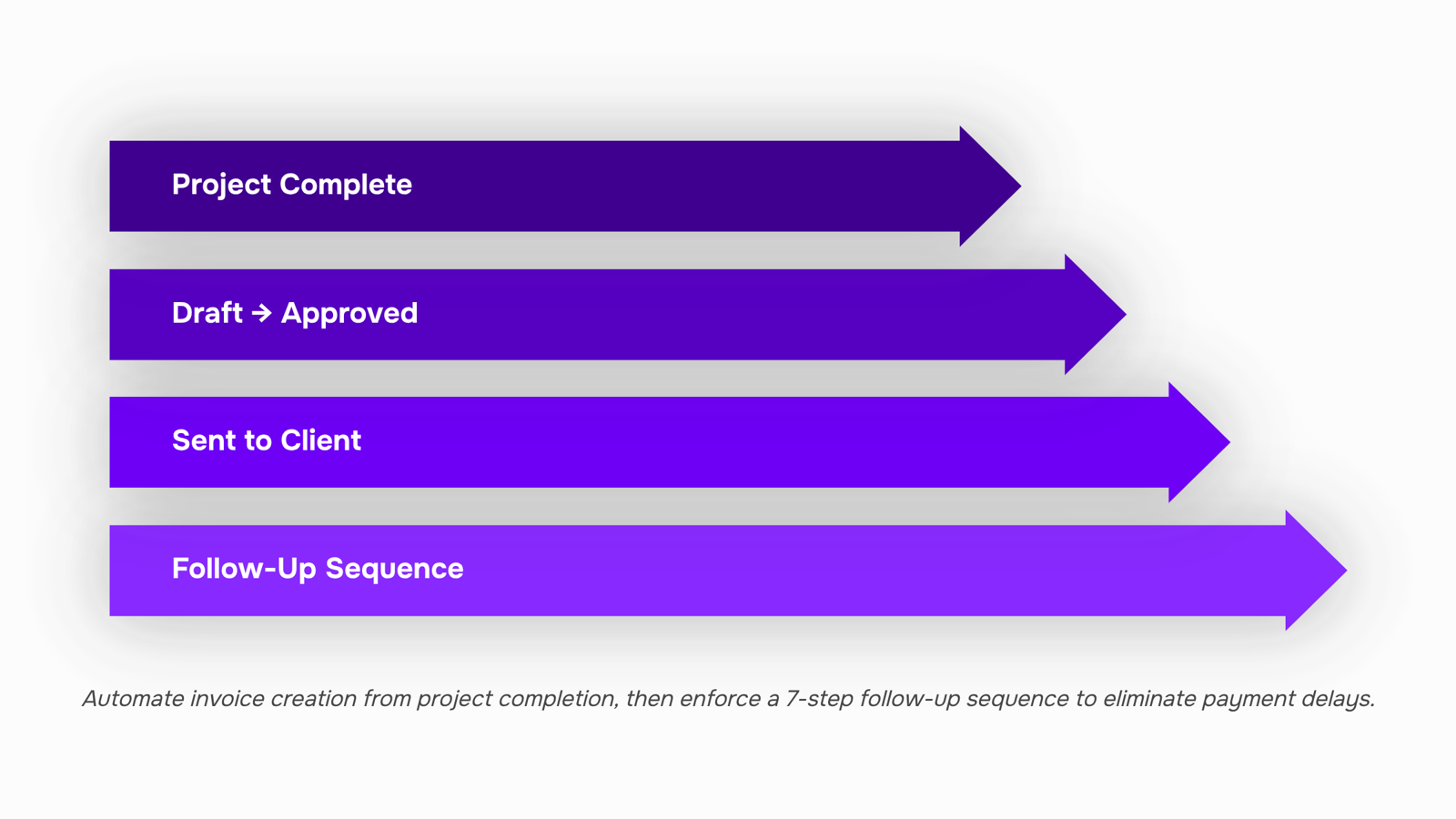
Project completion. When your project management tool marks a deliverable as done, that event fires an invoice draft automatically. No one remembers to "go create the invoice" because the system already did it. Inzo handles this through its Taro integration: task completion generates the invoice with the correct line items, client details, and payment terms already populated.
CRM deal closure. The moment a deal moves to "closed-won," a draft invoice pulls the agreed scope and pricing from the deal record. Inzo's connection to Lio (WorksBuddy's lead and deal agent) means the invoice reflects exactly what was sold, not what someone remembers typing three weeks later.
Recurring schedules. Retainer clients and subscription billing should never require manual effort month after month. Set the cadence once. Recurring invoice automation handles the rest, including automatic invoice numbering and status tracking from draft to paid.
The pattern across all three: you define the trigger once, map it to a template with the right line items and terms, and the system generates invoices without you touching a spreadsheet or opening a tool.
Most IT service companies running manual invoicing report spending several hours per week just on creation and delivery. Trigger-based invoice management compresses that to review-and-approve, which takes minutes.
One constraint worth noting: automation only works if your upstream data is clean. If project scopes live in email threads or deal values aren't updated in your CRM, the generated invoice will be wrong. Fix the inputs first, then automate the outputs. For broader guidance on keeping that data consistent, see best practices for managing invoices across an active client base.
How to track and follow up on unpaid billing invoices
Most unpaid billing invoices aren't disputed. They're forgotten. The fix is a defined escalation sequence that runs without you checking a spreadsheet every Monday.
Set your reminder intervals before you send. A reliable invoice tracking cadence looks like this:
Day 1 (invoice sent): Confirmation email with payment link and due date
Day 7 before due: Friendly reminder, reattach the invoice PDF
Day 1 overdue: Direct notice that payment is past due, reference the original terms
Day 14 overdue: Escalation tone, mention late fees if your contract includes them
Day 30+ overdue: Final notice before pausing active work or involving collections
Each message should take zero effort from you. If your system fires these automatically based on invoice status changes, you remove the most common failure point: silence between "sent" and "overdue."
Partial payments need rules too. Decide upfront whether you accept them, how they apply (oldest invoice first vs. pro-rata), and whether partial payment resets or pauses the escalation clock. Document this in your terms so there's no ambiguity at day 14.
For a deeper breakdown of escalation language and timing, see proven approaches to following up on unpaid invoices.
Inzo handles this through invoice lifecycle tracking, moving each billing invoice from draft to paid or overdue and surfacing escalation recommendations when a payment slips. You see which invoices need attention without manually cross-referencing dates. The follow-up happens; you just approve the next step.
When free printable billing invoice templates are not enough
Free printable billing invoices templates work fine when you send five or fewer invoices a month to the same clients for the same scope. The moment any of these conditions appear, templates become a cash flow liability:
Volume crosses 10+ invoices per month. Manual entry errors compound. A single duplicated invoice number or mistyped amount delays payment by days.
Recurring clients on retainers or subscriptions. Templates can't auto-generate next-cycle invoices or track cumulative balances across months.
Multi-project billing for one client. Splitting line items across projects in a spreadsheet invites disputes and slows approvals.
At that threshold, free printable billing invoices stop saving time and start costing revenue. Late payments climb because nothing triggers follow-up automatically, and handling partial payments across multiple invoices becomes guesswork. The shift to a managed system isn't about features. It's about whether your invoicing process can keep pace with your delivery pace.
Closing
The practices that matter most—specificity in line items, status workflows that trigger action, and linking invoices to the work that justified them—all point to the same problem: manual steps between project completion and payment. When you're managing ten or more active clients, spreadsheets and email reminders become your bottleneck, not your safety net. The question isn't whether to automate; it's whether you can afford another month of invoices sitting in draft or getting lost in email threads. Inzo connects project completion, CRM deals, and recurring schedules into a single billing workflow so invoices send themselves the moment work is done. Start with a free trial to see how much time you recover when invoice creation stops being a task you remember to do.
FAQ
How do I manage billing invoices effectively?
Use a consistent numbering system (client code + year + sequence), implement a six-status workflow (Draft, Approved, Sent, Viewed, Overdue, Paid), and link each invoice directly to the project or deal that generated it. Each status should trigger a next action, like automatic reminders for overdue invoices.
What are the best practices for creating and sending billing invoices?
Create invoices from approved estimates to eliminate scope gaps, match line items to deliverables (not time periods), reference the original scope document, and send the day work completes—not at month-end. Use a plain-text email with a clear subject line and include a clickable payment link.
Can I automate my billing invoice process?
Yes. Automate invoice creation by triggering it from project completion, CRM deal closure, or recurring billing schedules. Automation removes the manual step between "done" and "billed," cutting payment delays by days and eliminating forgotten invoices.
How do I track and follow up on unpaid billing invoices?
Use a status workflow that includes an "Overdue" state, which should automatically trigger a reminder email. Link invoices to projects so you can spot unbilled work and follow up on specific deliverables rather than vague charges.
What should every billing invoice include?
Your business name, tax ID, client's legal entity and billing address, unique sequential invoice number, invoice and due dates with explicit net terms, line-item descriptions tied to deliverables, payment methods with routing details, and late fee terms.
When should I send an invoice after completing a project?
Send the invoice the day the deliverable ships or milestone closes. Every day you wait adds roughly a day to your payment timeline; sending at month-end turns Net 30 into Net 55.
What is the difference between a billing invoice and a receipt?
An invoice is a request for payment sent before or at the time of delivery; a receipt is proof of payment sent after the client pays. Invoices include payment terms and due dates; receipts confirm the transaction is complete.


 Elena Petrova15 September 2026


