TL;DR: Most articles on contract repositories define the term and move on. This one shows IT company owners how to build one that actually works, what causes most setups to fail quietly, and how connecting it to a live workflow closes the compliance gaps that a shared drive full of PDFs will never catch.
What a contract repository is and how it works
A contract repository is a centralized system for storing, organizing, and retrieving every contract your business has signed or is actively managing. Not a folder on Google Drive. Not an email thread with "final_v3" in the subject line. A purpose-built system with structure behind it.
The difference matters. A shared drive stores files. A contract repository system stores files plus the context around them: who signed, when it expires, what version is current, and who is allowed to see it. That context is what makes contracts findable and actionable instead of just archived.
Most contract repository systems are built on four components:
Storage — a single location for every contract, from MSAs and SOWs to vendor agreements and NDAs
Metadata — structured fields like contract type, counterparty, start date, renewal date, and value that make filtering possible
Search — full-text or field-based search so you can find "all active vendor contracts expiring in Q3" in seconds, not hours
Access control — role-based permissions that determine who can view, edit, or download each document
For IT firms specifically, this structure is what separates a working system from a liability. A contract repository meaning breaks down quickly in practice when any one of these four components is missing.
If you're evaluating broader options, contract lifecycle management software for SMBs covers how repositories fit into a full CLM workflow. The next section covers what it costs when that structure isn't there.
Why IT companies need a dedicated contract repository
Without a dedicated contract repository, IT companies absorb costs that rarely show up on a single invoice but compound fast.
The most common failure point is renewal blindness. A managed services agreement auto-renews at last year's rate, or a vendor SLA expires quietly while your team assumes coverage is still active. Research from WorldCC suggests that missed renewals and poor contract visibility are among the top drivers of value leakage for SMBs — organizations often lose 5–9% of contract value annually to these gaps.
Version disputes are the second problem. A client insists the agreed SLA uptime was 99.5%; your team's copy says 99.9%. Without a single source of truth with audit trails, you're resolving the dispute based on who saved what to which folder. That conversation costs hours and sometimes clients.
Audit failures round out the picture. When a compliance review asks for every active vendor agreement signed in the last 24 months, a shared drive with inconsistent naming and no metadata returns a manual search project, not an answer.
A proper contract repository management system removes all three failure modes: it surfaces renewal dates before they matter, locks document versions so there's no ambiguity, and makes audit responses a filtered search rather than a fire drill.
For IT firms specifically, where client contracts, vendor agreements, and SLAs run in parallel, this isn't a nice-to-have. The best contract repository for small businesses handles all three contract types in one place, with access controls that match how your team actually works.
How to set up a contract repository in 6 steps
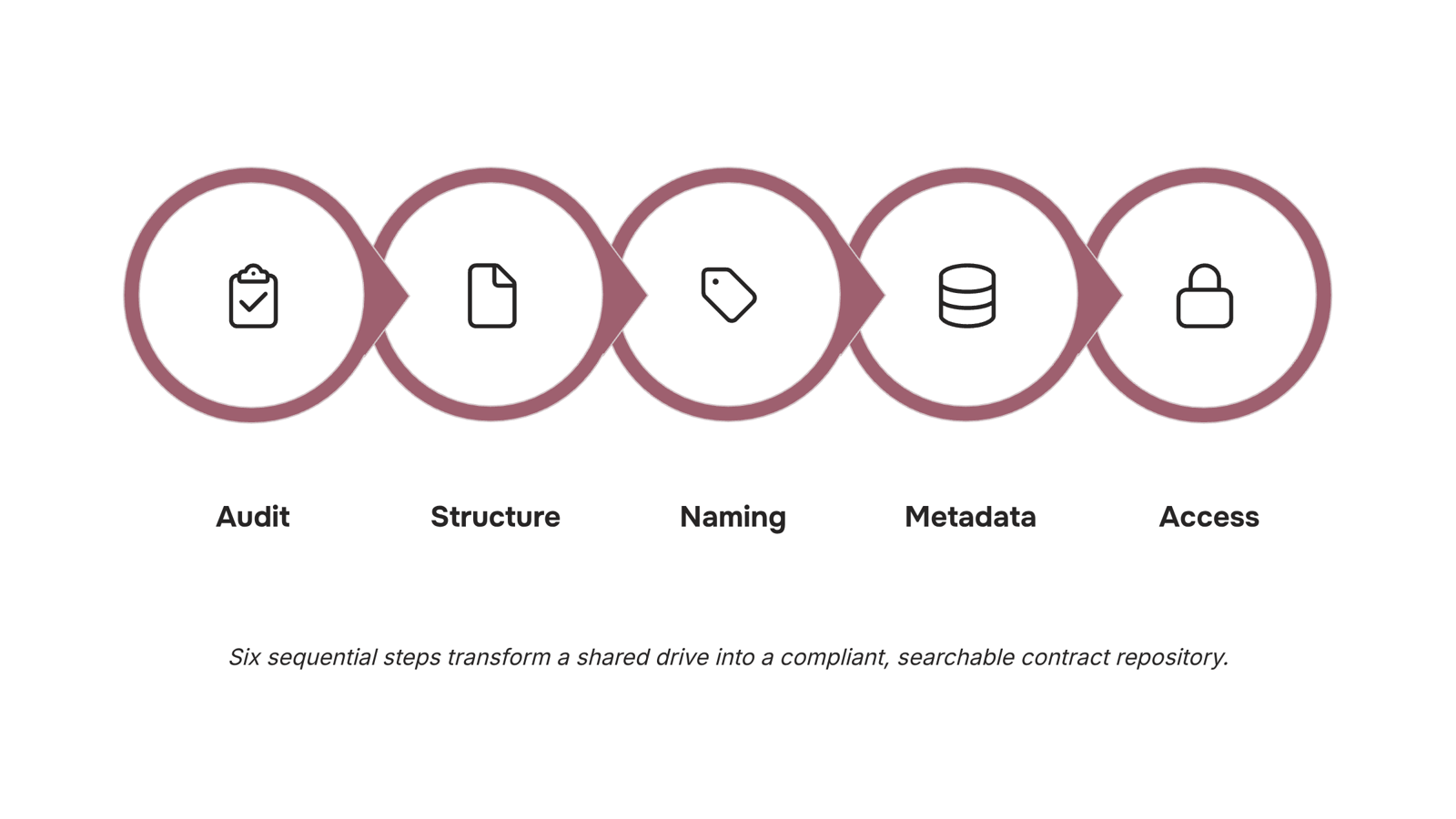
Audit what you already have: Pull every contract your firm holds — client MSAs, vendor SLAs, software licenses, NDAs — into one temporary folder. The goal is a complete inventory, not a clean one. For a 10-person IT firm, this usually surfaces 40 to 80 documents scattered across email threads, shared drives, and individual desktops. Count them, note their status (active, expired, unknown), and flag any with renewal dates inside the next 90 days.
Choose a storage structure: Folder hierarchies work for small teams; a database-backed contract repository system scales better once you pass 100 documents. A practical structure for IT firms: top-level folders by contract type (Client Agreements, Vendor Contracts, Internal Policies), then subfolders by company name, then by year. Avoid nesting deeper than three levels — anything deeper and people stop filing correctly.
Define a naming convention before you import a single file: This is the step most teams skip, and it's why repositories break down within six months. A reliable format: [ClientName]_[ContractType]_[EffectiveDate]_[Version] — for example, AcmeCorp_MSA_2024-03-01_v2. Every person on your team should be able to reconstruct the file name from memory without checking a guide.
Tag metadata fields for every document: A name tells you what a file is; metadata tells you what to do with it. At minimum, tag each contract with: counterparty name, contract value, effective date, expiry date, owner (the person accountable for renewal), and contract type. For IT firms managing client SLAs, add a "service tier" tag so you can filter by support level during audits. Good contract repository management depends on metadata being complete at upload, not filled in later.
Set access permissions by role: Not everyone needs to edit — or even read — every contract. A common permission model for IT firms: account managers get read access to their own client agreements; finance sees all contracts with payment terms; only the ops lead or legal contact can edit or delete. Misconfigured access is one of the fastest ways to create version disputes, where a client references a clause your team amended three months ago without notifying them.
Configure renewal and expiry alerts: Set automated reminders at 90 days, 30 days, and 7 days before each contract's expiry date. Route the 90-day alert to the account owner, the 30-day alert to their manager, and the 7-day alert to both. For vendor contracts with auto-renewal clauses, the 90-day mark is often the last point at which you can cancel without penalty — missing it is the exact scenario that contract lifecycle management software for SMBs is built to prevent.
Once these six steps are in place, your contract repository becomes a working system rather than a filing cabinet. If you want the AI layer on top — clause scanning before you send, tamper-proof audit trails, and signing connected directly to your CRM — Sigi, WorksBuddy's AI signature agent, handles that without replacing the structure you just built. Highly recommended contract repository software does both: stores cleanly and acts on what it finds.
How a contract repository supports compliance and audits
Three mechanisms do the actual compliance work inside a contract repository: audit trails, clause-level alerts, and renewal reminders.
Audit trails log every action on a document — who opened it, who edited it, and when. When a client dispute lands in your inbox, you're not reconstructing a timeline from email threads. The repository gives you a timestamped record you can hand to a lawyer or auditor in minutes.
Clause-level alerts flag risky or missing terms before a contract goes out. For IT firms, that means catching liability caps that don't match your service agreement standards, or spotting a missing data-processing clause before a GDPR audit does. Good contract repository management catches these at the draft stage, not after signing.
Renewal reminders are where most IT teams leak money. A missed SLA renewal or an auto-renewing vendor contract you forgot to cancel creates real cost. Automated reminders — set by days before expiry, not calendar entries — remove that exposure entirely.
Together, these three mechanisms mean your contracts aren't just stored, they're actively monitored. Sigi builds all three into the signing workflow, so the compliance layer is in place from the moment a document is created, not added later as an afterthought.
For a broader view of how these features compare across platforms, the best contract lifecycle management software for SMBs in 2026 breaks down what to look for.
Contract repository vs. document management system: key differences
A document management system (DMS) stores files. A contract repository manages obligations. That distinction matters when you're an IT company owner responsible for SLA renewals, vendor agreements, and client MSAs running on different timelines.
Dimension | Document Management System | Contract Repository |
|---|
Metadata | File name, date, owner | Party names, contract value, governing law, status |
Obligation tracking | None | Milestone alerts, deliverable deadlines |
Renewal automation | Manual calendar reminders | Auto-alerts tied to expiry clauses |
E-signature integration | Rarely native | Built-in or directly connected |
A general DMS won't flag that your software reseller agreement auto-renews in 14 days. It won't surface the liability cap buried in clause 8.3. It stores the PDF and stops there.
A purpose-built contract repository treats each agreement as a living record with dates, parties, and obligations that need monitoring. For small businesses evaluating the best contract repository for small businesses, that difference translates directly into fewer missed renewals and faster dispute resolution.
If you're also weighing how contracts connect to client records, the best CRM with document management for small businesses in 2026 covers that overlap in detail.
Common mistakes that break a contract repository
Even a well-structured contract repository system fails when the basics slip. Watch for these four patterns:
No naming convention. Files saved as "Contract_Final_v3_REAL.pdf" are unsearchable at renewal time. Agree on a format before the first document goes in.
No assigned owner. A shared folder with no single accountable person means expiry alerts get ignored and amendments get lost.
No expiry alerts. Research consistently shows that missed renewals are among the most avoidable contract costs for small businesses.
Final versions only. Storing the signed PDF without the amendments, addenda, or negotiation trail creates version disputes the moment a client pushes back.
Each mistake compounds the others. A repository with no owner, no naming rules, and no alerts is just a slower version of the shared drive you were trying to replace.
Moving from a shared drive to highly recommended contract repository software closes every gap covered above: ownership is assigned, expiry alerts fire automatically, and amendments stay linked to the original. Sigi adds CRM integration through Lio, so when a deal closes, the contract workflow triggers without manual handoff. Start today by auditing one contract folder and applying a consistent naming convention before migrating anything else.
Closing
A contract repository isn't just a filing system — it's the backbone of contract accountability. When you build one with structure (metadata, access controls, alerts), you stop losing money to missed renewals, version disputes, and audit scrambles. The six-step setup takes a week; the compliance gaps it closes pay for itself in the first renewal cycle. Start by auditing what you already have, then decide whether your current setup can handle metadata and alerts, or whether a purpose-built system like Sigi makes more sense for your team's workflow.
FAQ
What is a contract repository and how does it work?
A contract repository is a centralized system that stores contracts plus their context: who signed, expiry dates, versions, and access permissions. It replaces shared drives with structure, making contracts findable and actionable instead of just archived.
How do I set up a contract repository for my business?
Audit existing contracts, choose a storage structure, define a naming convention, tag metadata fields (counterparty, value, dates, owner), set role-based permissions, and configure renewal alerts at 90, 30, and 7 days before expiry.
What are the benefits of using a contract repository software?
You catch missed renewals before they cost money, resolve version disputes with audit trails, respond to compliance audits in minutes instead of hours, and reduce manual contract searches across email and shared drives.
Can a contract repository help with contract management and compliance?
Yes. Audit trails log every edit and access; renewal reminders surface expiries before penalties kick in; and clause-level alerts flag risky terms before signing. Together, they close the gaps that shared drives never catch.
What is the difference between a contract repository and a document management system?
A document management system stores files; a contract repository stores files plus contract-specific metadata (expiry dates, counterparties, renewal terms) and triggers (alerts, audit trails, access controls) that make contracts actionable.
What metadata fields should I include in a contract repository?
At minimum: counterparty name, contract value, effective date, expiry date, owner, and contract type. For IT firms managing SLAs, add service tier so you can filter by support level during audits.


 Elena Petrova15 September 2026


