TL;DR: Most HVAC software roundups list features without explaining which ones actually move a prospect from "I'll think about it" to a signed job. This piece builds a decision framework around six capabilities that directly affect win rate for small HVAC businesses. You'll also see where automation closes the gap between sending a proposal and collecting a signature.
What HVAC sales proposal software actually does
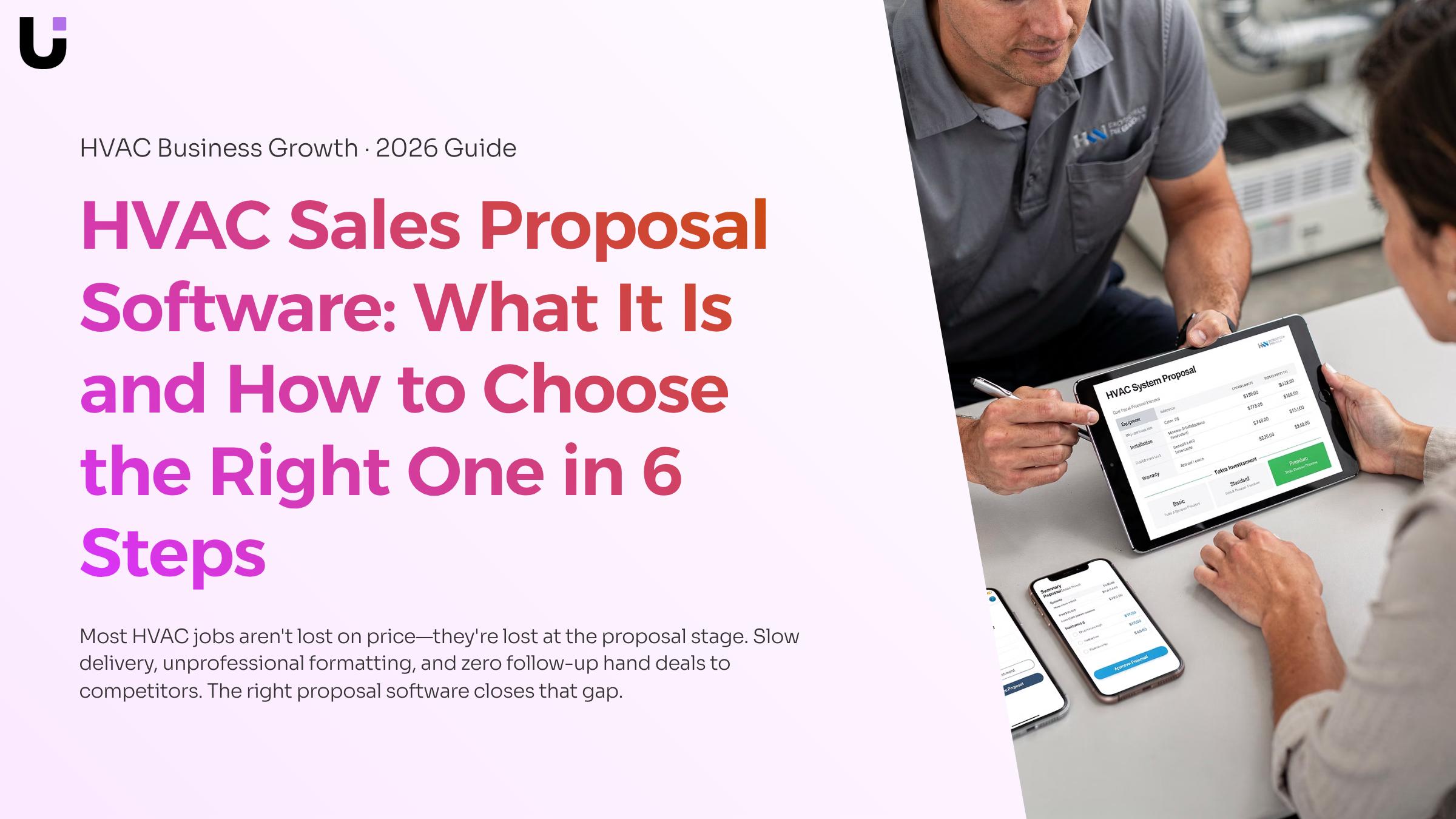
HVAC sales proposal software is purpose-built software that helps HVAC contractors build, send, and track proposals — distinct from a generic CRM (which manages contacts) or invoicing software (which handles payment after the job is won).
A CRM won't generate a line-item estimate for a ductless mini-split installation. An invoice tool won't send a proposal at all. HVAC proposal software sits in the middle: it takes your scope of work, applies your pricing, and produces a professional document the homeowner can review and sign.
The category also covers what happens after you hit send. That means read receipts, automated reminders, and multi-step follow-up sequences that run automatically after you send a proposal — without you touching it. Most contractors using Word or Excel for HVAC proposal templates get none of that.
The practical result: proposals go out faster, look consistent, and stay in front of the prospect until they respond. The next section covers exactly where the process breaks down when those three things aren't in place.
Why small HVAC businesses lose jobs at the proposal stage
Most small HVAC businesses don't lose jobs because of price. They lose them because a competitor sent a proposal first, it looked more professional, and they followed up when yours didn't.
Three specific failure points explain most of those losses.
Slow response: A homeowner who requests quotes on a Tuesday afternoon has usually made a decision by Wednesday morning. If your proposal takes 24 to 48 hours to build because you're pulling numbers from a spreadsheet and formatting a Word document, you're often quoting into a closed conversation. Sales enablement tools that support the full proposal-to-close workflow exist precisely to remove that lag.
Unprofessional format: A PDF assembled from mismatched templates signals to a customer that your operation is small and disorganized, regardless of the quality of your actual work. The best HVAC proposal software for small businesses generates clean, branded, line-itemized documents in minutes.
No follow-up: Most proposals die in silence. The customer goes quiet, and the contractor assumes they lost on price. Often, the customer just got busy. Multi-step follow-up sequences that run automatically after you send a proposal solve this without adding anything to your daily task list.
HVAC sales automation addresses all three. That's the gap this software category was built to close.
6 features to look for in HVAC proposal software
The previous section named the three problems: slow response, unprofessional format, and no follow-up. These six features map directly to those failure points, so use them as your evaluation checklist.
Template customization. A good tool ships with HVAC-specific layouts you can brand with your logo, colors, and service descriptions. The ability to customize HVAC proposals at the template level, not just per-job, means your team isn't rebuilding from scratch every time. Look for editable sections for equipment specs, warranty terms, and optional add-ons.
Line-item pricing with tiered options. Flat single-price proposals leave money on the table. The feature you want lets you present two or three equipment tiers (basic, mid-grade, premium) inside a single document. Customers who see options close at higher average ticket values than those handed one number. Confirm the tool pulls from a live price book rather than a manually updated spreadsheet.
Integrated e-signature. Printing, signing, and scanning adds a day or more to your close cycle. Built-in e-signature removes that friction entirely. Verify that signatures are legally binding and that the signed document is automatically stored, not just emailed back to you as a PDF you have to file manually.
HVAC CRM with proposal tools. If your proposal software doesn't connect to your customer records, your team is re-entering contact and job-site data by hand. An HVAC CRM with proposal tools built in, or a clean integration to one you already use, means the lead's name, address, and equipment history populate the proposal automatically. That alone cuts prep time significantly.
Follow-up automation. This is the feature most generic roundups skip. Multi-step follow-up sequences that run automatically after you send a proposal are what separate tools that help you send from tools that help you close. You want timed reminders at 24 hours, 48 hours, and 7 days, triggered without anyone on your team remembering to do it. For more on automating the repetitive tasks that slow down your proposal process, that's worth reading before you shortlist.
Mobile access. Technicians and sales reps close jobs in the field, not at a desk. The software needs to work on a phone or tablet, including the ability to build, send, and get a signature on-site. If the mobile experience is a stripped-down version of the desktop, that's a real limitation for same-day closes.
For a broader view of sales enablement tools that support the full proposal-to-close workflow, that context helps when you're comparing platforms side by side.
How to create a professional HVAC proposal using software
Most HVAC contractors already know what a good proposal contains. The gap is in how long it takes to build one and whether it goes out before the lead cools. Here is the actual workflow inside a modern HVAC sales proposal software tool.
Pull the lead record. Connect your software to your CRM or job management platform so the customer name, address, equipment history, and contact details populate automatically. No retyping. No copy-paste errors.
Select a template. Choose a pre-built layout matched to the job type: residential replacement, commercial maintenance contract, or new installation. Good software ships with several; sales enablement tools that support the full proposal-to-close workflow let you customize HVAC proposals with your branding, disclaimer text, and preferred equipment descriptions saved as reusable blocks.
Add equipment line items. Pull from a built-in product catalog with pre-loaded SKUs, labor rates, and margins. Adjust quantities. The software recalculates totals in real time, so you never send a proposal with a math error.
Set tiered pricing options. Offer Good, Better, Best packages on a single page. Customers who see three options close at higher average ticket values than those who see one flat quote.
Send and collect the e-signature. Deliver via email or SMS with a single click. The customer signs on any device. You get a notification the moment they open and again when they sign.
Trigger the follow-up sequence. If the proposal sits unopened after 24 hours, the software fires a reminder automatically. Automating the repetitive tasks that slow down your proposal process means no lead falls through because you were on a job site.
Once the job is won and work is complete, you will need invoice software for contractors to close the billing loop without switching tools
Automate follow-up so no proposal goes cold
Most HVAC owners send a proposal and then wait. No reminder, no check-in, no second email. The proposal sits in the prospect's inbox until they either book someone else or forget entirely.
The fix is a multi-step follow-up sequence that runs automatically after you hit send. Day one: a short confirmation that the proposal arrived and invites questions. Day three: a follow-up that addresses the most common objection (usually price). Day seven: a final nudge with a clear expiry date on the quoted price. Each message goes out without you touching it.
This is where most HVAC sales automation breaks down in practice. Generic email tools can send a sequence, but they don't know whether the prospect opened the proposal, clicked a line item, or went silent after the pricing page. That context changes what the follow-up should say.
Evox handles this with multi-step follow-up sequences that run automatically after you send a proposal, triggered by proposal status rather than just elapsed time. If a prospect opens the proposal twice without responding, Evox flags that as a buying signal and adjusts the sequence accordingly.
The practical result: proposals that would have gone cold get a structured, timed response without adding anything to your plate. Pair that with sales enablement tools that support the full proposal-to-close workflow and you stop losing jobs to contractors who simply followed up faster.
Common mistakes to avoid when choosing proposal software
Three buying mistakes cost HVAC owners the most.
Choosing a tool built for general contractors: Generic proposal software lacks HVAC-specific equipment pricing, load calculation fields, and service agreement line items. You end up rebuilding templates from scratch, which defeats the purpose. If you're evaluating the best HVAC proposal software for a small business, filter out anything that doesn't ship with HVAC-ready templates on day one.
Ignoring CRM sync: A proposal tool that doesn't connect to your customer records creates duplicate data entry. That gap quietly kills follow-up consistency, which is where most deals are actually lost.
Skipping the free trial: Free trial HVAC proposal software options exist across most credible platforms. Use them. A tool that looks clean in a demo may be slow in the field on a phone. Thirty minutes of real use tells you more than any feature list.
These mistakes are easy to avoid when you know to look for them. The next section shows exactly what to compare.
Generic quoting tools are built for any business that sells something. HVAC sales proposal software is built for the specific moment a technician finishes a site visit and needs to turn equipment specs, labor, and financing options into a signed proposal before a competitor calls back.
The four dimensions where the gap shows up most clearly:
Dimension | HVAC-specific software | Generic quoting tool |
|---|
Industry templates | Pre-built for system replacements, maintenance agreements, add-ons | Blank or retail-focused layouts |
Equipment pricing | Pulls live distributor pricing for specific units | Manual entry only |
Follow-up automation | Multi-step sequences trigger automatically after proposal is sent | One-off reminders, if any |
Mobile field use | Optimized for tablets on-site, offline capable | Desktop-first, limited field functionality |
Generic tools also rarely sync with an HVAC CRM with proposal tools built in, so your pipeline data lives in a separate system. That disconnect is where deals go quiet.
For sales enablement tools that support the full proposal-to-close workflow, the integration layer matters as much as the proposal builder itself.
The Right Software Closes the Gap Between Sending and Signing
A proposal that looks professional but gets no follow-up is just a well-formatted missed opportunity. The software you choose matters, but so does what happens in the 48–72 hours after you hit send — and that's where most HVAC sales processes quietly fall apart.
The steps covered here give you a clear filter: pricing transparency, mobile-ready templates, e-signature built in, CRM sync that actually works, and a review process that doesn't require a back-and-forth email chain. Get those right and your proposals stop being documents and start being decisions.
What you do after sending determines whether the deal closes this week or disappears into a prospect's inbox. If proposals are going out but replies are going quiet, that's the gap worth fixing first. Start a free trial with Lio and see how automated follow-up changes your close rate — without adding work to your team's plate.
FAQ
Q. What is HVAC sales proposal software?
A. A tool that helps contractors build, send, and track job proposals from one platform. It typically includes templates, pricing libraries, e-signatures, and follow-up automation to cut the time between a site visit and a signed contract.
Q. How is it different from general proposal tools?
General tools require heavy configuration for HVAC work. HVAC-specific software comes pre-built with equipment categories, service tiers, and contractor pricing logic, so you spend less time setting up and more time sending.
Q. Will it actually help me close more jobs?
It can, if you use it to respond faster and follow up consistently. Research from Harvard Business Review (2011) found response time is one of the strongest predictors of conversion. Proposal software helps you reply within hours, not days, and keeps leads warm with automated reminders.
Q. How long does setup take?
Most platforms are operational within a few days. The main tasks are loading your service catalog, setting pricing tiers, and uploading your branding. Pre-built HVAC templates can cut that time further.
Q. Can I use it from my phone on a job site?
Yes. Most platforms have mobile apps or mobile-optimized interfaces. You can build and send a proposal before you leave the driveway, and collect a signature on the spot.
Q. What happens after a customer signs?
It depends on the platform. Some automatically create a job record, trigger an invoice, or notify dispatch. Others require a manual handoff. Ask this question specifically before you commit to any tool.
Q. Is it worth it for a small operation?
For most small HVAC businesses, yes. The software cost is typically offset by winning one or two additional jobs per month. The bigger return is time: proposals that take 20 minutes instead of two hours free your team to handle more leads without adding headcount.
Q. What should I look for in an e-signature feature?
A legally binding process that works on any device without requiring the customer to create an account. You also want automatic timestamped storage of every signed document for a clean paper trail.
Q. Can it integrate with my scheduling or CRM tools?
Many platforms do, but confirm the integration is native before you commit. A workaround through a third-party connector often creates more admin work than it removes.
Q. What is the biggest mistake when choosing proposal software?
Choosing on price alone. Identify the two or three workflow gaps costing you the most jobs today, then evaluate tools against those specific gaps.


 Elena Petrova15 September 2026


