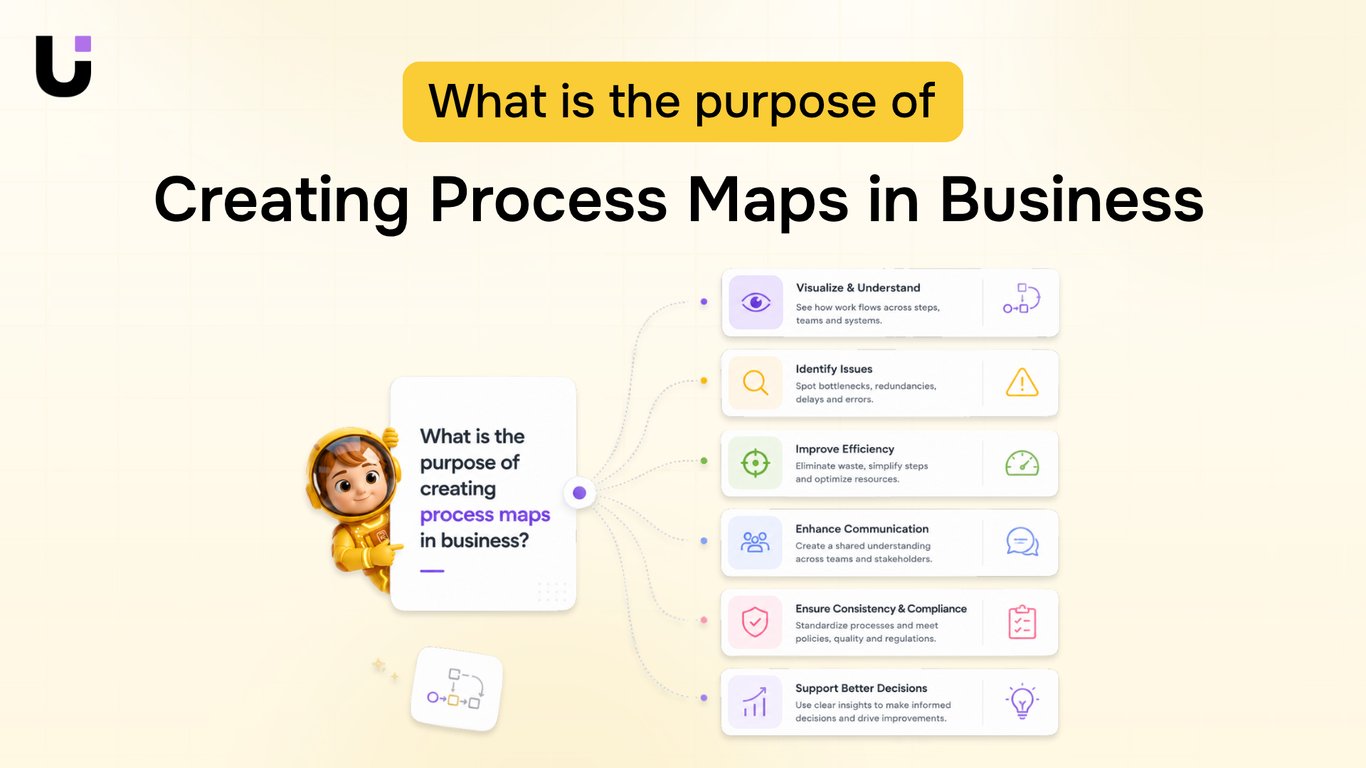
TL;DR: Most process map guides stop at the diagram. This one shows IT company owners how to read a finished map for broken handoffs, redundant steps, and automation gaps, then turn what you find into concrete fixes. You'll get a framework for building, analyzing, and acting on process maps without letting them gather dust in a shared drive.
What a process map actually shows you
A process map is a visual representation of how work actually moves through your business: who does what, in what order, and where decisions get made. Unlike a status meeting or a Slack thread, a business process map forces every assumption into the open.
What it surfaces that verbal descriptions cannot:
Ownership gaps — steps where no one is clearly responsible
Hidden decision points — forks in the workflow that people navigate differently every time
Bottlenecks — stages where work consistently stalls before moving forward
Handoff failures — the exact moment a task transfers between people or teams, which is where most errors enter
A workflow diagram also reveals something a document cannot: sequence. You can see whether step four actually depends on step two, or whether your team just assumed it did.
For IT company owners, this matters before you automate anything. Automating a broken process produces broken results faster. A process map shows you what to fix first.
The next step after building one is knowing how to create a process map for your business in a format your team will actually use, which is where most mapping efforts either stick or stall.
Why process maps matter for IT operations
Four outcomes stand out when IT operations teams commit to proper process mapping.
Faster onboarding: New hires spend their first weeks asking the same questions senior engineers have answered dozens of times. A business process map turns tribal knowledge into a reference anyone can follow on day one. Teams that document their core workflows typically cut onboarding time by weeks, not days.
Fewer escalations: Most Level 1 tickets get escalated not because the issue is complex, but because the handoff criteria are unclear. A process flow that defines exactly when to escalate, to whom, and with what information removes that ambiguity. Engineers stop guessing and start executing.
Cleaner handoffs between teams: Development, QA, and operations each have their own definition of "done." Without a shared business process map, work lands in the next team's queue incomplete. Mapping the handoff points surfaces what each team actually needs before work moves forward.
A clear signal for automation: This is where most documentation guides stop short. Once your process flow is visible, the bottlenecks become obvious: repeated manual steps, approval loops that add no value, tasks that run sequentially when they could run in parallel. That visibility is what makes process mapping a precursor to automation, not just a documentation exercise.
If any of these four problems cost your team time this quarter, that is your justification for building the map.
Process map vs. workflow diagram: know the difference
The terms get used interchangeably, but they solve different problems.
A process map captures the full scope of a business process: who owns each step, what decisions branch off it, where handoffs occur, and what the expected outcome is. It's built for stakeholders, managers, and anyone who needs to understand the process end-to-end. If you're documenting your IT service delivery workflow to spot bottlenecks or prepare for business process modeling, a process map is the right tool.
A workflow diagram is narrower. It shows the sequence of tasks within one slice of a process, usually for the people executing those tasks. It answers "what do I do next?" not "how does this connect to everything else?"
Dimension | Process map | Workflow diagram |
|---|
Scope | Full process, cross-functional | Single workflow, one team |
Primary audience | Managers, stakeholders | Frontline staff |
Best use case | Audit, redesign, automation planning | Task execution, onboarding |
When your goal is to understand the purpose of workflow diagrams versus the broader process flow, start with the process map. Then narrow into workflow diagrams for the steps that need daily execution clarity.
Build your process map in 6 steps
Scope the process before you draw anything: Name the start event and the end event. For an IT service delivery context, that might be "ticket received" to "resolution confirmed by the client." Without clear boundaries, your business process map sprawls and becomes useless. Write the scope in one sentence and get sign-off from the process owner before opening any diagramming tool.
List every step from memory first: Gather the people who actually run the process, not just the managers who think they know it. Ask each person to write down what they do, in order, without referencing any existing documentation. You will get disagreements. Those disagreements are the most valuable input you have, because they show where the process lives in someone's head rather than in a shared system.
Sequence the steps and assign owners: Once you have the raw list, arrange steps in order and attach a name or role to each one. Use standard process flow diagram symbols so anyone reading the map later can interpret it without a legend explanation. Rectangles for tasks, diamonds for decisions, arrows for flow. Consistency here matters more than visual polish.
Draw the map at the right level of detail: A process map for a service delivery workflow should show handoffs between roles clearly. If a step crosses from a technician to an account manager, that transition needs to be visible. Swimlane layouts work well here. Avoid going so granular that every mouse click gets its own box. The test: can a new hire follow this map on day one without asking questions?
Mark decision points and exceptions: Every real process has forks. A ticket that needs escalation follows a different path than one resolved at tier one. Map both paths. This is where business process modeling pays off, because exceptions left off the map are the steps that cause delays and dropped handoffs in production.
Validate the map with the people who run it: Walk through the finished draft with your team, step by step. Ask one question at each stage: "Is this what actually happens, or what we wish happened?" Most process maps fail here because they reflect the intended process, not the real one. Validation turns a documentation artifact into a working tool. It also surfaces the first candidates for process automation, because the steps your team flags as painful or repetitive are exactly where automation adds the most value.
For a deeper walkthrough of each phase, the guide on how to create a process map for your business covers tool selection and common scoping mistakes worth reading before you start.
Read your finished map for problems and opportunities
Once your workflow diagram is drawn and validated, the real work starts: reading it for what's broken.
Walk the map left to right and flag every point where work changes hands. Handoffs are where delays accumulate. In IT service delivery, that's usually the gap between a ticket being logged and an engineer being assigned, or between a fix being applied and the client being notified. If your map shows three people touching a task before it moves forward, that's a signal, not a coincidence.
Next, look for steps that appear more than once. Duplicate approvals, repeated data entry, and redundant status checks are common in teams that grew fast without formal documentation. Each one is a candidate for elimination or consolidation.
Then identify automation candidates. A step qualifies if it is triggered by a predictable event, requires no human judgment, and runs the same way every time. Ticket routing, invoice generation after project sign-off, and onboarding checklist creation are typical examples in IT firms. Understanding the purpose of workflow diagrams makes these patterns easier to spot.
When a problem surfaces, apply a simple decision rule: eliminate it if it adds no value, automate it if it's repetitive and rule-based, or redesign it if a human must stay involved but the current path is inefficient.
The benefits of business process management compound here. Process maps stop being documentation and start driving process automation decisions your team can act on immediately.
Three process map examples IT teams use most
Three process maps show up in IT shops more than any others.
Client onboarding maps the sequence from signed contract to first login: account provisioning, credential delivery, kickoff call, and handoff to support. The process flow typically runs 8–12 steps and exposes where new clients go silent waiting on internal approvals.
Ticket escalation is the business process map most teams need but rarely have. It defines exactly when a Tier 1 agent escalates, to whom, and what information transfers with the ticket. Without it, escalations rely on whoever happens to be online.
Project handoff captures the transition from delivery to ongoing support: documentation, access credentials, owner assignment, and sign-off. This is where most post-launch issues originate.
If you're building any of these from scratch, how to create a process map for your business walks through the exact steps. For symbol conventions, see standard process flow diagram symbols.
Common mistakes that make process maps useless
The most common failure in process mapping isn't a bad diagram. It's mapping how the process should work instead of how it actually runs today. That gap makes the map useless from day one.
Three other mistakes follow closely:
Skipping decision points: If your map shows a straight line where the real process branches, people will ignore it the moment an edge case appears.
No assigned owner: A process map without a named person responsible for keeping it current is a document, not a system.
Never updating the map: Processes change. A map that reflects last year's workflow actively misleads new team members.
Before you build, read how to create a process map for your business so your process maps reflect reality, not aspiration.
Closing
A process map is only useful if it reflects reality, not intention. The teams running your service delivery, support, or operations workflows already know where the friction lives. A finished map makes that friction visible to everyone else, and more importantly, actionable. The next step is identifying which of those flagged steps are repetitive, rule-based, and safe to remove from your team's plate entirely. That's where automation enters the picture. Once you've built your map and spotted the bottlenecks, the question becomes: which of these steps should your team stop doing by hand?
FAQ
What is a process map in simple terms?
A process map is a visual diagram showing who does what, in what order, and where decisions get made in your business. It surfaces ownership gaps, bottlenecks, and handoff failures that verbal descriptions miss.
What is the difference between a process map and a flowchart?
A process map shows the full end-to-end process with cross-functional handoffs for managers and stakeholders. A flowchart (or workflow diagram) shows a narrower sequence of tasks for frontline execution.
How long does it take to create a process map?
For a focused IT process like service delivery or ticket escalation, expect 2 to 4 weeks from scoping through team validation. The time depends on process complexity and how quickly your team aligns on what actually happens versus what should happen.
Who should be involved in building a process map?
Include the people who actually run the process, not just managers. Their disagreements about steps and sequence reveal where the process lives in someone's head rather than in a shared system.
When should you update an existing process map?
Update your process map whenever you implement a major change, add a new team member role, or notice the map no longer matches reality. Review it annually at minimum to catch drift.
Can a process map help you decide what to automate?
Yes. Once your process map is visible, repeated manual steps, approval loops that add no value, and tasks running sequentially when they could run in parallel become obvious candidates for automation.


 Elena Petrova15 September 2026


