TL;DR: Most workflow mapping guides stop at the diagram. This one shows IT company owners how to read a finished map for broken handoffs, redundant steps, and automation candidates — then build a clear action plan from what you find. You'll leave with a framework you can apply to a real process this week.
What workflow mapping actually means
Abstract workflow mapping diagram with connected nodes and flowing process lines in professional blue tones
A workflow map is a visual diagram that shows every step in a process, who owns each step, and how work moves from one person or system to the next. It is not a task list. A task list tells you what to do. A workflow map tells you how the work actually flows, where it slows down, and where it breaks.
The difference matters more than most teams expect. A process document describes what should happen in theory. A workflow map captures what happens in practice, including the handoffs, approval gates, and decision points that never make it into a written policy.
For IT company owners, this is especially relevant. Service request handoffs, ticket escalation paths, and client onboarding sequences all involve multiple people and tools. Without a clear workflow map, each person operates on their own version of the process. Rework follows. Escalations repeat.
Workflow mapping forces that ambiguity into the open. Once you can see the full sequence, you can build and automate a business process workflow instead of patching individual steps. You can also automate the steps your map flags as repetitive rather than guessing where automation will actually help.
That is the purpose: clarity before action.
Why workflow mapping matters for your team
Skipping workflow mapping doesn't just leave your processes undocumented. It leaves your team guessing, and guessing costs real time and money.
Here are four outcomes that make the step worth taking:
Clarity on who owns what: When a service request moves from helpdesk to tier-2 to a vendor, ambiguity about handoff points causes tickets to stall or get dropped. A workflow map names the owner at each stage, so nothing sits in a gray zone. Teams that build and automate a business process workflow consistently report fewer ownership disputes within the first month.
Visibility into process bottlenecks: You can't fix what you can't see. Mapping forces every step onto one surface, which makes slowdowns obvious. In IT environments, this usually reveals that escalation paths are the culprit, not the people handling them.
Faster onboarding: A new technician joining your team shouldn't need three weeks of shadowing to understand how a ticket escalates. A current, accurate workflow map cuts that ramp time significantly. It also reduces the rework that happens when someone follows an outdated verbal process.
Automation readiness: Workflow mapping tells you exactly which steps are repetitive and rule-based, making them candidates for automation. Without a map, you're guessing at what to automate. With one, you can automate the steps your map flags as repetitive with confidence, not trial and error.
Follow workflow management best practices for IT teams to get the most from each of these outcomes.
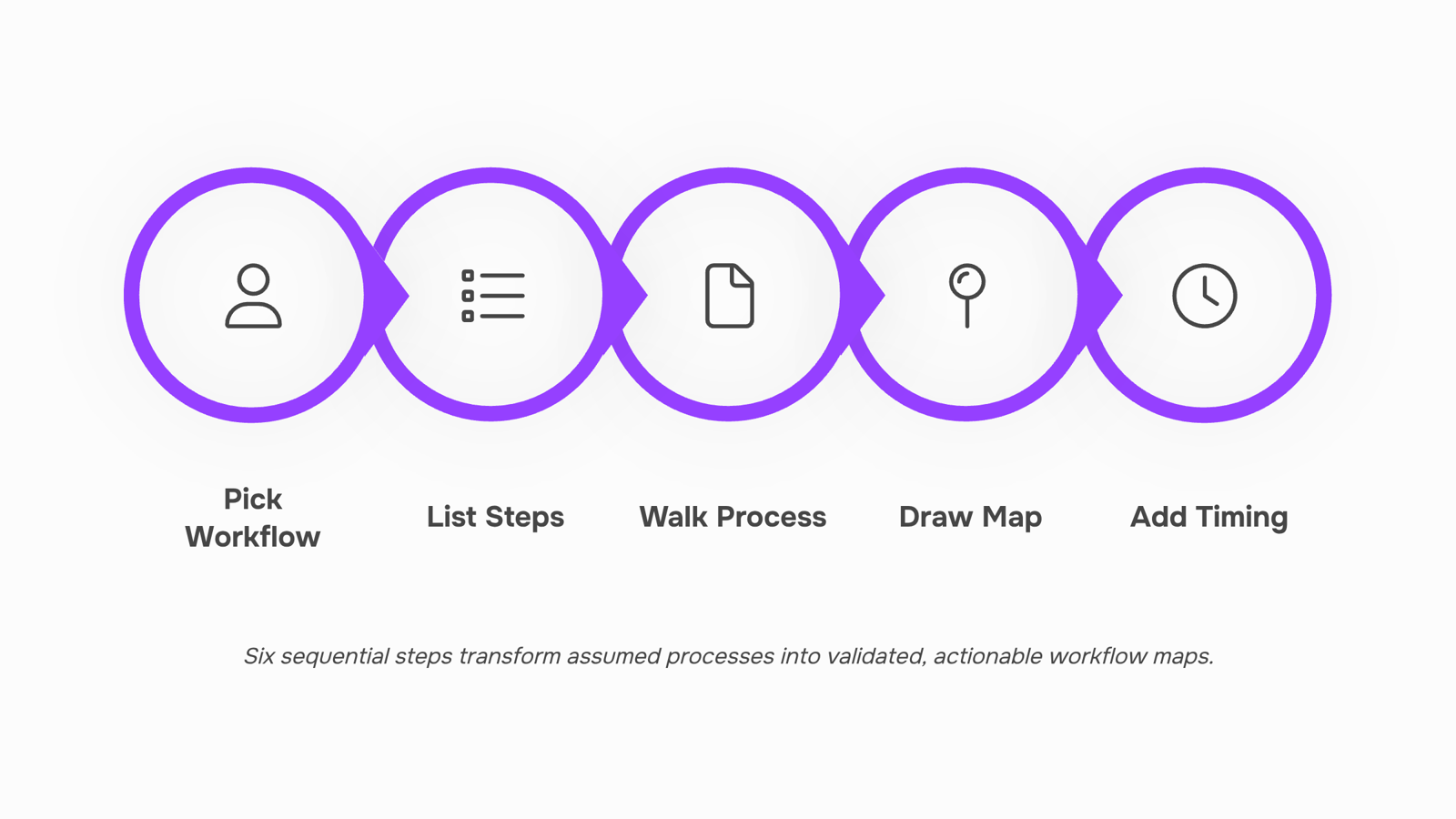
How to create a workflow map in 6 steps
Six steps take you from "we think this is how it works" to a map your team can actually act on.
Step 1: Pick one workflow to map
Scope creep kills mapping projects before they start. Choose a single, bounded process: ticket escalation, onboarding a new client, or handling a software access request. If you can name a clear start event and a clear end state, you have a mappable workflow. Trying to map "how IT operations work" in one session produces noise, not clarity.
Step 2: List every step from memory first
Before opening any tool, get the people who do the work in a room (or a shared doc) and write down every step they believe happens. This surfaces the assumed process, which almost always differs from the actual one. For a ticket escalation path, your L1 team might list five steps. Your L2 team will add three more that L1 didn't know existed.
Step 3: Walk the real process and close the gaps
Shadow the workflow or interview each person who touches it. Compare what they actually do against the list from Step 2. Mark every discrepancy. In IT service environments, this step routinely uncovers undocumented handoffs: the Slack message that triggers an escalation, the spreadsheet a technician checks before closing a ticket, the approval that happens verbally and never gets logged. These gaps are where process bottlenecks form.
Step 4: Draw the map using a consistent format
Use swimlane diagrams when multiple teams touch the workflow. Each lane represents one role or team; each box represents one action; each arrow represents a handoff or decision. Keep symbols consistent: rectangles for tasks, diamonds for decisions, arrows for flow. A workflow map that uses five different shapes with no legend is harder to act on than a napkin sketch. Most teams use Lucidchart, Miro, or a dedicated workflow mapping tool that supports swimlane exports.
Concrete example: an IT team mapping their new-employee access provisioning workflow might draw four swimlanes (HR, IT helpdesk, security, manager) across eight steps, with two decision diamonds for approval gates. That single diagram replaces a 12-email thread that previously kicked off every onboarding.
Step 5: Add timing and ownership data
A map without time estimates and owners is a diagram, not a management tool. Next to each step, note who is responsible and how long it typically takes. For the access provisioning example, you might find that security review averages two days but has no SLA attached. That number, once visible, becomes a target. This is also the step where you flag which steps are candidates for workflow automation, because repetitive, time-stamped tasks with clear owners are exactly what automation handles well.
Step 6: Validate the map with the people who run it
Walk the finished map through with every role that appears in it. Ask one question: "Does this match what you actually do?" You will get corrections. That is the point. A map signed off by the team who runs the process is a map they will follow and update. One that exists only in a manager's folder gets ignored within a month.
Once the map is validated, you have a documented baseline you can build and automate a business process workflow from, rather than automating guesswork. The next step is reading the map for what it reveals: the handoff gaps, wait clusters, and ownerless decision points that slow your team down without anyone noticing.
How to read your map and find bottlenecks
Once your workflow map exists, most teams admire it briefly and move on. The analysis is where the real value is.
Look for four specific signals:
Handoff gaps: A step ends but no one is named as the next owner. In IT service workflows, this is where tickets stall between L1 and L2 support, sometimes for hours, with no trigger to move them forward.
Wait-time clusters: Two or three consecutive steps where the only activity is waiting for approval, a response, or a system update. These compress your actual cycle time without adding anything.
Decision points with no owner: A diamond on your workflow map that says "approved?" but lists no decision-maker. Every unowned decision point is a process bottleneck waiting to happen.
Repeated steps: The same data entry, status check, or notification appearing more than once. Repetition without transformation is waste.
Work through the map left to right. Mark each signal with a simple label: Gap, Wait, No Owner, or Repeat. Once labeled, you have a prioritized fix list, not just a diagram.
For IT teams specifically, pay attention to escalation paths. If your map shows a ticket touching four people before resolution, check whether each handoff adds a decision or just adds delay.
From there, you can build and automate a business process workflow around the steps that actually need human judgment, and let Revo handle the rest.
Three categories of workflow mapping tool exist, and they solve different problems.
Diagramming tools (Lucidchart, draw.io) let you build clean visual maps fast. Setup takes under an hour. The tradeoff: the diagram sits static in a shared drive. It does not track live ticket status, flag a stalled handoff, or trigger anything when a step completes. For IT teams managing service request queues or escalation paths, that gap matters.
Project management tools with visualization (Jira, Monday.com) add live tracking and ownership assignment. You can see where a request is stuck. What they rarely do is close the loop automatically — a flagged bottleneck still needs a human to act on it.
Automation-native platforms close that gap. When your workflow mapping tool is also the system that executes the process, the map becomes operational. A decision point with no owner triggers an alert. A repeated step gets automated without rebuilding the process from scratch. That is the category most relevant to IT operations.
Dimension | Diagramming only | PM with visualization | Automation-native |
|---|
Ease of setup | Fast | Moderate | Moderate |
Live tracking | No | Yes | Yes |
Automation handoff | No | Partial | Yes |
IT-team fit | Low | Medium | High |
For teams ready to build and automate a business process workflow, the third category is where workflow automation actually starts.
Common workflow mapping mistakes to avoid
The most common mistake is mapping how the process should work instead of how it actually runs today. Walk the real path first, including the workarounds your team has quietly built in.
Skipping swim lanes is the second problem. Without clear ownership columns, a workflow map tells you what happens but not who is responsible when a service request stalls or a ticket escalation goes unanswered.
Third: mapping once and filing it away. Processes shift when tools change or headcount moves. A workflow map that is six months out of date is worse than no map, because teams follow it confidently into the wrong steps. Review your maps quarterly.
Fourth, and most damaging, is mapping before defining scope. Decide which process you are documenting before you open any tool. Following workflow management best practices at the scoping stage prevents you from rebuilding the entire workflow map three months later.
Closing
Workflow mapping isn't about creating a perfect diagram—it's about forcing the hidden parts of your process into the open so you can actually fix them. Once you've mapped a workflow, validated it with your team, and identified the handoff gaps and bottlenecks, you have a clear foundation for action. The real payoff comes next: automating the repetitive, rule-based steps your map flags as candidates. That's where manual work becomes running automation, and your team stops fighting the process. Ready to turn your map into a running workflow? Explore Revo's drag-and-drop workflow builder to see how your finished map becomes executable automation.
FAQ
What is the purpose of workflow mapping?
Workflow mapping creates a visual diagram showing every step, owner, and handoff in a process—revealing what actually happens versus what should happen. This clarity lets you identify bottlenecks, automation candidates, and ownership gaps before they cost your team time and money.
How do I create a workflow map?
Choose one bounded process, list assumed steps, shadow the real workflow to close gaps, draw it using swimlanes with consistent symbols, add timing and ownership data, then validate with the people who run it. Use tools like Lucidchart or Miro to keep it exportable and shareable.
What are the benefits of workflow mapping for businesses?
Workflow mapping clarifies ownership, exposes bottlenecks, cuts onboarding time, and identifies which steps are ready for automation. Teams gain visibility into where work stalls and can act on it with confidence instead of guessing.
Can workflow mapping help identify bottlenecks?
Yes. Mapping forces every step onto one surface, making slowdowns obvious—usually escalation paths, approval gates, or undocumented handoffs. Once visible, these become targets for process redesign or automation.


 Elena Petrova15 September 2026


