What should be included in an action plan template?
TL;DR: Most action plan template guides hand you a field list and call it done. This one breaks down the structural logic behind each component — what it prevents, how the pieces connect, and where templates collapse under real execution pressure. You'll leave with a reusable structure that ties goals to tracked tasks, assigns clear ownership, and holds up past the kickoff meeting.
What is an action plan template?
Modern action plan template displayed on tablet with organized checklist, timeline, and progress indicators
An action plan template is a structured document that converts a goal into a set of assigned, time-bound tasks — with clear owners, deadlines, and a way to track whether the work is actually moving.
Teams use action plan templates because goals without structure stall. A goal like "improve client onboarding" means nothing until someone owns each step, knows what done looks like, and has a deadline attached. The template provides that structure before work starts, not after things go sideways.
This is different from a to-do list, which captures tasks without context (no owner, no goal link, no success metric). It's also different from a project charter, which defines scope and stakeholders but doesn't break work into executable steps. An action plan template sits between the two: it's operational enough to assign and track, but goal-oriented enough to stay connected to outcomes.
The practical difference shows up fast. A to-do list tells you what to do. An action plan template tells you who does it, by when, with what resources, and how you'll know it worked. That last part — the success metric — is what most informal planning skips, and it's usually why teams finish the work but miss the actual goal.
If you've used a performance improvement plan template before, the logic is similar: structure that makes accountability visible from day one.
What should be included in an action plan template
Seven components separate a template people actually use from one that gets filled in once and forgotten.
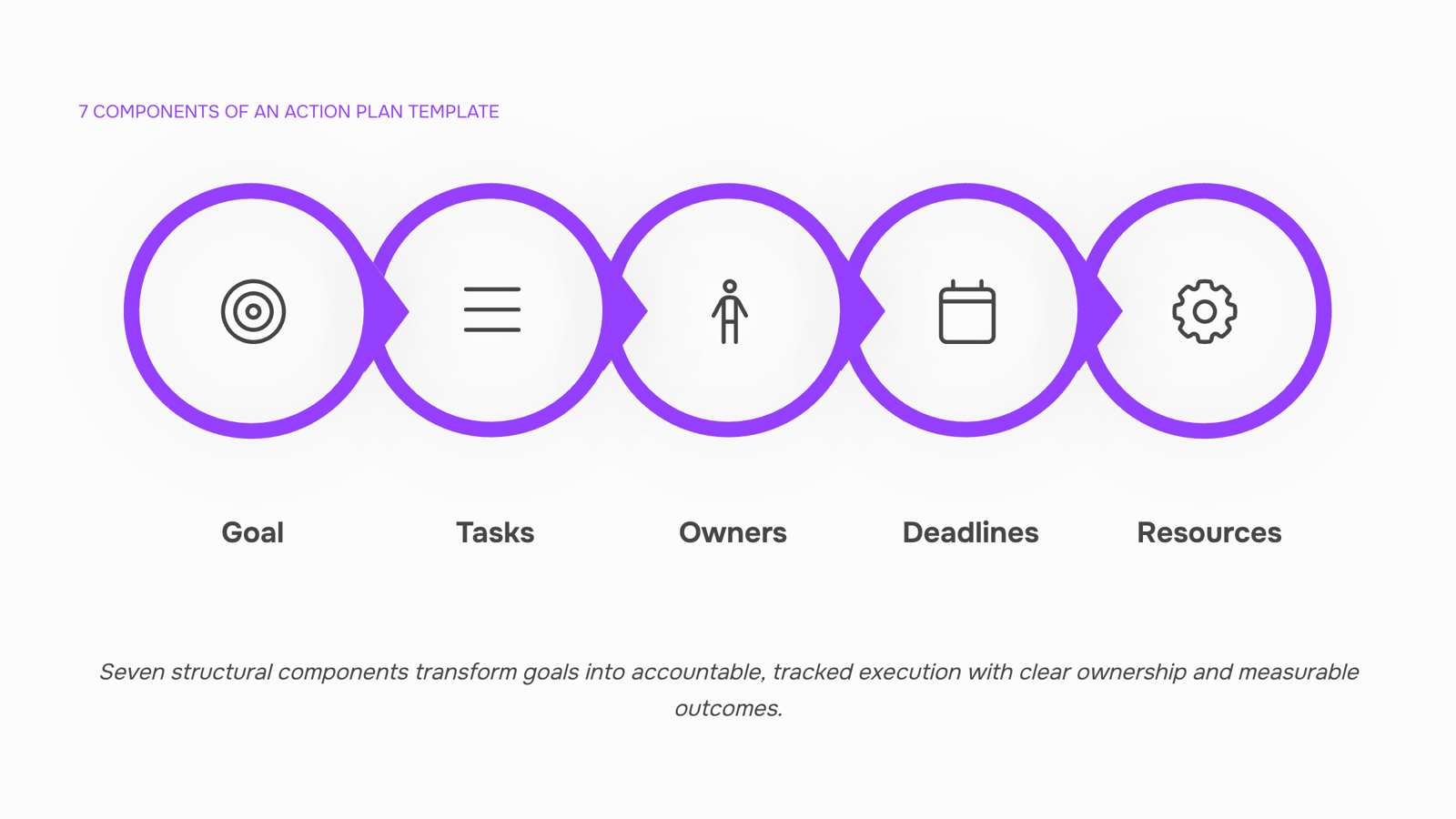
Goal statement. This is the anchor for everything else. A weak goal ("improve performance") produces vague tasks and unmeasurable outcomes. A specific one ("reduce average ticket resolution time from 48 hours to 24 hours by Q3") gives every subsequent row a clear pass/fail test. If you're building a SMART goals template alongside your action plan, this is where the two connect.
Tasks. Break the goal into discrete, executable steps — not categories, not phases. "Improve onboarding" is a category. "Draft onboarding checklist for new hires" is a task. Each one should be completable by a single person in a defined window.
Owners. One name per task, not a team or department. Shared ownership is how accountability disappears. A sample action plan template that lists "IT team" as the owner for five rows will stall at the first blocker, because nobody knows who unblocks it.
Deadlines. Start dates matter as much as due dates, especially for tasks that depend on each other. A deadline without a start date tells you when something is late; it doesn't help you prevent it.
Resources. Budget, tools, access permissions, or headcount required to complete the task. Most action plan template Word documents skip this column entirely, which is why tasks get "completed" on paper but not in practice — the person assigned never had what they needed.
Success metrics. Each task should have a measurable signal that it's done correctly, not just done. "Send client report" is done when you hit send. "Send client report reviewed and approved by project lead" is done when it's actually ready. Small distinction, large difference in output quality.
Status tracking. A static document is a snapshot. A working template updates as conditions change. Build in a status column with defined states (not started, in progress, blocked, complete) so anyone can read the plan and know exactly where things stand without asking. For teams managing multiple workstreams, task management with statuses and priorities keeps this visible without manual updates.
These seven components also form the skeleton of a solid work plan for your team — the action plan is the execution layer that sits underneath it.
How to create an effective action plan template
Building a template from scratch sounds harder than it is. The structure below takes about 30 minutes to set up and produces something your team will actually open again.
Step 1: Write the goal in SMART format. Vague goals produce vague tasks. Before you add a single row to your template, write the goal as a SMART statement — specific, measurable, achievable, relevant, time-bound. "Improve client onboarding" becomes "Reduce onboarding time from 14 days to 7 days by September 30." That single line anchors every task you add later. If you need a starting point, the SMART goals template walks through the format in detail.
Step 2: Break the goal into discrete tasks. Each task should be completable by one person in a defined window. If a task requires two people or spans more than a week without a checkpoint, split it. A useful test: can you write a single "done" condition for it? If not, it's still too broad.
Step 3: Assign one owner per task. Shared ownership is no ownership. Every row in your template gets one name, not a team or department. That person is accountable for the deadline, not just involved in the work. For guidance on setting task priority across a full task list, that post covers the ranking logic.
Step 4: Set deadlines that work backward from the goal. Start with your end date, then sequence tasks in reverse. This surfaces conflicts early — when two tasks share a dependency, you'll catch the gap before it becomes a missed deadline. A work plan for your team uses the same backward-planning approach at the project level.
Step 5: Build in a review cadence. A template without a review schedule becomes a static document nobody checks. Add a "last reviewed" field and a fixed check-in frequency — weekly for active plans, bi-weekly for longer ones. Task management with statuses and priorities keeps that review loop visible without requiring a separate meeting.
Types of action plan templates and when to use each
Not every action plan needs the same structure. Using a corrective action plan template for a new product launch adds overhead that slows you down. Using a standard project template for a compliance failure leaves gaps where accountability should be. The three variants below map to distinct situations — pick based on what triggered the plan.
Standard project action plan template Use this when you're launching something new: a feature, a client onboarding process, a system migration. The structure is linear — goal, tasks, owners, deadlines, dependencies. It works because the work is additive and forward-moving. If you're building a work plan for your team, this is the default format.
Corrective action plan template Use this after something broke: a missed SLA, a failed audit, a repeated bug in production. A corrective action plan template adds two fields the standard version skips — root cause and verification step. Without root cause, you're treating symptoms. Without a verification step, you have no way to confirm the fix held. The structure is: problem statement, root cause, corrective actions, owner, deadline, and how you'll confirm it's resolved.
SMART goal action plan template Use this when the goal itself is still fuzzy. A SMART goals template forces you to define success before assigning work — specific outcome, measurable signal, realistic scope, and a deadline. This variant is most useful for quarterly planning or cross-functional initiatives where different teams define "done" differently.
Once you've picked the right type, setting task priority inside the template determines what actually moves first.
Turning a static template into a tracked workflow
Most action plan templates die in a shared folder. Someone fills in the fields, the file gets saved, and two weeks later no one can tell what's been done, what's blocked, or who's waiting on whom.
The fix isn't a better template — it's connecting the template to a live workflow.
Here's how to make that shift:
Convert each action item into a task with an owner and due date. A row in a spreadsheet isn't accountable. A task assigned to a named person, with a deadline, is.
Add a status field with defined stages. "Not started / In progress / Blocked / Done" is enough. Vague fields like "In progress" mean nothing if "blocked" isn't a separate state.
Map dependencies before work starts. If Task B can't begin until Task A closes, mark that explicitly. Most execution failures trace back to undeclared dependencies, not missing effort.
Set a weekly review cadence, not a one-time check-in. The template becomes a live record only if someone updates it on a fixed schedule.
For IT teams running repeatable delivery cycles, workflow examples for project management show how this structure scales across multiple projects without rebuilding from scratch each time. Tools like Taro let you save this connected structure as a reusable project template, so the workflow — not just the document — carries forward.
Benefits of using an action plan template
A well-structured action plan template does more than organize work — it changes how your team executes.
Speed: Teams with a defined template skip the setup phase on every new initiative. Instead of rebuilding structure from scratch, you start from a proven format and move straight to execution.
Accountability: Every task has an owner, a due date, and a status. No one can claim they didn't know what they were responsible for.
Alignment: A shared template keeps everyone working from the same structure, which matters when tasks cross departments or depend on each other. Pair it with a SMART goals template to connect daily work to strategic objectives.
Reduced rework: A work plan for your team built on a consistent template catches missing dependencies before they become delays.
Audit readiness: When decisions and status changes are logged inside the template, you have a record without extra documentation effort.
Closing
You now have the structural logic behind a working action plan template — the seven components that separate accountability from intention, and the three variants that match different triggers. The real decision isn't whether to use a template; it's whether to keep it as a static document or turn it into a live project where tasks auto-generate, owners get notified of deadlines, and status updates happen without manual spreadsheet shuffling. If your team is managing multiple action plans or coordinating across workstreams, the next step is deciding whether a shared document is enough or whether you need task ownership and status tracking built in from the start.
FAQ
Q. What should be included in an action plan template?
A. Seven components: goal statement (SMART format), discrete tasks, single owner per task, start and due dates, required resources, success metrics, and a status column. Skip any one and accountability breaks down under execution pressure.Q. How do I create an effective action plan template?
A. Write the goal in SMART format first, break it into one-person tasks, assign single owners, sequence deadlines backward from the end date, and build in a fixed review cadence. The structure takes 30 minutes to set up and produces something your team will actually use.Q. What are the benefits of using an action plan template?
A. Clear ownership prevents accountability gaps, deadlines with start dates surface dependencies early, success metrics ensure quality not just completion, and status tracking eliminates the need to ask for updates. Teams finish work faster and hit the actual goal, not just the task list.Q. Can I find free action plan templates online?
A. Yes, but most are field lists without structural logic — they lack dependencies, resource columns, or verification steps. A generic template works for simple projects; corrective or compliance action plans need variant-specific fields or they collapse under real pressure.Q. What is the difference between an action plan and a project plan?
A. An action plan breaks a goal into assigned, tracked tasks with owners and deadlines. A project plan defines scope, stakeholders, and phases but doesn't assign individual tasks. Action plans are operational; project plans are strategic. Most projects need both.Q. How do I connect SMART goals to an action plan template?
A. Write the SMART goal first — specific, measurable, achievable, relevant, time-bound — then use it as the anchor for every task row. Each task should pass the test: does this move us toward the goal? If not, it doesn't belong in the template.


 Elena Petrova15 September 2026


