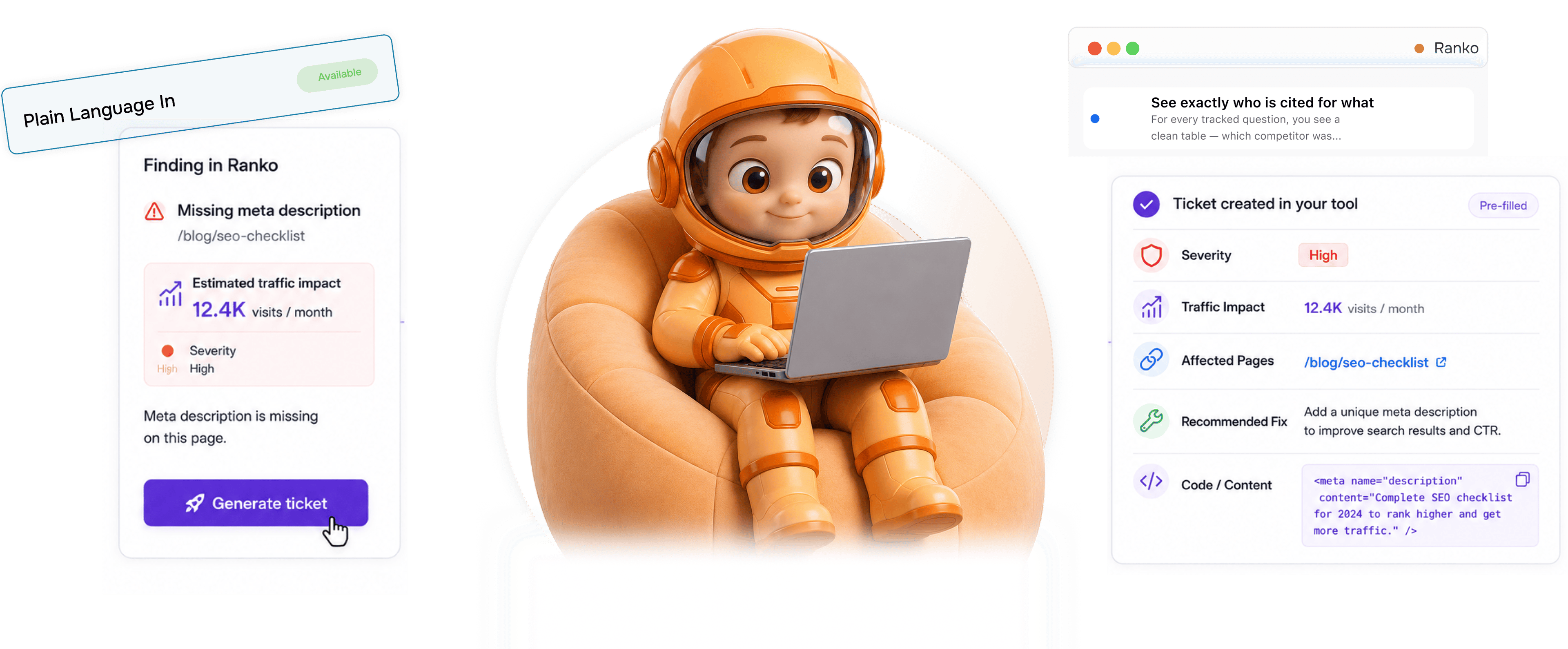
Every finding becomes a ticket. Pre filled with everything to fix it.

Every finding in Ranko has a single Generate ticket button that wires the work straight into Linear, Jira, Asana, ClickUp, Notion, or Trello. Each ticket arrives pre filled with severity, expected traffic impact, affected pages, recommended fix, and copy-pasteable code or content. The developer or editor opens the ticket and finds everything they need to ship the fix waiting for them no context hunting, no manual translation, no half explained problems.

Every finding
How it works

From Ranko finding to shipping fix in 4 steps

Every finding across the platform Site Inspector flags, Page Refresher issues, Mention Simulator competitor losses, Originality Check failures has a Generate ticket button next to it. One click sends the ticket to whichever of the six supported trackers the team runs. The ticket arrives pre filled with severity, expected traffic impact, affected pages, the recommended fix, and copy pasteable code or content. The developer or editor opens the ticket and ships the fix.

1
2
3
4

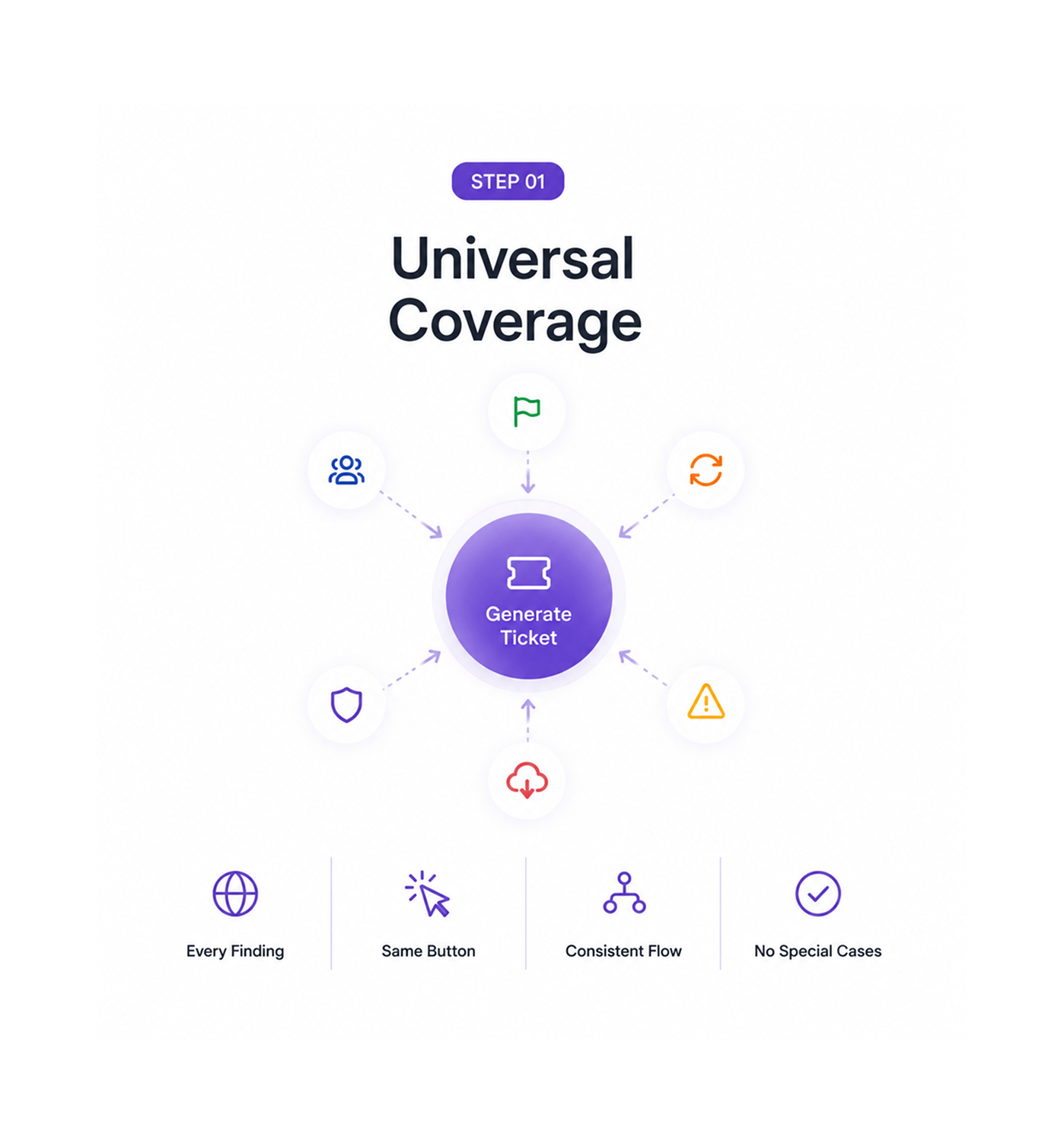
Universal Coverage

Every finding has a Generate ticket button

A Site Inspector flag, a Page Refresher issue, a Mention Simulator competitor loss, an Originality Check failure, an Opportunity Score warning, an Imports outage every finding across Ranko has the same one button next to it. The team never has to remember which feature surfaced which kind of issue or which workflow to use for translating findings into work. One button, one consistent flow, every kind of finding the platform produces.

Every FindingSame ButtonConsistent FlowNo Special Cases

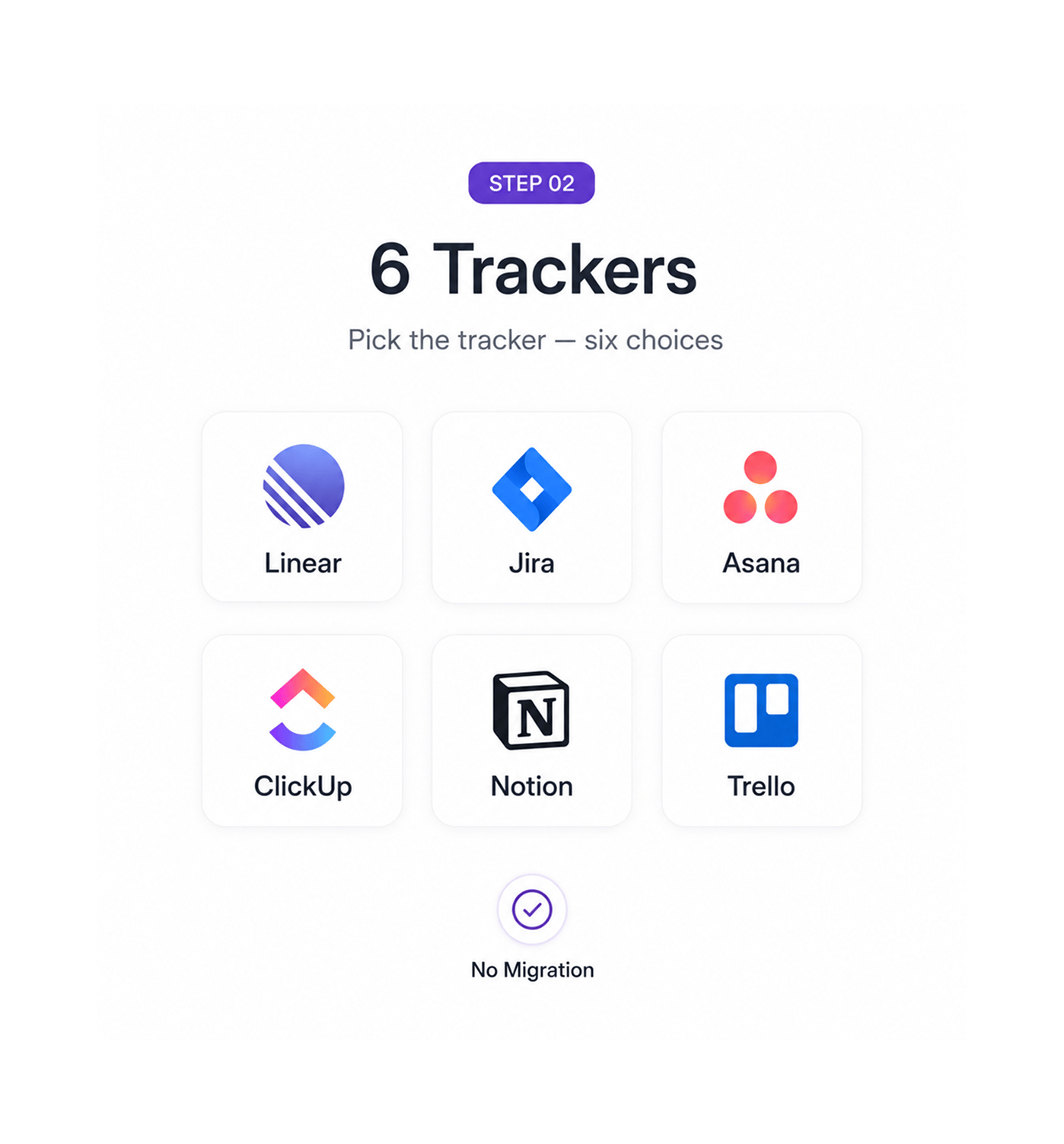
Trackers

Pick the tracker six choices

Linear for engineering teams shipping fast. Jira for larger organisations running structured sprints. Asana for cross functional work spanning content and ops. ClickUp for teams running everything in one workspace. Notion for teams whose work lives next to their documentation. Trello for teams running simple boards. Six choices, the team picks the one they already run operations in, and the ticket lands in the right project on the right board with the right assignee no migration, no parallel workflow, no second source of truth.

Linear · JiraAsana · ClickUpNotion · TrelloNo Migration

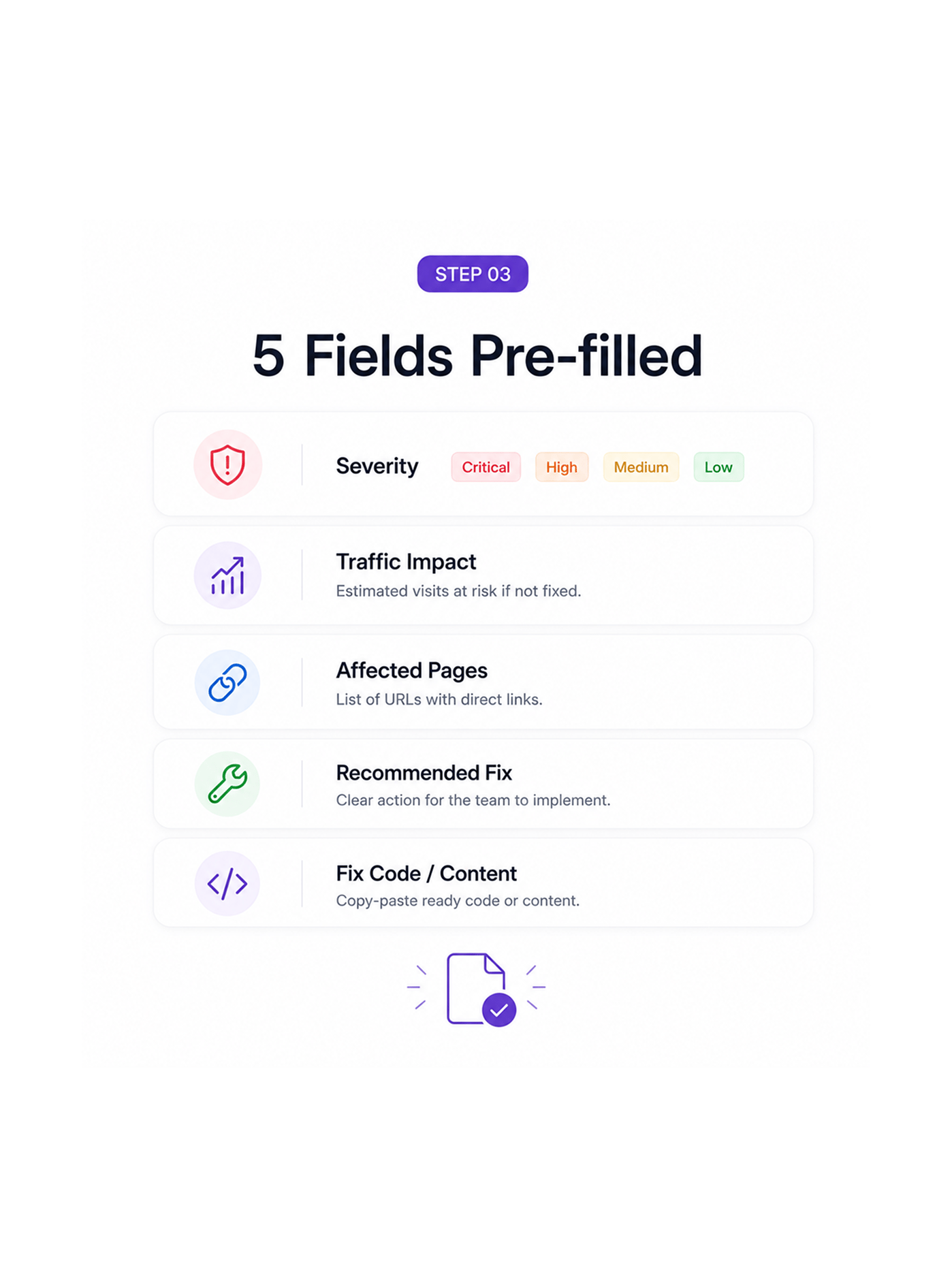
Fields Pre filled

Five fields land pre filled in the ticket

Severity tells the prioritiser how urgent the work is critical, high, medium, low based on the finding type and the affected pages. Expected traffic impact estimates the traffic at risk if the issue is not addressed, calculated from the affected pages' current traffic and historical patterns. Affected pages lists the specific URLs the issue touches, with direct links so the developer or editor can jump straight to the work. Recommended fix outlines the exact change needed, written for the discipline that will execute it. And the last field the killer one carries copy-pasteable code or content the team can drop straight into the page.

SeverityTraffic ImpactAffected PagesFix · Code

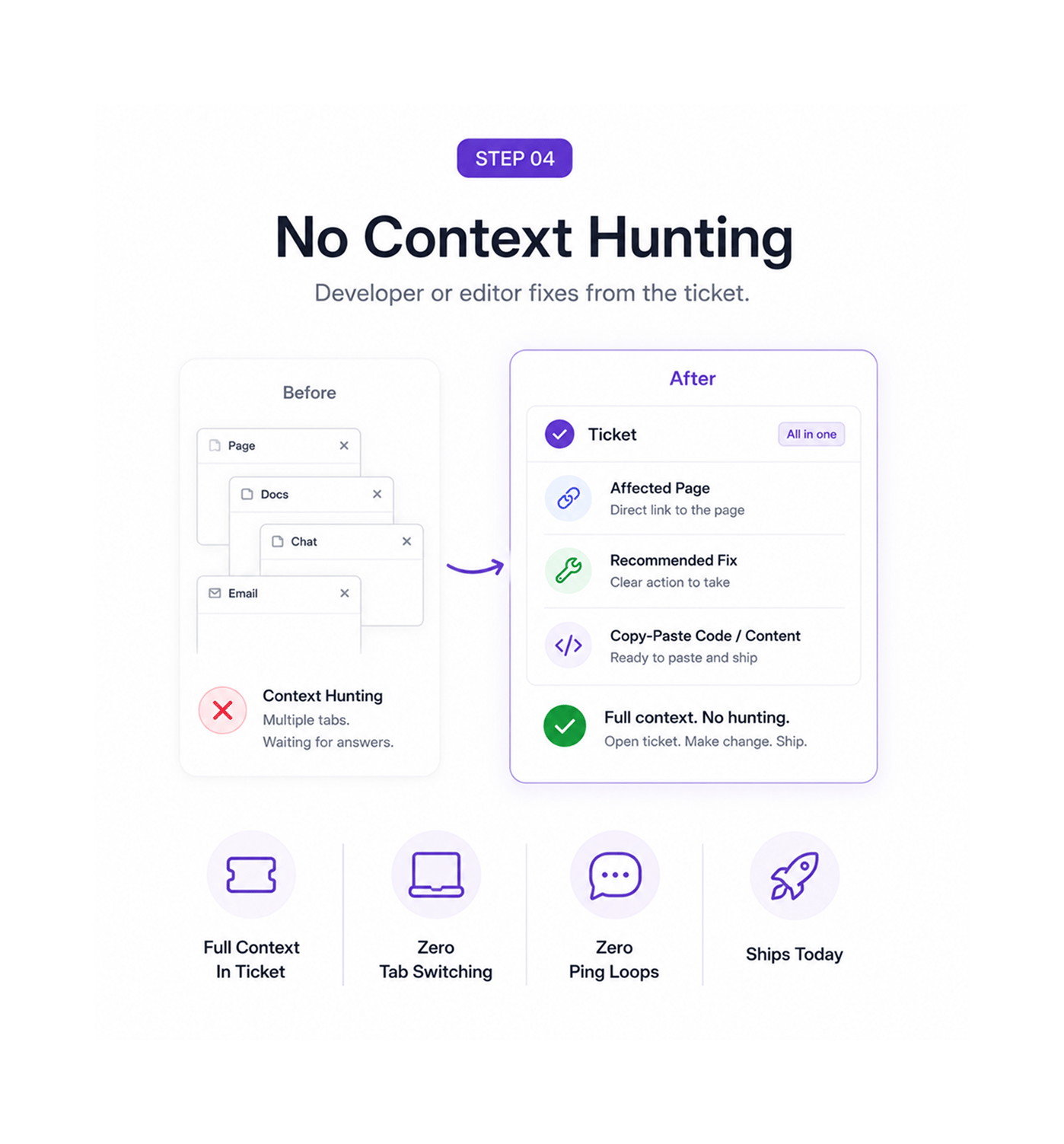
No Context Hunting

Developer or editor fixes from the ticket

The developer who picks up a technical ticket finds the affected page, the recommended fix, and the exact code snippet to paste in. The editor who picks up a content ticket finds the affected page, the recommended fix, and the exact copy to drop into the article. Nobody has to open three other tabs to figure out what the ticket is asking for. Nobody has to ping the person who created the ticket for context. The full context lives in the ticket itself, which is exactly what turns work that used to take a day into work that ships in an hour.

Full Context In TicketZero Tab SwitchingZero Ping LoopsShips Today
Why Teams Choose Ranko

Six reasons fixes actually ship

Once a team can turn every finding into a tracker ready ticket with one click pre filled with severity, traffic impact, affected pages, recommended fix, and copy pasteable code or content the old pattern of findings piling up in a separate dashboard while the project tracker quietly never hears about them stops being acceptable. These are the changes that show up first.

Every finding, not just the critical ones

Every finding, not just the critical ones

Most tools only generate tickets for the obvious problems and leave the smaller findings to accumulate in a dashboard nobody opens twice. Ranko puts the Generate ticket button next to every finding the platform surfaces major and minor, urgent and gradual, technical and editorial. The team can be selective about which ones become tickets, but the option exists everywhere, which is what turns smaller issues into work that ships rather than dashboards that grow.

Six trackers, no relay race between tools

Six trackers, no relay race between tools

Linear, Jira, Asana, ClickUp, Notion, and Trello cover the project trackers most teams already run. The ticket lands directly in whichever one the team uses, with no manual translation, no copy paste, no second source of truth where work needs to be kept in sync. The team works in the tracker they already work in, and the findings show up there as tickets the way every other piece of work does.

Severity and traffic impact tell prioritisers what to push

Severity and traffic impact tell prioritisers what to push

A ticket without severity is a ticket the team has to argue about in the next sprint planning meeting. A ticket with severity and a calculated traffic impact estimate gives the prioritiser an immediate answer this one is critical, this one is a quick win, this one can wait. The prioritisation argument that used to eat half the team's planning time happens automatically in the ticket itself.

Affected pages save the team a half hour of audit work

Affected pages save the team a half hour of audit work

A finding that says schema issue on the site forces the team to spend half an hour identifying exactly which pages are affected before any work can start. A Ranko ticket arrives with the specific URLs listed, each one linked, so the developer or editor knows immediately which pages they are dealing with. The audit work that used to happen at the start of every fix is already done by the time the ticket reaches the team.

Recommended fix means no what does this even mean

Recommended fix means no what does this even mean

Tickets that describe the problem without prescribing the solution force the team to debate solutions before they can ship anything. Ranko tickets include a specific recommended fix written for the discipline that will execute it engineering language for technical issues, editorial language for content issues. The team can override the recommendation if they prefer a different approach, but the default direction is set, which means the work starts moving forward immediately rather than getting stuck in an interpretation meeting.

Copy pasteable code means the fix actually ships today

Copy pasteable code means the fix actually ships today

The gap between we know what to fix and the fix is live is where most operational work goes to die. Ranko closes the gap by including the exact code snippet or content block ready to copy and paste a missing FAQ block written out in full, the corrected data tag markup ready to drop in, the missing heading restructured with all the right shapes. The developer or editor copies, pastes, and ships, which is the difference between fixes that happen this morning and fixes that move to next quarter's backlog.

Stop translating findings into tickets. Start generating them.

Universal Generate ticket button on every finding. Six tracker wiring across Linear, Jira, Asana, ClickUp, Notion, and Trello. Severity, traffic impact, affected pages, recommended fix, and copy pasteable code or content pre filled in every ticket. The routing layer your operational team has always needed.

Who uses RANKO one click fix tickets
Deepak MehrotraDeepak MehrotraDeepak MehrotraDeepak Mehrotra

16100+

Teams shipping fixes today, not next quarter

Built for teams whose developers and editors should be fixing, not investigating

Founders, marketers, engineering managers, editors, agencies, and ops teams use Ranko’s One Click Fix Tickets to turn findings into ready to ship tickets instantly. Every ticket comes pre filled with severity, traffic impact, copy pasteable code or content, and seamless routing across six project trackers so teams spend less time translating issues and more time shipping fixes.

6

Trackers Wired

5

Fields Pre filled

1

Click Generate

1

Translation

Routing Layer

Linear, Jira, Asana, ClickUp, Notion, Trello

Six trackers cover the project tools most teams already run. The ticket lands directly in whichever one the team picked Linear for fast moving engineering, Jira for structured sprints, Asana for cross functional work, ClickUp for everything in one teams, Notion for documentation adjacent workflows, Trello for simple boards. Six choices, the team works in the one they already run.

Linear, Jira, Asana, ClickUp, Notion, Trello
Features

Everything the ticket layer ships with

A complete ticket generation and routing toolkit built into the same answer engine optimisation platform your team already uses. Universal Generate ticket button on every finding, six tracker wiring, severity pre filled, expected traffic impact calculated, affected pages linked, recommended fix written for the right discipline, and copy pasteable code or content come together so the team finally closes the gap between finding a problem and shipping its fix.

Universal Generate Ticket Button

Universal Generate Ticket Button

Every finding across every Ranko feature has the same one button next to it Site Inspector flags, Page Refresher issues, Mention Simulator losses, Originality Check failures, Opportunity Score warnings. One button, one consistent flow, every finding the platform produces. The team never has to remember which workflow translates which kind of issue into work.

Six Tracker Wiring

Six Tracker Wiring

Linear, Jira, Asana, ClickUp, Notion, and Trello cover the project tools most teams already run. The ticket lands in the right project, on the right board, with the right assignee, in the team's existing tracker no migration, no parallel workflow, no second source of truth.

Severity Pre Filled

Severity Pre Filled

Every ticket arrives with a severity already set critical, high, medium, or low based on the finding type and the affected pages. The prioritisation conversation that used to eat half the team's planning meeting happens automatically in the ticket itself, which is exactly how findings stop competing for attention and start moving into the right place in the queue.

Expected Traffic Impact

Expected Traffic Impact

Every ticket includes an estimated traffic impact based on current page performance and historical data from Google Search Console and Analytics. Teams instantly see how much traffic is at risk if the issue is ignored, giving leadership the answer before the question is even asked.

Affected Pages Linked

Affected Pages Linked

Every ticket lists the specific URLs the issue touches with direct links so the developer or editor can jump straight to the work. The half hour of audit work that used to happen at the start of every fix which pages does this actually affect is already done by the time the ticket reaches the team. The work moves forward immediately rather than getting stuck in identification.

Recommended Fix With Copy Paste Code

Recommended Fix With Copy Paste Code

Each ticket includes a recommended fix written for the team executing it technical guidance for developers and editorial guidance for content teams. When needed, Ranko adds ready to paste code snippets, structured headings, corrected markup, or fully written content blocks, so teams can copy, paste, and ship instantly.

Universal Generate Ticket Button

Universal Generate Ticket Button

Every finding across every Ranko feature has the same one button next to it Site Inspector flags, Page Refresher issues, Mention Simulator losses, Originality Check failures, Opportunity Score warnings. One button, one consistent flow, every finding the platform produces. The team never has to remember which workflow translates which kind of issue into work.

Six Tracker Wiring

Six Tracker Wiring

Linear, Jira, Asana, ClickUp, Notion, and Trello cover the project tools most teams already run. The ticket lands in the right project, on the right board, with the right assignee, in the team's existing tracker no migration, no parallel workflow, no second source of truth.

Severity Pre Filled

Severity Pre Filled

Every ticket arrives with a severity already set critical, high, medium, or low based on the finding type and the affected pages. The prioritisation conversation that used to eat half the team's planning meeting happens automatically in the ticket itself, which is exactly how findings stop competing for attention and start moving into the right place in the queue.

Expected Traffic Impact

Expected Traffic Impact

Every ticket includes an estimated traffic impact based on current page performance and historical data from Google Search Console and Analytics. Teams instantly see how much traffic is at risk if the issue is ignored, giving leadership the answer before the question is even asked.

Affected Pages Linked

Affected Pages Linked

Every ticket lists the specific URLs the issue touches with direct links so the developer or editor can jump straight to the work. The half hour of audit work that used to happen at the start of every fix which pages does this actually affect is already done by the time the ticket reaches the team. The work moves forward immediately rather than getting stuck in identification.

Recommended Fix With Copy Paste Code

Recommended Fix With Copy Paste Code

Each ticket includes a recommended fix written for the team executing it technical guidance for developers and editorial guidance for content teams. When needed, Ranko adds ready to paste code snippets, structured headings, corrected markup, or fully written content blocks, so teams can copy, paste, and ship instantly.

Questions & Answers

Everything you need to know

Common questions about exactly what is in every ticket, how the tracker routing actually works, how severity and traffic impact are calculated, what counts as copy pasteable code or content, how this works alongside the existing Imports and Exports layer, and whether the team can customise the ticket template.

Every Ranko ticket follows the same consistent structure, no matter which feature generated the finding. Each ticket includes a clear title, issue description, severity level, estimated traffic impact, affected page links, a recommended fix, and ready to paste code or content when applicable. The result is a predictable, actionable ticket format every time, across every workflow.

Network background
Ranko · One Click Fix Tickets

Stop generating to do lists nobody reads.
Start generating tickets that actually ship.

Universal Generate ticket button on every finding. Six tracker wiring across Linear, Jira, Asana, ClickUp, Notion, and Trello. Severity, traffic impact, affected pages, recommended fix, and copy pasteable code or content pre filled in every ticket. The routing layer your operational team has always deserved.