TL;DR: Most API connect guides stop at "send a GET request" and leave the hard parts — auth flows, error handling, rate limits, and security — to you. This one walks IT company owners through the full connection lifecycle, from choosing the right authentication method to managing failures in production. You'll also see how to skip manual wiring when the integration doesn't need to be custom-built.
What is API connectivity and how does it work?
API connectivity is the ability of two separate software systems to send and receive data through a defined interface, without manual export, copy-paste, or file transfer.
Here is how the request-response cycle works in plain terms. Your system sends an HTTP request to a URL endpoint, usually with an authentication token in the header and a payload in the body. The receiving API validates your credentials, processes the request, and returns a structured response, typically JSON or XML. That entire exchange takes milliseconds. The connection itself is stateless, meaning each request carries everything the server needs to respond; nothing is remembered between calls.
According to the Postman State of the API Report, the average organization is now working with hundreds of APIs across its stack. For IT company owners, that scale means API connectivity is not a one-time setup task. It is an ongoing operational concern.
Three things determine whether an API connection holds up in production:
Authentication method: API key, OAuth 2.0, or JWT. Each has different expiry and rotation rules
Rate limits: how many requests per minute or hour the provider allows before throttling
Schema stability: whether the provider changes field names or data types without versioning
Understanding those three points matters before you write a single line of code or configure a single workflow. Once you know how API triggers fire actions automatically in Revo, the mechanics above are exactly what you are working with.
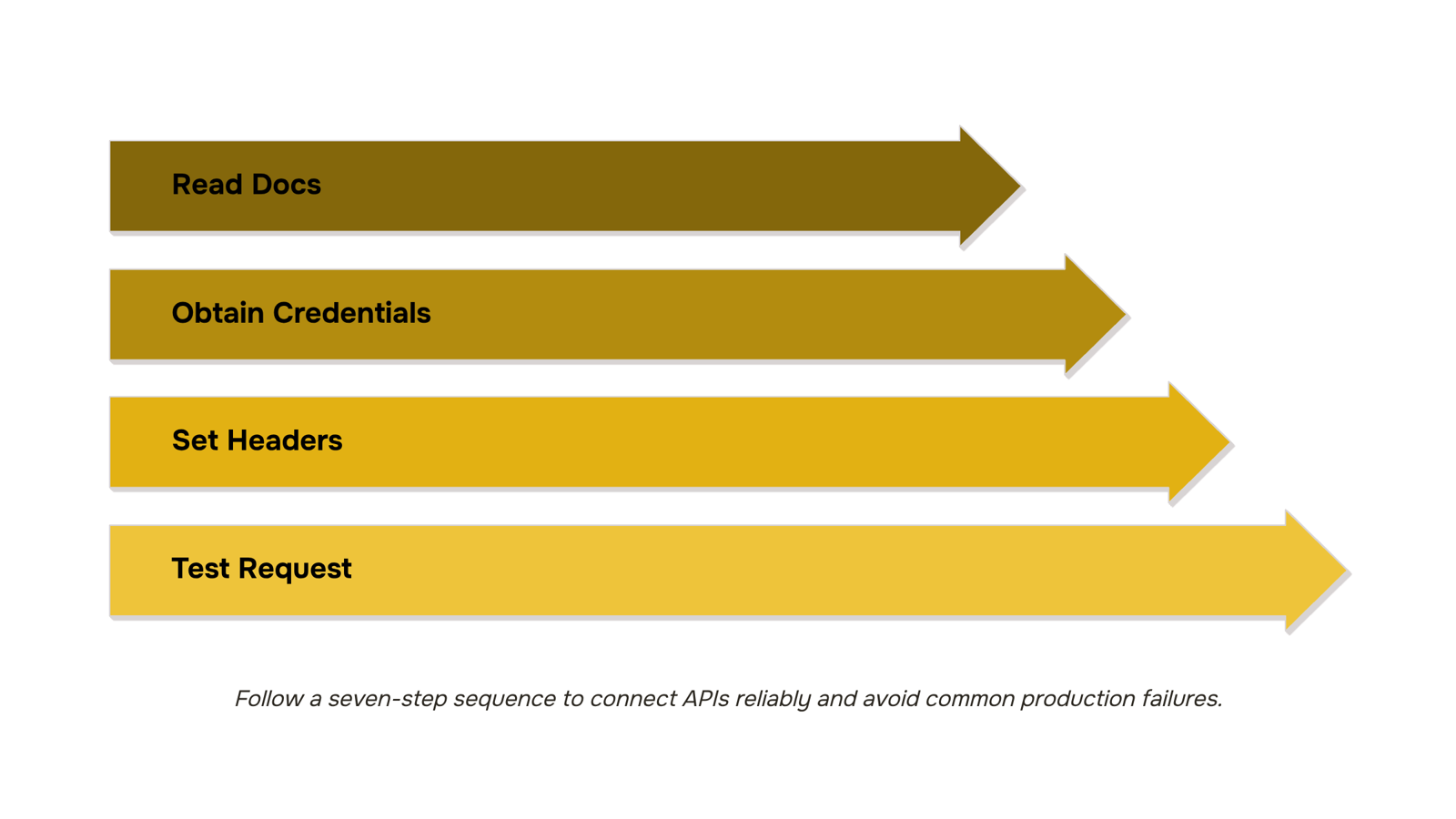
How to connect to an API: step by step
Connecting to an API follows the same sequence every time, regardless of the service. Get this order right and you avoid the most common failure points before your first live request.
Read the API documentation first: Every API has a reference doc that lists available endpoints, required parameters, rate limits, and error codes. Skimming this step causes most integration failures. Find the base URL and note whether the API uses REST, GraphQL, or another protocol.
Obtain your credentials: Register for a developer account on the provider's platform and generate your API key or client credentials. Store these in environment variables, never hardcoded in your source files. One leaked key in a public repo can expose your entire account.
Set your request headers: Most APIs require at minimum a Content-Type: application/json header and an authorization header carrying your key or token. Check the docs for any additional required headers specific to that service.
Make a test request: Use a tool like Postman or curl to send a GET request to a simple endpoint before writing any production code. A basic health-check or list endpoint works well here. Confirm you receive a 200 status and a parseable response body.
Handle the response: Parse the JSON (or XML) payload and map the fields you need to your internal data model. Write explicit error handling for 4xx and 5xx responses now, not later. APIs change; silent failures are harder to debug than loud ones.
Wire up your workflow: Once the test request succeeds, integrate the call into your actual process. If you're building workflow automation API connections across multiple tools, define the trigger (a form submission, a schedule, an event) and the downstream action clearly before writing the integration logic.
Monitor and log: Log every request and response in a structured format. Set alerts on error rate thresholds. API connectivity issues in production are almost always caught first in the logs, not by end users.
A mid-size business connects to dozens of APIs across its stack. Getting the connection process right once means you can replicate it cleanly every time you add a new service.
API authentication types and why they matter
Authentication is the first place an API connection breaks in production, and it's the part most setup guides skip past in a single line.
Three methods cover the majority of cases you'll encounter.
API key authentication sends a static string in the request header or query parameter. It's fast to set up and works well for server-to-server calls where the client is trusted and the data isn't sensitive. The risk: if the key leaks, anyone can use it until you rotate it manually.
OAuth 2.0 is the right choice when a user needs to grant your app access to their account on a third-party service, think connecting a CRM to your billing tool. It issues short-lived access tokens and refresh tokens, so you're not storing a permanent credential. The flow adds setup complexity, but that tradeoff is worth it for any integration touching customer data.
Bearer tokens are what OAuth 2.0 actually hands you after the authorization flow completes. You'll also see them issued directly by APIs that want session-based access without the full OAuth handshake. They expire, which limits the blast radius if one is intercepted.
Authentication errors account for a disproportionate share of API failures, which is why picking the wrong method for your use case creates problems that look like connectivity issues but aren't.
Once you know which method your API requires, you can wire up how API triggers fire actions automatically in Revo without second-guessing whether the handshake will hold.
How secure is API connect?
Security in an API connect setup comes down to four things. If any one of them is missing, the other three don't fully compensate.
Transport encryption is the baseline. Every API call should travel over HTTPS/TLS 1.2 or higher. Plain HTTP is a hard disqualifier for any production API data integration.
Token scoping is where most teams cut corners. A token that grants read/write access to your entire CRM when you only need to pull contact records is a liability. Scope every token to the minimum permissions the workflow actually requires.
Rate limiting protects both sides of the connection. Without it, a misconfigured automation or a spike in traffic can exhaust your API quota in minutes, taking the integration down silently. Check whether your API provider exposes rate limit headers (X-RateLimit-Remaining) so your system can back off gracefully rather than fail hard.
Audit logging is the one most IT owners add last. You need a timestamped record of which token called which endpoint and when. Without it, tracing a data leak or a runaway sync back to its source takes hours.
Run any API security setup against this checklist before you go live. If you're evaluating a no-code path, Revo handles token management and logs every workflow execution by default, so you're not building that audit trail manually.
Using API connect for data integration: 2 real scenarios
Two scenarios show where API data integration pays off fastest.
Scenario 1: CRM-to-billing sync: A new deal closes in your CRM. Without an API connection, someone manually copies the client name, contract value, and start date into your billing system. That takes 5 to 10 minutes per deal, and one mistyped figure creates an invoice dispute that takes far longer to fix. With a workflow automation API connecting the two tools, the closed-won trigger fires automatically: the billing record is created, the invoice schedule is set, and the account is live before the sales rep closes their laptop. No copy-paste, no lag, no reconciliation call.
Scenario 2: Support ticket routing: A customer submits a ticket flagged as a billing issue. Without an API connect layer, that ticket sits in a general queue until someone reads it and manually reassigns it. With API connectivity, the ticket's category field triggers a routing rule the moment it lands: billing tickets go directly to the finance team's queue, with the customer's account data already attached. Response time drops from hours to minutes.
Both scenarios follow the same pattern: a trigger in one tool, a data write in another, and a condition that decides what happens next. That logic is straightforward to describe but tedious to build from scratch with custom code.
Revo handles both without writing a single line. You define the trigger, map the fields, and set the condition in a visual editor. If you want to see how integrating APIs with your existing software fits into a broader stack, that's worth reading next.
Benefits of API connect for IT teams
API connectivity cuts real operational costs across four areas IT teams feel every week.
Reduced manual data entry: When your CRM, billing tool, and helpdesk share data through a live API data integration, staff stop re-entering the same records across systems. Errors drop, and the time saved compounds fast across a 10-to-20 person ops team.
Faster tool onboarding. Adding a new SaaS tool no longer means a custom build. A workflow automation API lets you wire up a new endpoint in hours, not weeks. Revo handles this without code, which matters when your team is already stretched.
Real-time data sync: Decisions made on stale data cost more than the integration ever would. Live API connect keeps records consistent across tools the moment a change happens, not overnight.
Lower maintenance overhead: Fewer point-to-point scripts means fewer things to patch when a vendor updates their schema. Centralizing connections through a single platform reduces the surface area your team has to monitor.
Once these connections are live, the automations you can run extend well beyond basic data sync, including approvals, alerts, and scheduled reporting.
Common API connection problems and how to fix them
Four failure modes account for most of what breaks when you try to connect to an API in production.
Auth token expiry happens because OAuth 2.0 tokens have short TTLs (often 60 minutes). Fix: implement a refresh-token flow so your system re-authenticates automatically before the token expires.
Rate limit breaches occur when your request volume exceeds the API's per-minute or per-day ceiling. Fix: add exponential backoff and queue requests during peak load.
Schema mismatches break data pipelines when a field is renamed or its type changes upstream. Fix: validate your payload against the API's current schema on every call, not just at setup.
Endpoint deprecation silently fails when a provider sunsets a route without alerting integrators. Fix: subscribe to the provider's changelog and pin version numbers in your base URL.
Once API connectivity is stable, automations you can run once the API connection is live become far easier to maintain.
Closing
API connectivity isn't a one-time configuration—it's an operational layer that requires the right authentication method, error handling, and monitoring to survive production. Walk through the seven-step connection process, nail your auth choice upfront, and lock down token scoping and audit logging before you go live. The hard truth: manually maintaining API connections at scale adds engineering overhead most IT teams can't justify. Revo handles authentication, retries, and workflow triggers without custom code, so you connect your stack once and move on. Ready to skip the manual wiring? Start a free trial and see how pre-built API integrations cut your setup time from weeks to hours.
FAQ
How do I connect to an API?
Read the API docs, obtain credentials, set request headers, make a test request with Postman or curl, parse the response, wire it into your workflow, then monitor and log every call. Get the auth method right first—everything else follows from there.
Can I use API connect for data integration?
Yes. API connections eliminate manual copy-paste by syncing data between systems in real-time. CRM-to-billing, form submissions to databases, and scheduled data pulls are all built on API connectivity and save hours of manual work per week.
How secure is API connect?
Security depends on transport encryption (HTTPS/TLS 1.2+), token scoping (minimum permissions only), rate limiting headers, and audit logging. Missing any one of these creates a liability; all four together give you production-grade protection.
What are the benefits of using API connect for my business?
API connections eliminate manual data entry, reduce errors, sync data in milliseconds, and scale across hundreds of integrations. They also free your team from repetitive workflows so they can focus on higher-value work.
What happens when an API connection breaks or returns an error?
Errors show up first in logs, not end users—if you're logging properly. Set alerts on error rate thresholds and handle 4xx/5xx responses explicitly. Most breaks stem from auth expiry, rate limits, or schema changes; monitoring catches them before they cascade.


 Elena Petrova11 September 2026


