TL;DR: Most articles treat Gantt charts and the critical path method as the same thing or as competing approaches. They aren't. CPM is a scheduling calculation that identifies which tasks have zero float; a Gantt chart is where you make that result visible and actionable. This piece shows IT company owners how to run the calculation first, then surface the critical path inside the Gantt so your team acts on it.
Gantt Charts and CPM Are Not the Same Thing
A Gantt chart is a visualization format. The critical path method (CPM) is a scheduling algorithm. They serve different purposes, and treating them as interchangeable is exactly why teams end up with timelines that look organized but can't tell you which delay will actually blow the deadline.
A Gantt chart shows you what's scheduled and when. CPM tells you which tasks, if delayed by even a day, will push the project end date. Without running CPM first, your Gantt chart is a calendar, not a predictive tool.
Here's where teams go wrong: they open their project planning software, drag tasks into a timeline, link all four dependency types between tasks, and call it a schedule. What they've built is a visual representation of their assumptions, not a model that surfaces risk. CPM is one of the few project scheduling techniques that forces you to calculate float — the slack time each task has before it affects the finish date. Tasks with zero float form the critical path. Everything else has room to slip.
The gantt chart and critical path method work together when you use CPM to identify the critical path first, then render that output in a Gantt chart so stakeholders can see it. Skip the calculation step and you lose the ability to identify which stages are holding up critical path tasks before they become emergencies.
How the Critical Path Method Actually Works
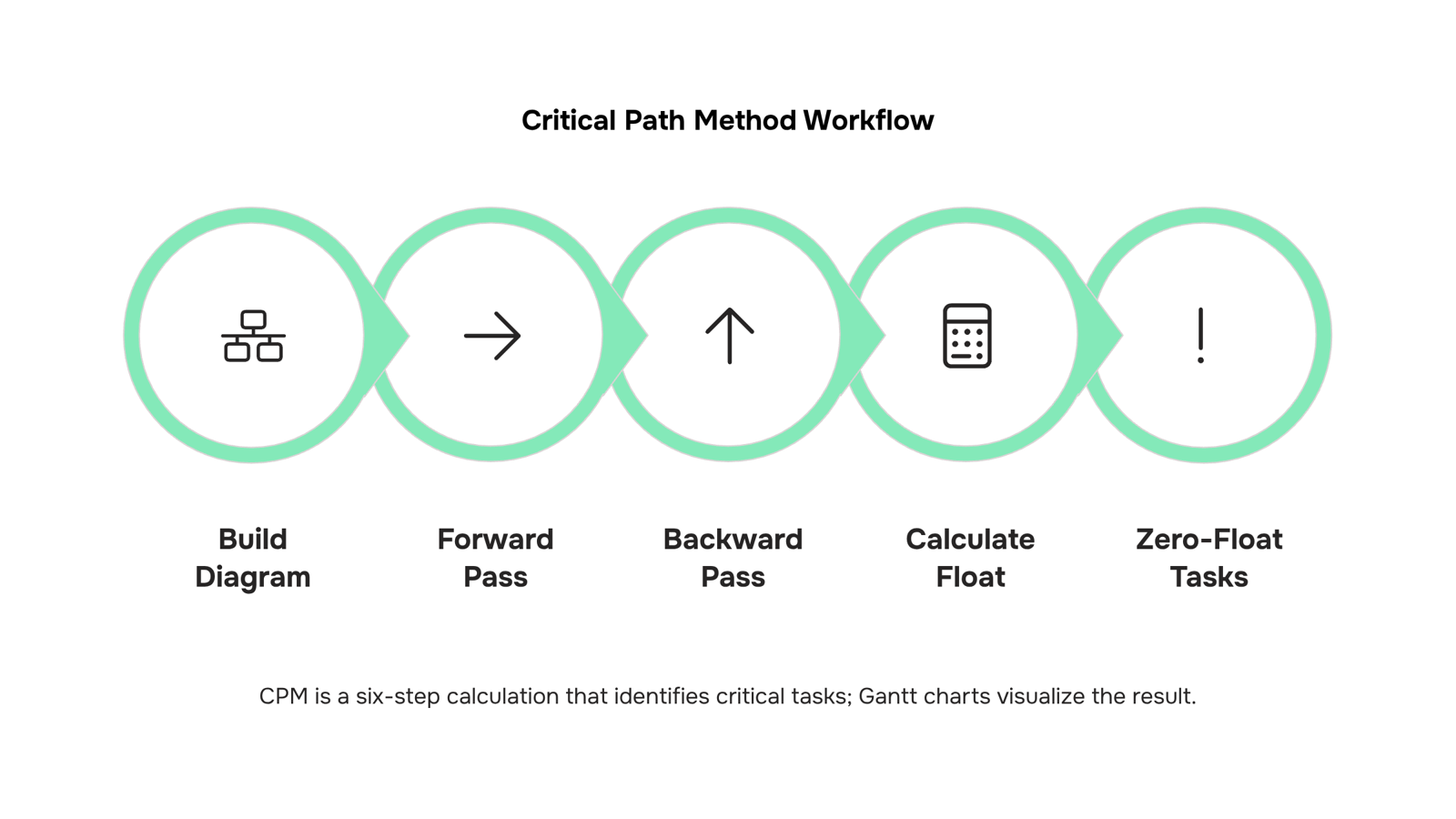
The Critical Path Method was developed by DuPont and Remington Rand in 1957 to schedule complex engineering projects. The core mechanics haven't changed: you build a network diagram, run two passes through it, then calculate float for every task.
The network diagram maps every task as a node, with arrows showing which tasks must finish before others can start. Before you draw a single Gantt bar, you need this diagram. It forces you to define all four dependency types between tasks — finish-to-start, start-to-start, finish-to-finish, and start-to-finish — rather than assuming a simple sequential chain.
Once the network is built, you run a forward pass: move left to right through the diagram, calculating the Earliest Start (ES) and Earliest Finish (EF) for each task. A task's ES equals the latest EF of all its predecessors. This gives you the shortest possible project duration.
Then run the backward pass: move right to left, starting from the project end date. Calculate the Latest Finish (LF) and Latest Start (LS) for each task without pushing the end date out. A task's LF equals the earliest LS of all its successors.
Float (sometimes called slack) is the difference: LF minus EF, or LS minus ES. A task with 5 days of float can slip 5 days without affecting the project end date. A task with zero float cannot slip at all.
Those zero-float tasks form the critical path. In a software delivery project with 80 to 120 tasks, typically 20 to 30 percent of them sit on the critical path — the rest have some room to move.
This is what you're visualizing when you highlight the critical path on a Gantt chart. Without running CPM first, you can't distinguish a delay that kills your deadline from one that doesn't. You can identify which stages are holding up critical path tasks only after you know which tasks have zero float.
For teams still deciding on tooling, choosing the right project planning tool for your IT team covers what to look for before you commit to a platform.
How to Map the Critical Path onto a Gantt Chart
Once you've run the forward and backward passes and calculated float for every task, you have everything you need to draw the critical path directly onto your Gantt chart. Here's how to do it cleanly.
Step 1: List every task and assign duration: Start with a complete task list before you open any charting tool. For a typical software delivery project, this means 30 to 80 discrete tasks depending on scope. Each task needs an owner, a start date, and a finish date.
Step 2: Define your gantt chart dependencies: Link tasks using the four standard dependency types: finish-to-start (most common), start-to-start, finish-to-finish, and start-to-finish. In a Gantt chart, these appear as arrows between task bars. Getting task dependencies in project planning right at this stage is what separates a schedule from a to-do list. A missed dependency here means your critical path calculation will be wrong before it starts.
Step 3: Calculate float for each task: Float equals Late Start minus Early Start (or Late Finish minus Early Finish — both give the same number). Any task with zero float is critical. A task with four days of float can slip four days without moving your end date.
Step 4: Highlight zero-float tasks: This is how to identify the critical path visually. In most Gantt tools, you can apply a distinct color (red is the convention) to every task bar where float equals zero. The resulting chain of red bars, running from project start to finish, is your critical path.
Step 5: Validate the chain is continuous: The critical path must run unbroken from the first task to the last. If you see a gap, a dependency is missing or a float calculation is off. Fix it before you share the schedule with stakeholders.
A concrete example: in a cloud migration project with 45 tasks, the critical path might run through only 12 of them — environment provisioning, data migration, cutover testing, and go-live sign-off. The other 33 tasks have float and can absorb delays without affecting the delivery date.
For a more detailed walkthrough, building a Gantt chart with a critical path in six steps covers the tooling side once your CPM inputs are ready.
What Breaks When You Skip the CPM Calculation
A Gantt chart without CPM is a timeline that looks organized but can't tell you what actually matters. Every task sits on the same visual plane, so when something slips, your team treats it as equally urgent — and that's where projects quietly fall apart.
The specific failure is this: without calculating float, you can't distinguish a task with three days of slack from one with zero. Both show up as red on a delayed Gantt. Teams end up firefighting the noisy task, not the one that shifts the end date. In IT projects, where a single blocked integration or missed environment handoff can cascade across a dozen dependent tasks, that confusion is expensive.
Skipping critical path method project management discipline also means dependency types get flattened. Finish-to-start, start-to-start, finish-to-finish — each carries different scheduling implications. When you link all four dependency types between tasks and run the forward and backward pass, you see which relationships are load-bearing. Without that step, your project scheduling techniques are essentially guesswork dressed up in bars and colors.
The downstream cost shows up in reviews: stakeholders ask why the deadline moved, and the honest answer is that no one knew which delays were critical. You can identify which stages are holding up critical path tasks only after you've run the calculation — not before, and not by eye.
Benefits of Using Gantt Charts and CPM Together
When you combine a Gantt chart and critical path method into one view, three things get measurably better for IT project managers.
Deadline predictability improves because you know which delays actually matter. A Gantt chart alone shows you that a task is late. CPM tells you whether that lateness shifts your release date or just eats into float. For a typical software delivery project with 30–50 interdependent tasks, that distinction is the difference between pulling developers off other work and doing nothing — and making the right call.
Resource prioritization sharpens around critical tasks. Once your critical path is visible on the Gantt timeline, you can direct senior engineers and limited infrastructure access toward the tasks with zero float. Tasks with two or three days of slack can wait. Without CPM, most teams treat a blocked QA environment the same as a blocked deployment pipeline — they shouldn't.
Float consumption becomes an early warning system. As tasks slip, their float shrinks. A Gantt chart that's wired to CPM logic shows you when a non-critical task is about to become critical, before it blows the deadline. That's the signal most teams miss when they manage task dependencies in project planning through a static spreadsheet.
For IT projects specifically, where infrastructure provisioning and third-party API integrations routinely create hard sequential dependencies, this combination gives you a scheduling system that responds to reality rather than the plan you wrote on day one.
Where Manual Dependency Tracking Breaks Down at Scale
CPM on a Gantt chart works well when your project fits on one screen. Somewhere around 15–20 tasks, manual dependency tracking starts producing errors that compound quietly until a deadline slips.
The core problem is float recalculation. When one task's duration changes, every downstream float value changes with it. On a 12-task chart, you can do that in your head. On a 60-task infrastructure migration with four dependency types between tasks — finish-to-start, start-to-start, finish-to-finish, start-to-finish — you can't. Teams either skip the recalculation or do it wrong, and both outcomes look identical until the project is already late.
Multi-team handoffs make this worse. When the network team finishes firewall configuration before the app team is ready to test, that float gets consumed silently. Nobody updates the Gantt. The critical path shifts, but the chart still shows the old one. Identifying which stages are holding up critical path tasks becomes guesswork rather than analysis.
Scope changes are the final breaking point. Adding three tasks mid-sprint requires re-running the full forward and backward pass to know whether the new work sits on the critical path or off it. Most teams don't do this. They add the tasks, assign owners, and hope.
Choosing the right project planning tool for your IT team matters most at this inflection point. Taro's dependency engine recalculates float automatically when durations or sequences change, so the critical path on your Gantt reflects reality rather than the last time someone had bandwidth to update it manually.
Closing
The critical path method and Gantt charts are not competing tools—they're sequential. CPM does the math; the Gantt chart makes the result visible and actionable to your team. Once you've calculated float and identified which tasks have zero slack, highlighting them on a Gantt transforms a timeline into a risk model.
The hard part isn't understanding the concept. It's keeping float calculations accurate as scope changes, dependencies shift, and tasks slip. Every time a task duration changes or a dependency moves, float recalculates across the entire chain—and manual recalculation is where most teams lose track. Start by asking yourself: when a task changes, does your team know instantly which critical path tasks are now at risk? If the answer is no, explore how a dependency engine that recalculates automatically and flags bottlenecks can remove that overhead.
FAQ
What is the difference between Gantt charts and critical path method?
CPM is a scheduling algorithm that calculates which tasks have zero float and will delay the project if they slip. A Gantt chart is a visualization format that displays tasks on a timeline. CPM identifies risk; Gantt charts make it visible.
How does the critical path method work with Gantt charts?
Run CPM first to calculate float for every task and identify zero-float tasks. Then render those results on a Gantt chart by highlighting critical path tasks in a distinct color so your team can see which delays actually matter.
Can I use Gantt charts to identify the critical path in project management?
A Gantt chart alone cannot identify the critical path. You must run CPM calculations first—forward pass, backward pass, float for each task. Once you have those results, you can visualize the critical path on a Gantt chart.
How do I create a Gantt chart that shows the critical path?
List all tasks with durations, define dependencies using the four standard types, calculate float for each task, highlight zero-float tasks in a distinct color, and validate the chain runs unbroken from start to finish.
What are the benefits of using Gantt charts and critical path method together?
You can distinguish delays that kill your deadline from those with slack, focus firefighting on tasks that actually matter, and surface dependency risks before they cascade. Your team acts on data, not guesses.
What happens to the critical path when a task's duration changes?
Float recalculates across all dependent tasks. A task that had slack may become critical, or a critical task may gain float. Without automatic recalculation, your critical path becomes stale and your schedule unreliable.
Do all project management tools calculate the critical path automatically?
No. Many tools display Gantt charts but don't run CPM calculations. Check whether your tool recalculates float and critical path when dependencies or durations change, or you'll be updating the critical path manually every time scope shifts.


 Elena Petrova11 September 2026


