TL;DR: Most 30 60 90 day plan templates give you boxes to fill in and nothing else. This one shows IT company owners how to build each phase around measurable outcomes, assign ownership before day one, and run check-ins that keep the plan from going stale by week two. You'll leave with a five-step build sequence you can use immediately.
What a 30 60 90 day plan actually is
A 30 60 90 day plan is a structured onboarding document that breaks a new hire's first three months into three distinct phases, each with its own focus and expected outputs.
The logic is deliberate:
Days 1–30 (learn): The new hire absorbs context, relationships, tools, and processes before making changes.
Days 31–60 (contribute): They apply what they've learned to real work, with increasing independence.
Days 61–90 (lead): They take ownership of outcomes, not just tasks, and start shaping how work gets done.
Most new hire 90 day plans fail not because they're too short, but because they're too vague. "Get up to speed" is not a milestone. A phase with no measurable output gives both the manager and the new hire no signal about whether onboarding is working.
Structure matters more than length here. A one-page 30 60 90 day plan template with clear goals per phase outperforms a ten-page document with generic bullet points. For IT roles specifically, where context-switching is constant and tool stacks are dense, that clarity is what separates a productive hire from a frustrated one.
The next section breaks down exactly what to include in each phase to make each milestone measurable.
What to include in each phase of the plan
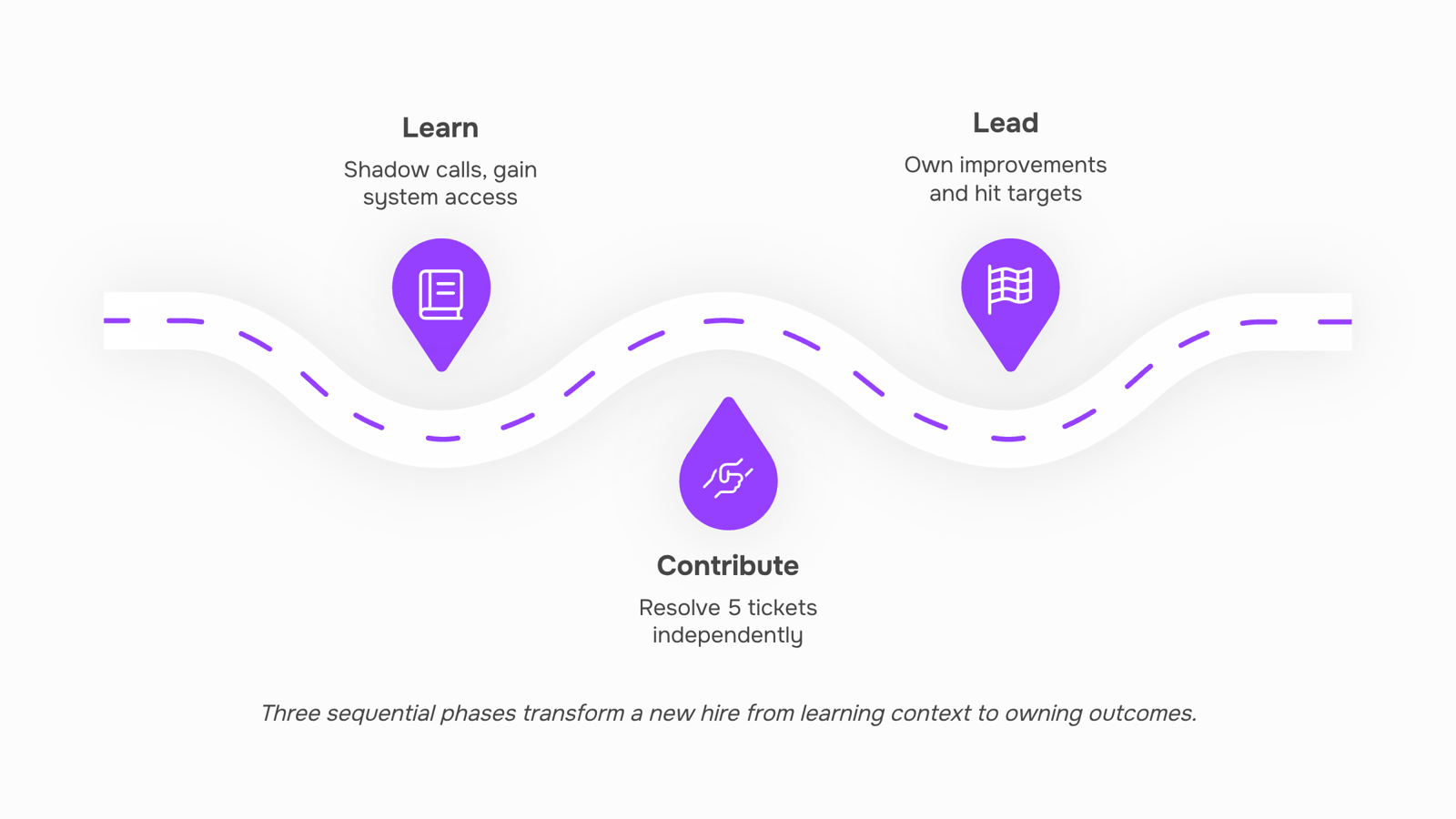
Each phase needs a different type of content because the new hire is doing a different type of work in each one.
Days 1–30: Learn
This block is your employee onboarding checklist in disguise. Include system access, tool walkthroughs, key stakeholder introductions, and documentation reviews. Set 3–5 learning objectives with a clear completion signal for each, for example, "shadow two client calls and summarize the escalation process." Avoid assigning deliverables here. The goal is context, not output.
Days 31–60: Contribute
The new hire now applies what they learned. Include 2–3 defined deliverables tied to real team work, such as owning a support ticket queue or shipping a small feature. Each deliverable needs an owner (the hire), a due date, and a success criterion. This is where most plans go vague, listing responsibilities without saying what "done" looks like. A SMART goals framework fixes that fast.
Days 61–90: Lead
This phase tests independent judgment. Include one initiative the hire owns end-to-end, a self-assessment against the day-30 and day-60 targets, and a forward-looking goal for the next quarter. For IT roles, this might mean proposing a process improvement or leading a sprint retrospective. The 90-day mark is also the natural checkpoint for measuring whether the plan actually worked.
What every phase needs
Regardless of the block, each section of a solid onboarding plan template should carry four things:
A primary goal stated in one sentence
2–4 specific tasks or milestones
A named success signal ("manager sign-off," "ticket closed," "demo delivered")
A check-in date so nothing drifts
When you define what to include in a 30 60 90 day plan at this level of detail, the new hire never has to guess what success looks like. That specificity is what separates a plan that gets used from one that gets filed.
How to build a 30 60 90 day plan for a new employee in 5 steps
Building this before the new hire's first day is the difference between a plan that guides and one that gets filed away. Here are five steps to get it done.
1. Define what "productive" looks like for this role
Start with the end state. Before you write a single milestone, write one sentence describing what a fully productive version of this hire looks like at 90 days. For an IT support engineer, that might be: "Resolves tier-2 tickets independently with a first-response time under 4 hours."
Everything in the plan flows from that sentence. Without it, you end up with vague goals like "get comfortable with the team" that no one can measure. Use a SMART goals framework for IT teams to pressure-test each milestone before it goes into the document.
2. Map goals to each phase, not just to the 90-day mark
Split your goals across three blocks: learn (days 1-30), contribute (days 31-60), and lead (days 61-90). Each block needs at least one measurable goal tied to a real work output, not just training completion.
For an IT onboarding plan template, the 30-day block might include completing a systems audit of three core tools the team uses. The 60-day block shifts to owning a small project. The 90-day block asks the hire to present a process improvement to their manager. Spreading goals this way prevents the common failure where the first month is all passive learning and the hire hits day 60 with no real ownership.
3. Assign an owner to every milestone
Each goal in a new hire 90 day plan needs one name next to it, not "team" or "HR." If a milestone has no owner, it will slip. For a network infrastructure hire, that means the hiring manager owns the technical environment walkthrough in week one, not IT operations generally.
This is where most onboarding plan templates break down. They list activities without accountability. Taro's smart task creation can turn a milestone sentence directly into an assigned task with a due date, which removes the manual step of re-entering plan items into your project tracker.
4. Schedule check-ins before the plan starts
Set the 30-day, 60-day, and 90-day review meetings on the calendar before the hire's first day. If you wait until week three to schedule the first check-in, it signals that the plan is optional. A 30-minute structured check-in at each milestone is enough. Prepare two questions in advance: what is going well, and what is blocking progress.
5. Share the plan with the hire before day one
Send the completed 30 60 90 day plan for new employee onboarding at least 48 hours before the start date. This gives the hire time to read it, flag questions, and arrive with context rather than anxiety.
A plan the hire sees for the first time on Monday morning is a plan that loses a week of momentum. Once they have reviewed it, tracking how each milestone lands tells you whether the goals were calibrated correctly or need adjusting before the 60-day mark.
A free 30 60 90 day plan template you can use today
Copy the table below into any doc, spreadsheet, or task tool. Fill in the owner and check-in date columns before the new hire's first day — that's the step most managers skip.
Phase | Goal type | Example goal (IT role) | Owner | Check-in date |
|---|
Days 1–30 | Learn | Shadow three client calls; complete security onboarding checklist | Manager | Day 30 |
Days 1–30 | Admin | Access provisioned for all core systems | IT lead | Day 7 |
Days 31–60 | Contribute | Resolve five support tickets independently | New hire | Day 60 |
Days 31–60 | Relationship | 1:1 scheduled with each team lead | New hire | Day 45 |
Days 61–90 | Own | Lead one internal process improvement proposal | New hire | Day 90 |
Days 61–90 | Measure | Hit response-time SLA target for 80% of assigned tickets | Manager | Day 90 |
A few things make this 30 60 90 day plan template actually work. First, every goal in the "contribute" and "own" rows needs a number attached — "resolve five tickets" beats "handle support work." Second, the owner column forces accountability before confusion starts. Third, the check-in dates turn this from a static document into a working employee onboarding checklist.
For goals that need tighter criteria, a SMART goals framework gives you a repeatable test for each row.
Mistakes that make a 30 60 90 day plan impossible to run
Three failure modes kill most 30 60 90 day plans before the 30 days are even up.
Vague goals. "Get up to speed" is not a goal. A goal for a new employee's first phase looks like: "Complete security onboarding training and submit first client ticket by day 30." If you can't measure it, you can't manage it.
No check-in cadence. A plan without scheduled reviews is a wish list. Block a 15-minute sync at day 30, 60, and 90 before the hire's first week ends. If you're unsure what to review at each stage, tracking the right signals early makes those conversations faster and more honest.
The plan lives in one document nobody reopens. This is the most common one. A PDF shared on day one and never touched again doesn't drive accountability. It just creates the illusion of structure.
Fix all three before you build, not after a new hire has already disengaged.
A static document stops working the moment the kickoff meeting ends. Nobody revisits it, deadlines drift, and the new hire's first 90 days quietly lose structure.
Moving your onboarding plan template into a task management tool fixes this. Each milestone becomes an assigned task with an owner, a due date, and a priority level. The plan is no longer a file someone has to remember to open.
Taro handles this through task templates with trigger-based execution. When a new hire 90 day plan is activated, Taro creates the full task sequence automatically: day-one setup items, 30-day check-in prompts, 60-day deliverable reviews. Each task fires at the right time without manual setup. Ownership confusion, one of the three failure modes covered above, disappears because every milestone has a named owner from day one.
If you want a starting point for structuring those milestones, building an effective work plan for your team covers the underlying logic before you map tasks to phases.
The plan stays active because the tool keeps it alive.
Closing
A 30 60 90 day plan only works if it moves from your doc into your team's daily workflow. The moment you finish building it, convert each milestone into a live task with a named owner and a due date—that's what keeps the plan from becoming a document no one checks after week one. Use Taro's smart task creation to turn your completed plan into an assigned task list your new hire can act on from day one, so the structure you built actually shapes how work gets done.
FAQ
How do I create a 30 60 90 day plan for a new employee?
Start with one sentence describing what productive looks like at 90 days, then split measurable goals across three phases: learn (days 1–30), contribute (days 31–60), and lead (days 61–90). Assign an owner to every milestone and schedule check-ins before day one.
What should be included in a 30 60 90 day plan template?
Each phase needs a primary goal, 2–4 specific tasks, a named success signal, and a check-in date. Days 1–30 focus on learning context; days 31–60 on real deliverables; days 61–90 on independent ownership.
Can I use a 30 60 90 day plan template for career development?
Yes. The same structure—measurable phases, clear ownership, and scheduled check-ins—works for internal promotions or skill development. Adjust the goals to reflect growth targets instead of onboarding outputs.
Where can I find a free 30 60 90 day plan template?
A free template is included in this article as a table. Copy it into any doc, spreadsheet, or task tool, then fill in the owner and check-in date columns before the new hire's first day.
How long should a 30 60 90 day plan be?
One page with clear goals per phase outperforms a ten-page document with generic bullet points. Keep it scannable so the new hire and manager both reference it regularly.
Who writes the 30 60 90 day plan, the manager or the new hire?
The manager builds the plan before the hire's first day to set clear expectations. Share it 48 hours early so the hire can review it, flag questions, and arrive with context.


 Elena Petrova15 September 2026


