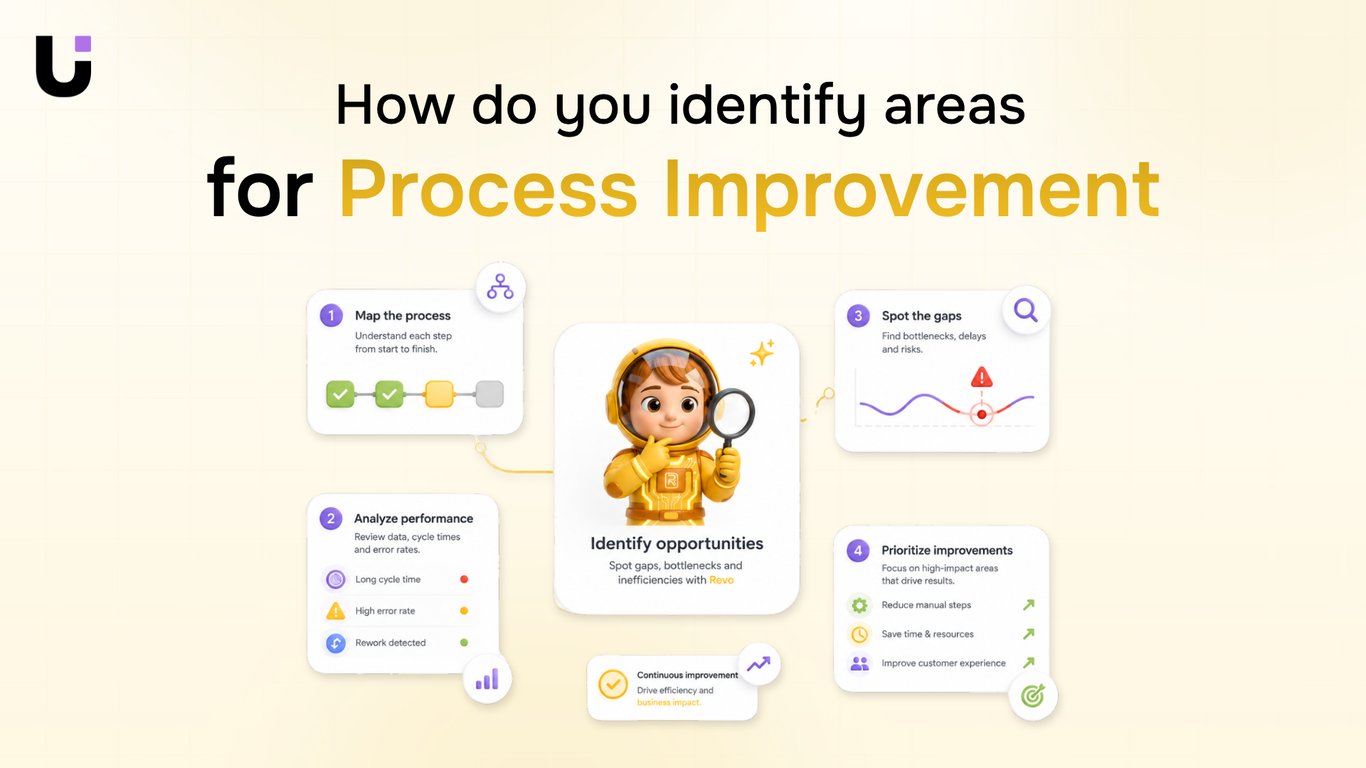
TL;DR: Most definitions of process improvement hand you a methodology name and assume you already know which process to fix. This one focuses on the step that comes first: how IT company owners identify which workflows are actually broken, costing time, or creating risk before committing to any change. You'll leave with a diagnostic framework you can run against your own operations this week.
What Process Improvement Actually Means
Business process improvement is the structured cycle of identifying a specific workflow that underperforms, changing one or more variables, and measuring whether the outcome actually improved. That last part, measuring, is what separates it from a one-off fix.
Most definitions stop at "making processes better." That framing skips the diagnostic step: how do you know which process to touch, and how will you know the change worked? Without that, you're guessing.
A working definition looks like this: pick one workflow, map the process before you change it, set a baseline metric, change something specific, then compare. The cycle repeats. It doesn't end.
That's the part most content gets wrong. Business process improvement isn't a project with a close date. It's an operating rhythm. A process you "fixed" in Q1 can degrade by Q3 if volume increases, team composition shifts, or a tool changes behavior.
Understanding how process improvement fits inside broader business process operations helps here — improvement is one function within a larger system, not the whole system.
Before you choose a methodology or a tool, you need this definition locked in. The next section covers the two failure modes that trip up teams who skip it.
Why Most Process Improvement Efforts Stall Before They Start
Two failure modes kill most process improvement efforts before any real work begins.
The first is skipping documentation. Teams jump straight to fixing a problem they haven't fully mapped. Without a written record of how the current process actually runs — not how it's supposed to run — you have no baseline. You can't measure whether the change worked, and you can't isolate what caused any improvement you do see. This is one of the most common process improvement mistakes, and it's almost always framed as "saving time" when it's actually just avoiding the uncomfortable work of observation.
The second is changing too many variables at once. A team redesigns the handoff, switches the tool, and retrains the staff in the same sprint. When something breaks (or improves), no one knows why. Good process improvement steps isolate one variable per cycle. That's not a methodology preference — it's basic cause-and-effect logic.
Both failures share the same root cause: treating process improvement as a one-time project rather than a repeatable diagnostic cycle. When it's a project, there's pressure to move fast and show results. When it's a cycle, you build in the documentation and measurement that make each iteration cleaner than the last.
Improving business processes through management requires the same discipline — clarity on what you're changing and why, before you touch anything.
The next step is knowing which process to fix first.
How to Identify Which Processes Actually Need Improving
Start with the symptom, not the label. A process worth fixing usually announces itself in one of three ways: the same task gets handed off manually more than twice before it's done, errors cluster at the same step every cycle, or one workflow consistently takes longer than comparable ones with no clear reason why.
Those three signals are your diagnostic filter for business process analysis. Run through your current workflows and ask: where do people re-enter data that already exists somewhere else? Where do approvals stall waiting on a single person? Where does your team rebuild the same checklist from scratch each sprint? Each "yes" is a candidate.
Process mapping before you change anything is the step most teams skip. You cannot reliably identify areas for process improvement from memory or assumption. A simple swimlane diagram, even a rough one in Miro or Lucidchart, forces you to name every handoff, every decision point, and every system involved. That's where the real bottlenecks surface, not in the meeting where everyone describes how the process is supposed to work.
Once you have the map, prioritize by two variables: frequency and cost. A broken process that runs daily at ten people's desks costs more than a broken process that runs monthly for two. Multiply how often the process runs by the rough time lost per cycle. The highest number on that list is where you start.
For IT company owners specifically, the usual culprits are ticket escalation paths, client onboarding handoffs, and recurring billing or reporting workflows. These run often, involve multiple people, and almost always contain at least one manual step that could be automated.
Business process modeling takes this one step further by letting you simulate changes before you commit to them, which matters when the process touches revenue or client delivery.
How Project Templates Support Process Improvement Cycles
Without a consistent structure, each improvement cycle starts from scratch. Someone rebuilds the sprint board, rewrites the task checklist, and re-explains the review cadence. That's not process improvement — that's process repetition with extra steps.
Project templates solve this by giving your team a fixed container for each cycle. A sprint planning template, for example, pre-loads the standard phases: backlog review, task assignment, daily check-in structure, retrospective. Your team fills in the specifics; the framework stays constant. Over multiple cycles, that consistency is what lets you compare results — you can't measure improvement if the measurement container changes every time.
The practical setup is straightforward. Before you map the process before you change it, build a template that captures the process improvement steps you'll run every cycle: define the problem, assign owners, set a completion deadline, log the outcome. Attach that template to every improvement initiative, not just the big ones.
Where this pays off most is in recurring workflows — onboarding, client handoffs, monthly audits. These run often enough that a one-time template investment compounds quickly. A team running four improvement cycles per quarter with a shared template generates a comparison dataset in three months that an ad-hoc team couldn't produce in a year.
Taro project templates are built specifically for this: repeatable workflow containers your team can clone, assign, and track without rebuilding the structure each time.
When to Redesign a Process vs. When to Automate It
The rule is simple: automate a clean process, not a broken one. If your workflow has unclear ownership, inconsistent inputs, or steps that exist because "we've always done it that way," adding workflow automation on top locks in the dysfunction at machine speed.
Before you decide, ask two diagnostic questions. First, does the process produce a consistent output when a skilled person runs it manually? If the answer varies by who's doing it, the logic is broken. Fix the logic first. Second, is the failure point a human doing repetitive work, or a human making judgment calls? Repetitive work is a candidate for process automation. Judgment calls are not, at least not yet.
A practical way to draw the line:
Redesign first when you see: steps with no clear owner, frequent exception handling, outputs that require manual correction downstream, or handoffs that rely on someone remembering to act
Automate first when you see: a stable process that runs correctly but consumes time, rules-based decisions with no edge cases, and data moving between systems by copy-paste
For a deeper look at how to identify areas for improvement in business process analysis before you reach for an automation tool, that diagnostic step is worth doing in writing, not in your head.
One concrete signal that redesign is needed: if your team spends more time handling exceptions than running the normal path, the process definition is the problem. Business process improvement starts with getting that ratio below 20% before automation enters the conversation.
How to Measure Whether the Improvement Worked
Three numbers tell you whether a process change actually held: cycle time, error rate, and handoff count.
Cycle time is how long the process takes from trigger to completion. Measure it before the change, then again two to four weeks after. If the number dropped and stayed down, the fix worked. If it crept back up, something upstream is still broken.
Error rate tracks how often the process produces a wrong output — a misconfigured ticket, a missed approval, a billing entry with the wrong client. Even a 20% reduction in errors compounds quickly across business process operations when the process runs dozens of times a week.
Handoff count is underused in process improvement measurement. Count how many times work changes hands before it closes. Fewer handoffs usually means less delay and less context loss. If your redesign didn't reduce handoffs, revisit how process improvement fits inside broader business process operations to check whether the redesign addressed the right bottleneck.
Set a baseline before you change anything. Without it, you're comparing a feeling to another feeling. Run the process at least 20 times post-change before drawing conclusions — small sample sizes produce misleading signals.
If all three metrics improve and hold, the process is a reasonable candidate for deciding which processes are ready to automate.
The Shortest Path from Identified Problem to Running Fix
Here is the sequence, compressed to what actually moves a fix from whiteboard to running:
Document the current state: Write down every step, owner, and handoff before you change anything. Map the process before you change it — skipping this is why most redesigns break something upstream.
Diagnose the bottleneck: Use cycle time, error rate, and handoff count (covered in the previous section) to pinpoint where work stalls. Model the process to surface where work actually stalls.
Redesign the step, not the whole system: Change one variable at a time.
Test on a small scope: One team, one week.
Automate what held: Deciding which processes are ready for workflow automation before you build saves hours of rework.
These process improvement steps fit inside a single sprint, not a six-month transformation.
Closing
Process improvement starts with diagnosis, not solutions. You've now got a framework to spot which workflows are actually costing you time and money, how to map them before touching anything, and the discipline to change one variable at a time so you know what worked. The next move is simple: pick one process from your list, map it this week, and set a baseline metric. Once the process is clean and documented, the manual steps that remain are the ones worth automating — Revo handles that layer by connecting the tools your team already uses and running the repeatable parts without human intervention. The pivot is evidence-based: you've just identified a broken process and now have a decision rule for when automation applies.
FAQ
How can project templates help with process improvement?
Templates create a consistent container for each improvement cycle, letting you compare results across multiple iterations. Without them, teams rebuild the structure every time and lose the data needed to measure progress.
What is the difference between process improvement and process automation?
Process improvement fixes the workflow itself—removing steps, clarifying ownership, reducing handoffs. Automation runs a clean process without human intervention. Always improve first; automate only after the process is working well.
How do you identify which business process needs improving first?
Look for processes with manual handoffs repeated more than twice, errors clustering at the same step, or unexplained delays. Prioritize by frequency and cost—daily processes affecting many people come first.
What are the most common reasons process improvement projects fail?
Skipping documentation of the current process and changing too many variables at once. Without a baseline map and isolated changes, you can't measure what actually worked or why.
How do you measure whether a process improvement actually worked?
Set a baseline metric before you change anything, make one specific change, then compare the new metric to the baseline. Document both the change and the result so you can repeat what works.
Can you improve a process without disrupting the team's current work?
Yes—map the process during normal work, test changes on a small subset first, and roll out gradually. The disruption comes from poorly planned changes, not from improvement itself.


 Elena Petrova15 September 2026


