TL;DR: Most guides on invoice and contract software treat the two as separate problems. For IT company owners, the real issue is what happens between a signed contract and a collected payment — that gap is where revenue stalls. This playbook shows you how to close it with a connected workflow, not two tools running in parallel.
What Invoice and Contract Software Actually Does
Most IT service businesses treat contracts and invoices as separate problems. One lives in a folder, the other in a spreadsheet, and someone manually bridges the gap between "signed" and "billed." That gap is where revenue gets delayed.
Invoice and contract software closes that gap by treating the two as a single workflow. A contract agreement defines the scope, payment terms, and milestones. The invoice is the financial output of that agreement. When the software connects them, a signed contract can trigger an invoice automatically, without anyone copying line items from one tool into another.
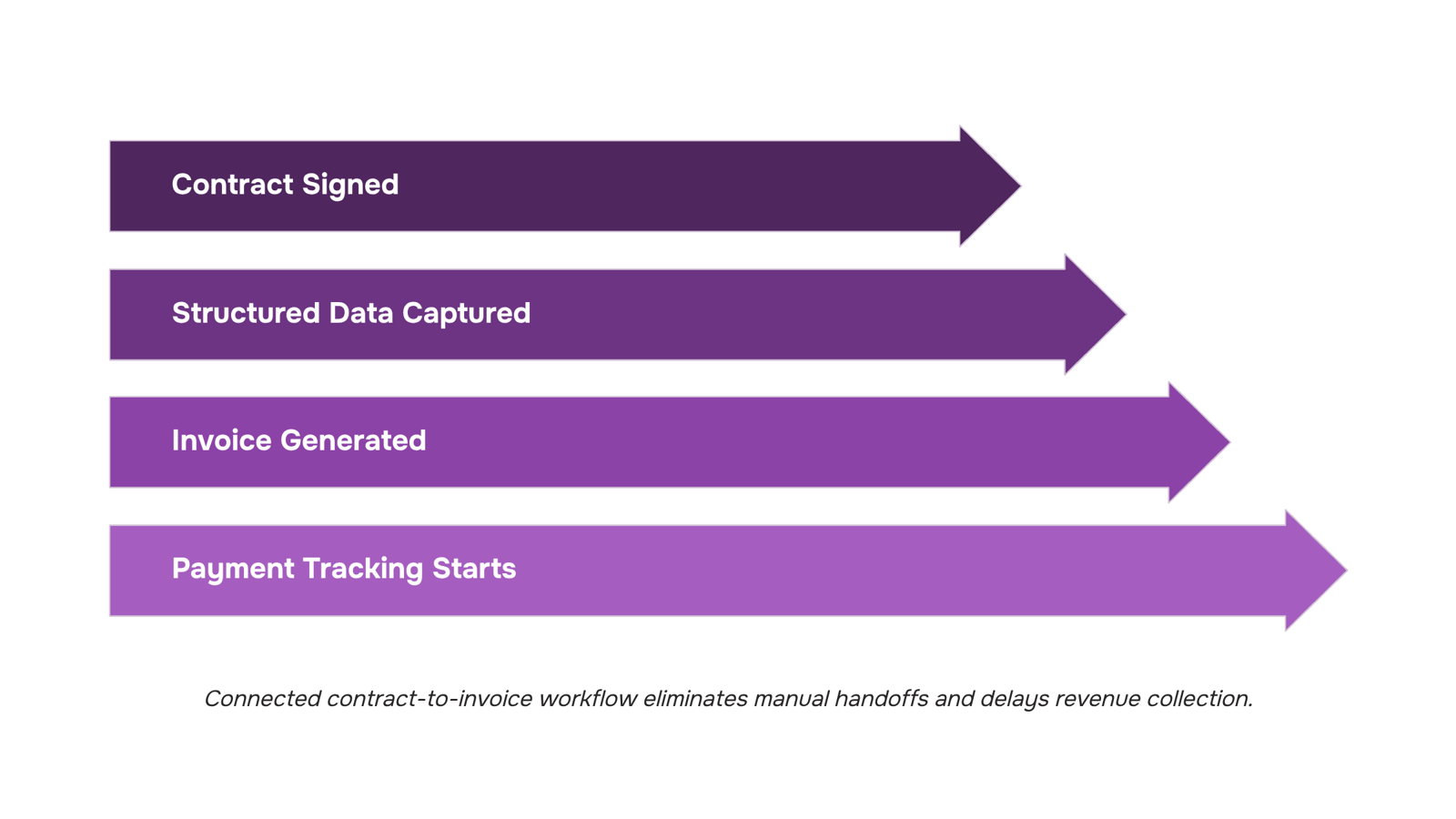
In practice, this means the workflow looks like: client signs, invoice generates, payment tracking starts. No manual handoff. No "I forgot to send the invoice" two weeks after project kickoff.
For IT company owners specifically, this matters because service contracts often have milestone-based billing, retainer schedules, or change orders that make invoice management genuinely complex. A tool that handles only invoices forces you to reconcile contract terms manually every billing cycle. A tool that handles only contracts leaves the billing side to a separate system.
Inzo handles both sides through its integration with Revo, where a completed document signing event triggers automated invoice creation directly. If you're evaluating options, this guide to invoice software for independent contractors covers the baseline features worth comparing.
Essential Elements Every Contract Must Include
A client contract that can't feed your invoicing workflow is just a PDF sitting in a folder. For IT service businesses, the gap between a signed agreement and a sent invoice is often where revenue slips — not because the work wasn't done, but because the contract didn't define the triggers.
Every contract agreement your team signs should include these elements:
Scope of work: Specific deliverables, not broad descriptions. "Configure and deploy three cloud environments" beats "cloud services." Vague scope creates manual invoicing decisions every billing cycle.
Payment milestones: Tie each milestone to a deliverable or date. A contract that says "50% on project kickoff, 50% on go-live" gives your invoicing tool a clear trigger.
Payment terms: Net 15, Net 30, or on-receipt — defined upfront. This feeds directly into invoice tracking and overdue calculations.
Late payment clauses: A stated penalty (1.5% per month is common in IT services) changes client behavior and protects your AR.
Change order process: Scope creep is the most common reason invoices don't match contracts. Define how changes get approved and priced before work starts.
Governing law and dispute terms: One clause, two sentences. Skipping it creates ambiguity if a payment dispute escalates.
For a full picture of what belongs in a properly structured invoice once the contract is signed, that's worth reviewing alongside this list.
The next section shows how these contract elements — specifically milestones and payment terms — determine whether your invoice and contract software can automate billing or requires manual intervention each time.
How to Create a Contract Agreement That Triggers Clean Invoicing
The structure of a contract agreement determines whether your invoicing runs on autopilot or requires manual intervention every billing cycle.
Three contract decisions have the most direct impact on automated invoice creation:
Payment milestones over open-ended billing: Contracts that define specific deliverables tied to payment amounts give your invoicing system something concrete to act on. "50% due at project kickoff, 50% due at deployment" can trigger an invoice automatically. "Payment due upon completion" cannot, because completion has no defined signal.
Explicit scope boundaries: Vague scope language forces someone to interpret whether a deliverable is done before an invoice goes out. When scope is written as a checklist of discrete outputs, project completion becomes a binary event your tools can detect.
Net terms stated at the document level: Net-30 or Net-15 terms embedded in the contract mean every invoice generated from that agreement inherits the correct due date automatically. Without this, someone sets the due date manually each time, and invoice management practices built for IT service businesses consistently flag manual due-date entry as a top source of payment delays.
Once these three elements are in place, the contract becomes machine-readable in a practical sense. Inzo can generate invoices from project completion events via its Taro integration, and from CRM deal stages via Lio, so the signed contract feeds directly into your billing queue without a manual handoff.
For reference on what the invoice itself should contain once it's generated, what belongs in a properly structured invoice covers the required fields that keep payments moving.
The Difference Between a Contract and an Agreement — and Why It Matters for Billing
A contract is a legally enforceable document: offer, acceptance, consideration, and mutual intent to be bound. An agreement is broader — it can be informal, verbal, or written without all those elements, which means it may not hold up when a client disputes an invoice.
For IT owners, that distinction has direct billing consequences. A signed contract with defined payment milestones gives you the legal standing to pursue a breach of contract claim if a client delays or refuses payment. A loose agreement — even one confirmed over email — often doesn't. Courts and collections agencies both want a signed document with clear payment terms before they act.
The enforceability gap also affects invoice tracking. When payment terms live in a contract, every invoice ties back to a specific obligation. When they live in an email thread or a verbal understanding, there's nothing to reference when a dispute surfaces.
This is where Inzo closes the loop: once a contract is signed, billing triggers automatically against the milestones defined in that document, so your invoice tracking reflects actual contractual obligations rather than manual reminders.
If you want to know what belongs in that contract to make this work, the key elements of a business agreement contract are worth reviewing before you finalize your template.
How to Negotiate a Contract Without Undermining Your Invoice Terms
Most IT owners treat contract negotiation and invoice terms as separate conversations. That's where the billing problems start.
The three concessions that most consistently break invoicing later:
Vague scope language: "Additional support as needed" sounds reasonable at signing. When you build your invoice around a fixed deliverable and the client points to that clause, you're billing for work you can't document.
Flexible payment terms without triggers: Agreeing to "net-60 upon client approval" hands the client a delay mechanism. Your invoice management practices built for IT service businesses should define what "approval" means before the contract is signed, not after.
Milestone definitions that don't match invoice line items: If your contract says "Phase 2 complete" but your invoice lists five sub-tasks, a client can dispute the invoice by disputing the milestone.
The fix is to draft invoice structure before you negotiate contract language. Know what belongs in a properly structured invoice first, then make sure every contract clause maps to a billable line item.
This is where automated invoice creation pays off: when contract milestones trigger invoices directly, the scope, amount, and timing are locked in at signing. There's no gap between what was agreed and what gets billed.
What Happens When a Contract Is Breached — and How Software Protects You
A breach of contract happens when one party fails to deliver what the signed agreement required — missed deliverables, unpaid invoices, or scope violations. For IT service businesses, disputes usually come down to one question: what did both parties actually agree to, and when?
That's where invoice and contract software earns its keep. A platform with a proper audit trail gives you timestamped records of every contract version, every invoice sent, and every payment received. When a client disputes a charge, you're not reconstructing events from memory or scattered email threads. You pull the signed document, the invoice status history, and the delivery confirmation — all from one place.
The core contract elements that matter most in a dispute are scope, payment terms, and acceptance criteria. If those were vague at signing, no software fixes that. But if they were clear, a signed digital record with a tamper-proof log is often enough to resolve the dispute without escalating to legal.
Good invoice tracking also shows exactly when an invoice was opened, when payment was due, and whether any partial payments were made — detail that matters in a late-payment dispute. Pair that with structured invoice records and you have a paper trail that holds up.
Closing the Gap: Automating the Contract-to-Invoice Workflow
Most IT service businesses sign a contract, then manually recreate the same project scope, billing terms, and client details inside a separate invoicing tool. That gap — between signed agreement and first invoice sent — is where billing delays happen and revenue slips.
The fix is a direct trigger: when a contract is signed, the invoice generates automatically.
Here's how that works inside WorksBuddy. Sigi handles the contract and captures the signature event. Revo picks up that trigger and passes the structured data — client name, scope, payment terms, due date — directly to Inzo. Inzo creates the invoice without anyone touching a keyboard. If your project data lives in Taro, the same trigger fires on project completion instead. If the deal originated in your CRM via Lio, connecting CRM deal data to invoice generation means the invoice reflects the original deal terms, not a manually re-entered approximation.
The practical result: your first invoice goes out the same day the contract is signed, not three to five days later when someone finally gets to it.
For IT service businesses specifically, this matters because contracts often define milestone-based billing. Each milestone completion in Taro can trigger its own invoice in Inzo automatically — no manual check-ins, no missed billing cycles. You can review invoice management practices built for IT service businesses to see how this fits a broader billing workflow, or check what belongs in a properly structured invoice before configuring your first automated template.
This is what invoice and contract software should actually do: remove the manual handoff entirely.
Closing
The contract-to-invoice workflow is only as strong as the handoff between signing and billing. When a contract defines clear milestones and payment terms, your invoicing software can turn that signed document into a sent invoice without manual intervention. The real win isn't having two tools — it's having them talk to each other so revenue doesn't stall in the gap. Start by auditing your current contract template: do your payment milestones and scope language give an invoicing system something concrete to act on, or do they require interpretation every billing cycle? If you're still copying line items from contracts into invoices by hand, that's the bottleneck worth fixing first. See how Inzo closes that loop inside WorksBuddy.
FAQ
How do I create a contract agreement?
Start with scope of work, payment milestones tied to deliverables, explicit payment terms (Net 15/30), and a change order process. Use a template that mirrors your invoicing structure so signed contracts feed directly into billing without manual translation.
What is the difference between a contract and an agreement?
A contract is legally enforceable with offer, acceptance, and mutual intent to be bound. An agreement can be informal or verbal. For billing, contracts give you legal standing to pursue payment disputes; agreements often don't hold up in collections.
How do I negotiate a contract?
Protect your invoice terms by resisting vague scope language, flexible payment terms without triggers, and open-ended retainer clauses. Push back on 'net-60 upon approval' — tie payment to deliverable completion instead, so invoicing can automate.
What are the consequences of breaching a contract?
A breached contract can result in legal liability, unpaid invoices, and damage to client relationships. For IT owners, breach often stems from scope creep — the reason a change order process in your contract matters.
Can invoice software automatically generate invoices from a signed contract?
Yes, if the contract defines specific payment milestones and deliverables. Inzo generates invoices from project completion events and CRM deal stages, so a signed contract with clear triggers feeds directly into billing without manual handoff.
What should IT companies look for in invoice and contract software?
Look for tools that connect contracts and invoices as a single workflow, not separate systems. Your software should auto-generate invoices from milestone completion or deal stages, inherit payment terms from the contract, and track overdue payments against contractual obligations.


 Natalie Brooks14 September 2026


