TL;DR: Most articles on free email templates hand you a swipe file and leave the strategy to you. This one gives IT company owners seven copy-ready sales outreach templates, with a breakdown of what makes each one convert, how to personalize without losing the structure, and how to turn a single template into a repeatable sequence your team can run without manual effort.
What makes a sales outreach email template worth using
Professional laptop displaying organized email template on clean corporate desk workspaceA good sales outreach email template does one thing: it gets a reply. Not opens, not clicks — a reply from the right person.
Most free email templates fail that test because they're written to look complete, not to perform. They have a subject line, a body, a sign-off. But the structure doesn't match the moment. A cold outreach email and a post-call recap serve completely different psychological states, and a template that ignores that distinction will underperform regardless of how polished it looks.
The filter worth applying to any template you evaluate comes down to four things:
Specificity of the opening line : Generic openers ("I hope this finds you well") signal a mass send. High-performing templates leave a visible gap for a personalized first line.
One clear ask : Templates that end with two questions or a vague "let me know your thoughts" split the reader's attention. One ask, one action.
Render reliability : According to Litmus, Apple Mail, Gmail, and Outlook together account for the majority of email client usage — a template with heavy HTML formatting may break for a significant portion of your list.
Length discipline : Under 150 words for cold outreach. More is not more.
The seven sales outreach email templates in the next section are built against these criteria.
7 free email templates for sales outreach
Seven templates follow. Each one is ready to copy, but the brief rationale under each explains the structural choice so you can adapt it without breaking what makes it work.
Template 1: Cold outreach (first touch)
Use when: You're reaching out to a prospect who has never heard of you.
Subject: Quick question about [their company's] sales process
Hi [First Name], I noticed [specific trigger: recent funding, new hire, product launch]. We help IT companies like [Company] reduce lead response time without adding headcount. Worth a 15-minute call this week?
[Your name]
Why it works: The subject line signals relevance, not a pitch. The body is three sentences. Cold email templates that run longer than 75 words see sharply lower reply rates, so every word here earns its place.
Template 2: Follow-up (no reply)
Use when: You sent Template 1 and heard nothing after 3 to 5 business days.
Subject: Re: Quick question about [their company's] sales process
Hi [First Name], just bumping this up in case it got buried. Still happy to share how we've helped similar IT teams cut follow-up time in half. If timing is off, let me know and I'll reach back out next quarter.
[Your name]
Why it works: Threading the reply keeps context visible. The exit offer ("reach back out next quarter") reduces friction and often triggers a response from prospects who weren't ready the first time. For more on structuring follow-up sequences, see what makes a good sales follow-up email template.
Template 3: Referral introduction
Use when: A mutual contact has agreed to make an introduction.
Subject: [Mutual contact] suggested I reach out
Hi [First Name], [Mutual Contact] mentioned you're looking at ways to improve your team's lead response speed. That's exactly what we help with. Would you be open to a short call this week?
Why it works: The referral name goes in the subject line, not the body. That's the detail most free email templates miss. It's what gets the open.
Template 4: Re-engagement (cold lead)
Use when: A prospect went quiet after initial interest, 30 or more days ago.
Subject: Still relevant for [Company]?
Hi [First Name], we spoke briefly back in [month]. Things may have changed since then. If improving lead management is still on your radar, I'd love to reconnect. If not, no worries at all.
Why it works: The "no worries" close signals low pressure and consistently improves reply rates on re-engagement sends.
Template 5: Demo request confirmation
Use when: A prospect has agreed to a demo and you're sending the calendar invite.
Subject: Your demo with [Your Company] — [Date, Time]
Hi [First Name], looking forward to our call on [date]. I'll walk you through how [specific feature relevant to their pain point] works in practice. If anything changes, here's my calendar link to reschedule: [link].
Why it works: Naming one specific feature sets expectations and reduces no-show rates. Generic "excited to show you everything" confirmations do neither.
Template 6: Proposal send
Use when: You're attaching or linking a formal proposal.
Subject: Proposal for [Company] — [Your Company]
Hi [First Name], attached is the proposal we discussed. The pricing on page 3 reflects the scope we agreed on. I'm available [two specific times] if you have questions before [decision date].
Why it works: Anchoring to a page number and a decision date moves the conversation forward without pressure.
Template 7: Post-call recap
Use when: You've just finished a discovery or demo call.
Subject: Notes from today's call + next steps
Hi [First Name], here's what we covered: [bullet 1], [bullet 2], [bullet 3]. Next step: [specific action, owner, date]. Let me know if I missed anything.
Why it works: Sending this within two hours of the call, while the conversation is still fresh, keeps deals from stalling in the "thinking it over" phase.
If you want to personalise these at scale without reformatting each one manually, Lio's HTML Email Template Builder lets you set variable fields, lock the structure, and push sends directly from your lead queue.
Where to find free email templates for marketing and outreach
Four sources cover most of what sales teams actually need.
Gmail's built-in template library (Settings > Advanced > Templates) : Lets you save and reuse up to 50 drafts directly in your inbox. No download required. If your team lives in Gmail, this is the fastest starting point for free email templates for Gmail — no third-party tool, no formatting risk.
HubSpot's free template collection : Offers downloadable HTML files organized by use case: cold outreach, follow-up, and re-engagement. The HTML versions matter because they render consistently across Outlook, Gmail, and Apple Mail, which together account for the majority of business email opens. A template that looks clean in Gmail can break badly in Outlook if the HTML isn't tested.
Mailchimp's free plan : Includes a drag-and-drop editor with pre-built layouts you can export. Good for teams that want visual formatting without writing HTML.
Google Docs : Is underrated for free email templates download. Store your seven core templates in a shared doc, version-control them, and copy-paste into any client. Simple, zero cost, works across tools.
If you want templates that live inside your CRM and auto-populate contact fields, Lio's HTML Email Template Builder handles that without a separate download step.
How to customize a free template to fit your brand
A free template gives you structure. What makes it work for your specific pipeline is the four changes you make before hitting send.
Sender name and tone : Match your template's voice to how you actually talk to prospects. A formal "Dear [First Name]" reads cold in a conversational sequence; swap it for a first-name opener that fits your brand.
Value proposition line : The generic placeholder ("we help companies grow revenue") won't convert. Replace it with one specific outcome your best customers see, tied to the prospect's industry. For sales outreach email templates, this single line carries more weight than the rest of the body.
CTA : One action, specific and low-friction. "Book a 15-minute call this week" outperforms "let me know if you're interested" every time.
Signature : Include your title, a direct phone number, and one social proof signal (a client name or a result). Skip the logo stack.
Personalization tokens speed this up without breaking the template's structure. Tokens like {{company_name}} or {{pain_point}} let you customize at scale across a sequence. Evox's template builder lets you build and store your templates in one place, with tokens that populate automatically when a sequence runs.
Once you've customized the copy, check how it renders. That's covered in the next section.
Are free email templates compatible with all email clients
Most free email templates are built in HTML, and HTML renders differently depending on the client reading it. Litmus data shows Gmail, Apple Mail, and Outlook together account for the majority of email opens worldwide — and each one handles CSS and layout rules differently.
Three formatting issues break templates most often:
Outlook : Ignores CSS shorthand properties and strips certain fonts, which collapses multi-column layouts into a single unreadable block
Apple Mail : Scales images aggressively on mobile, pushing your CTA button off-screen
Gmail : Clips emails over roughly 102KB and hides everything below the fold, including your call to action
Before sending any free email template, preview it in all three clients. Most template providers include a preview tool; if yours does not, Litmus and Email on Acid both offer free trials.
For free email templates in Gmail specifically, also check that your template sits under Gmail's clipping threshold and uses inline CSS rather than a <style> block. Gmail strips external stylesheets entirely.
Saving and organizing templates in Gmail covers the setup steps if you store templates directly inside your inbox.
How to move from one template to a full outreach sequence
A single email closes almost no B2B deals. Most prospects need multiple touchpoints before they respond, which means the real work starts after you hit send the first time.
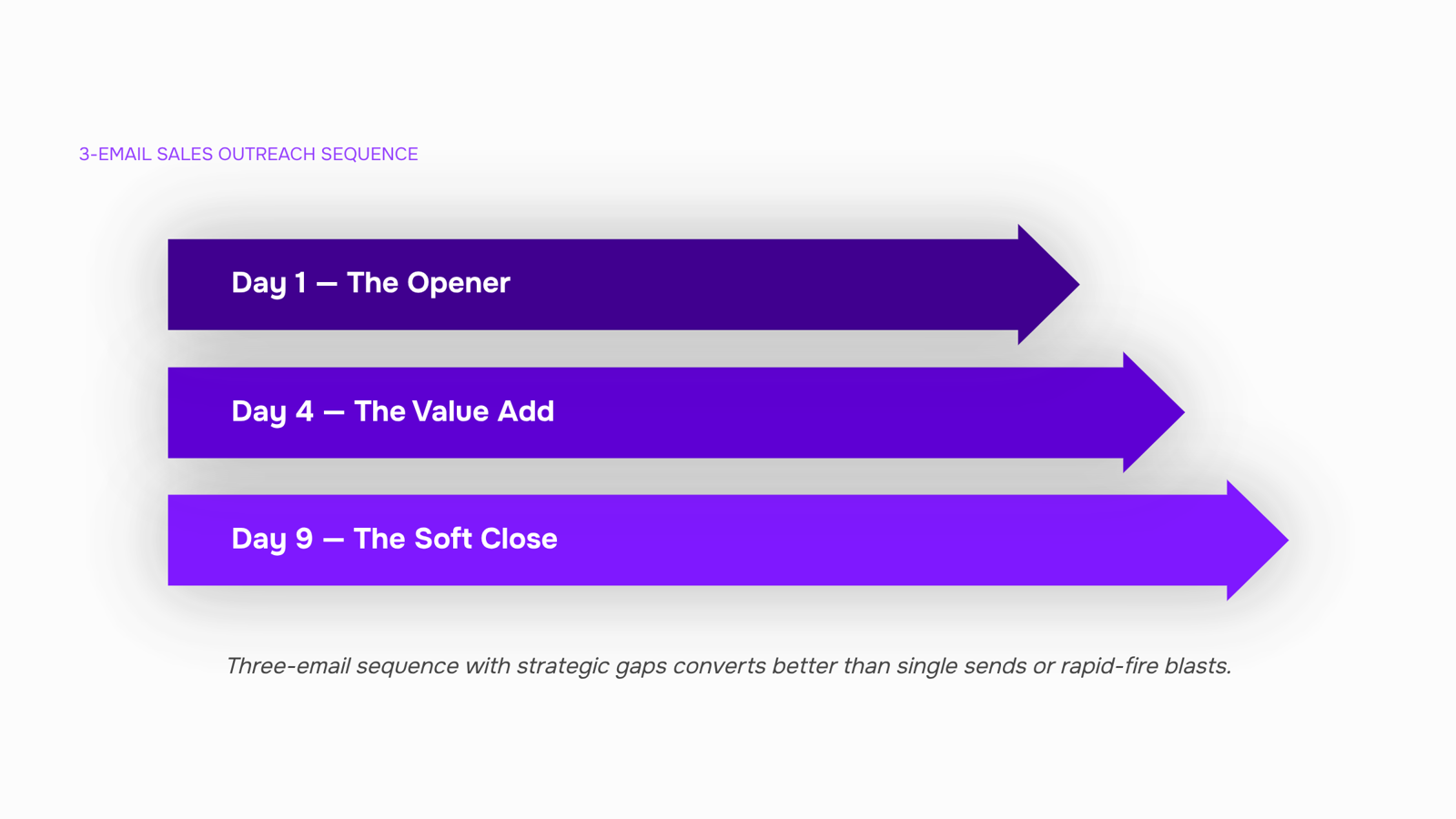
Here is a three-email sequence that works for most IT sales outreach:
Day 1 — The opener : Use a short, problem-led template (six to eight lines). Reference a specific pain point, not a generic pitch. This is where your cold email templates with proven subject lines do the heavy lifting.
Day 4 — The value add : Don't repeat the opener. Share one concrete proof point: a result, a case study snippet, or a relevant stat. Keep it under 100 words.
Day 9 — The soft close. Ask one direct question. "Is this worth a 20-minute call this week?" works better than restating your offer.
The gap between each email matters as much as the copy. Too fast reads as spam; too slow loses the thread.
If you are managing more than ten active prospects, scheduling this manually breaks down fast. Storing and sequencing your sales outreach email templates in one place keeps the cadence consistent without the manual tracking.
Closing
The seven templates above work because they match the moment: cold outreach looks different from a demo confirmation, and a template that ignores that distinction will underperform regardless of polish. The real leverage comes when you stop copying and pasting them manually and start running them as sequences. Once your team has tested which templates convert, the next step is to automate the sends based on prospect behavior — no more manual follow-ups, no more templates scattered across a shared doc. Evox turns a single template into a repeatable sequence that triggers based on actions your prospects take, so your team can focus on conversations instead of logistics. Ready to move beyond copy-paste?
FAQ
What are the best free email templates for sales outreach?
The best templates match the moment: cold outreach, follow-up, referral intro, re-engagement, demo confirmation, proposal send, and post-call recap. Each one has a single clear ask, under 150 words, and a personalization gap that signals it's not a mass send.
Where can I find free email templates for marketing campaigns?
Gmail's built-in template library (Settings > Advanced > Templates), HubSpot's free collection, Mailchimp's drag-and-drop editor, and Google Docs all offer ready-to-use templates. Gmail and Google Docs are fastest for teams already in those tools.
What are some popular free email template providers?
HubSpot, Mailchimp, and Gmail offer free templates. HubSpot's HTML versions render consistently across Outlook, Gmail, and Apple Mail. Mailchimp includes a visual editor; Gmail offers 50 saved drafts directly in your inbox.
How do I customize free email templates to fit my brand?
Match sender name and tone to how you actually talk, add a personalized opening line specific to the prospect, swap generic details for real company or product names, and test subject lines against your historical open rates before rolling out to your list.
Are free email templates compatible with all email clients?
Not always. Apple Mail, Gmail, and Outlook account for the majority of opens; heavy HTML formatting can break in Outlook. HubSpot's tested HTML templates and Gmail's plain-text templates render reliably across all three.


 Elena Petrova15 September 2026


