TL;DR: Most billing and invoicing guides stop at "send invoices promptly" and leave you to figure out the rest. This one maps each best practice to a specific cash flow outcome for IT company owners, shows exactly where project-based billing breaks down, and ties every step to an automation trigger your team can configure today.
What billing and invoicing actually means
Professional 3D rendering of organized billing workspace with digital invoice display and financial documents
Billing is the process of recording what a client owes. An invoice is the document that communicates it. Most IT companies treat them as the same thing, and that confusion is where payment delays start.
Here's the practical difference: billing happens inside your systems, tracking hours logged, milestones hit, or licenses delivered. Invoicing is what the client sees, a formal request for payment with terms, line items, and a due date. If your internal records and your client-facing documents don't match, you get disputes. Disputes push out your days sales outstanding, sometimes by weeks.
For IT companies specifically, this gap widens because project data lives in one tool, time logs in another, and invoices get assembled manually in a spreadsheet. An educational billing and invoicing system closes that gap by pulling project data directly into invoice generation, so what you tracked is exactly what you billed.
Understanding what goes into a well-structured invoice is the first step. The next is recognizing where your current process breaks down before it costs you a payment cycle.
Why billing and invoicing breaks down for IT companies
Four failure points show up repeatedly in IT billing, and most teams are living with at least two of them.
Disconnected project data is the first. When your project hours sit in one tool and your invoices get built in a spreadsheet, billable time gets missed or estimated. That gap directly inflates your days sales outstanding (DSO) because disputes stall payment while both sides dig for records.
Inconsistent invoice formats come next. If different team members send invoices with different line-item structures, clients push back. Knowing what goes into a well-structured invoice before you standardize saves that back-and-forth.
No follow-up system is the third. Most IT teams send an invoice and wait. Without automated reminders tied to due dates, overdue balances pile up quietly until someone notices at month-end.
Unclear payment terms close the list. Net-30 buried in a PDF footer is not the same as terms your client acknowledged before the project started. When terms are ambiguous, clients treat payment timing as optional.
These four problems compound each other. The right billing and invoicing software connects project data to invoice creation, enforces a consistent format, and automates follow-up so none of these gaps survive past the first billing cycle.
The difference between billing and invoicing
Most teams use "billing" and "invoicing" interchangeably. That habit costs IT companies real money.
An invoice is a formal payment request sent after work is delivered or a milestone is reached. It specifies line items, quantities, rates, and a due date. A billing statement summarizes a running account balance, typically for ongoing or subscription-based engagements. For a deeper breakdown, see what distinguishes an invoice from a billing statement.
The practical difference matters most when timing is wrong. Sending a billing statement to a client who expects a project invoice creates disputes that delay payment by weeks, not days.
Dimension | Invoice | Billing statement |
|---|
When to send | After delivery or milestone | End of billing cycle |
What it contains | Line items, rates, due date | Running balance, credits, charges |
Client action required | Pay by due date | Review and reconcile |
Wrong-document risk | Disputed scope, delayed approval | Missed charges, revenue leakage |
For IT teams specifically, the wrong document at the wrong stage of a project is one of the four failure points that stall cash flow before a framework can fix them.
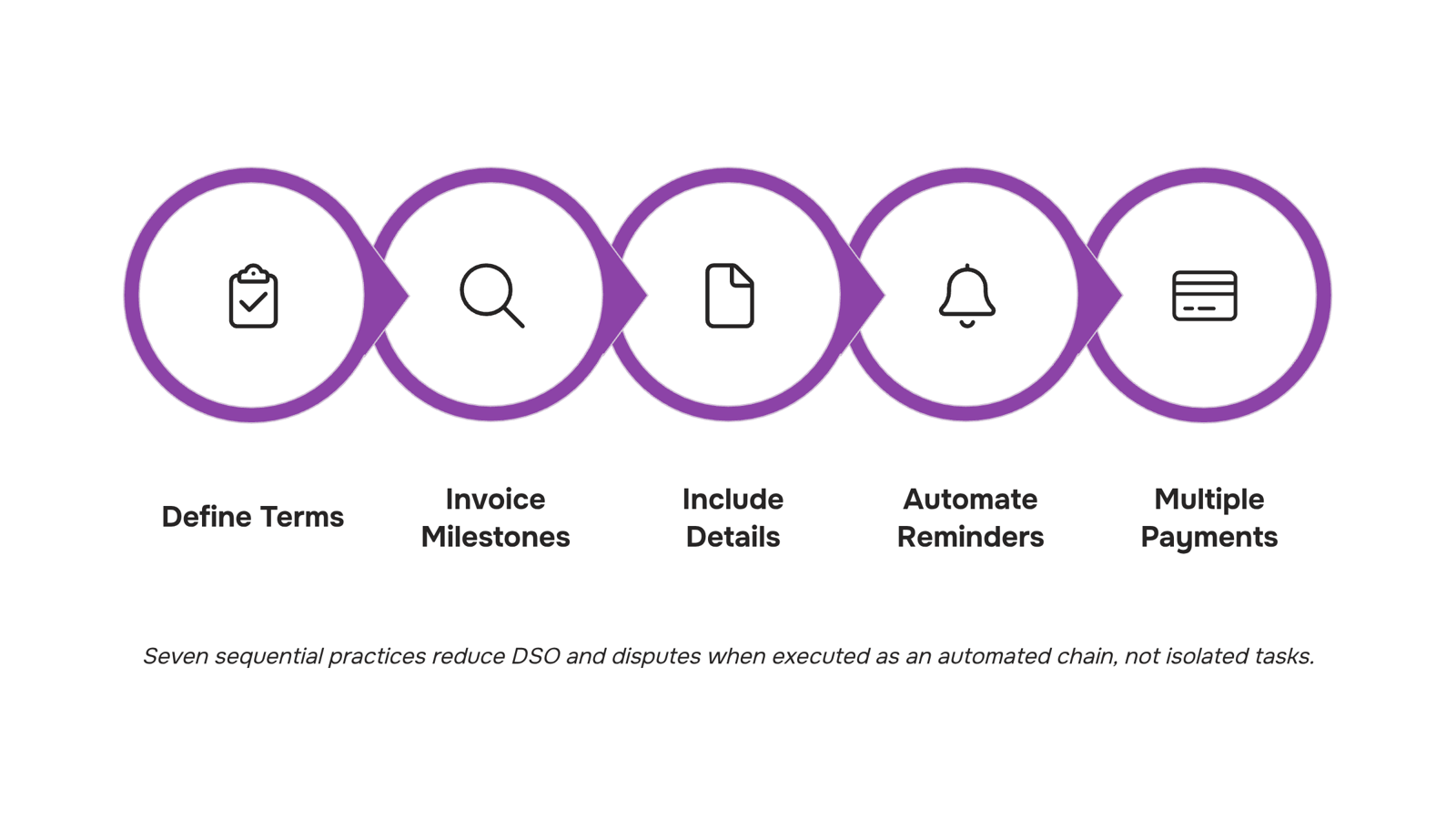
7 best practices for billing and invoicing customers
Seven practices, each tied to a specific outcome your cash flow will feel.
1. Define payment terms before the project starts
Put net-30 (or net-15 for smaller engagements) in the signed contract, not just on the invoice. When terms appear only on the invoice, clients treat them as suggestions. For an IT managed services company, this means your SLA agreement and your payment schedule should be one document, or at least cross-referenced. Disputes drop when both parties confirm terms before work begins.
2. Send invoices immediately after a milestone, not at month-end
Batch invoicing at month-end extends your days sales outstanding (DSO) by weeks. For project-based IT work, tie invoice triggers to deliverables: code deployment, server migration complete, phase sign-off. A client who just received working software is far more likely to approve payment than one receiving a bill 30 days later for work they've already moved past.
3. Include every detail a client needs to approve without a back-and-forth
What goes into a well-structured invoice matters more than most teams realize. Line items should map to the project scope your client approved: "Security audit, Phase 2" beats "Consulting services." Add the PO number if your client's finance team requires one. Missing a single required field is the most common reason IT invoices get held in accounts payable for an extra billing cycle.
4. Automate reminders at fixed intervals
A reminder sent at day 7, day 14, and day 28 after the due date recovers more revenue than a single follow-up call. Manual tracking of who owes what across 20 active clients is where billing and invoicing falls apart. Automate invoice creation and tracking so reminders go out on schedule without anyone on your team manually checking a spreadsheet.
5. Offer at least two payment methods
ACH, credit card, and bank transfer each suit different client finance teams. Limiting clients to one method adds 5 to 10 days to average payment time for no reason. For IT companies billing enterprise clients, ACH is standard. For SMB clients, card-on-file with autopay cuts your collection effort to near zero.
6. Track DSO and dispute rate as operational metrics, not finance metrics
If your average DSO creeps above 45 days, the problem is usually upstream: vague invoice descriptions, missing PO numbers, or invoices sent to the wrong contact. Dispute rate above 5% points to a scope documentation problem, not a client problem. Review both numbers monthly. Invoicing best practices for B2B businesses covers how to build this review into a regular cadence.
7. Centralize billing data with your project and time-tracking records
The most expensive billing errors come from disconnected systems: time logged in one tool, invoices built in another, project scope tracked in a third. When those three live in separate places, hours get missed and clients get billed for work that doesn't match their records. Managing invoices online is easier when your billing data pulls directly from completed tasks and logged hours.
Taro connects project work, time logs, and billing in one place, so the invoice you send reflects exactly what was delivered. No manual reconciliation, no missed line items.
If you're evaluating what to look for in billing and invoicing software, start with whether it closes the gap between project completion and invoice generation. That gap is where most IT companies lose money.
How to streamline your billing and invoicing process
The seven practices only compound when they run in sequence, not in parallel silos. Map them as a chain: project milestone closes in your work management tool, which triggers invoice generation, routes it for approval, delivers it to the client, and logs the payment against the original scope. Every handoff that stays manual adds a day or two to your days sales outstanding.
Online billing and invoicing software handles the connective tissue most IT teams currently patch together with spreadsheets and calendar reminders. The specific wins are:
Milestone-to-invoice triggers that fire without a PM remembering to send something
Approval routing that timestamps every review, so disputes have a clear audit trail
Auto-reminders at day 7, 14, and 30 past due, without a manual follow-up queue
If you want the underlying document structure right before wiring up software for billing and invoicing, start with what goes into a well-structured invoice. Getting the fields correct once means every automated invoice downstream is correct by default.
Yes, one tool can handle both, but only if it connects project data to payment records without manual re-entry.
Most billing and invoicing software pulls financial data from a separate system, which means someone on your team is copying hours, milestones, or change orders by hand. That's where errors and delays enter.
A unified tool closes that gap. When your project tracker feeds directly into your invoicing workflow, approved work becomes a billable line item automatically. Inzo does this by linking to Taro's task and time data, so invoices reflect actual project output rather than a snapshot from last week's export.
If you're evaluating best billing and invoicing software, including free billing and invoicing software options, prioritize tools that connect work execution to payment, not just tools that format invoices.
Common billing and invoicing mistakes to fix first
Four mistakes show up repeatedly in IT billing and invoicing, and each one has a measurable cost.
Vague line items ("consulting services - $4,200") trigger client disputes and slow approvals. A well-structured invoice names the deliverable, hours, and rate separately.
No late payment policy means clients treat your terms as optional. State net-30 or net-15 on every document, with a penalty clause.
Manual follow-up only stretches days sales outstanding and creates gaps that compound across a portfolio of projects. Automating invoice creation and tracking removes that gap entirely.
Mismatched billing cycles between project milestones and invoice dates create reconciliation headaches on both sides.
Fix these before applying any broader framework.
Closing
The seven practices work—but only if your team actually follows them consistently. That's where most IT companies hit a wall: billing lives in spreadsheets, project data lives elsewhere, and someone ends up chasing invoices manually every month. Inzo connects your invoices directly to projects and deals inside WorksBuddy, so reminders go out on schedule, DSO drops without effort, and your team stops being the billing department. See how it works and run through a live example with your own data.
FAQ
What is the difference between billing and invoicing?
An invoice is a formal payment request sent after delivery with line items and a due date. A billing statement summarizes a running account balance, typically for ongoing engagements. Sending the wrong document at the wrong time delays payment by weeks.
What are the best practices for billing and invoicing customers?
Define payment terms before the project starts, send invoices immediately after milestones, include every detail needed for approval, automate reminders at day 7, 14, and 28, offer multiple payment methods, track DSO and dispute rate monthly, and centralize billing data with project records.
How can I streamline my billing and invoicing processes?
Disconnect your systems and invoices get built manually, hours get missed, and disputes pile up. Connect project data directly to invoice generation so what you tracked is exactly what you billed, and automate reminders so payment doesn't depend on someone chasing spreadsheets.
Can I use a single software for both billing and invoicing?
Yes. A unified billing and invoicing platform pulls project hours, milestones, and scope directly into invoice generation, eliminating the manual assembly that causes missed billable time and client disputes.
What should every invoice include to avoid payment disputes?
Line items mapped to approved project scope (not generic descriptions), the client's PO number if required, clear payment terms, and the due date. Missing a single required field is the most common reason IT invoices get held in accounts payable for an extra cycle.


 Siddharth Rao15 September 2026


