TL;DR: Most articles on project tools describe features. This one shows IT company owners exactly how Taro handles the moments where projects actually break down: missed handoffs, untracked time, stalled sprints, and billing gaps. Six real use cases, each mapped to a specific failure point your team has probably already hit.
Most IT teams aren't missing deadlines because they lack tools. They're missing them because they have too many.
The average IT project team juggles separate platforms for task tracking, communication, time logging, and billing. Each handoff between tools creates a gap where context gets lost, updates go unseen, and hours go unbilled. A developer marks a task done in the Kanban board. The project manager doesn't see it until the standup. The client invoice goes out three days late, or not at all.
This is the tool sprawl problem, and it's specific to IT owners in a way most project management content never addresses. You're not running a single linear project. You're managing overlapping client engagements, shifting priorities, and a team that's context-switching constantly. Generic task tracking for IT teams advice assumes you have one source of truth. Most IT shops have four.
The result: deadlines slip not because the work wasn't done, but because no one had clear visibility into what was blocked, who owned what, or what "done" actually meant for that task.
If you've tried to plan and execute IT projects without missing deadlines and still hit the same wall, the problem isn't your process. It's that your tools don't talk to each other, and neither does your data.
What Taro is and where it fits in your stack
Taro is the work execution hub inside WorksBuddy where IT project teams track tasks, manage dependencies, and keep client work moving without chasing status updates manually.
Think of it as the operational center of your stack. It handles task dependencies, priorities, and status tracking, maintains a project hierarchy with budgets, approval workflows, and milestones, and surfaces workload reports and risk alerts across your team before a deadline slips. It also shows you exactly where work is stalling so you can act on a real signal, not a gut feeling.
Where Taro earns its place as AI project management software is in how it connects to the rest of WorksBuddy. Revo triggers automations the moment a task status changes in Taro, so a completed deliverable can kick off a billing event in Inzo, route a new lead to Lio, or fire a follow-up sequence in Evox. No manual handoff required.
The six use cases that follow all start here. Once you see how Taro chains to the other agents, the scenarios stop looking like isolated features and start looking like a system.
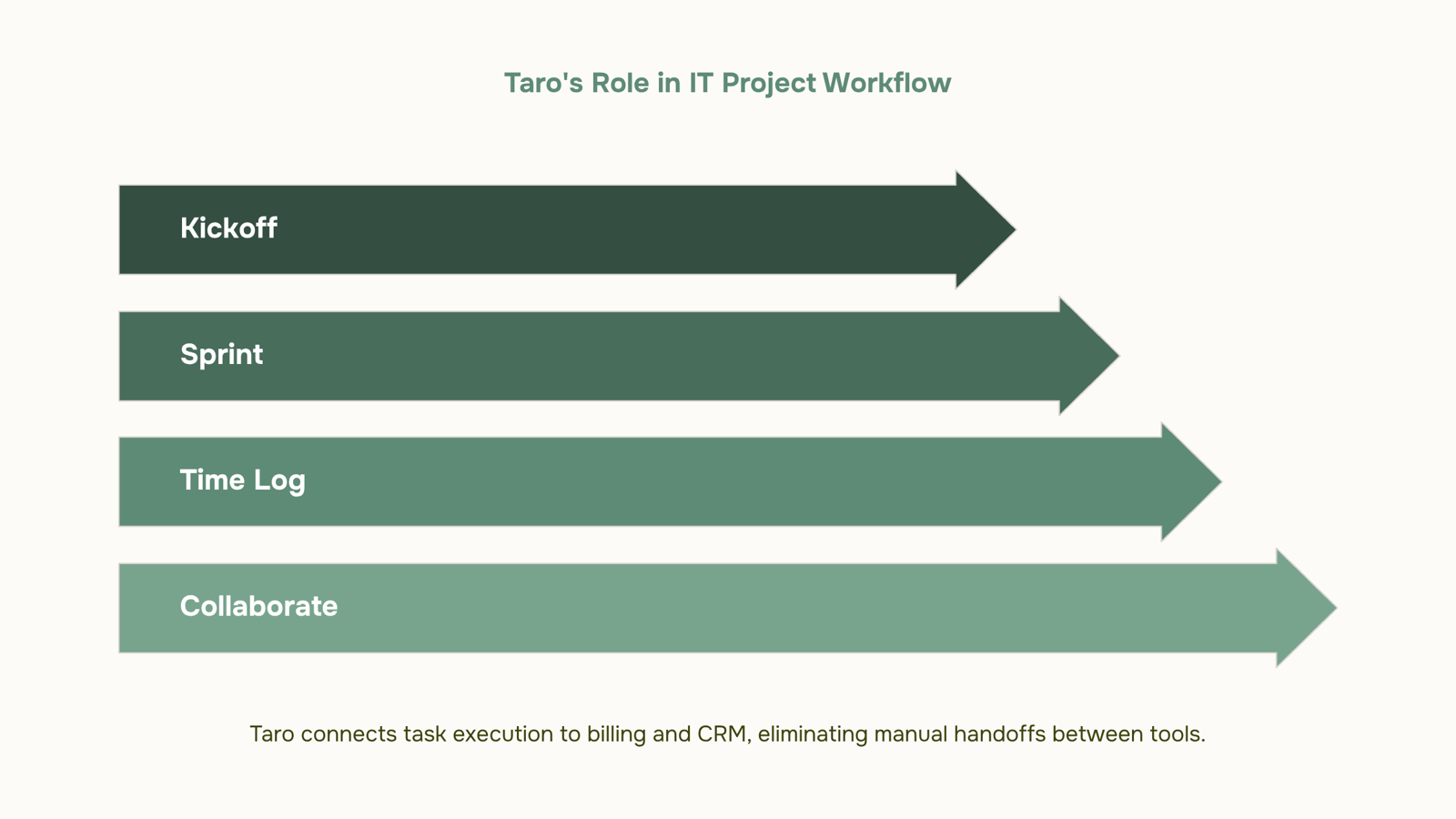
Use case 1: Plan a client project from kickoff to delivery
A client brief lands in your inbox. It's three paragraphs, a rough deadline, and a list of deliverables that will definitely change. Getting from that to a structured project plan typically takes a few hours of copy-pasting into spreadsheets, a Slack thread to confirm who owns what, and at least one meeting that could have been a task list.
With Taro, that process compresses to minutes.
Type the brief into Taro's natural language input and it generates a full project hierarchy with budgets, approval workflows, and milestones automatically. Phases, deliverables, subtasks. You review, adjust, and confirm. No manual scaffolding.
From there, task dependencies, priorities, and status tracking are set in the same view. If the design phase has to finish before development starts, you wire that dependency once. Taro enforces it throughout the project. When something slips, downstream tasks shift and the right people get notified, without you chasing anyone.
For a typical 8-week client project, this means your kickoff call ends with a fully structured plan already in the system, not a promise to send one later. Owners are assigned. Milestones are dated. Budget thresholds are visible.
This is where Taro functions as an AI project management software rather than a task list. It doesn't just store work. It structures it based on context, then tracks it against real constraints.
If you want to see what happens after kickoff, how Taro identifies exactly where work is stalling covers the sprint execution side, which is where most client projects actually fall apart.
Use case 2: Run sprints and catch risk before it hits
Most sprint failures aren't surprises. The signals were there two weeks earlier: a task sitting in "In Progress" for six days, one engineer assigned to nine items, a dependency that nobody updated after scope changed. The problem isn't the deadline. It's that nobody saw the pattern until it was too late.
Taro's bottleneck analysis runs continuously during an active sprint. When a task stalls past its expected duration, or when a team member's workload crosses a threshold that historically precedes missed delivery, Taro surfaces a risk alert before the deadline is in danger. You're not waiting for a Friday standup to find out the backend integration slipped. You see it Tuesday morning.
Here's what that looks like in practice. A five-person IT team is mid-sprint on a client portal build. Two tasks are blocked on a third that's been idle for four days. Taro flags the dependency chain, shows how Taro identifies exactly where work is stalling, and highlights the one engineer who owns all three items. The project lead reassigns one task, unblocks the chain, and the sprint finishes on time.
The same dashboard that surfaces risk also gives you workload reports and risk alerts across your team, so you're not context-switching between a Kanban board, a spreadsheet, and a Slack thread to get a clear picture.
For IT teams using task dependencies, priorities, and status tracking as a sprint planning tool, this is where task tracking for IT teams moves from reactive to genuinely preventive. You stop managing crises and start preventing them.
Use case 3: Track time and close the billing gap
Billing leaks in IT services rarely come from bad work. They come from the gap between hours logged and hours invoiced.
Taro closes that gap with two tracking modes. You can log time manually against any task, or run the built-in timer directly from the task card and stop it when you're done. Either way, the hours attach to the task, the project, and the client automatically. No separate timesheet app. No end-of-week reconstruction from memory.
Where most teams lose billable hours is in the handoff: someone exports a CSV, re-enters totals into an invoice tool, and introduces errors or forgets line items entirely. Taro's integration with Inzo removes that step. Once hours are logged, Inzo can pull them directly into a client invoice without manual re-entry. The trigger is automatic: task marked complete, hours confirmed, invoice generated.
This matters most on retainer or time-and-materials projects, where a missed hour across ten tasks adds up fast. Taro's workload reports and risk alerts across your team also show you which projects are running over estimate before the month closes, so you can have the scope conversation with a client before the invoice lands.
The broader point: Taro functions as a work execution hub where task completion and billing stay connected by design. You're not bouncing between a project board, a time tracker, and an invoicing tool. The data flows in one direction, automatically, and your billing reflects what your team actually delivered.
Use case 4: Collaborate without the noise
Scattered Slack threads, email chains with "see attached v3_FINAL," and a separate ticketing system for bugs — most IT teams are managing the same project across four different surfaces. That's where context gets lost and work stalls.
Task tracking for IT teams in Taro keeps every conversation anchored to the work itself. Comments live inside the task. File versions attach directly to the relevant deliverable. Role-based permissions mean your client sees the progress update, not the internal thread where your team flagged the scope risk.
The activity log matters more than most teams expect. When a deadline slips or a decision gets questioned, you don't reconstruct the timeline from memory — you open the log and see exactly who changed what, and when. That's bottleneck analysis without a separate audit process.
For project management use cases involving external stakeholders — client reviews, vendor approvals, third-party integrations — role-based access lets you share exactly the right slice of context without exposing internal notes or budget figures tied to your project hierarchy and approval workflows.
The practical result: fewer "can you forward me that file" messages, fewer status meetings that exist only to answer questions the task already answered. Your team works in one place, and the record of that work builds itself.
Most IT owners run at least three separate tools to take a project from kickoff to invoice: a task board, a CRM, and a billing system. Nothing talks to anything else, so someone manually copies status updates, chases down billable hours, and remembers to send the invoice.
Here is what the connected stack looks like instead.
When a developer marks a milestone complete in Taro, that status change triggers a Revo automation: the client record in Lio updates, the next project phase unlocks, and Inzo queues the invoice without anyone opening a second tab. The task dependencies, priorities, and status tracking that Taro manages become the data layer the rest of the stack reads from.
The before-and-after is concrete. Before: a project manager exports a timesheet, pastes hours into a spreadsheet, and emails the billing team. After: Taro logs the hours, Revo moves them to Inzo on a trigger, and the invoice goes out the same day the work closes.
For IT owners evaluating AI project management software, this is the difference between a work execution hub and a glorified to-do list. Workload reports and risk alerts across your team stay accurate because the data flows automatically, not because someone remembered to update it.
Closing
Taro works because it sits at the center of your stack, not beside it. The moment a task status changes, it can trigger billing, automation, and team alerts without anyone manually moving information between tools. That's the difference between having a project tool and having a system that actually prevents deadlines from slipping.
The question isn't whether Taro fits your workflow. It's whether your current setup is costing you hours every week in manual handoffs and missed signals. See how Taro looks for a team your size—request a live workspace walkthrough and watch how the full stack connects.
FAQ
Is Taro only useful for software development teams or can other IT teams use it?
Taro works for any IT team managing client projects with dependencies, budgets, and billing—managed services, infrastructure, security, support. The framework adapts to your project type, not the other way around.
How does Taro differ from a basic Kanban board or task list?
Taro adds project hierarchy, budget tracking, dependency enforcement, bottleneck detection, and automatic billing integration. A Kanban board shows status. Taro prevents deadlines from slipping and catches billing leaks before they happen.
Can Taro connect to our existing invoicing and CRM tools?
Taro integrates natively with WorksBuddy agents—Inzo for invoicing, Lio for lead routing, Revo for automation. Direct third-party integrations depend on your stack; contact the team for your specific tools.
How does the AI in Taro actually help, beyond just tracking tasks?
Taro's AI generates project structures from brief descriptions, surfaces bottlenecks before deadlines slip, and routes work based on team capacity and skill. It removes manual planning and reactive firefighting.
How long does it take to set up a project in Taro?
A typical client project goes from brief to fully structured plan in minutes using natural language input. Manual setup takes longer; AI-generated structures cut onboarding time significantly.
Does Taro support client-facing access or is it internal only?
Taro is built for internal team execution and visibility. Client communication happens through other channels; Taro keeps your team aligned on what's actually getting done.


 Elena Petrova15 September 2026


