



Drop the bill in. We'll read it.
Upload a vendor bill — PDF, photo, scanned receipt. OCR pulls out the vendor, the date, every line item, taxes, totals. You review what's extracted, fix anything off, save. Purchase orders convert to bills with one click. Vendor payments split across multiple bills in a single transaction. The whole purchase-to-payment chain runs without re-typing anything.
Purchasing
PO-1142 · Stark Industries
Goods received Tuesday · ready to convert
BILL-0891 · Wayne Enterprises
OCR extracted 12 line items · review
Vendor payment · Cyberdyne · 3 bills
Allocated $22K across three open balances
Vendor credit · Tyrell Corp
Return processed · apply to next bill
Your bills sit in an inbox.
Your reconciliations sit in spreadsheets.
Bills enter the system three times
Vendor emails the PDF. Someone re-keys it into accounting. The bookkeeper re-checks it against the PO. Three people touch each bill. Half the line items get summarised into one. The numbers stop matching the source.
PO to bill is a manual translation
You raised the PO in one place, received goods in another, and the bill arrives in email. Matching them is a human job and a slow one. By the time you reconcile, the vendor is asking when payment lands.
Vendor payments split across bills break things
You wire one payment that covers three open bills. Your tool can't handle the split. You record it against one bill, mentally track the rest. Vendor credits never get applied to the right open balance.
 Inzo runs the chain. PO → Bill → Payment → Ledger. With OCR on every bill.
Three things that turn purchase-to-pay into
a one-touch flow.

OCR bills into structured data
Upload a PDF or photo of a vendor bill. AI extracts vendor, date, line items, quantities, rates, taxes, totals. Review the extracted data, fix anything off, save. Same flow works for receipts and customer-sent invoices.
- OCR Invoice Scanning AI feature
- Extracts line items, taxes, totals
- Review-and-save flow before commit

PO to Bill in one click
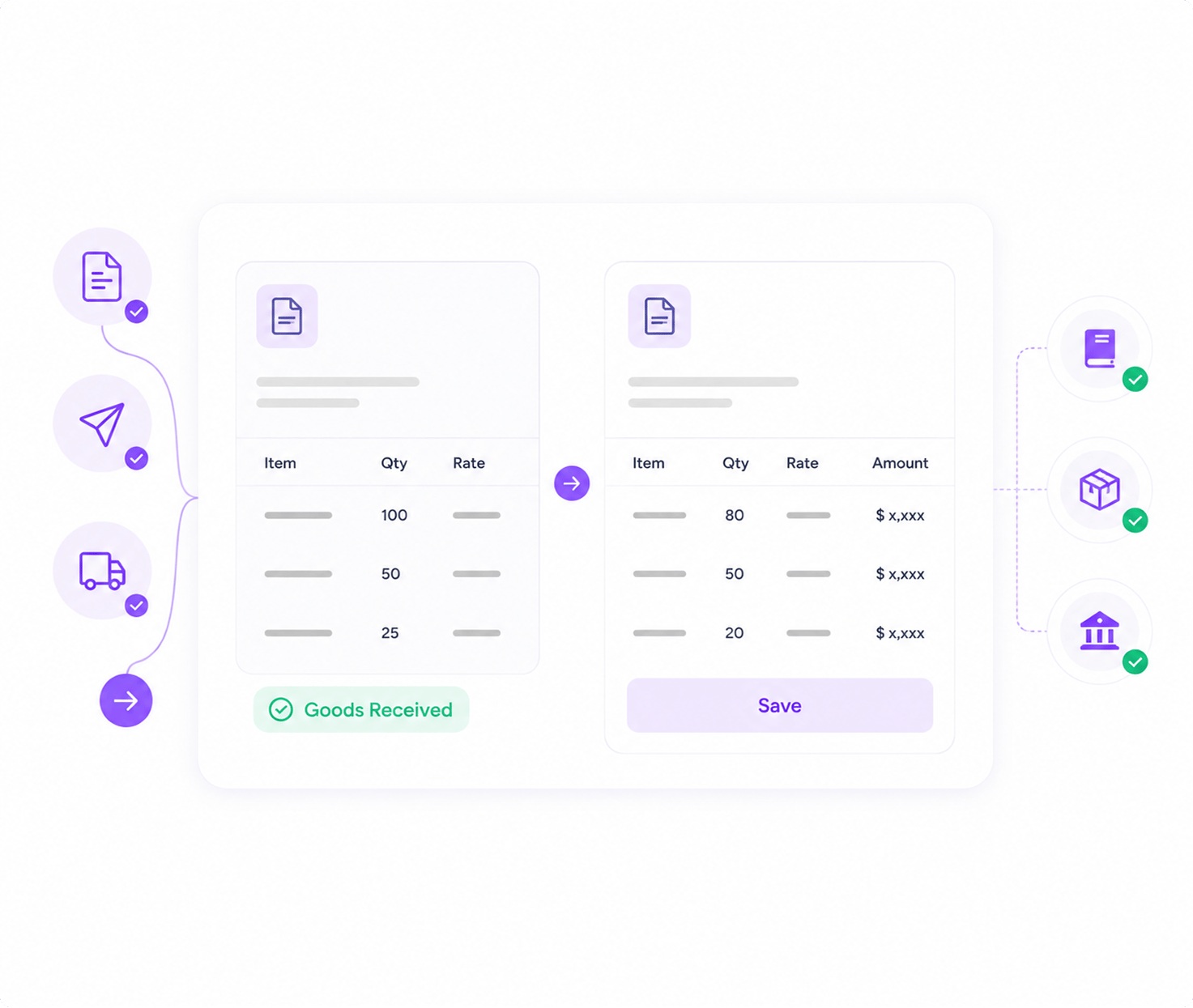
Draft a PO. Send to vendor. Mark received on delivery. Click "Convert to Bill". The bill arrives with vendor, line items, quantities, and pricing pre-filled from the PO. Adjust if the delivered quantity differs. Save. Pay.
- PO lifecycle: Draft → Sent → Received → Billed
- One-click convert PO to Bill
- Auto stock increase on PO receipt

Vendor payments that split themselves
One vendor payment, multiple open bills. Inzo lets you allocate across bills in a single transaction. Vendor credits apply to open bills automatically. Refunds tracked. Receipts emailed back. Every transaction journals itself to the ledger.
- Multi-bill allocation per vendor payment
- Vendor credit applications and reversals
- Auto-posted journal entries on every event
Three flows the procurement team runs every week.
PO to bill in one screen
Draft the PO, send it to the vendor, mark goods received on delivery. Click convert. The bill is pre-filled. Adjust quantities if the delivery was partial. Save. The ledger entry posts itself. The inventory count updates.
Numbers from real
purchasing desks.
We dropped the time to process a vendor bill from twelve minutes to ninety seconds with the OCR. Multiply by 400 bills a month and you have one person back doing real work.
— Operations Lead, Manufacturing SMB
0
AI features in the platform
0%
Faster bill entry with OCR
0
Steps from PO to ledger
0%
Auto-allocated vendor payments
High-volume vendors, complex POs,
or both.

High-Volume Payables
Hundreds of bills a month from dozens of vendors. OCR handles the entry. Scheduled vendor payments handle the disbursement. Audit trail tracks every touch.

PO-Driven Procurement
PO lifecycle from draft to billed. Receipt tracking. Inventory increases on receipt. Convert to bill on completion. Revision tracking on every PO.

Multi-Vendor Operations
Each vendor with its own payment terms, currency, and credit history. Bulk operations across vendors. Per-vendor activity log surfaces patterns.

Inventory + Payables
Bills that include products tracked in inventory. Stock increases on PO receipt. Stock reductions on customer invoice send. Cost of goods journals itself.
What procurement teams ask before they centralise the process.
How is Inzo different from QuickBooks, Xero, or Zoho Books?
QuickBooks and Xero are accounting engines — they stop at the ledger. Inzo runs the full operational loop on top of a real double-entry ledger: estimates, sales orders, payment plans, subscriptions, project billing, OCR for vendor bills, AI escalation advice, native Lio/Taro/Revo integrations. You get the GL plus the operating workflow plus the automation, in one product, with per-org SSO and role-based permissions out of the box.
What AI features does Inzo include?
How does the Lio, Taro, and Revo automation work?
Does Inzo handle subscriptions and recurring billing?
Is the General Ledger real, or is this just an invoicing tool?
How does the OCR for vendor bills work?
How fast can we get set up?
Stop typing bills into spreadsheets.
See OCR scanning, PO-to-bill conversion, and vendor payment allocation in a 30-minute demo.