


Comprehensive data
migration system
CSV import with column mapping for multiple entity types, background processing for large files, and CSV and PDF export with filters.

From upload to processing in 4 steps
Upload CSV and Excel with validation, map columns to fields, process large files in the background, export.
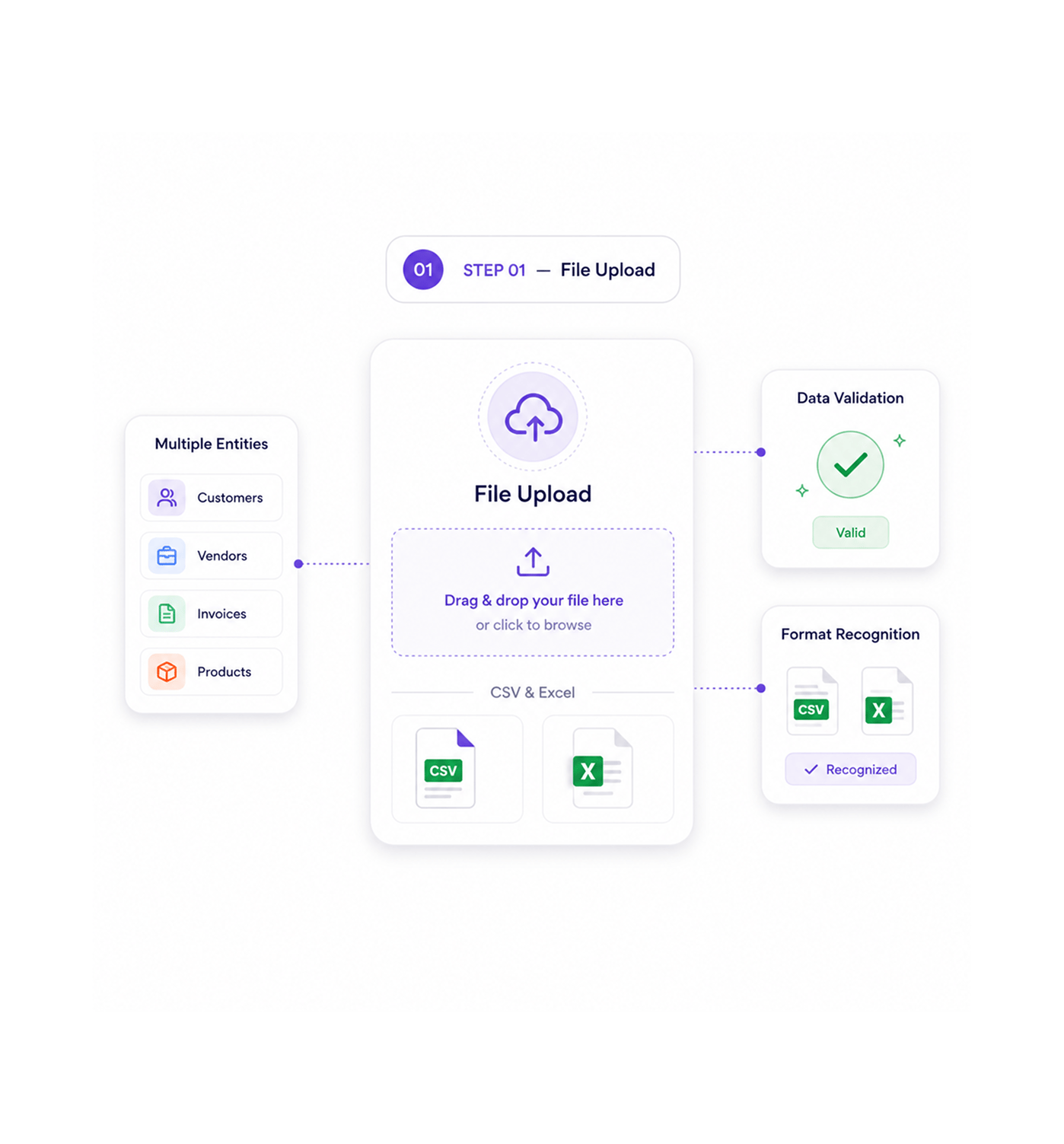
File Upload
Upload CSV and Excel files
Upload CSV and Excel files with data validation and format recognition for multiple entity types including customers, vendors, invoices, and products. File upload enables migration with clean import processing.
- CSV & Excel
- Multiple Entities
- Data Validation
- Format Recognition
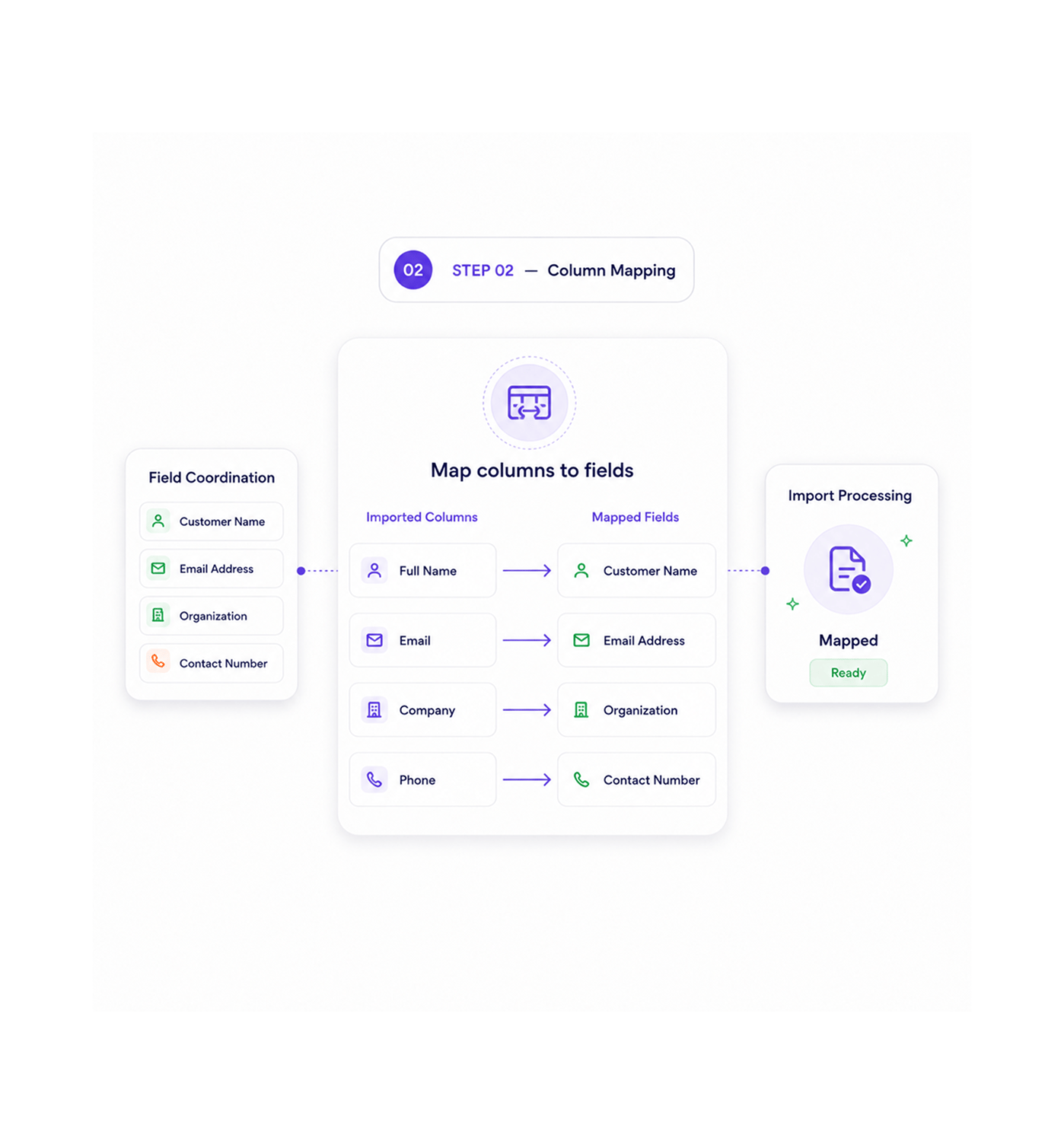
Column Mapping
Map columns to fields
Map imported columns to entity fields with field coordination and systematic data mapping for accurate transformation and professional import processing. Column mapping enables reliable field and import workflows.
- Field Coordination
- Column Mapping
- Data Transformation
- Import Processing
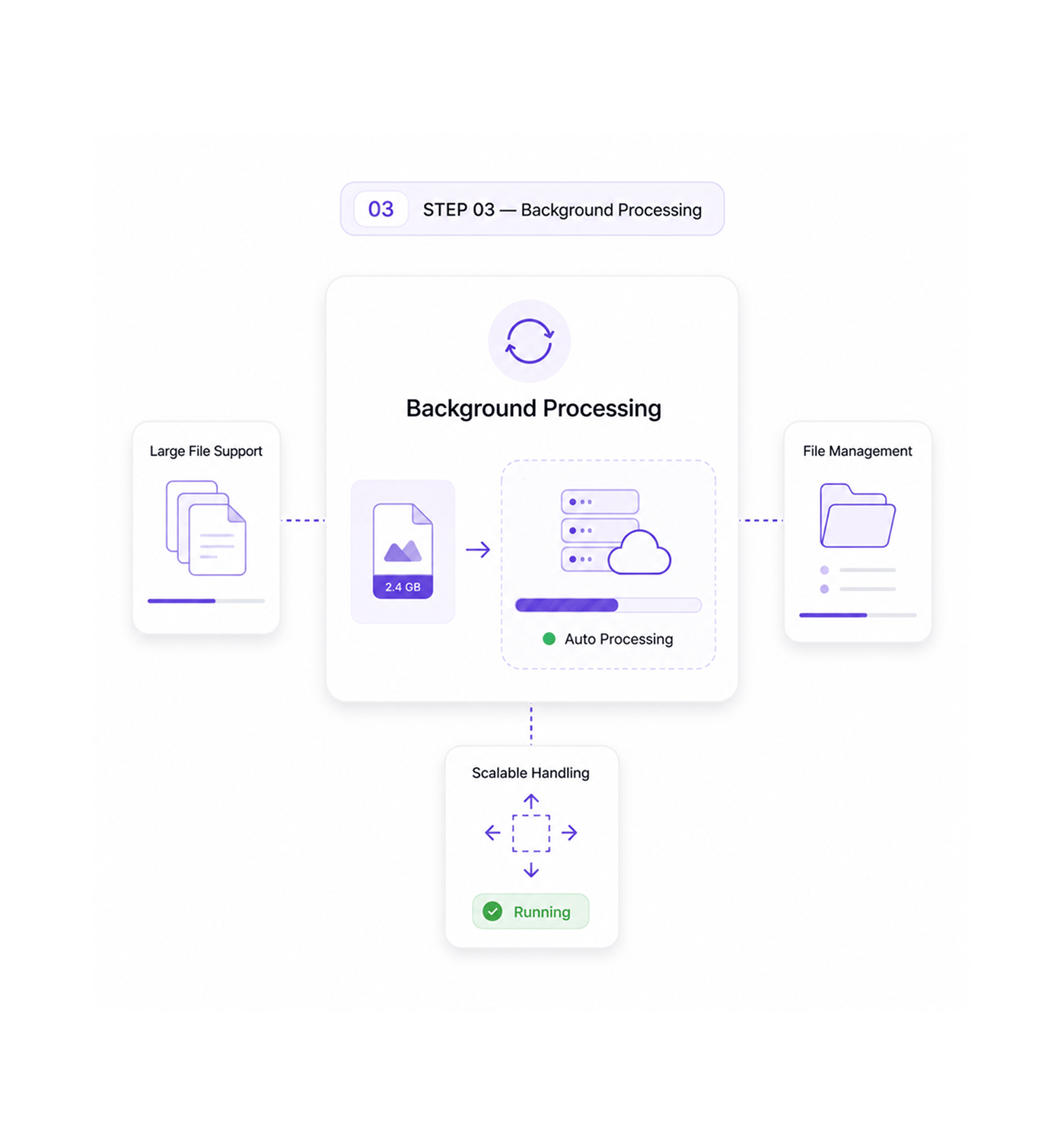
Background Processing
Process with automatic handling
Process large files through automatic background processing with file handling and systematic data processing for scalable import coordination. Background processing supports file workflows for strong performance.
- File Management
- Large File Support
- Auto Processing
- Scalable Handling
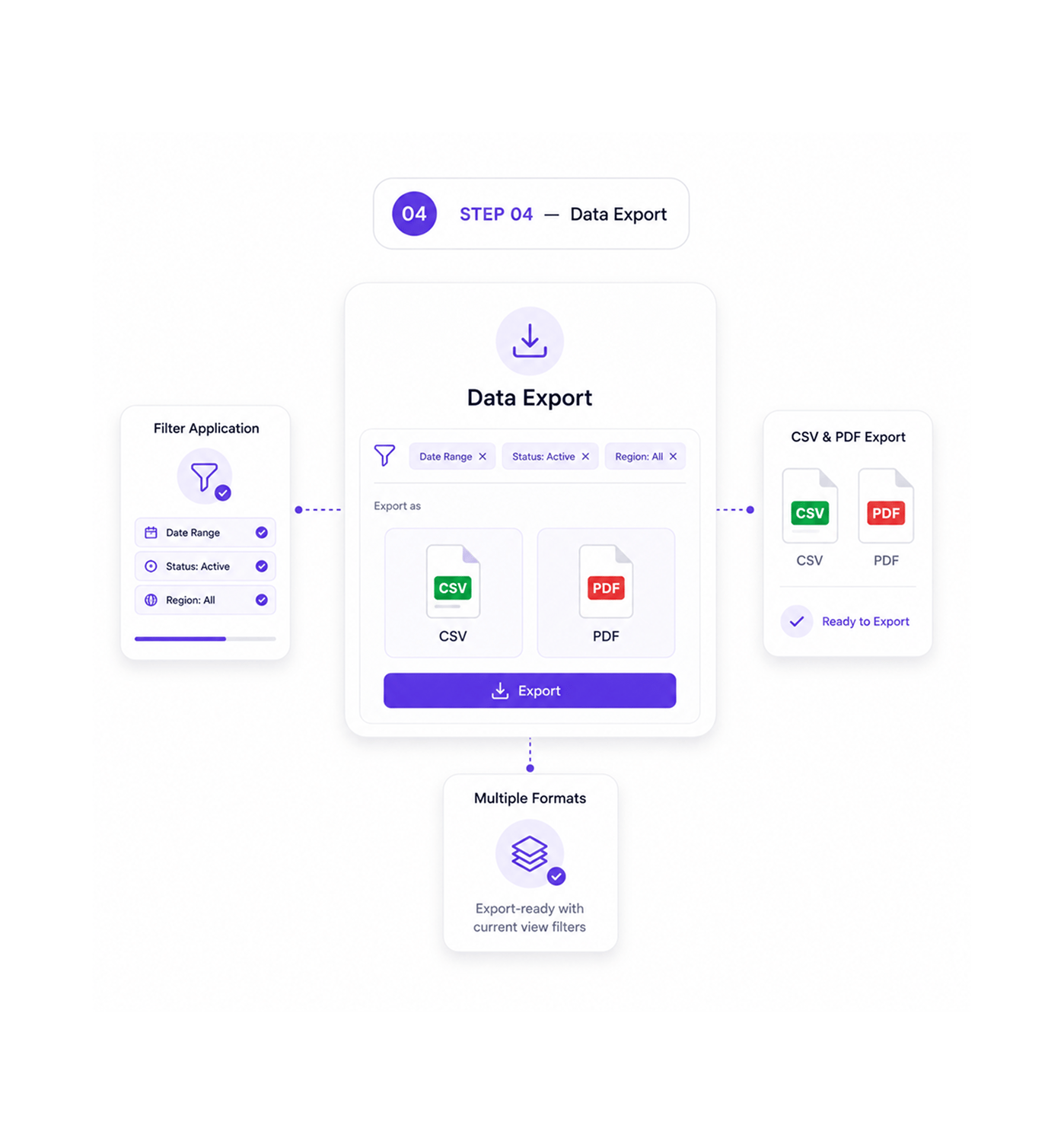
Data Export
Export with applied filters
Export data with current view filters applied across entity types in CSV and PDF formats for systematic extraction and professional export coordination. Export supports filter workflows for reliable operations.
- Filter Application
- CSV & PDF Export
- Multiple Formats
- View Filters
Six reasons teams never go back
Once teams experience data migration with automatic column mapping and background processing, manual data entry feels prehistoric.

Column Mapping Handles Any Format
Data teams import CSV and Excel files from any source. Intelligent column mapping recognizes common field patterns and allows custom assignments.

Background Processing Never Blocks
Operations teams upload large files without slowdowns because automatic background processing handles thousands of records.

Multiple Entity Types Import Together
Migration teams handle customers, vendors, invoices, and products through unified workflows. Entity support streamlines every migration.

Export Filters Maintain Context
Reporting teams export exactly the data they see through applied view filters. When views show specific segments, exports keep those conditions.

Data Validation Prevents Errors
Quality teams catch data inconsistencies during import preview before committing. Validation ensures data meets requirements, preventing cleanup.

Multiple Export Formats Support Workflows
Integration teams access data through CSV exports for integrations and PDF exports for reports. Flexible formats fit different downstream systems.


1650+
Data professionals
Built for teams that master data operations
Data migration specialists, system integration coordinators, and business data managers use INZO's import and export for data coordination. The import is the entry; the processing is the power.
Excel import
Background processing
Entity types
Export formats
Processing drives data mastery
Data professionals use import and export with column mapping and background processing for data coordination and migration without manual overhead. Processing mastery enables excellence.
Built for enterprise data operations
Import and export with CSV processing, smart column mapping, background jobs, and multi-format export.

Comprehensive CSV Import Engine
CSV and Excel import with data validation, format recognition, and entity type support for enterprise migration.

Intelligent Column Mapping System
Systematic column-to-field mapping with data transformation and intelligent field recognition for accurate imports.

Automatic Background Processing Framework
Scalable background processing with automatic file management for large files without system blocking, with progress tracking.

Multi Entity Import Architecture
Entity type support including customers, vendors, invoices, and products with import coordination for complete system migration.

Advanced Export Filtering Pipeline
Export with current view filters and systematic extraction in CSV and PDF formats, maintaining filter context.

Multi Format Export System
Export format support with CSV for data integration and PDF for reporting across entity types, with format optimization.
Everything you need to know
Get answers to common questions about INZO's Import & Export system.
What file formats are supported for import?
CSV and Excel file formats are supported for comprehensive data import with systematic validation and format recognition for multiple entity types and professional import coordination. File format support enables strategic data migration while supporting coordinated import workflows and systematic file processing for enhanced data operations and comprehensive import management excellence.
How does column mapping work?
What entity types can be imported?
How does background processing work?
What export formats are available?
How do filtered exports work?