





Granular access control for
every team and every module.
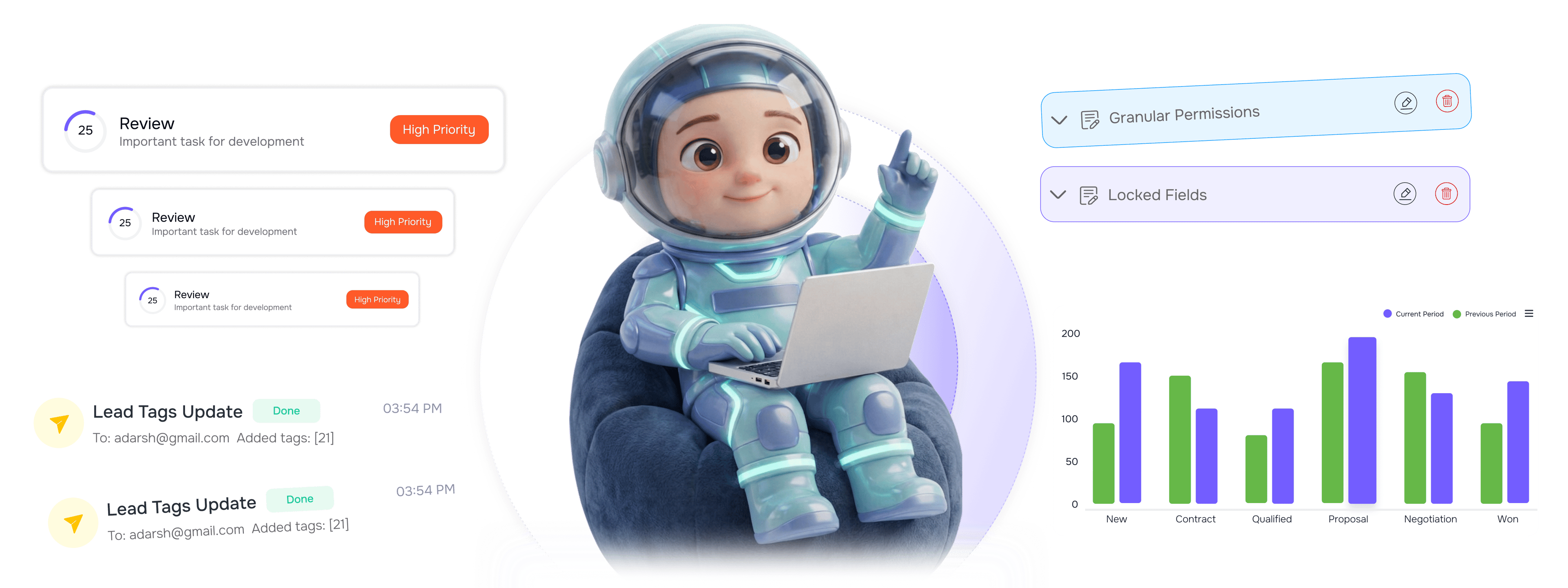
Define roles for admins, managers, reps, and viewers with granular permissions. Sensitive fields stay locked.
From role definition to secure access in 4 steps
Define roles with permissions, set granular access, add visibility boundaries, lock down sensitive fields.
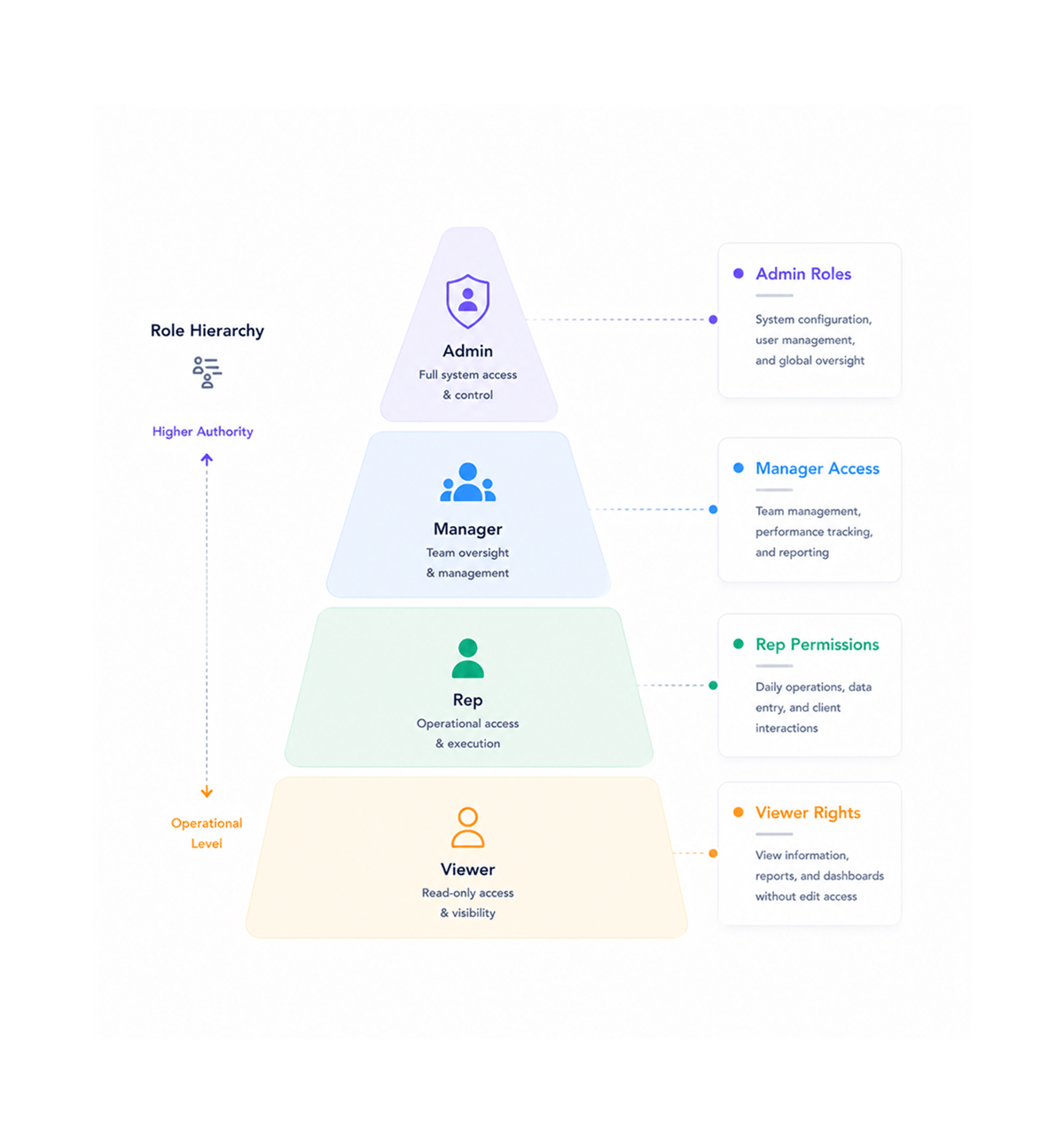
Role Architecture
Define hierarchical roles
Create distinct roles for admins, managers, reps, and viewers with clearly defined responsibilities and access levels. Role hierarchy ensures permissions flow from admin oversight to operational execution.
- Admin Roles
- Manager Access
- Rep Permissions
- Viewer Rights
- Role Hierarchy
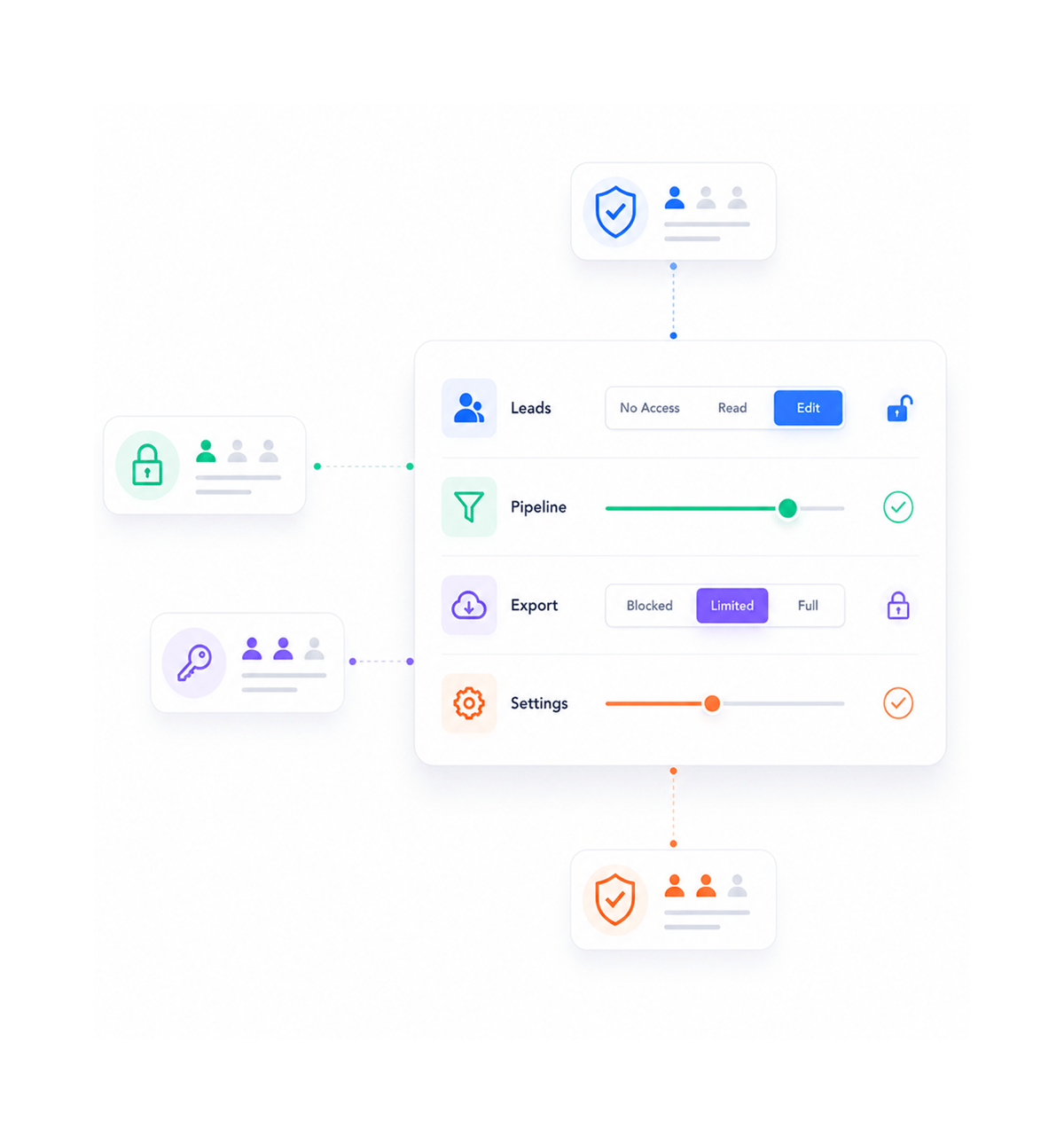
Granular Control
Set granular permissions
Configure specific permissions for leads, pipelines, exports, and settings at the feature level. Granular permission control allows precise access management ensuring users can only interact with data and functions appropriate to their role.
- Lead Permissions
- Pipeline Access
- Export Controls
- Settings Management
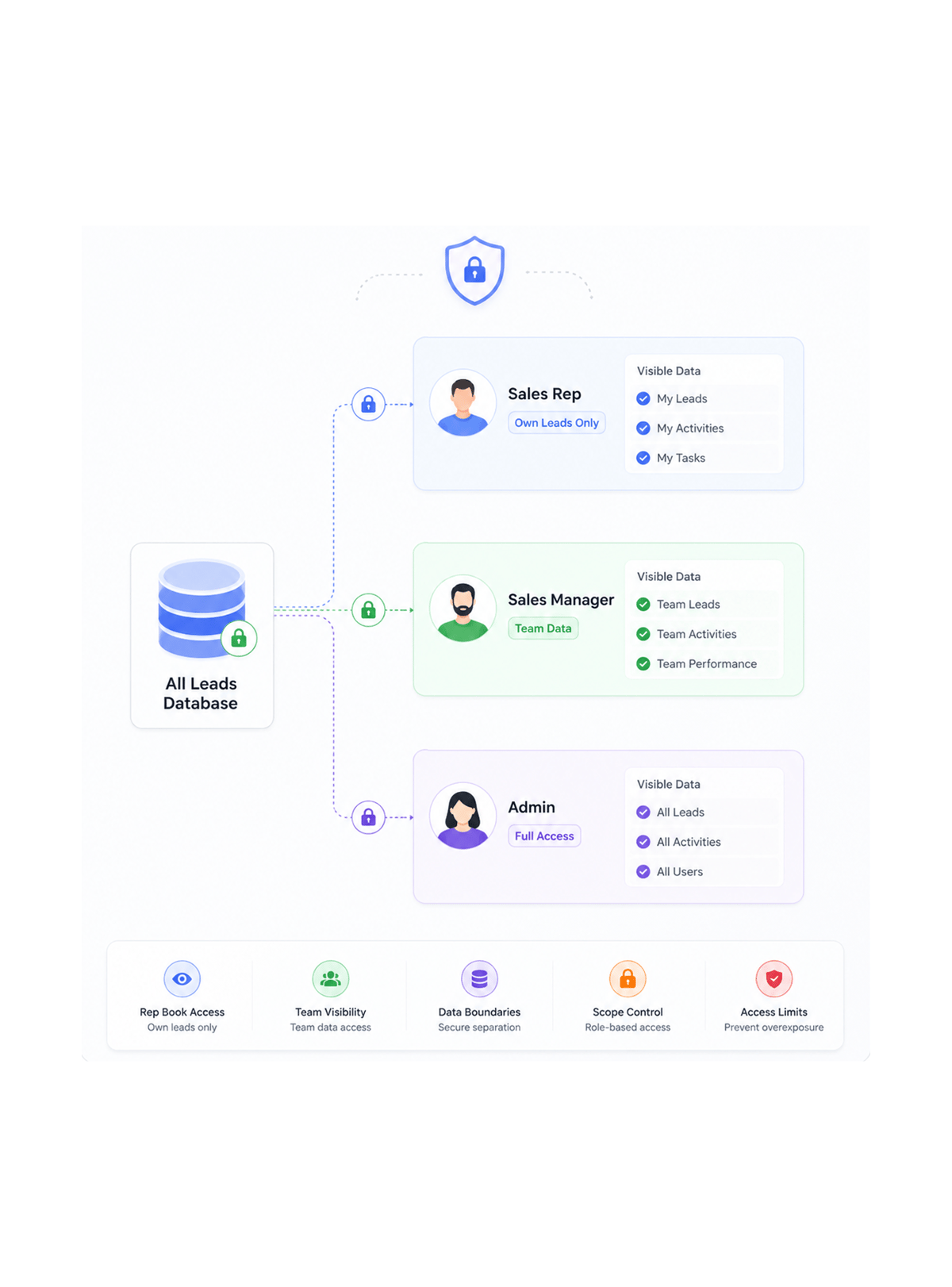
Visibility Boundaries
Control data visibility
Implement visibility boundaries where reps see only their lead book and managers see their team data. Data visibility controls ensure appropriate access scope while maintaining operational efficiency and preventing unauthorized data exposure.
- Rep Book Access
- Team Visibility
- Data Boundaries
- Scope Control
- Access Limits
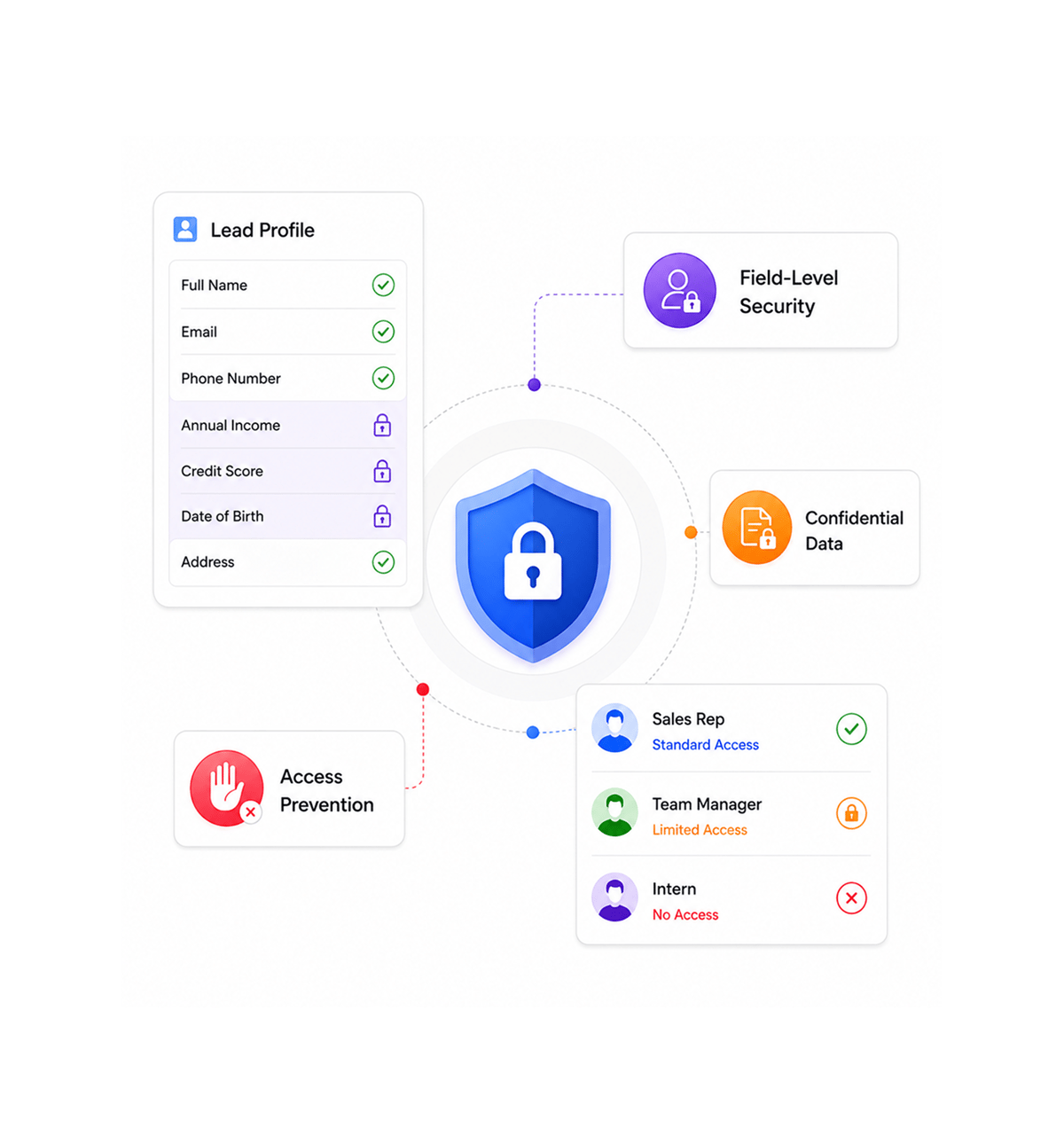
Data Protection
Lock sensitive fields
Secure sensitive fields and confidential information with field-level access controls that prevent unauthorized viewing or modification. Sensitive data protection ensures compliance while keeping workflows intact.
- Field Level Security
- Confidential Data
- Access Prevention
- Sensitive Protection
Six reasons teams never go back
Once teams have role-based access control, basic user management feels like guarding Fort Knox with a screen door.

User Assignment Organization
Organize leads, deals, and tasks through user assignment using LIO's bulk assignment with activity logging, keeping ownership clear.

Activity Based Access Tracking
Track every user action through full activity logging that keeps complete audit trails for all lead, deal, and pipeline interactions.

Assignment Based Data Boundaries
Control data access through assignment-based boundaries where users work mainly with their assigned leads, deals, and follow-ups.

Notification Driven Access Control
Manage awareness with targeted notifications sent only to assigned users for follow-ups and form submissions, preventing overload.

Export Data Coordination
Coordinate data exports that include user assignments and activity data for full visibility, preserving assignment relationships.

Custom Field Access Management
Manage custom field access through CustomLookup integration that enables controlled categorization and systematic field organization.


1200+
secure teams
Built for every team that needs secure access
IT administrators, security officers, and operations managers all use LIO's role-based access control as the shared security layer. The role is the boundary, the permission is the gateway.
Distinct role types available
Granular permission combinations
Sensitive field protection
Unauthorized data access
Access control drives security architecture
IT administrators define roles with granular permissions for leads, pipelines, exports, and settings. The approach removes gaps, and each role protects sensitive data.
Built for comprehensive access security
Everything you need for access control: hierarchical roles, granular permissions, and field protection.

Activity Log Infrastructure
Full activity logging captures every action across all LIO modules for complete audit trails and documented user interactions.

User Assignment Engine
Systematic user assignment through bulk operations enables coordinated ownership across leads, deals, and follow-ups.

Targeted Notification System
Real-time notifications through SSE and Ably pub/sub send alerts only to assigned users for relevant updates, preventing overload.

CustomLookup Access Framework
Centralized CustomLookup manages all dropdown and categorization data with unlimited custom tables and hierarchical structures.

Export Security Integration
Full export functionality includes user assignments, activity logs, and custom field data with controlled data portability.

Cross Module Coordination
Integrated architecture connects leads, companies, deals, and contacts with consistent assignment and activity tracking.
Everything you need to know
Get answers to common questions about LIO's Role Based Access Control feature.