


Every lead in one place
from capture to close
Lead management with inline editing, bulk update, custom fields, tags, groups, merge, and LIO LinkedIn integration.
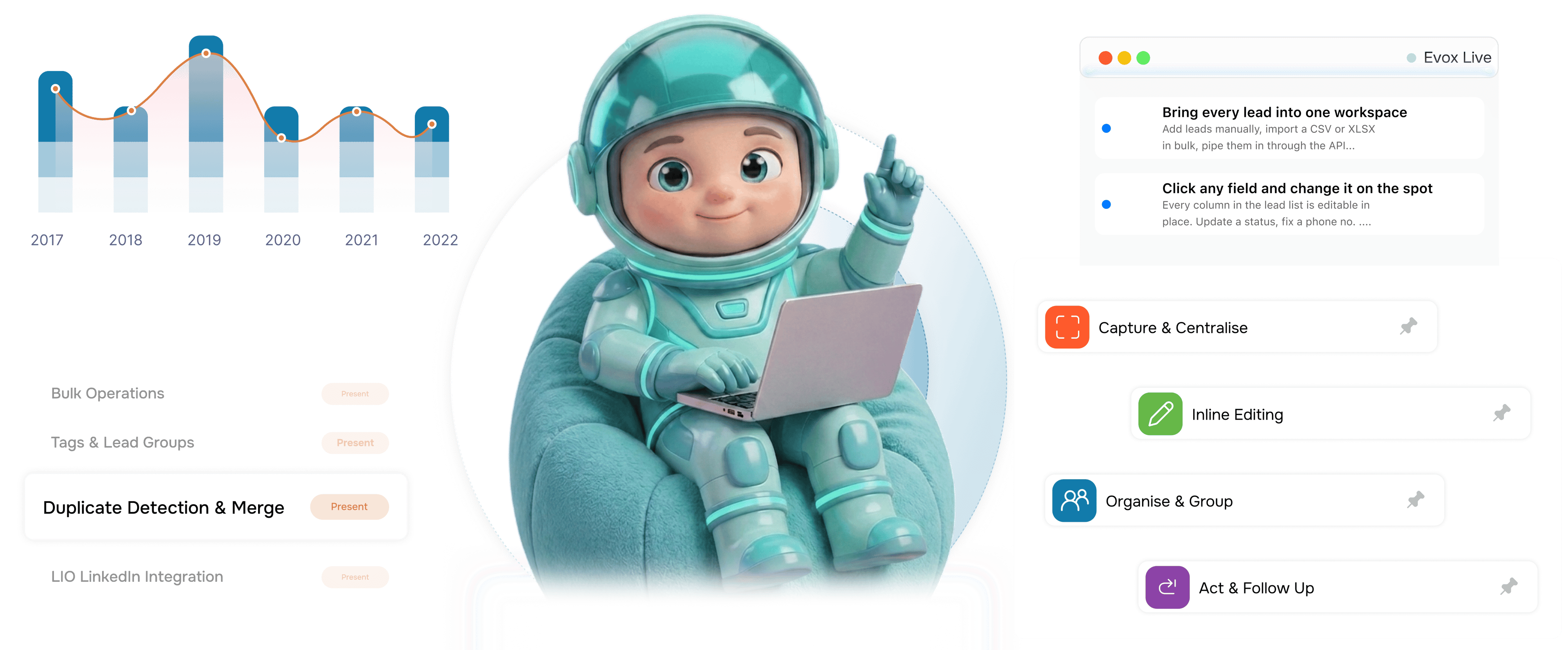
From scattered contacts to a working pipeline in 4 steps
Bring every lead into one workspace, edit any field on the spot, organise with tags, then act with follow ups.
Capture & Centralise
Bring every lead into one workspace
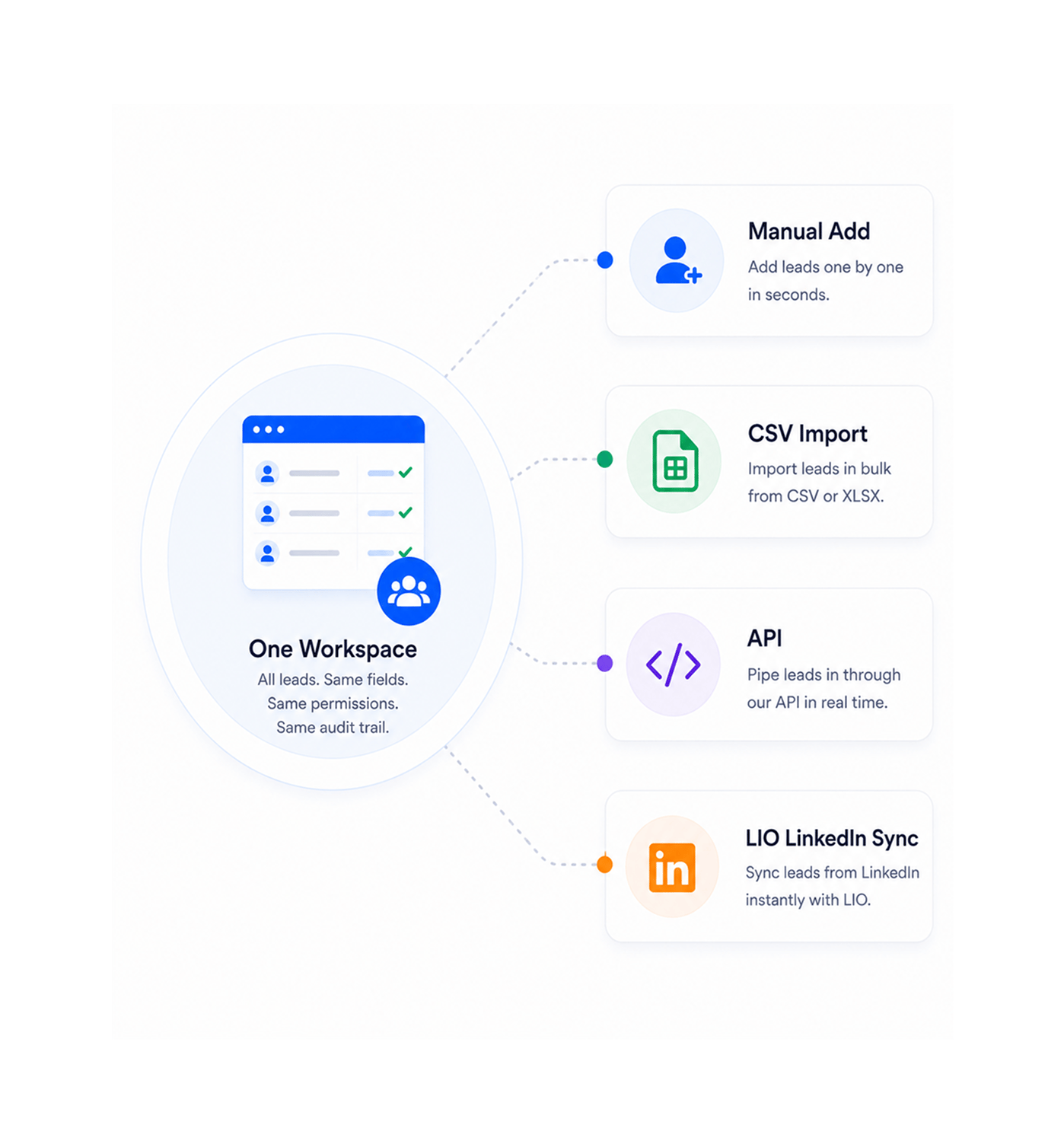
Add leads manually, import a CSV or XLSX in bulk, pipe them in through the API, or sync from LinkedIn with the LIO integration. Every lead lands in one workspace with the same fields, permissions, and audit trail.
- Manual Add
- CSV Import
- API
- LIO LinkedIn Sync
Inline Editing
Click any field and change it on the spot
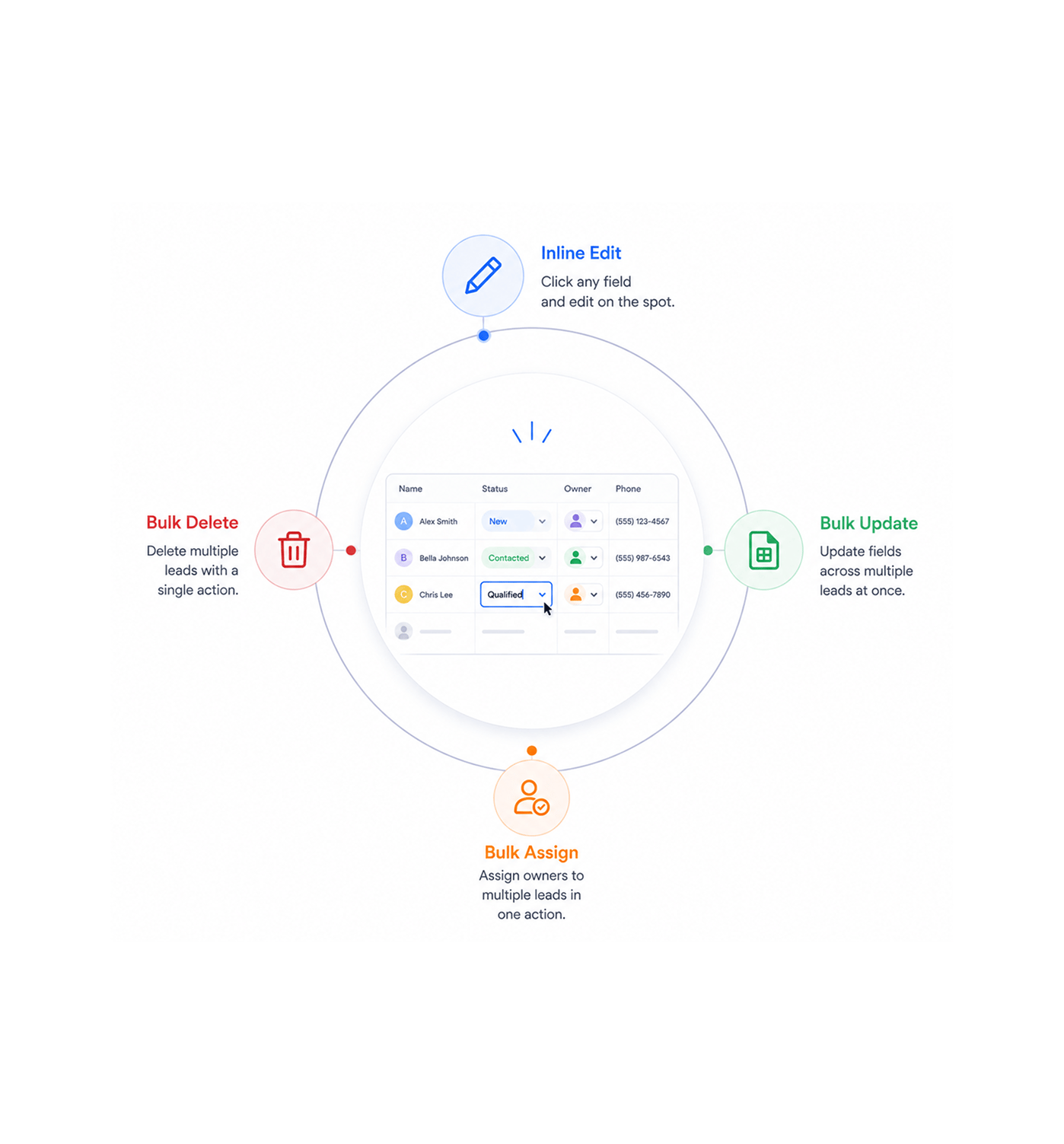
Every column in the lead list is editable in place. Update a status, fix a number, change an owner, or retag a record without a form, and it saves on click out. The bulk bar handles hundreds at once.
- Inline Edit
- Bulk Update
- Bulk Assign
- Bulk Delete
Organise & Group
Tag, group, and shape the database to your business
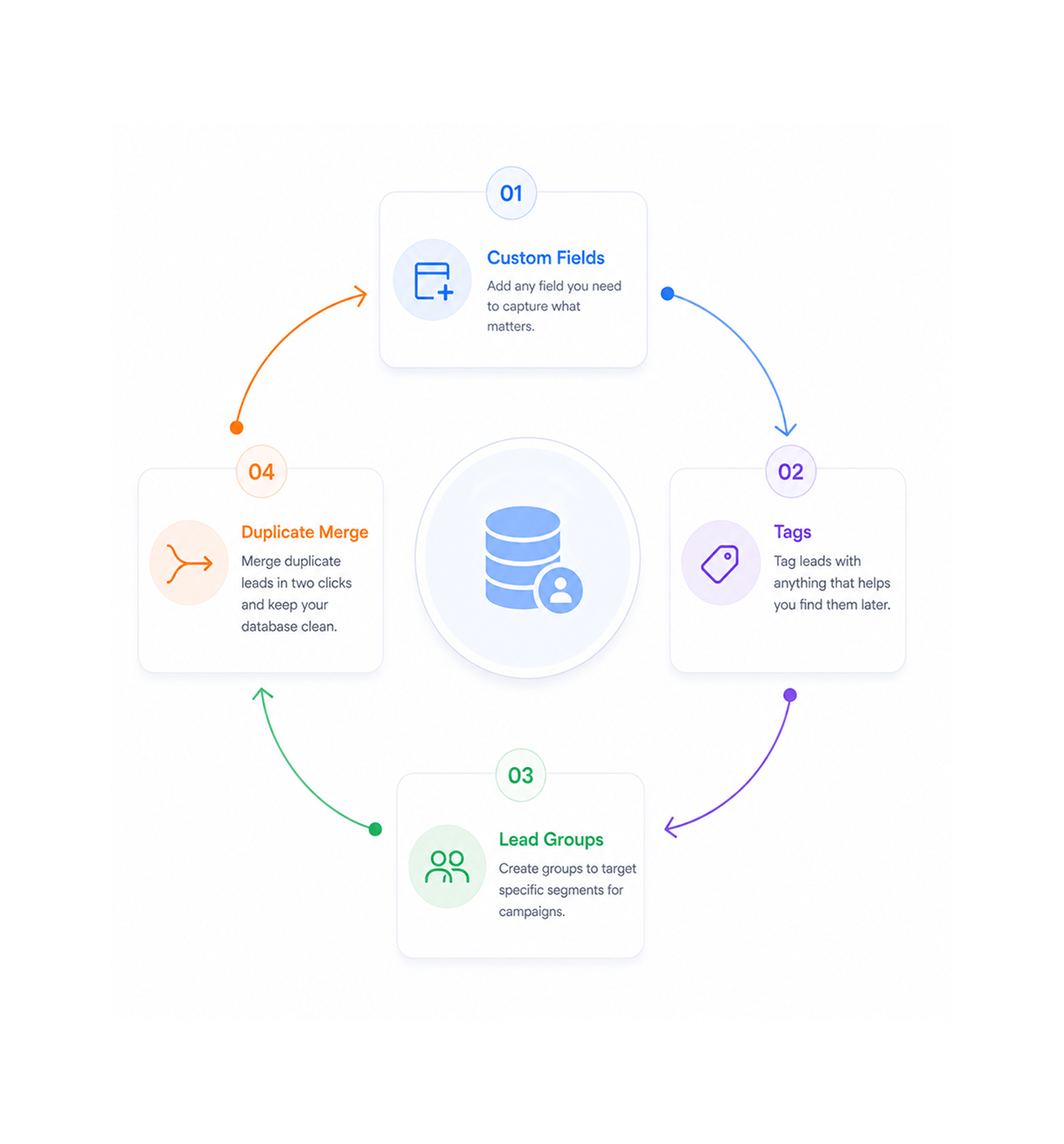
Add custom fields the moment you need a new attribute, like vertical, ICP tier, or contract size. Tag leads to find them later, build groups to target a campaign, and merge duplicates in two clicks.
- Custom Fields
- Tags
- Lead Groups
- Duplicate Merge
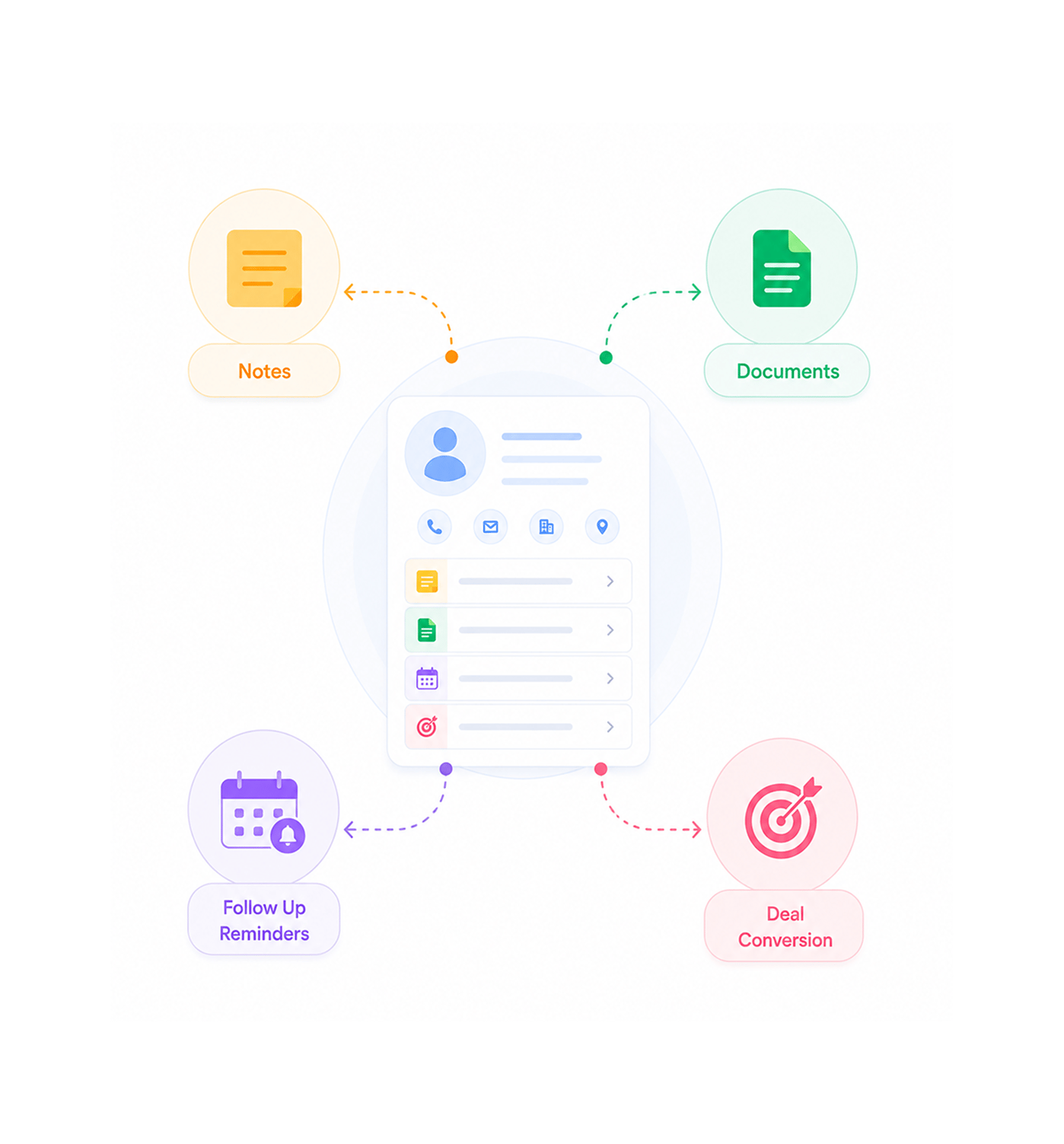
Act & Follow Up
Notes, documents, and follow ups on every record
Every lead carries its own working file. Pin notes from the last conversation, attach the proposal or signed NDA, and set follow up reminders that surface when you need them, one click below the details.
- Notes
- Documents
- Follow Up Reminders
- Deal Conversion
Six reasons teams never go back
Once a team works from one lead database everyone can edit and organise, going back to spreadsheets is unthinkable.

Sales reps stop losing leads in their inbox
Every lead lands in one workspace with the right owner, an agreed status, and a follow up reminder set when the conversation pauses. Leads stop dying in forgotten threads.

Duplicate records get merged in seconds, not afternoons
A form, a LinkedIn export, and a trade show list used to mean three records. Duplicate detection surfaces matches; merge takes two clicks.

LinkedIn outreach flows straight into the database
The LIO integration pulls LinkedIn sourced leads into the workspace with profile, company, and source populated. Social prospecting to email outreach with no export.

Every team member sees the same customer history
The whole working file lives on the lead record: every note, signed document, email, and follow up. When the account changes hands, the context is right there.

Bulk actions cut admin work to a fraction of what it was
Reassign two hundred leads in one click. Tag a whole campaign in one click. Update status across a segment in one click. Hours go back to selling.

Custom fields finally let the database match your business
Every business defines a good lead differently. Custom fields capture what matters, like ICP tier, vertical, and deal complexity, so reporting and segmentation get sharper.


4200+
Sales teams working from
one source of truth
Built for teams that turn leads into customers
Sales reps, managers, marketing ops, and CS teams use EVOX as the single workspace for every lead. The list is the workspace, the record is the working file, bulk actions are the cleanup, LinkedIn integration is the pipeline.
Full Control
Operations
Custom Fields
LinkedIn Sync
One source of truth, every team
Sales reps, marketers, and customer success work from the same lead database with the same notes, documents, and history. The handoff stops being a meeting and becomes a record everyone sees.
Everything the lead workspace ships with
A complete lead toolkit in your email platform: inline editing, bulk ops, custom fields, tags, merge, and LIO.

Inline Editing on Every Field
Click any cell in the lead list to edit in place. Status, owner, email, phone, score, tags, and custom fields are all editable, saving on click away.

Bulk Operations
Select hundreds of leads and update, reassign, or delete them in one action. Change status or hand accounts to a new rep in seconds.

Custom Fields, Tags & Lead Groups
Add any custom field your business needs. Tag leads to find them later. Build groups to target a slice for a campaign.

Duplicate Detection & Merge
Duplicate detection surfaces matches across name, email, phone, and company. Merge in two clicks with every note, tag, document, and follow up preserved.

LIO LinkedIn Integration
The LIO integration pulls LinkedIn sourced leads into the workspace with profile, company, and source populated, ready for email with no manual import.

Notes, Documents & Follow Ups
Every lead record carries its own working file. Pin notes, attach proposals and contracts, and set follow up reminders that surface when you need them.
Everything you need to know
Common questions about EVOX lead management, inline editing, bulk operations, and LIO.
How does inline editing work across the lead list?
Every column in the lead list is editable directly in place click any cell, type the new value, click away, and the change is saved. Status, owner, email, phone, score, tags, and every custom field your team has added all work the same way. There is no separate edit form, no extra navigation, no waiting for a save button, which is what makes the data quality actually stay clean as the team grows.
What bulk operations are supported?
How do custom fields, tags, and lead groups differ?
How does duplicate detection and merge work?
How does the LIO LinkedIn integration work?
Can I attach documents and set follow up reminders per lead?