


See every deal move
every stage
Visual Kanban pipelines with drag and drop deals. Multiple pipelines, deal value and win probability on every card.

From qualified lead to closed deal in 4 steps
Build a pipeline that matches how your team sells, drag deals across stages, track value and probability per card.
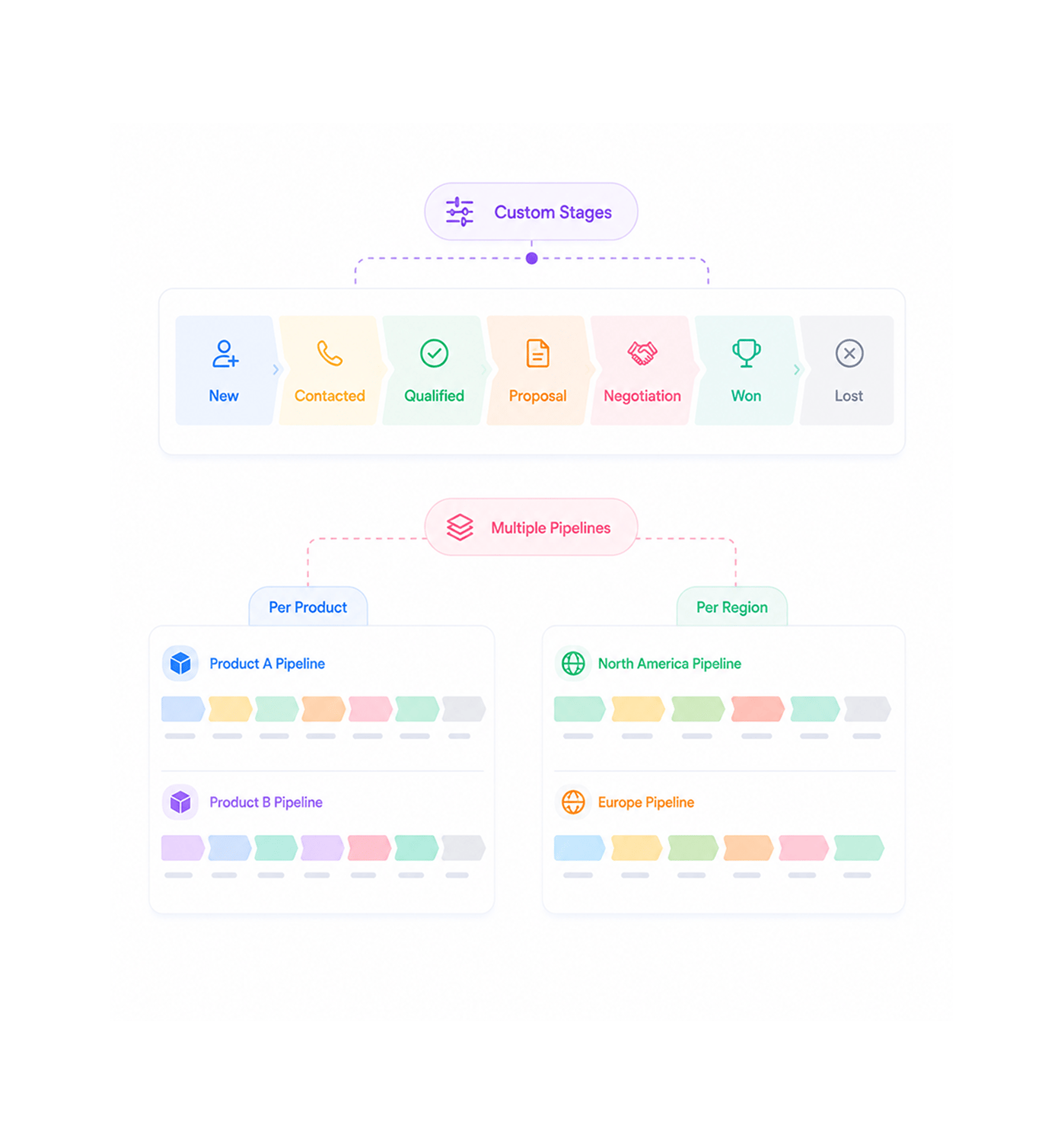
Pipeline Setup
Build a pipeline that matches your sales process
Start with default stages, New, Contacted, Qualified, Proposal, Negotiation, Won, Lost, or create your own. Run multiple pipelines side by side for different products, regions, or units, each with its own rules.
- Custom Stages
- Multiple Pipelines
- Per Product
- Per Region
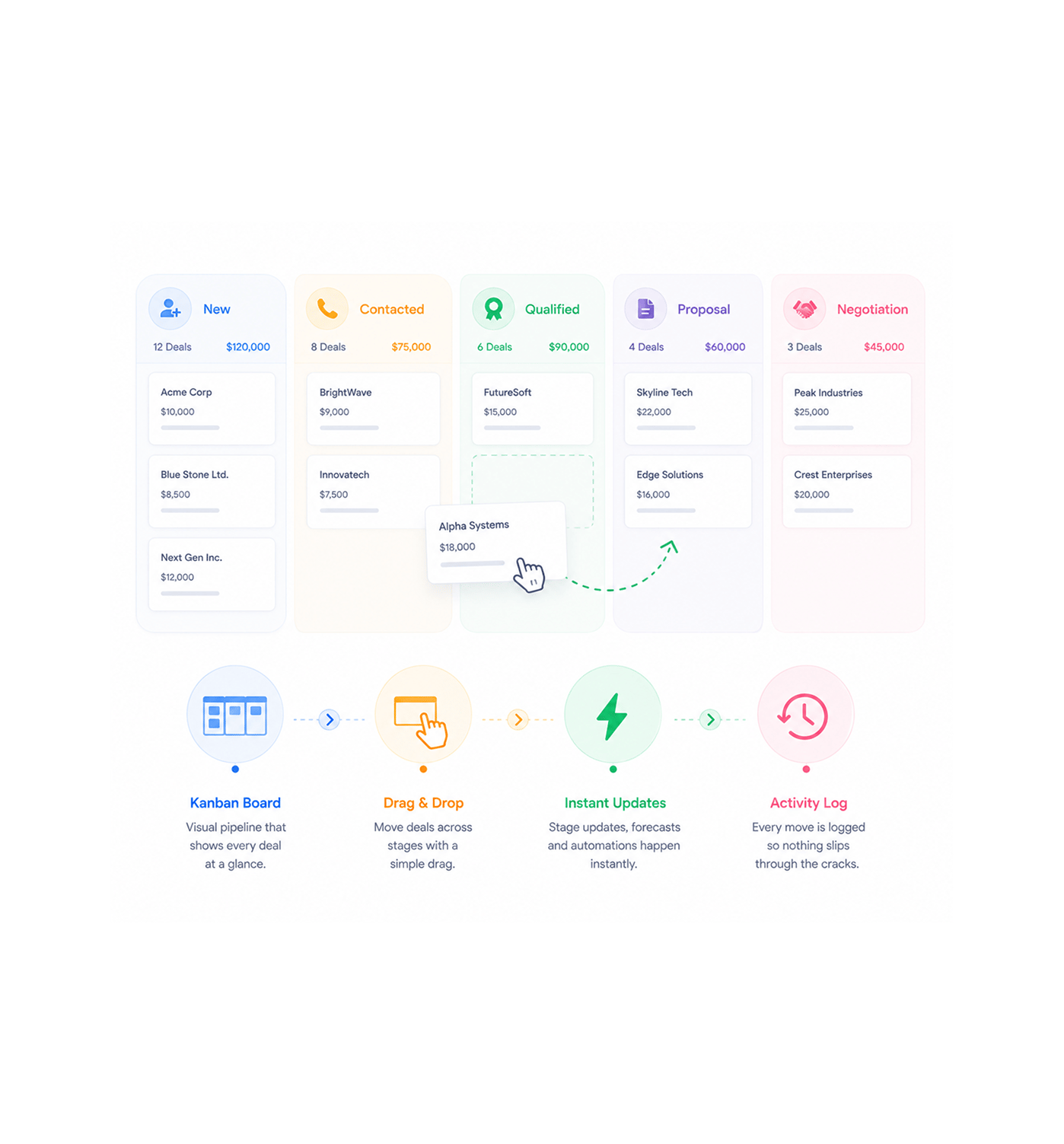
Drag & Drop
Move deals across stages with one drag
Every deal lives on a Kanban card you grab and drop into the next stage. One motion, no forms. The stage updates, the activity log writes, the forecast recalculates, and stage based automation fires.
- Kanban Board
- Drag and Drop
- Instant Updates
- Activity Log
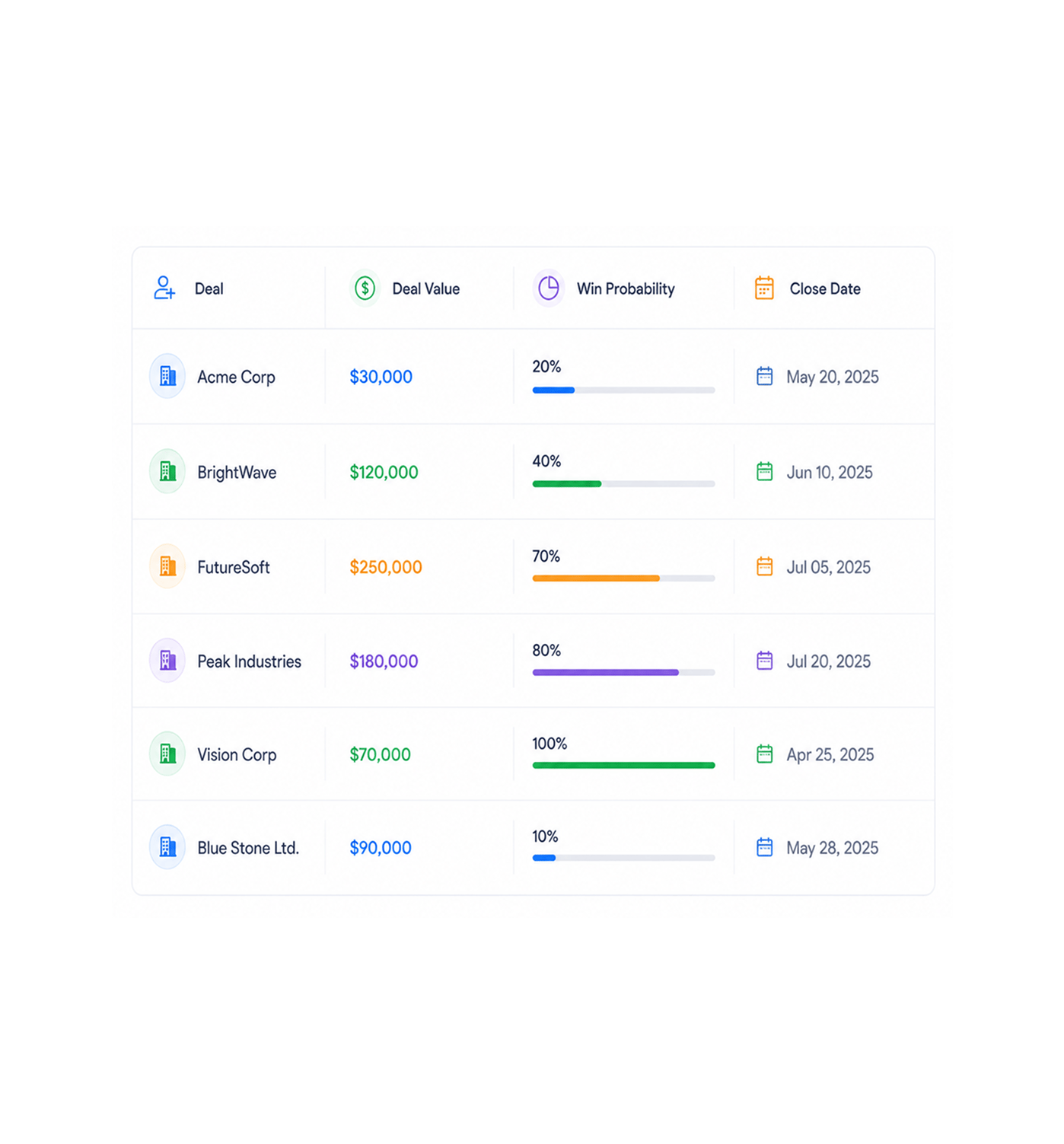
Value & Probability
Track deal value and win probability on every card
Every deal carries its own value, expected close date, and win probability on the card. The header shows the weighted forecast per stage and the total for the pipeline. The math updates when a card moves.
- Deal Value
- Win Probability
- Close Date
- Weighted Forecast
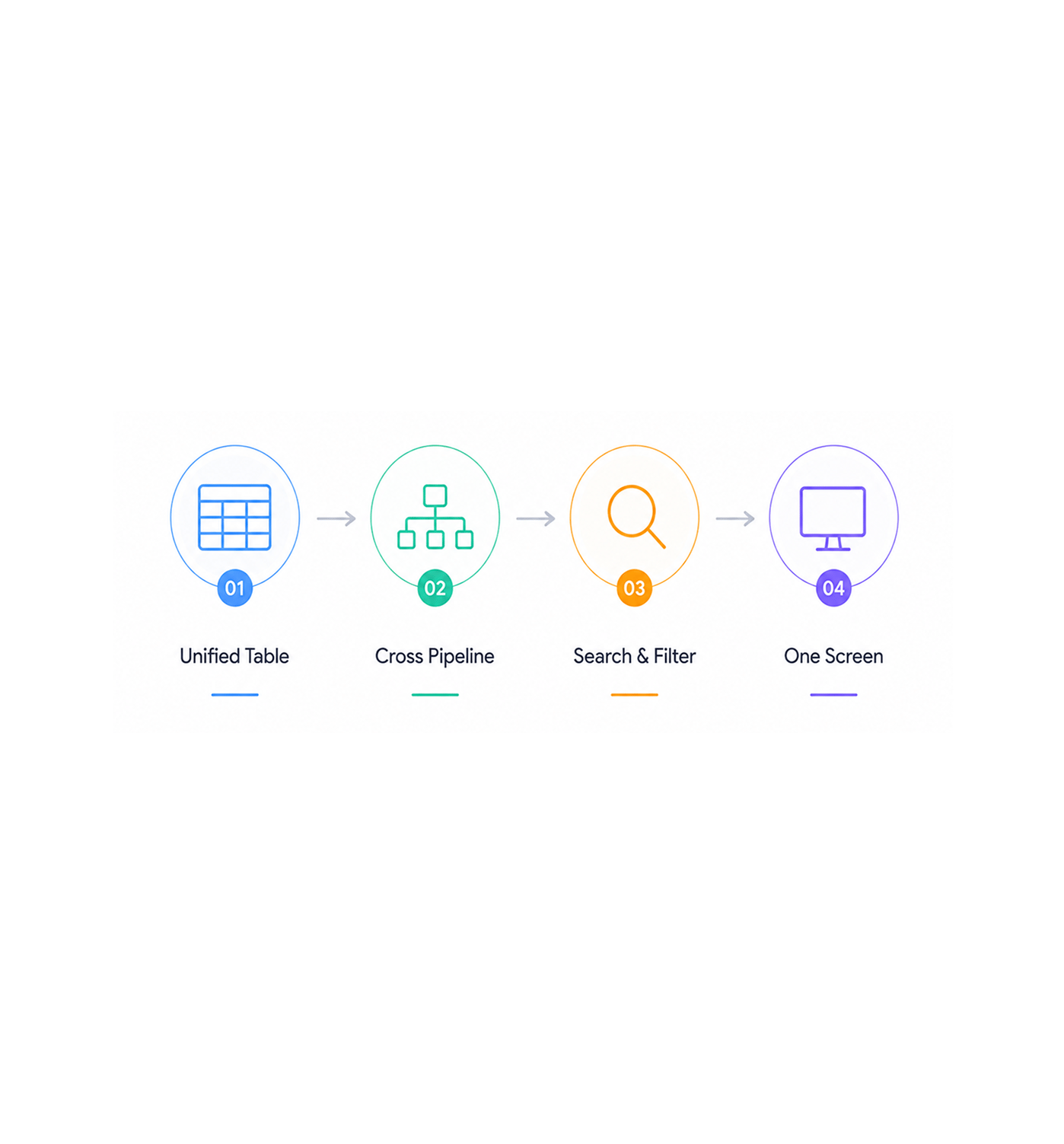
Unified View
See every lead across every pipeline in one table
The unified cross pipeline table shows every lead and deal across every pipeline in one view. Search, sort, and filter the whole book by owner, stage, value, or probability. No more opening four pipelines.
- Unified Table
- Cross Pipeline
- Search & Filter
- One Screen
Six reasons teams never go back
Once a sales team works from a Kanban board where every deal has a value, a probability, and a clear next stage, the old CRM feels slow.

Sales managers finally see the whole book at a glance
The Kanban view shows every deal, in every stage, with value and owner on the card. The unified table rolls every pipeline into one screen.

Reps stop forgetting deals stuck in mid funnel
A deal sitting in one stage for three weeks shows up on the board, not buried in a report. The card flags the stall and the manager moves it before it cools.

Forecast meetings turn into five minute reviews
Every deal carries its value, close date, and win probability. The weighted forecast updates when a card moves. The Friday call becomes a five minute review.

Multiple business units run their own pipeline without colliding
The enterprise pipeline need not match the SMB one. North America does not share stages with EMEA. Each unit builds its own board, leadership rolls it up.

Deal value rolls up the moment a card moves
Move a card from Proposal to Negotiation and the weighted forecast for both stages updates in real time. No nightly batch, no manual recalculation.

Cross pipeline reporting becomes a one screen exercise
The unified table puts every lead and deal across every pipeline into one searchable, sortable, filterable view. Reporting on one screen.


5100+
Sales teams closing on a
Kanban board
Built for sales teams that run on motion, not meetings
Sales reps, managers, sales ops, and revenue leaders use EVOX pipelines as the working board for every deal. The Kanban view is the board, the cards are the deals, the drag is the update, the unified table is the rollup.
Visual Board
Pipelines
Deal Value
Win Probability
Every deal, one screen
Sales managers and revenue leaders stop rebuilding the pipeline from four reports. The Kanban view shows every deal in motion, the unified table rolls every pipeline up, and the forecast shows the quarter.
Everything the pipeline workspace ships with
A sales pipeline toolkit inside your email marketing platform: Kanban, drag and drop, multiple pipelines, one table.

Visual Kanban Board
Every deal lives on a card you scan at a glance. Columns are stages, cards are deals, and the pipeline reads like a working document, not a database.

Drag and Drop Deal Movement
Move a deal between stages with one drag. The stage updates, the log writes, the forecast recalculates, and stage based automation fires.

Multiple Pipelines
Run separate pipelines for different products, regions, or units, each with its own stages, and leadership rolls every pipeline into one view.

Deal Value Tracking
Every card carries the deal value in your currency, an expected close date, and the line items behind it. The header shows each stage total.

Win Probability per Deal
Set a win probability on every deal, with sensible defaults per stage that any rep can override. The weighted forecast uses it automatically.

Unified Cross Pipeline Table
One unified table shows every lead and deal across every pipeline. Search by name, sort by value, filter by owner, stage, or probability.
Everything you need to know
Common questions about EVOX sales pipelines, the Kanban board, deal cards, and the unified view.
How does the Kanban board work?
Every deal lives on a card on a Kanban board where columns are stages and cards are deals. Drag any card to a different column to move the deal forward. The stage updates, the activity log writes a record of the change, the weighted forecast recalculates, and any stage based automation email nurture sequence, follow up reminder, manager notification fires immediately. No edit form, no extra clicks.
Can I run multiple pipelines for different products or regions?
Can stages be customised per pipeline?
How is deal value and win probability tracked?
What does the unified cross pipeline table show?
Can pipeline activity trigger email campaigns and automations?