


Send more emails without risking your domain
Instead of pushing one mailbox too hard, EVOX spreads your sends across many. More volume, same reputation, no single point of failure.

Add mailboxes to a pool. EVOX handles the rest.
Group your mailboxes, assign the pool to a campaign, and EVOX distributes every send evenly across them within safe daily limits.

Connect your mailboxes and group them
Add Gmail, Outlook, or any other mailbox. Group them into a pool and assign the pool to a campaign.
Volume is shared, not stacked on one mailbox
Each mailbox sends within its safe daily limit. Adding more mailboxes increases total volume, not individual risk.


If one mailbox struggles, the rest keep going
EVOX monitors every mailbox's health. If one starts to degrade, it is automatically pulled from the pool before it hurts your campaign.
Five reasons one mailbox is never enough
Every mailbox has a daily limit. Pushing past it quietly damages your deliverability. Pools solve that permanently.
One Mailbox Has a Ceiling
Push a mailbox past its safe daily limit and deliverability drops quietly. You usually find out a month later when replies stop coming in.
Grow Volume by Adding Mailboxes
The only sustainable way to increase outbound volume is to add more mailboxes, not push existing ones harder.
A Bad Mailbox Cannot Sink a Campaign
EVOX monitors every mailbox in the pool. If one starts to degrade, it is pulled automatically before it affects the others.
Agencies Get Isolated Pools Per Client
One client's mailboxes and sending history are completely isolated from another's.
Expired Connections Get Reported
When a mailbox token expires or a connection breaks, EVOX reports it immediately rather than silently failing.
Scale by adding mailboxes, not by pushing one too hard.
Ten mailboxes at conservative limits outperform one mailbox at full blast, and the risk profile is completely different.


Pools on growth plans
Throttle on health drop
Provider types supported
Client pool isolation
Two things that protect your campaigns automatically
Rotation and health monitoring work together so one bad mailbox can never sink a campaign.
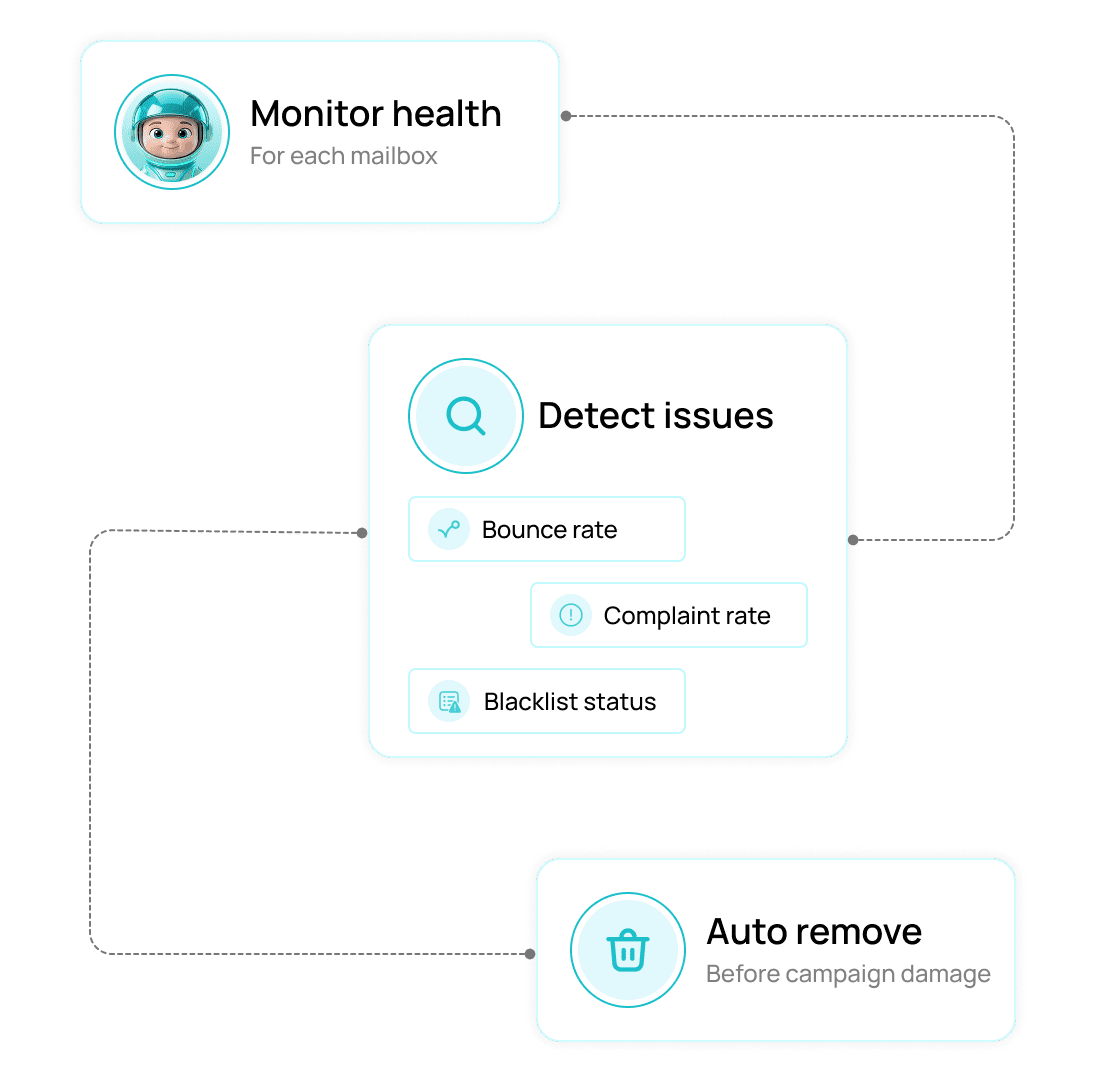
A mailbox that starts to struggle is pulled from the pool automatically.
EVOX monitors bounce rate, complaint rate, and blacklist status for every mailbox. If the health score drops, it is removed from rotation before it damages the campaign.
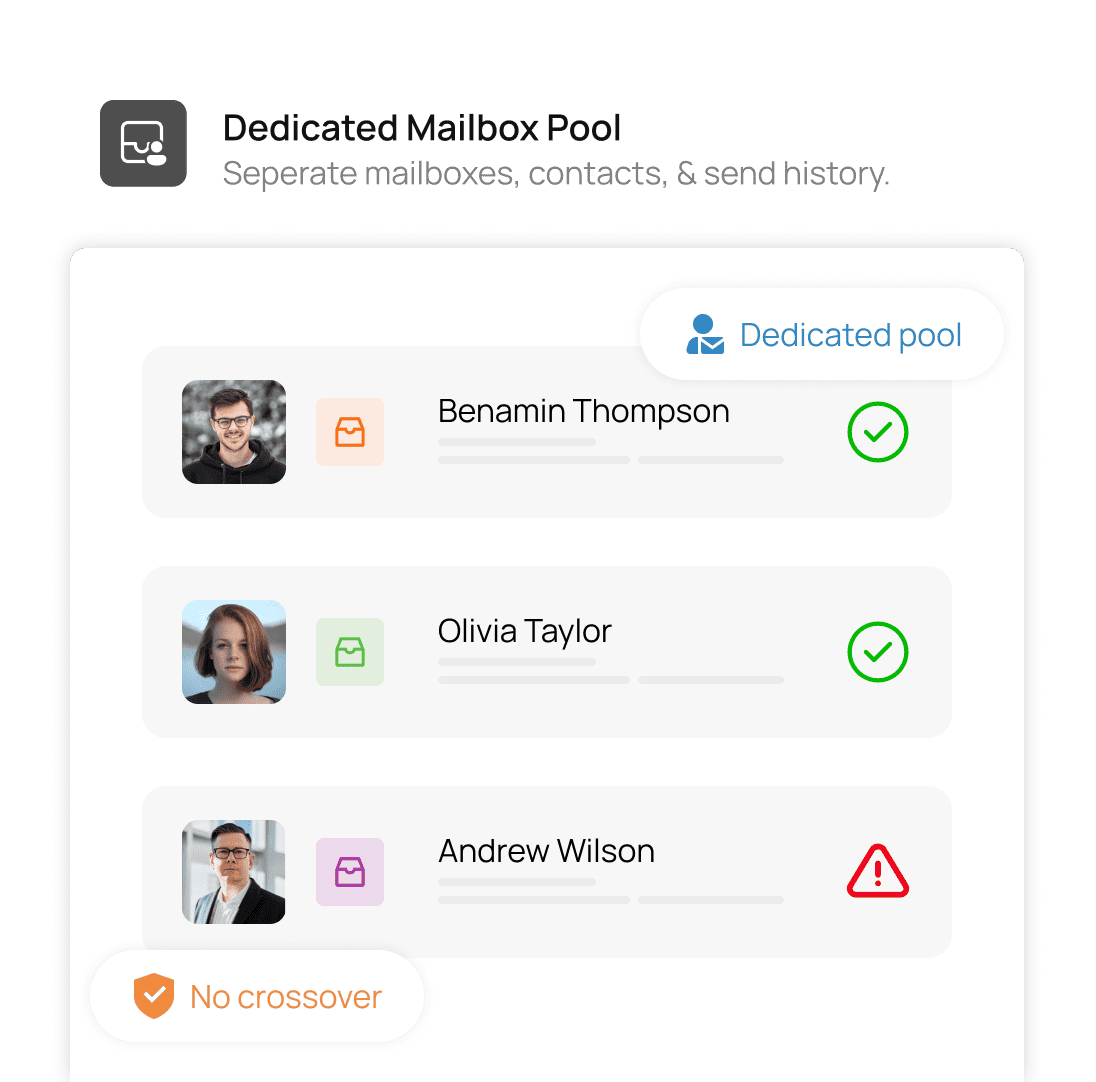
Agencies can give each client their own pool so nothing ever crosses over.
One client's mailboxes, contacts, and sending history stay completely separate from another's. Poor performance on one client account cannot affect another.
More volume without more risk. That is what sending pools are for.
Scale without the risk
Auto health monitoring
Per-client isolation
Expired tokens auto-reported
Everything you need to know
Common questions about Mailbox Rotation and Sending Pools in EVOX.
What is a sending pool?
A sending pool is a group of mailboxes that work together to send a campaign. Instead of one mailbox sending everything, the volume is spread evenly across all of them, each staying within its safe daily limit.
Why does spreading volume across mailboxes matter?
What email providers are supported?
What happens if a mailbox in the pool starts to underperform?
Can I have separate pools for different clients or campaigns?
What happens when a mailbox connection breaks or a token expires?

Send more without risking a single mailbox.
Evox spreads volume across every connected inbox, respects daily caps, and eases off the moment a provider pushes back.