Every value in one place every secret safely stored

Define global and workflow level variables once, then reference them anywhere with a clean variable syntax. Store application programming interface keys, tokens, and other secrets behind encrypted storage that workflows can read but humans never see twice. User level and workflow level scopes for fine grained access, all managed from a visual variable editor. A workflow automation platform that treats credentials and configuration the way every responsible team always wanted to.

Every value
How it works

From scattered values to one safe vault in 4 steps

Define each variable or secret in the visual editor name it, set the value, pick the type. Choose a scope that matches how widely it should be available. Drop references into any node using a clean variable syntax. When a key rotates, update the value once and every workflow that uses it picks up the new value without anyone touching a single node.

1
2
3
4

Define the Value

Define the variable or secret

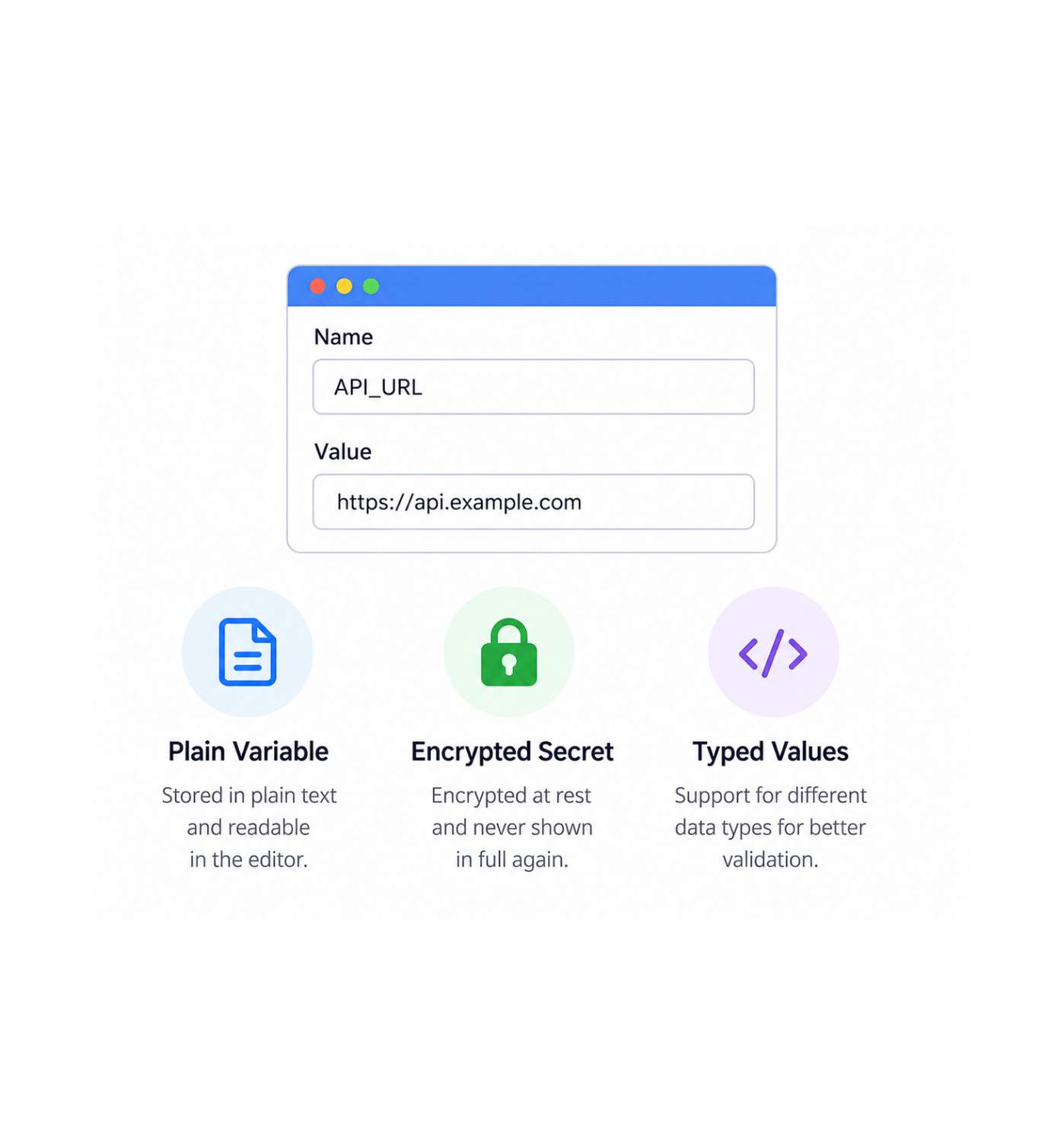
Open the visual variable editor, pick a name that reads cleanly in the workflows that will use it, set the value, and mark whether it is a plain variable or a secret. Plain variables stay readable in the editor for anyone who can see them. Secrets get encrypted the moment they hit storage and are never shown in full again workflows can use them, humans cannot read them back.

Visual EditorPlain VariableEncrypted SecretTyped Values

Choose the Scope

Choose the scope

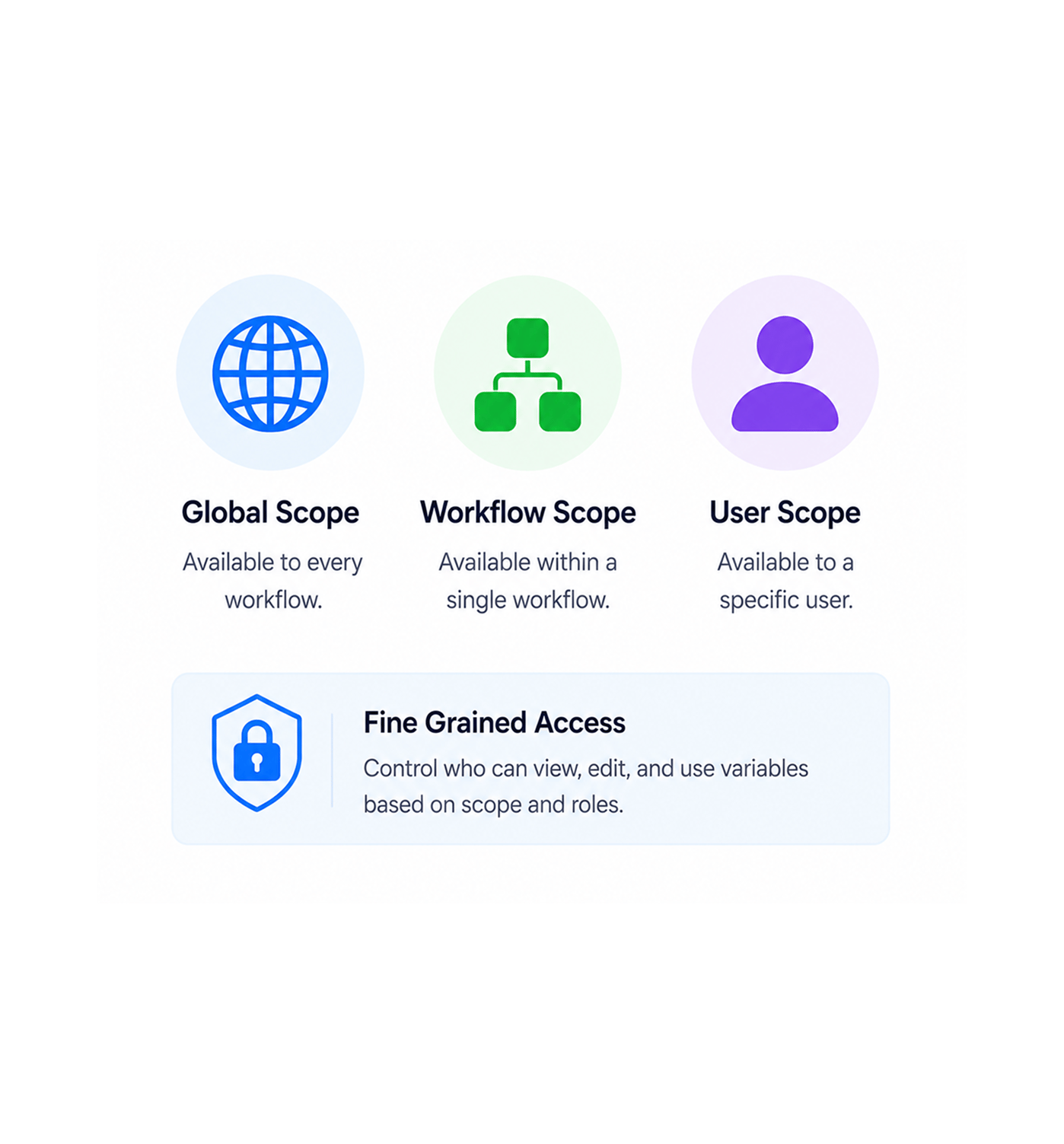
Global scope makes the variable available to every workflow in the workspace perfect for the company wide configuration, shared application programming interface keys, and values that need to be the same everywhere. Workflow scope keeps a value inside a single workflow useful for workflow specific settings that should not leak elsewhere. User scope binds a value to a specific user, ideal for personal credentials, individual signing keys, and per user preferences.

Global ScopeWorkflow ScopeUser ScopeFine Grained Access

Reference Anywhere

Reference with variable syntax

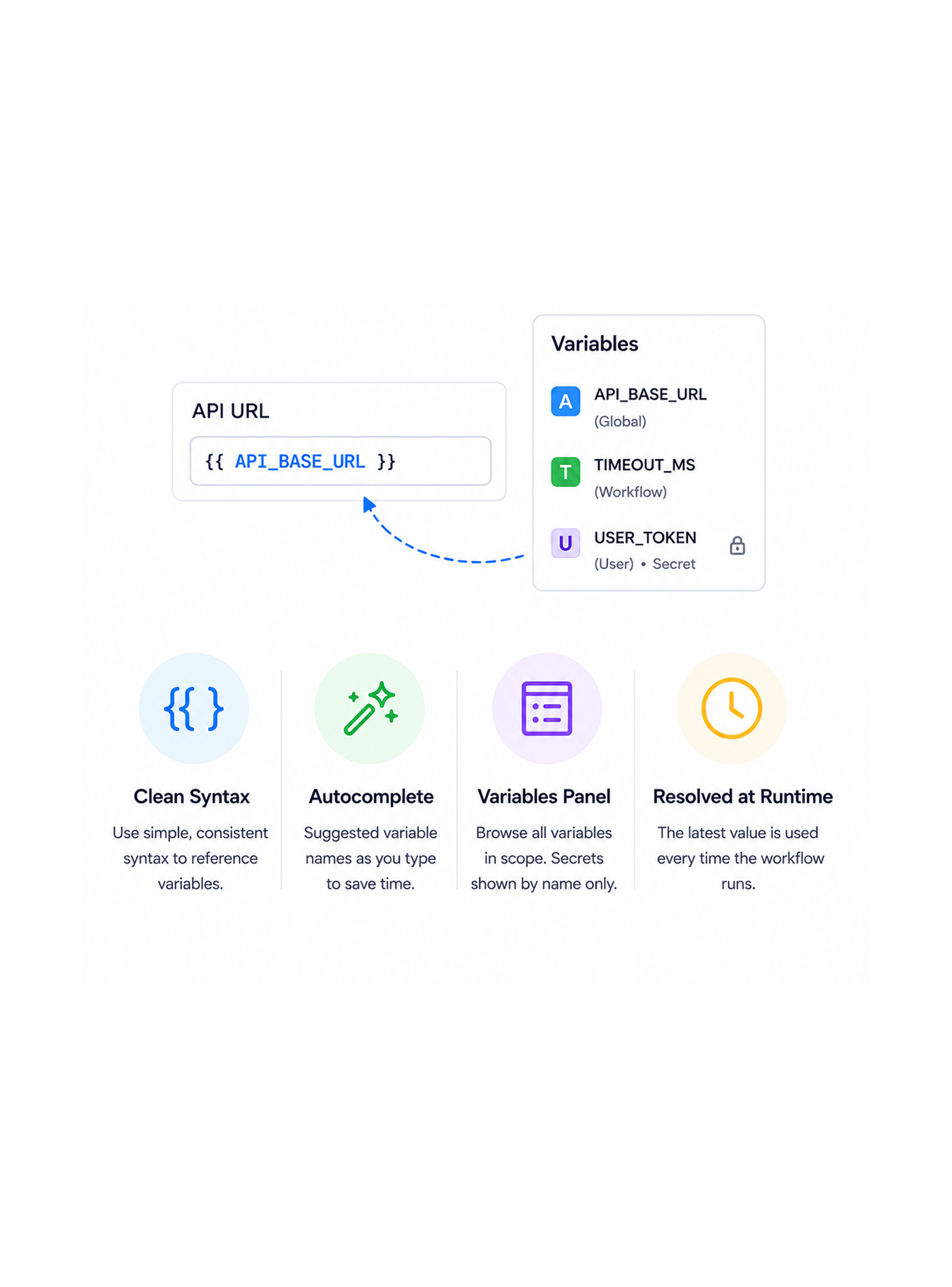
Inside any node in any workflow, drop the variable into the field that needs it using a clean variable syntax. The variables panel browses every variable in scope, with secrets shown by name but never by value. Autocomplete suggests matching names as you type. The reference resolves at execution time workflows pick up the current value of the variable on every run, never the value that happened to be there when the node was built.

Clean SyntaxAutocompleteVariables PanelResolved at Runtime

Rotate Safely

Rotate without touching workflows

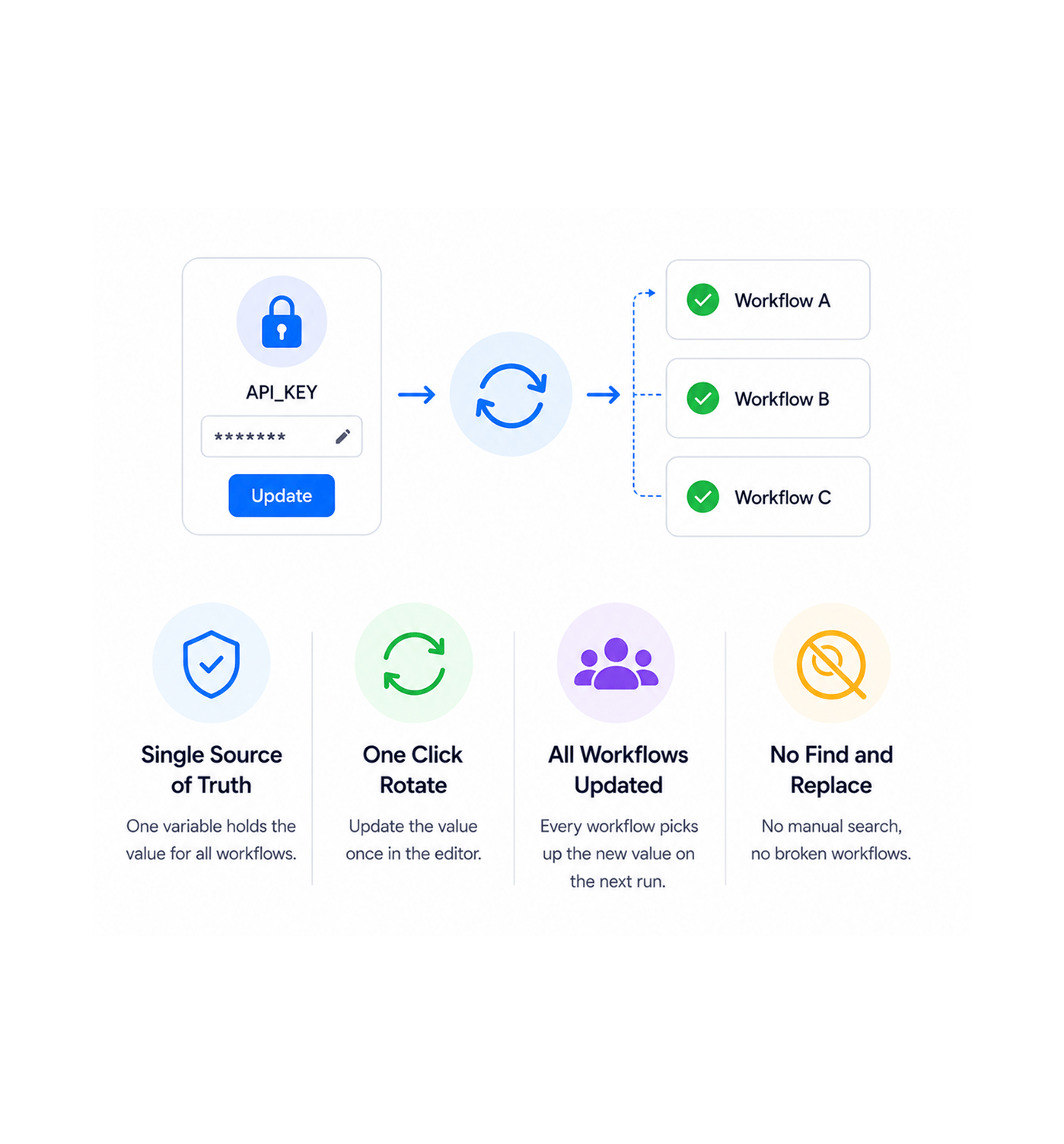
When an application programming interface key expires, a token needs rotation, or a configuration value changes, update it once in the variable editor and every workflow that references it picks up the new value on the very next run. No node by node hunt for old values, no broken workflows waiting to be noticed, no manual find and replace across dozens of automations. The variable is the single source of truth, and rotating it is one save away.

Single Source of TruthOne Click RotateAll Workflows UpdatedNo Find and Replace
Why Teams Choose REVO

Six reasons teams never go back

Once a team manages variables and secrets in one safe place instead of pasting application programming interface keys into individual nodes and hoping nobody screenshots the canvas the old way of handling credentials starts to look like a security incident waiting to happen. These are the changes that show up first.

One source of truth for every value

One source of truth for every value

The application programming interface key, the support email address, the company name, the regional setting, the rate limit threshold every value the team uses across multiple workflows lives in one place. Update it once, every workflow picks up the change. The chaos of values quietly drifting out of sync between different workflows simply stops happening.

Secrets stay secret

Secrets stay secret

The application programming interface key pasted into a workflow node used to be visible to anyone who could open the workflow readable from the editor, screenshot able in a meeting, copyable into a chat message. Encrypted secret storage means the value enters once, gets encrypted immediately, and is never shown in full again. Workflows can read it at execution time, humans cannot read it back at all.

Rotate keys without breaking workflows

Rotate keys without breaking workflows

The compliance routine of rotating credentials every ninety days used to mean opening every workflow that used the old value, finding every node it appeared in, replacing each instance, testing every workflow to make sure nothing was missed, and accepting that a couple of them probably did break before anyone noticed. With variables, rotation is one save in the variable editor and every workflow is current.

Scope keeps the right people in

Scope keeps the right people in

Global, workflow, and user scopes let the team decide exactly who can see what. Workspace wide credentials live in global scope. Workflow specific settings stay inside one workflow. Personal tokens stay bound to the individual user. The principle of least privilege finally gets applied to automation credentials, with no extra security tooling required.

No more hardcoded values in nodes

No more hardcoded values in nodes

The let me just paste this value in for now and tidy it up later shortcut used to leave a workspace full of hardcoded application programming interface keys, hardcoded email addresses, hardcoded regional settings. Variables remove the temptation entirely. Define the value once, reference it everywhere, and the workspace stays clean from day one.

Visual editor every teammate can use

Visual editor every teammate can use

The variable editor is a clean visual panel, not a configuration file in a folder somewhere. Anyone with the right permission can add, update, rotate, or retire a variable without involving engineering. The operations lead who needs to update the company name across every workflow does it in thirty seconds. The team finally has a credential management tool the whole team can actually use.

Define once. Encrypt everything. Reference anywhere.

Global variables, workflow variables, user variables, and encrypted secrets all managed in one visual editor, all rotatable in one click, all referenced with the same clean syntax across every node.

Who uses REVO variables
Deepak MehrotraDeepak MehrotraDeepak MehrotraDeepak Mehrotra

11200+

Teams keeping secrets out of
workflow nodes

Built for teams that handle sensitive credentials every day

Operations leaders, automation engineers, security teams, compliance officers, customer success managers, and founders use Revo as the platform where credentials and configuration values finally get treated properly. The variable layer is the single source of truth. The secret vault is the encrypted store for the credentials that matter. The scope system is the access control. The visual editor is the management surface every teammate can use. Every team a small business juggling a handful of application programming interface keys or a larger organisation orchestrating hundreds of business process automations with dozens of integration credentials gets the same level of variable safety and the same one click rotation story.

Encrypted

Storage

Scoped

Access

Visual

Editor

Audit

Trail

Variable Layer

Define once, reference everywhere

Every configuration value that more than one workflow uses lives in the variable layer, defined once and referenced anywhere it is needed. Global, workflow, and user scopes give the team fine grained control over visibility. The clean variable syntax keeps node configuration readable. Update a value once and every workflow follows along.

Define once, reference everywhere
Features

Everything the variable layer ships with

A complete variable and secret management toolkit built into the same workflow automation platform your team already uses. Global and workflow level variables, encrypted secret storage, three scope levels, a visual editor, clean variable syntax, and one click rotation come together so the credentials and configuration values your workflows depend on finally get treated the way they always should have been.

Global and Workflow Level Variables

Global and Workflow Level Variables

Define values once and reuse them across the workspace. Global variables sit at the top of the hierarchy and are available to every workflow. Workflow variables stay private to a single workflow for settings that should not leak elsewhere. Every value gets a clean name, a type, and an optional description that makes the variable list read like documentation rather than a configuration dump.

Encrypted Secret Storage

Encrypted Secret Storage

Application programming interface keys, tokens, signing keys, and any other sensitive credential get encrypted the moment they hit storage. The plain text value is shown only once at creation time and is never displayed again. Workflows read the secret at execution time through the same variable reference as any other value, but the editor and the activity log never expose the underlying string.

User Level and Workflow Level Scopes

User Level and Workflow Level Scopes

Three scopes cover every visibility pattern a team will need. Global makes a value available everywhere. Workflow scopes it to a single workflow. User binds it to one specific user for personal credentials and per user preferences. The right scope is one click during creation, and every variable shows its scope clearly in the editor so nothing is ambiguous later.

Visual Variable Editor

Visual Variable Editor

A clean visual panel for adding, updating, rotating, and retiring variables and secrets. Search across the whole library, filter by scope, group by category, sort by last updated. The operations lead who needs to update the company name across every workflow gets it done in thirty seconds without filing a ticket, opening a configuration file, or pinging engineering.

Variable Syntax Across Every Node

Variable Syntax Across Every Node

Drop a variable into any node in any workflow using a clean, consistent variable syntax. The variables panel browses every value in scope, autocomplete suggests matches as you type, and the reference resolves at execution time so workflows always pick up the current value of the variable on every run. Nothing in the workflow is ever frozen to an old value.

Key Rotation Without Code Changes

Key Rotation Without Code Changes

Rotating an application programming interface key or any other credential is one save in the variable editor. The new value flows to every workflow that references it on the very next run no node by node hunt for old values, no broken workflows waiting to be noticed, no manual find and replace across dozens of automations. The rotation cycle finally takes minutes instead of an afternoon.

Global and Workflow Level Variables

Global and Workflow Level Variables

Define values once and reuse them across the workspace. Global variables sit at the top of the hierarchy and are available to every workflow. Workflow variables stay private to a single workflow for settings that should not leak elsewhere. Every value gets a clean name, a type, and an optional description that makes the variable list read like documentation rather than a configuration dump.

Encrypted Secret Storage

Encrypted Secret Storage

Application programming interface keys, tokens, signing keys, and any other sensitive credential get encrypted the moment they hit storage. The plain text value is shown only once at creation time and is never displayed again. Workflows read the secret at execution time through the same variable reference as any other value, but the editor and the activity log never expose the underlying string.

User Level and Workflow Level Scopes

User Level and Workflow Level Scopes

Three scopes cover every visibility pattern a team will need. Global makes a value available everywhere. Workflow scopes it to a single workflow. User binds it to one specific user for personal credentials and per user preferences. The right scope is one click during creation, and every variable shows its scope clearly in the editor so nothing is ambiguous later.

Visual Variable Editor

Visual Variable Editor

A clean visual panel for adding, updating, rotating, and retiring variables and secrets. Search across the whole library, filter by scope, group by category, sort by last updated. The operations lead who needs to update the company name across every workflow gets it done in thirty seconds without filing a ticket, opening a configuration file, or pinging engineering.

Variable Syntax Across Every Node

Variable Syntax Across Every Node

Drop a variable into any node in any workflow using a clean, consistent variable syntax. The variables panel browses every value in scope, autocomplete suggests matches as you type, and the reference resolves at execution time so workflows always pick up the current value of the variable on every run. Nothing in the workflow is ever frozen to an old value.

Key Rotation Without Code Changes

Key Rotation Without Code Changes

Rotating an application programming interface key or any other credential is one save in the variable editor. The new value flows to every workflow that references it on the very next run no node by node hunt for old values, no broken workflows waiting to be noticed, no manual find and replace across dozens of automations. The rotation cycle finally takes minutes instead of an afternoon.

Questions & answers

Everything you need to know

Common questions about how the three scopes work, how secret encryption is handled, what rotation actually does to live workflows, how the variable syntax reads, who can see what at each scope, and what the audit trail covers.

Each scope maps onto a specific visibility pattern. Global scope makes a variable available to every workflow in the workspace, ideal for company wide configuration and shared credentials. Workflow scope keeps a variable inside a single workflow, useful for settings that should not leak to other automations. User scope binds a variable to a specific user, suited for personal credentials and per user preferences. A workflow can reference variables from any scope it has access to, with global being the broadest and user being the narrowest.

Network background
REVO · Variables & Secrets

Stop pasting secrets into nodes.
Start storing them properly.

Global, workflow, and user level variables. Encrypted secret storage. Visual editor. Clean variable syntax. One click rotation that flows to every workflow on the next run.