Seven node types every workflow you need

Seven node types cover every workflow shape your team will ever build Trigger, Action, Condition, Loop, Delay, Transform, and End. Each node opens a guided configuration panel with real time validation, clean field mapping between steps, and a step by step test you can run with real data before saving. A workflow automation platform where every node was designed to be configured once and trusted forever.

Seven
How It Works

From picking a node to a tested step in 4 steps

Pick a node type from the library. Walk through the guided configuration panel that explains every field. Map data from earlier steps into the fields that need it. Run a step by step test with a real payload, confirm the output looks right, and save. Every node on the canvas follows the same flow, so you learn it once and use it forever.

1
2
3
4

Pick a Node

Pick a node type

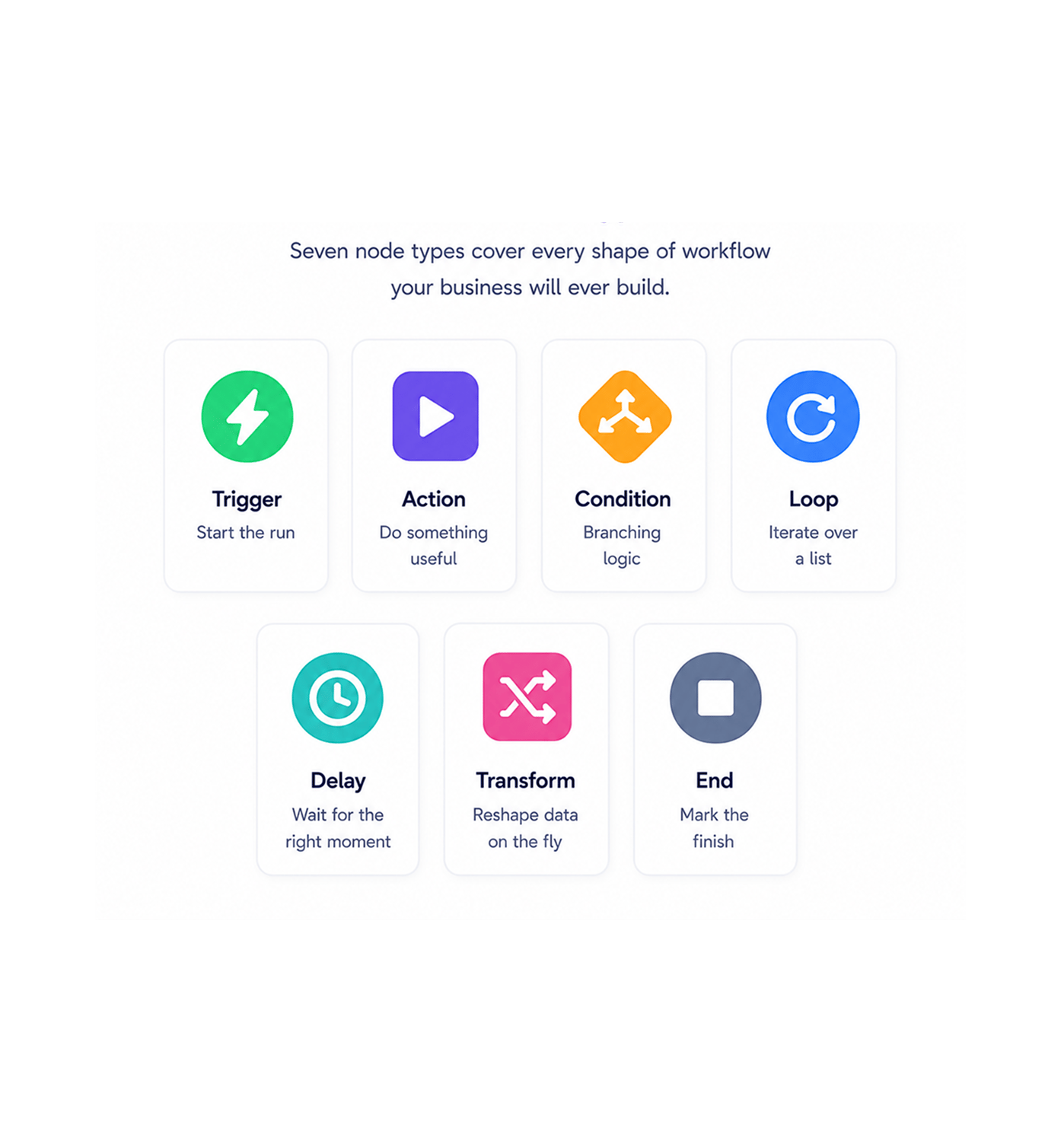
Seven node types cover every shape of workflow your business will ever build. Trigger to start the run, Action to do something useful, Condition for branching logic, Loop to iterate over a list, Delay to wait for the right moment, Transform to reshape data on the fly, and End to mark the finish. Browse the library, drop the one you need on the canvas, and start configuring.

TriggerActionConditionLoopDelayTransformEnd

Guided Configuration

Configure with guidance

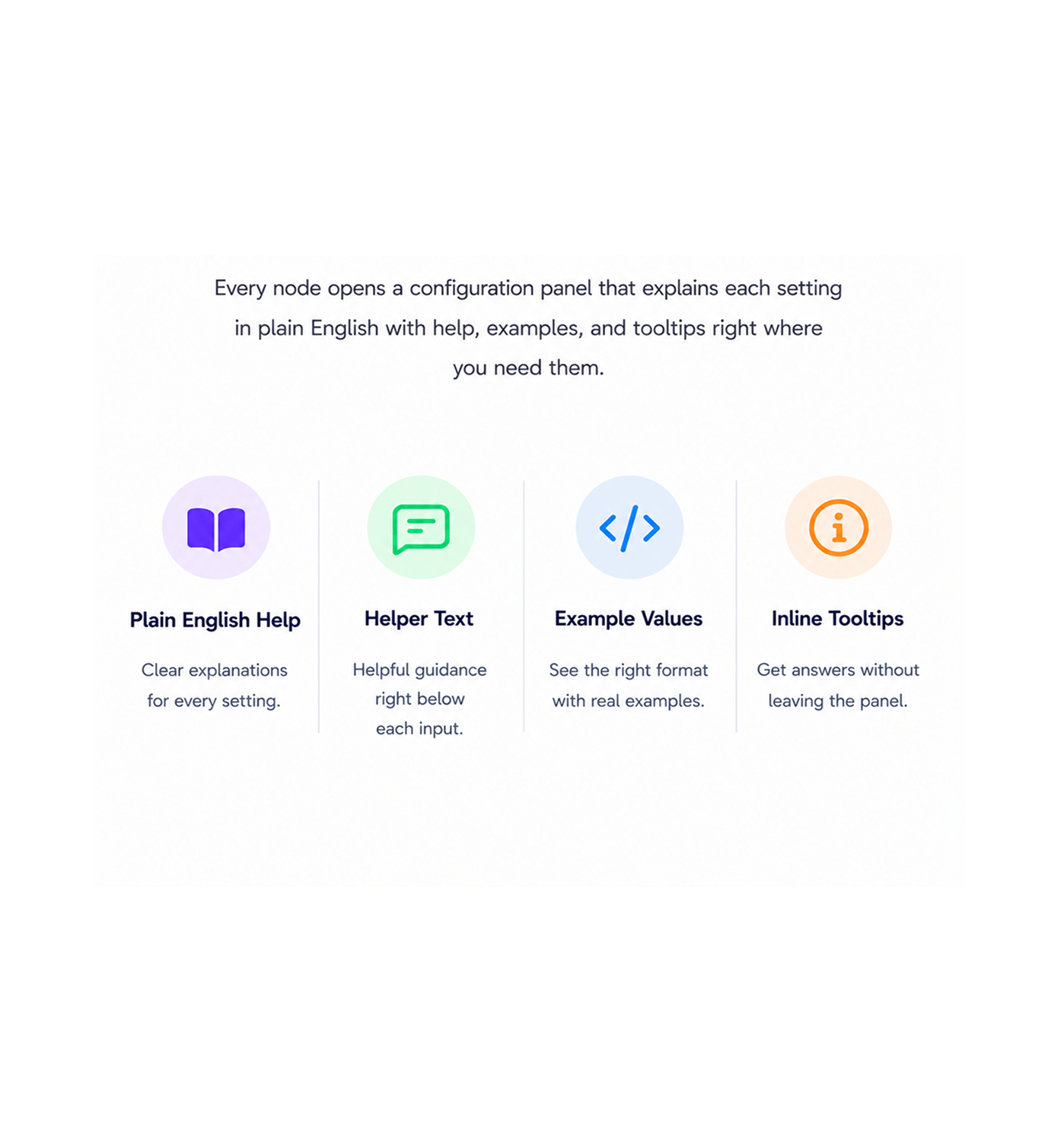
Every node opens a configuration panel that walks you through each field in plain English. The panel explains what each setting does, what format the value should take, and what happens when you leave it empty. Tooltips, helper text, and example values appear right next to the inputs, so you never have to leave the panel to figure out what something means.

Plain English HelpHelper TextExample ValuesInline Tooltips

Field Mapping

Map data between steps

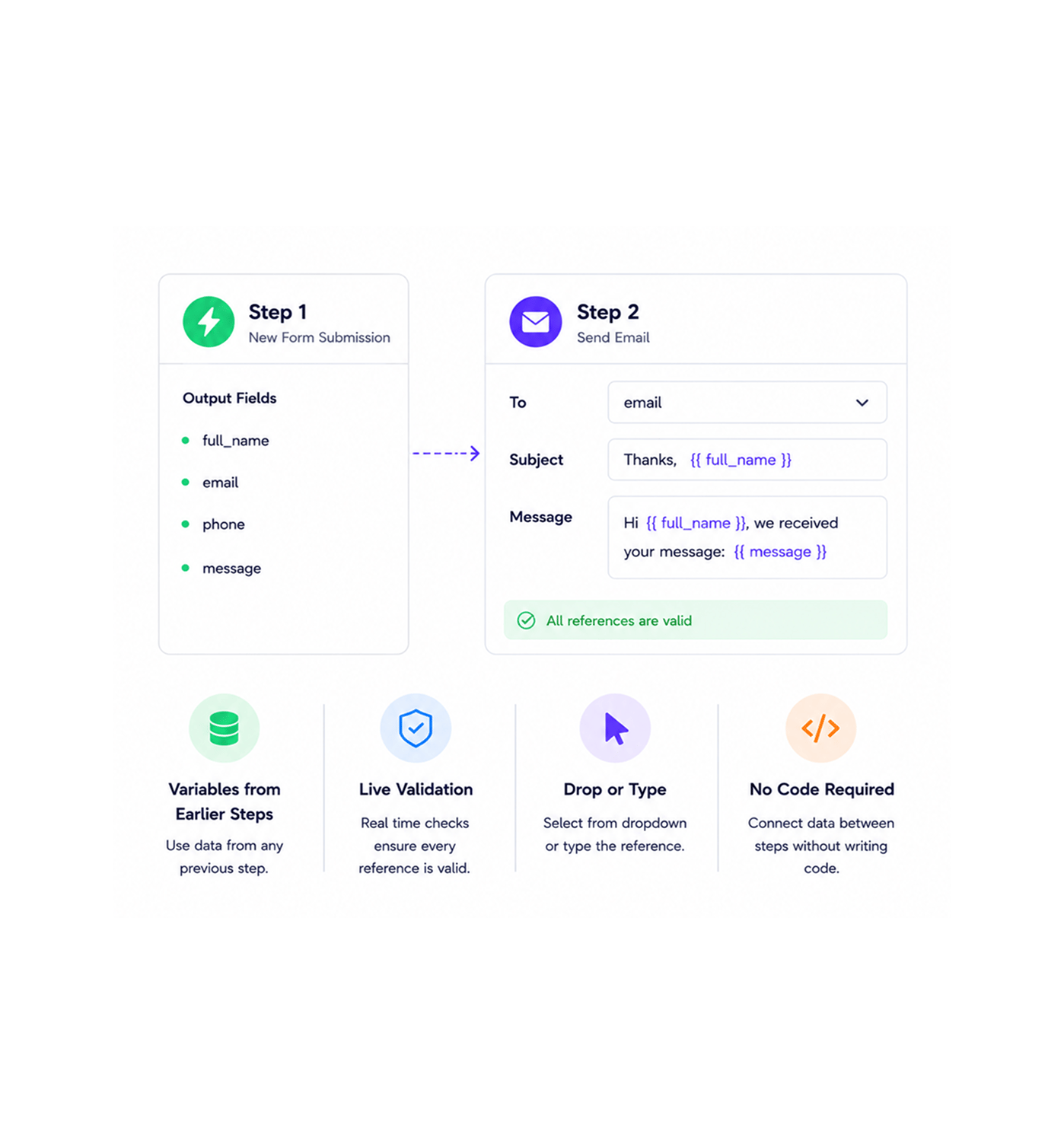
Every value from an earlier step is available as a field you can drop into the current node. Pick a variable from the dropdown or type the reference directly, and the data flows from one step to the next without anyone writing transformation code. Real time validation checks every reference as you make it, so you know the mapping works before you move on.

Variables from Earlier StepsLive ValidationDrop or TypeNo Code Required

Test Before Saving

Test before you save

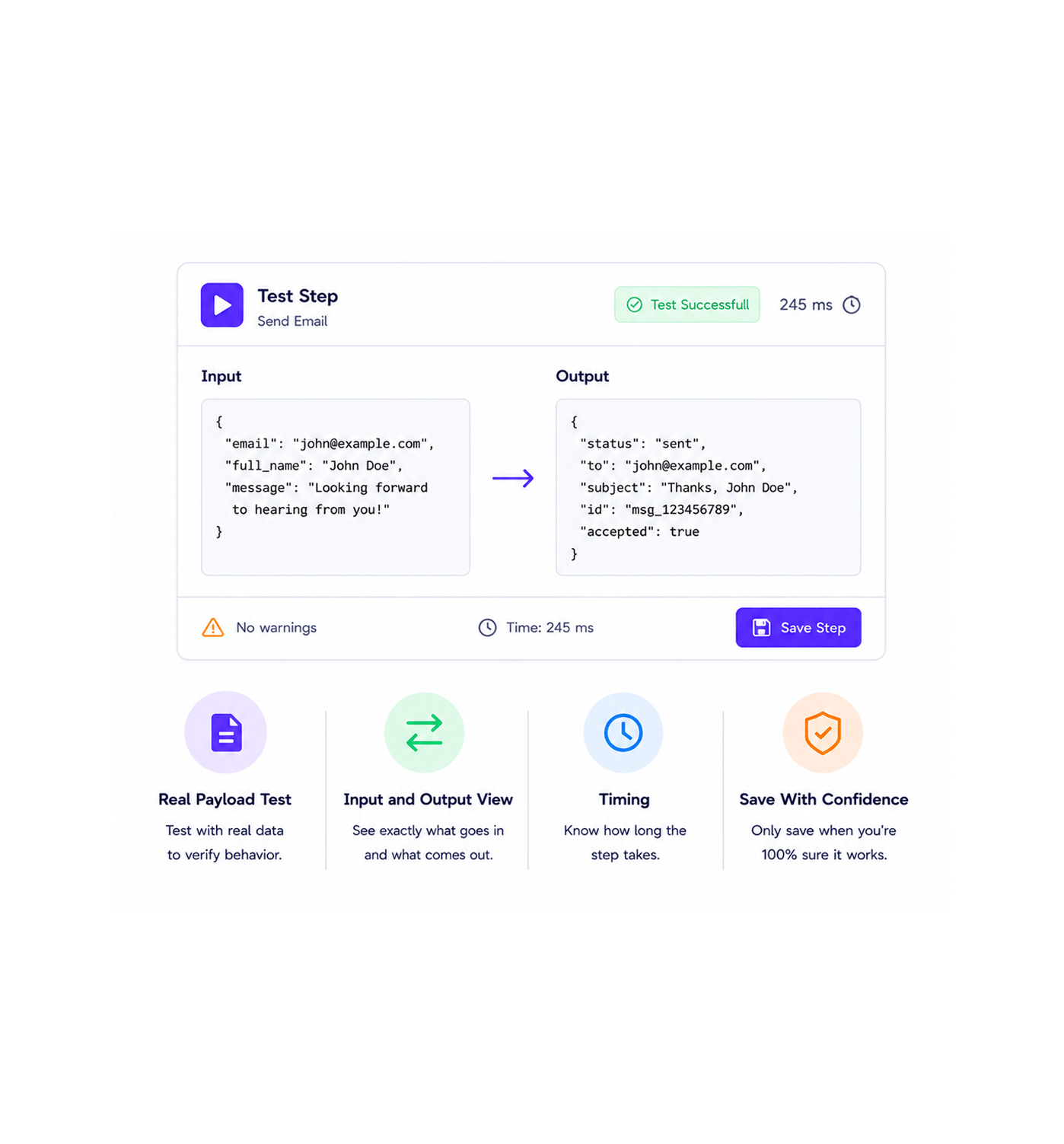
Run the step in isolation against a real payload, see the output exactly the way it will appear in production, and only save when you are satisfied. The test view shows the input, the output, the timing, and any warnings the platform caught all before the node ever runs in a live workflow. The cycle of write, save, run, debug, save again gets replaced by a single guided pass.

Real Payload TestInput and Output ViewTimingSave With Confidence
Why Teams Choose REVO

Six reasons teams never go back

Once a team builds workflows on a node library where every type is well designed, every panel is guided, and every step can be tested before going live the old way of configuring automation in a free text form with no validation feels like programming blindfolded. These are the changes that show up first.

Seven types cover every workflow

Seven types cover every workflow

Trigger for the start, Action for the work, Condition for the choice, Loop for the list, Delay for the wait, Transform for the reshape, End for the finish. The seven node types map onto every workflow shape a business will ever build, without the cognitive overhead of choosing between sixty subtly different node variants you have to research before using.

Configuration that explains itself

Configuration that explains itself

Every node panel comes with helper text on every field, example values where they help, and tooltips that explain what the setting actually does. The team stops opening a separate documentation tab to figure out what each field means, because the documentation is sitting right next to the input. New teammates configure their first node in minutes, not after a one hour onboarding call.

Errors caught before saving

Errors caught before saving

Real time validation runs while you type. A missing required field, a malformed reference, a value in the wrong format all flagged the moment they happen, with a plain English message explaining what the platform needs instead. The "saved, ran, failed, debugged" cycle that defines most automation work disappears almost entirely. The workflow either configures correctly or tells you exactly what to fix.

Data flows where you point it

Data flows where you point it

Field mapping turns every value from every earlier step into a draggable variable that drops into the current node. The data that used to require a custom Transform expression or worse, a manual copy paste from a test run now flows through the workflow with a single click. The integrations the team has been wanting to build finally get built, because the wiring step stopped being the hard part.

Test runs build real confidence

Test runs build real confidence

The step by step test runs the node against a real payload and shows the actual output, the timing, and any warnings. The team stops shipping workflows on hope and starts shipping them on evidence. By the time a workflow goes live, every node in it has been individually tested with realistic data, which is the only kind of automation worth deploying on a Friday afternoon.

Same panel for every node

Same panel for every node

Every one of the seven node types uses the same configuration panel layout, the same field mapping interface, the same validation behaviour, and the same test view. Learn one node and you have effectively learned all of them. The cognitive overhead of switching between different configuration styles for different actions in the same workflow disappears entirely, which means the team builds faster from day one onward.

Configure once. Validate live. Test before saving.

Seven node types, one guided panel, real time validation, and a test run with real data on every step. The node library your workflows have been waiting for.

Who uses the REVO library
Deepak MehrotraDeepak MehrotraDeepak MehrotraDeepak Mehrotra

7300+

Teams configuring nodes with
confidence

Built for teams that want power without the learning curve

Operations specialists, marketing leaders, customer success managers, product operators, and founders use the Revo node library to build the workflows their business actually runs on. The seven node types are the toolkit. The guided panels are the instructions. The field mapping is the wiring. The step testing is the safety net. Every team a small business owner building their first three workflows or a larger organisation orchestrating hundreds of business process automations gets the same library, the same configuration experience, and the same level of confidence before saving.

7

Node Types

Live

Validation

Field

Mapping

Test

Before Save

Node Toolkit

Every shape, one library

Trigger, Action, Condition, Loop, Delay, Transform, End. Seven node types map onto every workflow shape your business runs on, without the cognitive overhead of choosing between dozens of subtly different node variants. Build any workflow you can think of, with the smallest set of building blocks that still covers every case.

Every shape, one library
Features

Every node, every job

Six node types built into the workflow automation platform your team already uses, each opening into the same guided configuration panel with real time validation, field mapping, and step testing. Pick the type, walk through the panel, map the data, test it, and save. The End node ties off the workflow with a clean finish in the same panel pattern.

Trigger Nodes

Trigger Nodes

Every workflow starts with a trigger. Webhook events from external services, scheduled triggers on a recurring timer, manual triggers for on demand runs, and internal application events from across the Worksbuddy stack. The guided panel walks you through the source, the authentication, and the payload shape so the workflow starts on solid ground.

Action Nodes

Action Nodes

Action nodes do the actual work send an email, create a record, post to a chat channel, call an external service, update a database row, generate a document. Every action carries its own guided panel with the fields the target service needs, real time validation on every input, and a step test you can run before the action ever fires in production.

Condition Nodes

Condition Nodes

Conditional branching with simple if and else logic that any team member can read. Compare any field, combine conditions with and or or, branch the workflow down two paths depending on the result. Fourteen comparison operators cover every check from simple equality to advanced pattern matching, all configured through the same guided panel.

Loop Nodes

Loop Nodes

Iterate over a list of items and run the same set of actions for each one. Loop through every new lead, every line on an invoice, every row from a spreadsheet, every record returned by an external service. The guided panel handles the iteration variable, the break conditions, and the maximum iteration safety net so a runaway loop never becomes a production incident.

Delay Nodes

Delay Nodes

Pause the workflow for a set duration or until a specific time. Useful for follow up reminders three days after first contact, for nightly batch processing windows, for cooling off periods on sensitive operations. The guided panel handles the timing in plain English five minutes, two hours, three days, next Tuesday at nine without anyone calculating timestamps by hand.

Transform Nodes

Transform Nodes

Reshape data between steps. Combine fields, split strings, format dates, calculate values, build new objects from old ones. The Transform node opens a guided expression builder rather than a free text editor, with field references on one side and operators on the other, so the data manipulation that used to need a developer becomes a visual exercise any team member can handle.

Trigger Nodes

Trigger Nodes

Every workflow starts with a trigger. Webhook events from external services, scheduled triggers on a recurring timer, manual triggers for on demand runs, and internal application events from across the Worksbuddy stack. The guided panel walks you through the source, the authentication, and the payload shape so the workflow starts on solid ground.

Action Nodes

Action Nodes

Action nodes do the actual work send an email, create a record, post to a chat channel, call an external service, update a database row, generate a document. Every action carries its own guided panel with the fields the target service needs, real time validation on every input, and a step test you can run before the action ever fires in production.

Condition Nodes

Condition Nodes

Conditional branching with simple if and else logic that any team member can read. Compare any field, combine conditions with and or or, branch the workflow down two paths depending on the result. Fourteen comparison operators cover every check from simple equality to advanced pattern matching, all configured through the same guided panel.

Loop Nodes

Loop Nodes

Iterate over a list of items and run the same set of actions for each one. Loop through every new lead, every line on an invoice, every row from a spreadsheet, every record returned by an external service. The guided panel handles the iteration variable, the break conditions, and the maximum iteration safety net so a runaway loop never becomes a production incident.

Delay Nodes

Delay Nodes

Pause the workflow for a set duration or until a specific time. Useful for follow up reminders three days after first contact, for nightly batch processing windows, for cooling off periods on sensitive operations. The guided panel handles the timing in plain English five minutes, two hours, three days, next Tuesday at nine without anyone calculating timestamps by hand.

Transform Nodes

Transform Nodes

Reshape data between steps. Combine fields, split strings, format dates, calculate values, build new objects from old ones. The Transform node opens a guided expression builder rather than a free text editor, with field references on one side and operators on the other, so the data manipulation that used to need a developer becomes a visual exercise any team member can handle.

Questions & Answers

Everything you need to know

Common questions about what each node type does, how the guided configuration panels work, what real time validation actually catches, and how the step by step testing builds confidence before a workflow ever goes live.

Each type maps onto a distinct workflow job. Trigger starts a workflow run from an event, a schedule, a manual click, or an internal application signal. Action does the actual work send an email, create a record, call a service. Condition branches the flow based on a check against any field. Loop iterates over a list and runs the same actions for each item. Delay pauses the workflow for a duration or until a specific time. Transform reshapes data between steps. End marks the finish of the workflow with a clean closing state. Together they cover every workflow shape any business will ever build.

Network background
REVO · Node Library

Stop guessing at configuration. Start testing before you ship.

Seven node types. One guided panel. Real time validation. Field mapping between every step. A test run on every node before it ever goes live.