


Run your workflows the way
they should actually run
Non blocking runs, parallel steps, conditional branching, configurable retries, per step timeouts, manual nodes, test mode.
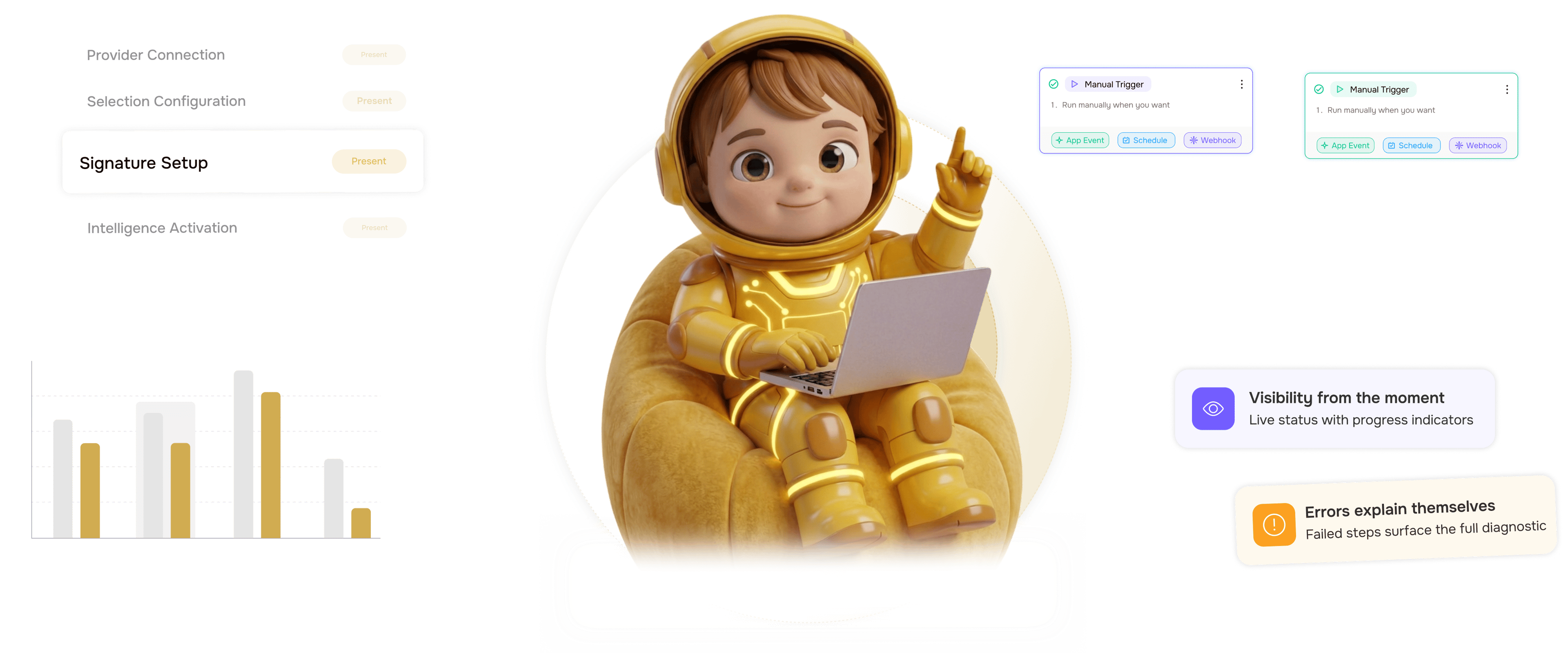
From a running workflow to a fully controlled one in 4 steps
Workflows run without blocking, independent steps in parallel. Branches, retries, timeouts, manual nodes, test mode.
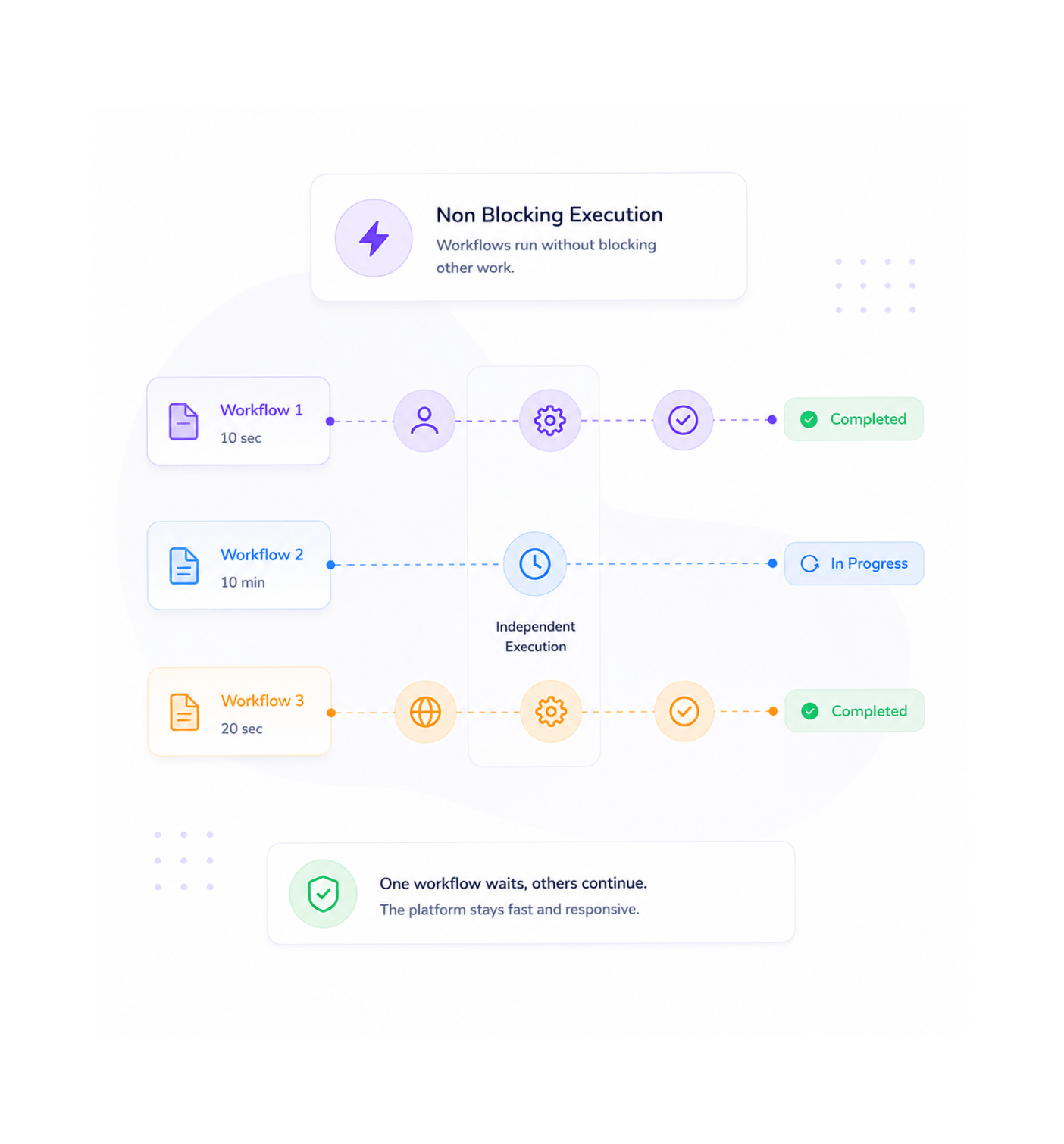
Non Blocking Execution
Workflows run without blocking
Every workflow runs without blocking other work. A step waiting on a third party service does not hold up the next workflow, a slow operation does not slow a fast one, and a ten minute run does not delay a ten second one.
- Non Blocking
- No Queue Delays
- Independent Workflows
- Always Responsive
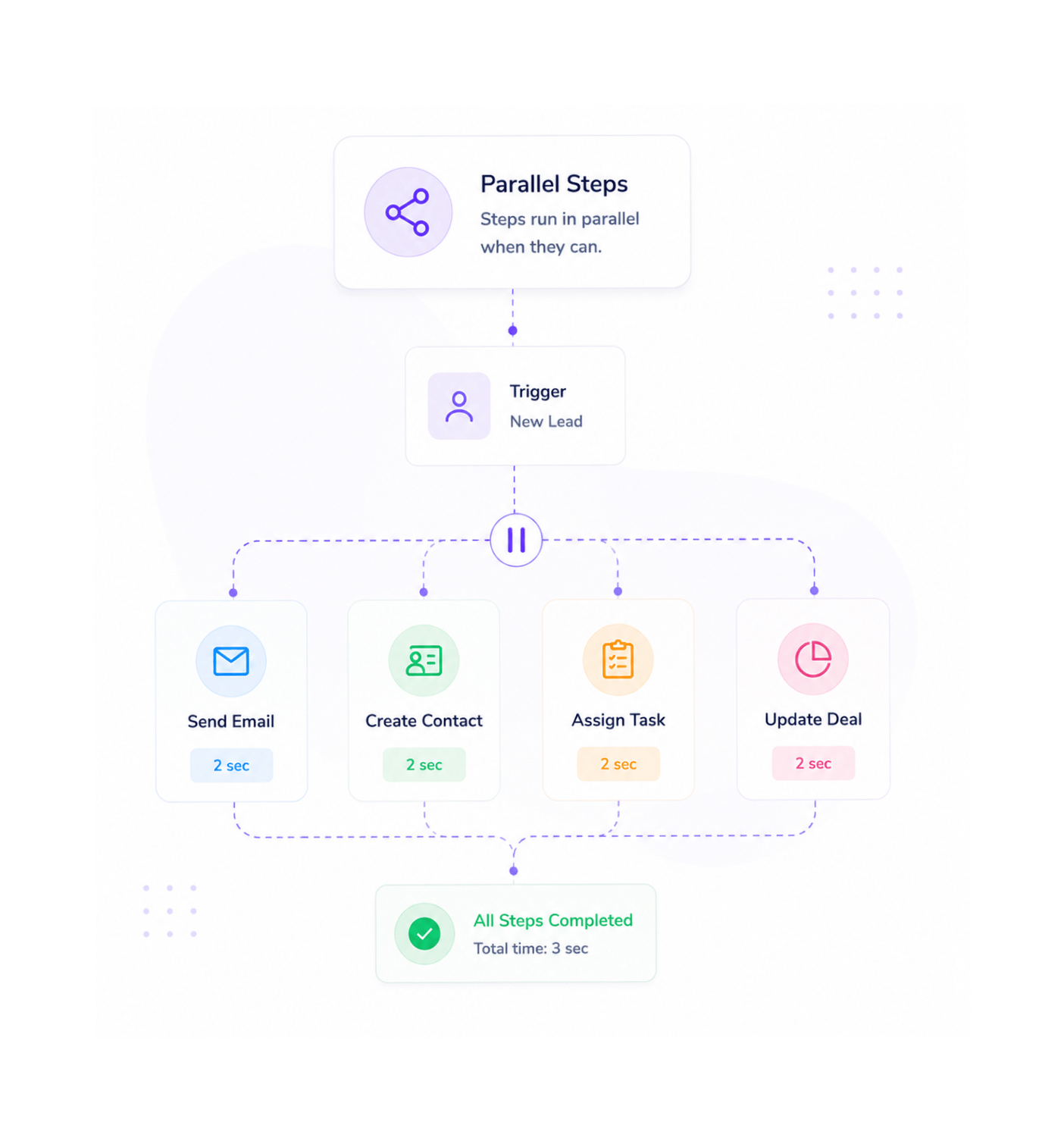
Parallel Steps
Steps run in parallel when they can
Independent steps in the same workflow run at the same time rather than one after another. Send the welcome email while creating the contact, assigning the task, and updating the deal. Twelve seconds becomes three.
- Independent Steps
- Concurrent Execution
- Faster Workflows
- No Wasted Time
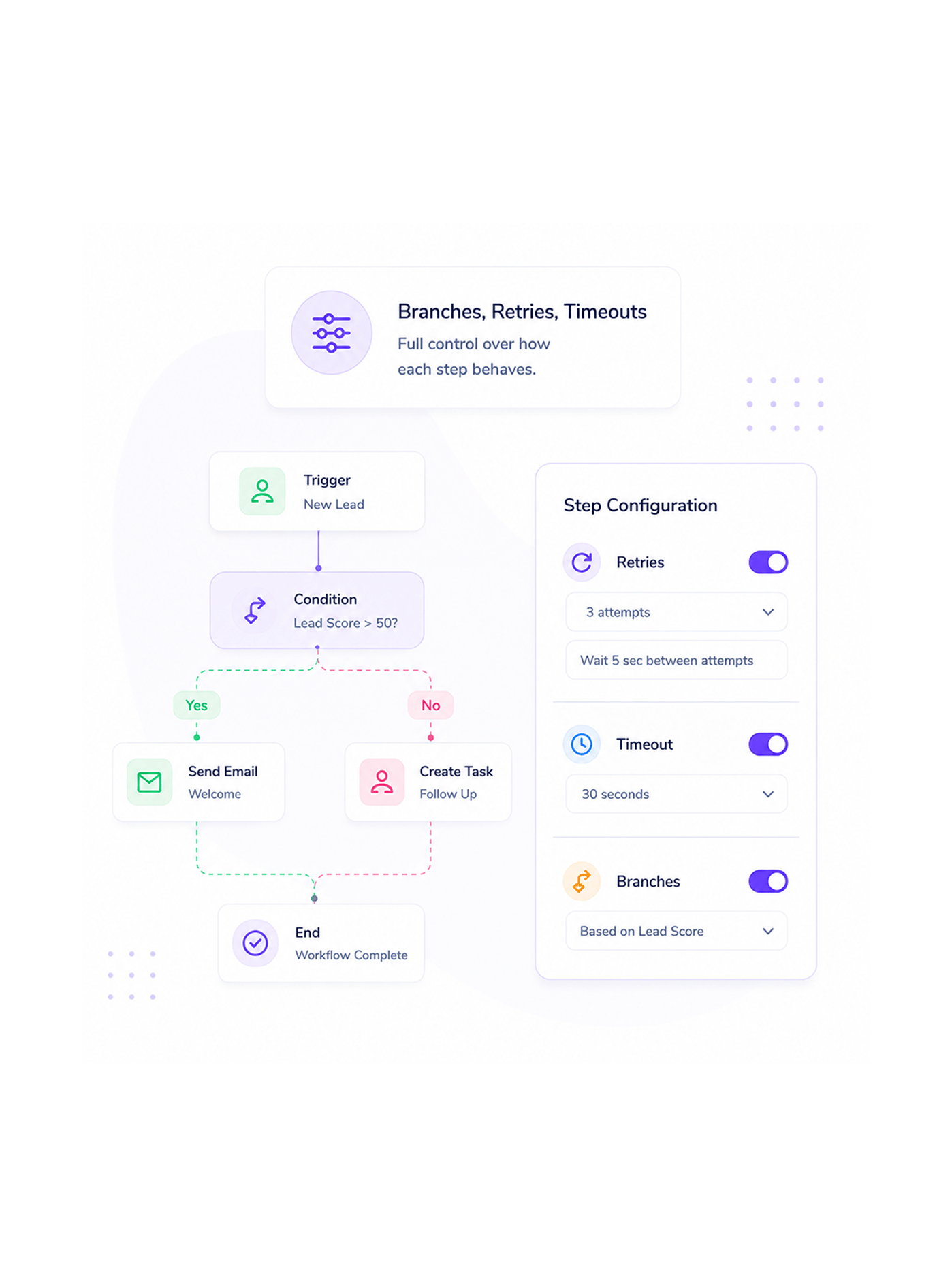
Branches, Retries, Timeouts
Full control over how each step behaves
Conditional execution branches the workflow on any field in the data. Configurable retries with smart waits handle transient failures without retrying forever. Per step timeouts protect against a step that hangs.
- Conditional Branches
- Retry with Backoff
- Per Step Timeout
- Full Step Control
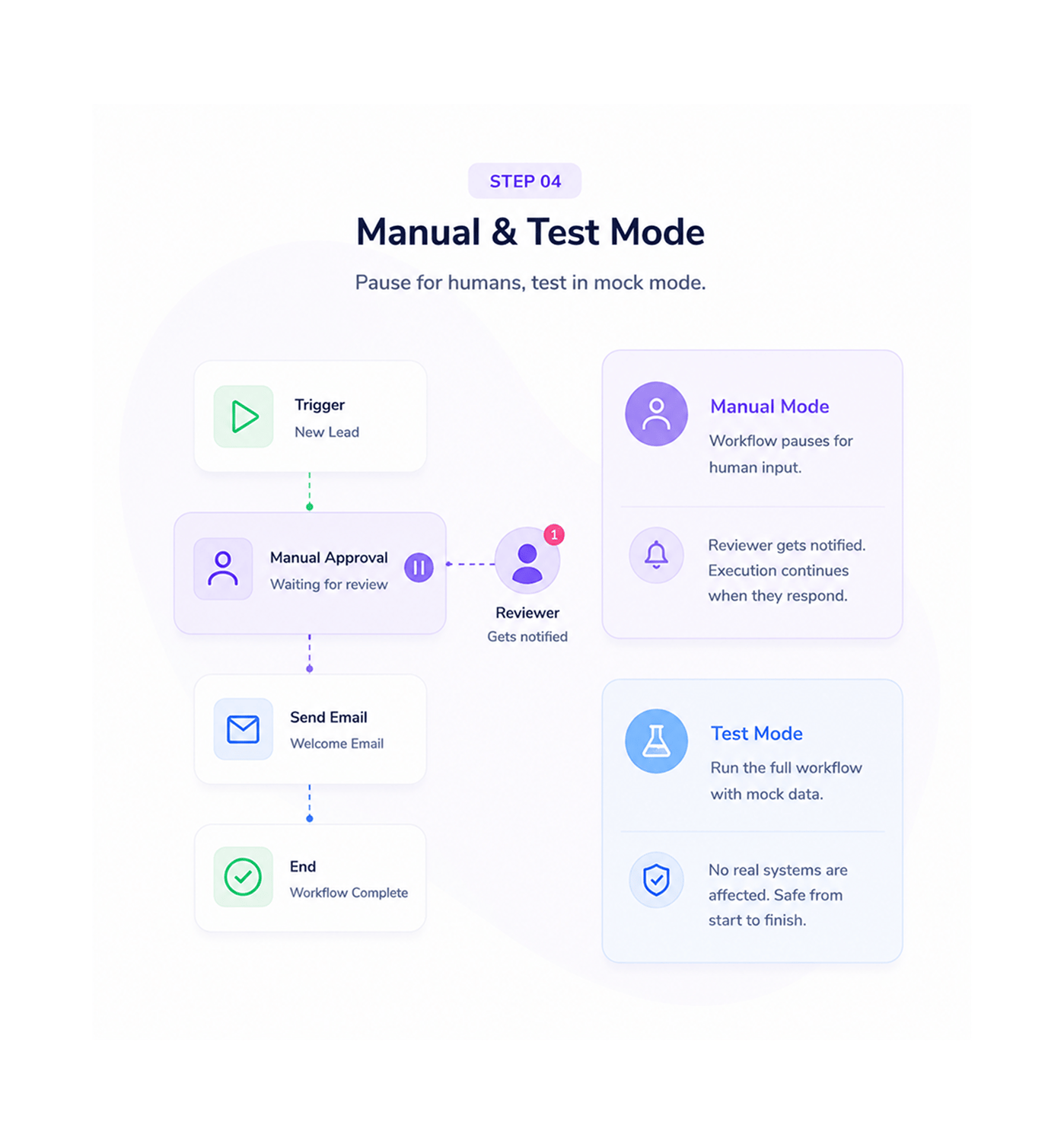
Manual & Test Mode
Pause for humans, test in mock mode
Manual intervention nodes pause for human input — an approval on a high value deal, a review of an unusual document. The reviewer gets a notification, execution continues on response. Test mode runs with mock data.
- Manual Intervention
- Pause for Human Input
- Test Mode
- No Real Effects
Six reasons teams never go back
Once a team has precise control, non blocking, parallel, conditional, retried, paused for humans, writing on hope stops.

Nothing waits for anything else
Non blocking execution means a slow step in one workflow never holds up a fast step in another, and the platform stays responsive under heavy load.

Branches let workflows think
Conditional execution lets workflows respond to the data they receive. The high value deal takes the approval path, the standard deal the fast path.

Retries and timeouts are configurable per step
A retry policy for a quick database write differs from one for a long report, and timeouts differ too. Per step config gives every step exactly the retry and timeout it needs.

Human in the loop when you need it
Manual intervention nodes pause cleanly for human input where judgement is needed. The reviewer is notified, the workflow waits, execution resumes.

Test mode runs without side effects
Test mode runs the whole workflow with mock data through every step like a real run, but nothing touches a real system. No email, no invoice.

Performance scales with your business
Non blocking execution and parallel steps mean the workflow handling a hundred events a day also handles ten thousand without re architecting.


9700+
Teams running workflows
with precise execution control
Built for teams who need every workflow to behave well under pressure
Ops leaders, automation engineers, platform teams, customer success managers, finance specialists, and founders all use Revo execution control to make sure every workflow runs the way it should.
Execution
Steps
Timeouts
Mode
Async, parallel, conditional, controlled
Non blocking execution that never holds up other work. Parallel steps that run independent operations at the same time. Conditional branching that lets workflows respond to the data. The runtime is responsive.
Everything the execution control layer ships with
A complete execution control toolkit. Non blocking runs, parallel steps, branching, retries, timeouts, test mode.

Non Blocking Async Execution
Every workflow runs without blocking other work. A slow step never holds up a fast one, a workflow waiting on a service never delays anything else.

Parallel Step Support
Independent steps in the same workflow run at the same time. The six step sequence that took twelve seconds in series finishes in three.

Conditional Execution and Branching
Workflows branch on any field in the data — deal value, lead source, document type, customer tier. Conditional nodes use the same visual builder.

Configurable Retries and Per Step Timeouts
Every step has its own retry policy with maximum attempts, smart exponential waits, and a per step timeout protecting against a misbehaving operation.

Manual Intervention Nodes
Manual intervention nodes pause for human input where judgement is needed: approvals, reviews, exceptions. The next step then runs.

Test Mode with Mock Data
Test mode runs the entire workflow with mock data through every step like a real run, with no effect on any system. Verify before production.
Everything you need to know
Common questions about non blocking execution, parallel steps, retries, timeouts, test mode.
It means every workflow runs independently of every other, and every step waiting on something does not consume capacity while it waits. A workflow waiting on a third party service does not hold up another that is ready to run, and a slow step in one workflow does not slow a fast step in another. The platform handles thousands of workflows in flight at once without any single one blocking another.