


Sign off chains, automated.
Every approval logged.
Sequential or parallel approvals with field assignment per approver, time limited tokens, and audit grade history.
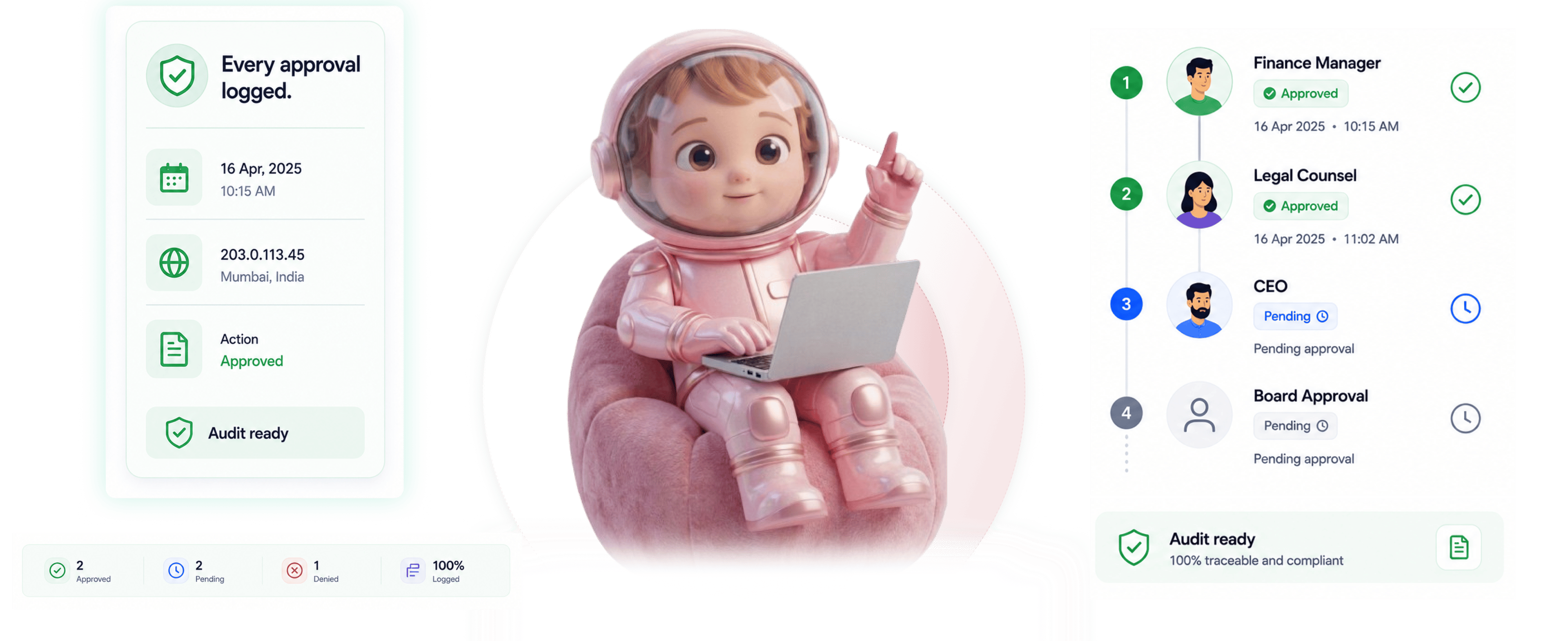
From approval chain to audit trail in 4 steps
Configure the chain, approvers get token links, approve or deny with a reason, full history with IP and geo.
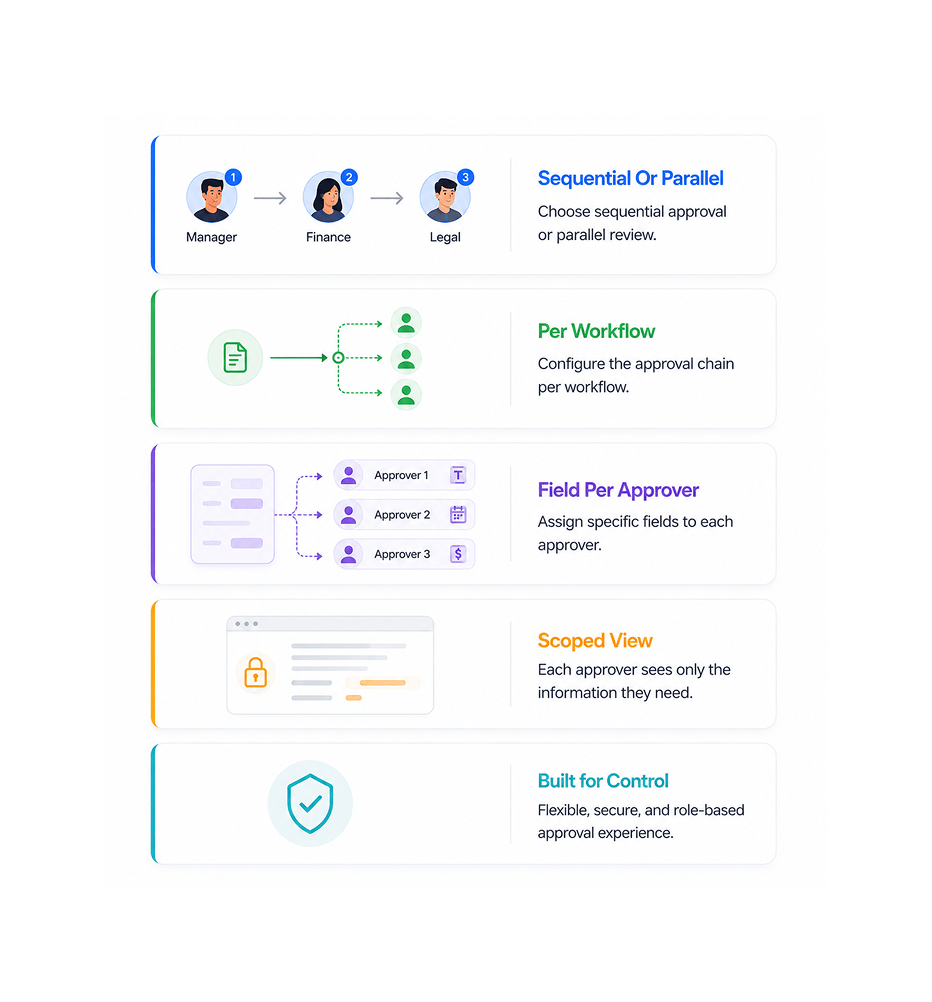
Configure The Chain
Configure approval chain sequential or parallel
Build the chain that matches the sign-off pattern. Sequential when each approver completes before the next. Parallel when all review at once. Field assignment means each sees only the fields they act on.
- Sequential Or Parallel
- Per Workflow
- Field Per Approver
- Scoped View
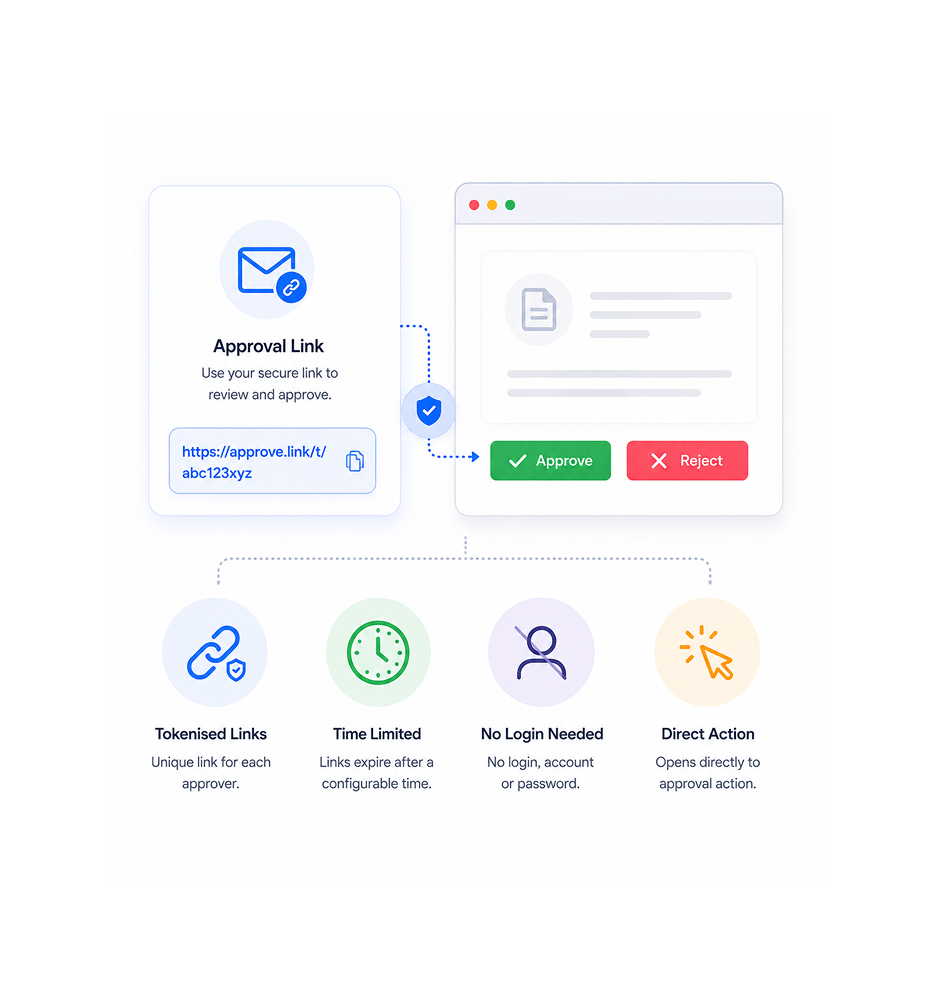
Token Links
Approvers receive time limited token links
Each approver gets a tokenised link that opens directly to their action. No login, no account, no password reset. Tokens expire after a configurable window, so a link sitting in an inbox can't be acted on indefinitely.
- Tokenised Links
- Time Limited
- No Login Needed
- Direct Action
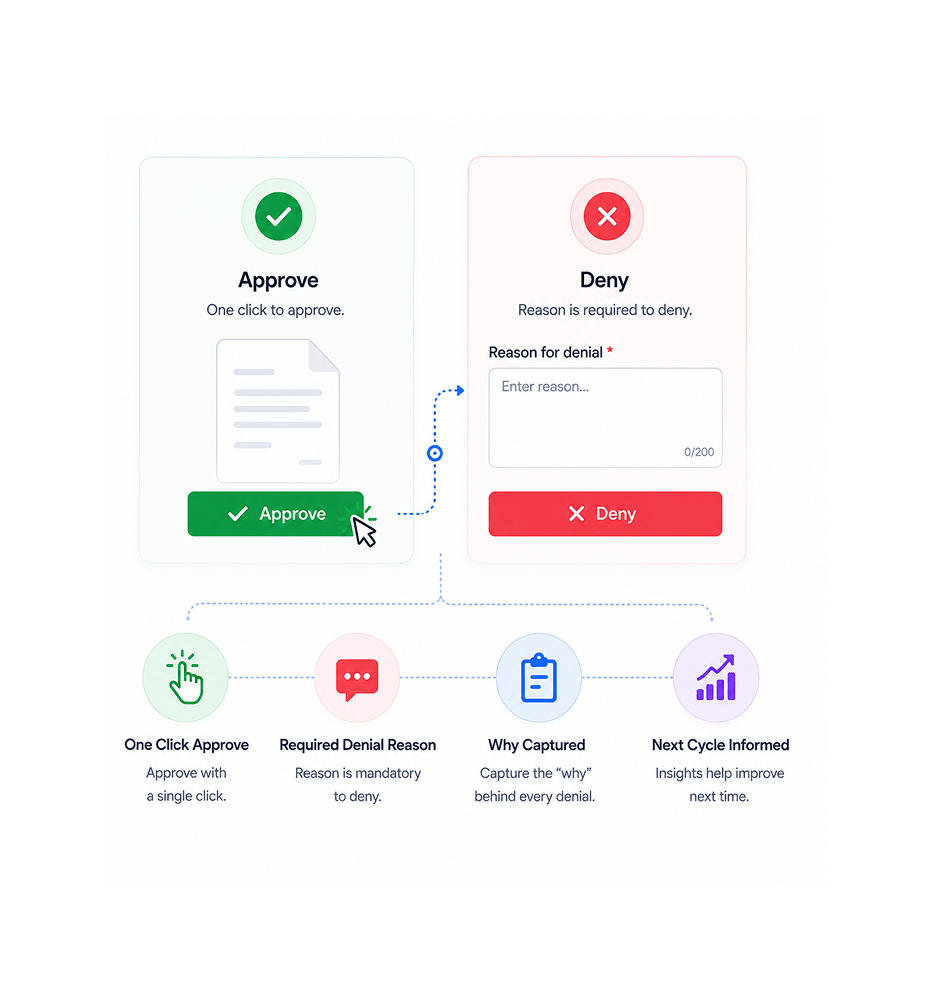
Approve Or Deny
Approve or deny with required reason
Approval is a single click. Denial requires a reason before submitting. The reason captures the why behind every rejection, so the team understands what blocked it and knows what to change next time.
- One Click Approve
- Required Denial Reason
- Why Captured
- Next Cycle Informed
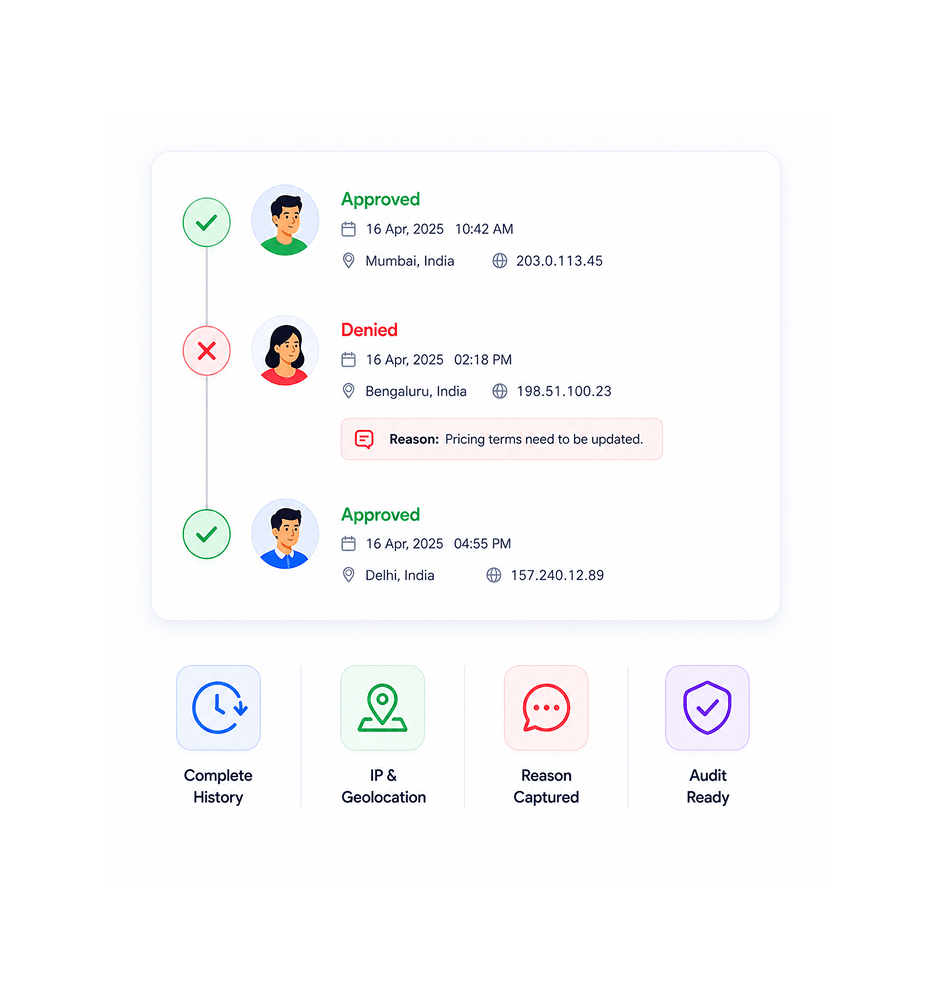
Full Audit Trail
Full history with IP and geolocation
Every approval action logs to the audit trail: who, when, from where, with what IP and geolocation. Denials log the same plus the reason. The complete history makes compliance reviews a single lookup.
- Complete History
- IP Geolocation
- Reason Captured
- Audit Ready
Six reasons teams never go back
Sequential and parallel routing, time limited tokens, denial reasons, field assignment per approver, full history with IP and geo.

Sequential and parallel both supported
Some chains need ordered approval: manager before director before VP. Others run in parallel. Both are supported, picked per workflow, never forced into one structure.

Time limited tokens remove login friction
An approver who must log in just to click approve defers the task, and later means slower close. Time limited links open directly to the action, so they respond in the moment.

Denial with required reasons captures the why
An approval that just says rejected is useless; no one knows what to change. Required reasons capture the why behind every denial, so the team knows what to fix next cycle.

Field assignment per approver locks the right inputs
An approver who sees a deal value shouldn't also see internal legal commentary. Field assignment scopes each view to only what the role requires. Sensitive fields stay hidden.

Full approval history makes chains reviewable
Email approvals scatter across inboxes and threads, turning reviews into digs. Full history in one place makes every chain reviewable end to end.

IP and geolocation create legal proof on every action
Email approvals lack IP and geolocation, so a disputed approval has thin evidence. Every Sigi approval logs IP and geolocation, creating the same legal proof signatures get.


10500+
Teams running audit grade approval chains in one system
Built for teams whose sign-off chains need real audit trails, not informal email approvals
Procurement running vendor chains across legal, finance, and ops. Finance running expense workflows where reviewers justify denials. Legal ops running sign-off with full audit visibility.
Or Parallel Routing
Tokens
Required
Captured
Sequential or parallel, field per approver
Pick the pattern that matches the chain. Sequential for ordered approval, parallel for simultaneous review. Field assignment scopes each view to exactly what the role requires, sensitive fields hidden.
Everything the approval layer ships with
Sequential or parallel routing, field assignment, time limited tokens, denial reasons, full history with IP and geo.

Sequential or Parallel Approval Routing
Pick the routing that matches the chain. Sequential when each approver completes before the next. Parallel when all act at once. Both picked per workflow.

Field Assignment Per Approver
Each approver gets a scoped view. Field assignment sets what each sees: deal value but not legal commentary.

Time Limited Approval Tokens
Approvers get tokenised links that open straight to the action. No login. Tokens expire after a set window.

Denial With Required Reasons
Approval is one click. Denial requires a reason first. The reason captures the why behind every rejection.

Full Approval History
Every approval and denial logs to history: who, when, from where, with what reason if denied.

IP and Geolocation Per Action
Every action captures IP and geolocation with the approver's identity. With timestamp, this is audit grade proof.
Everything you need to know
Common questions on approvers vs signers, sequential vs parallel, tokens, and reasons.
Approvers approve the contract for the next step. Signers sign the contract itself. An approver might review a contract before it goes out for signing, sign off on a vendor selection, or approve an expense before payment. They never put a signature on the document. Signers are the full signing party who execute the contract. Both roles capture IP and geolocation evidence, but they serve different operational functions in real workflows.