


Flags clear themselves.
Once the contract is done.
AI risk flags auto resolve when a document completes. No manual cleanup. Manual dismissal stays available with full audit trail.
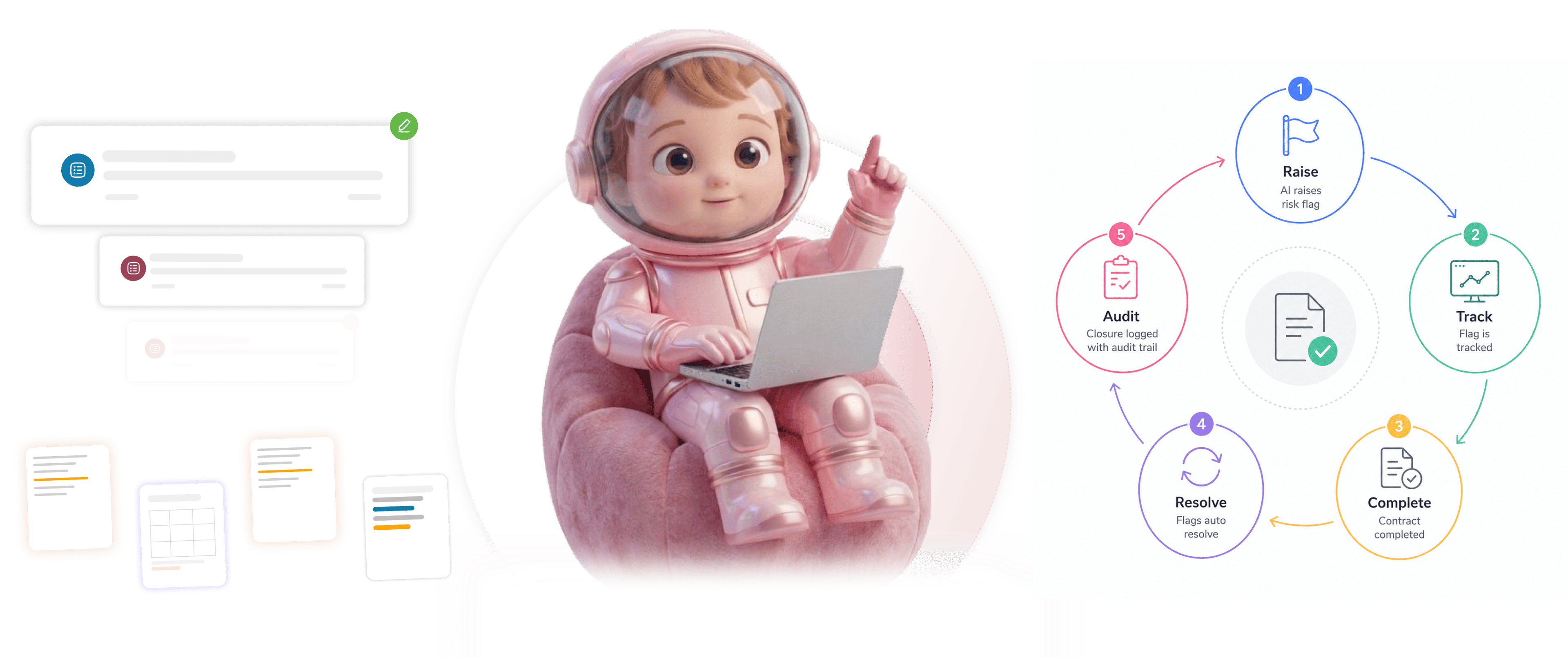
From raised flag to clean dashboard in 4 steps
Flags raised by AI, tracked while active, auto resolved on completion, manually dismissable with audit trail.
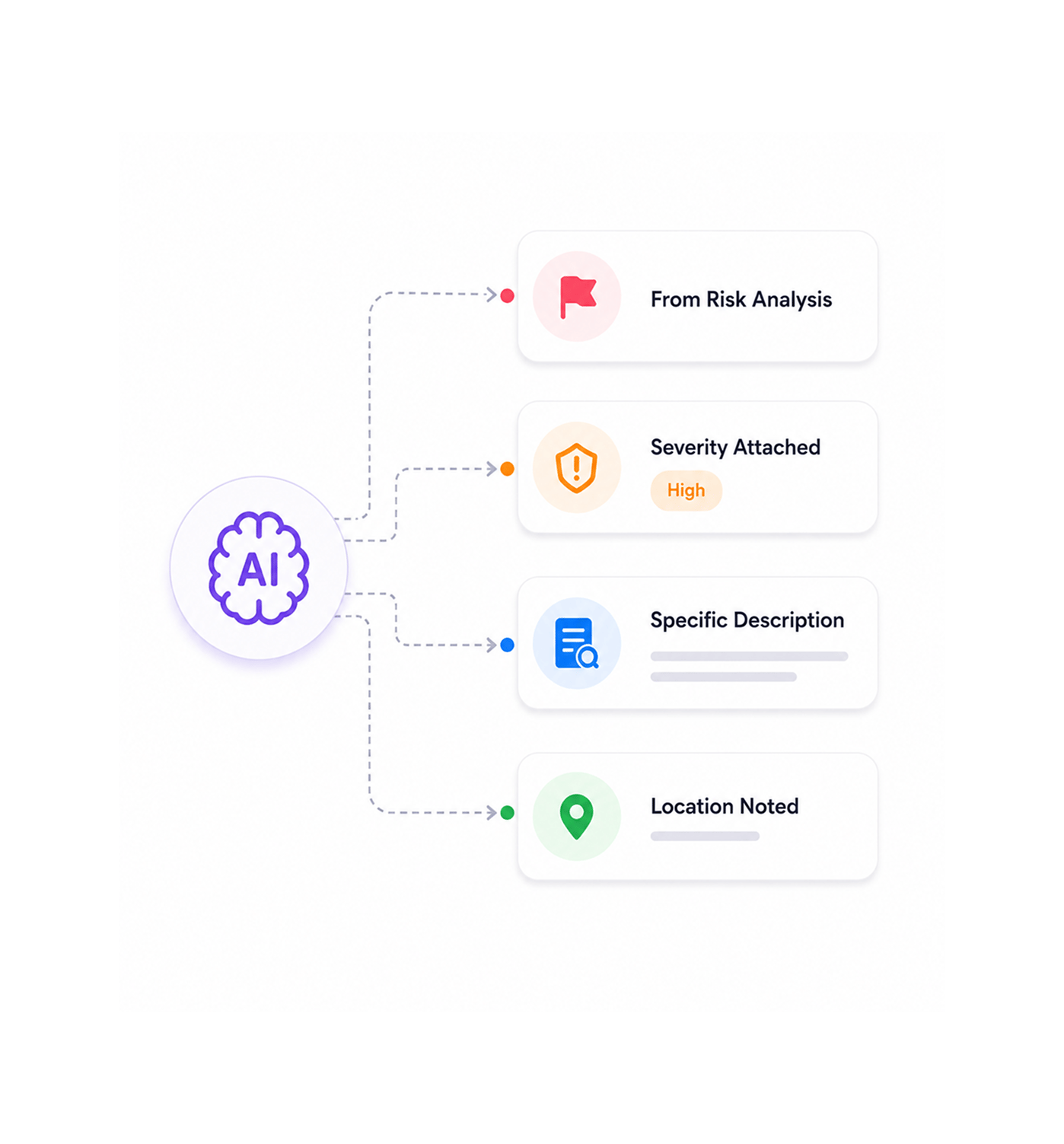
Flag Raised
Risk flags raised by the AI layer
As Risk Analysis scans the contract, flags get raised for every legal or business risk detected. Each flag carries the severity level, the specific description, and the location in the document. The team sees what needs attention and where to look.
- From Risk Analysis
- Severity Attached
- Specific Description
- Location Noted
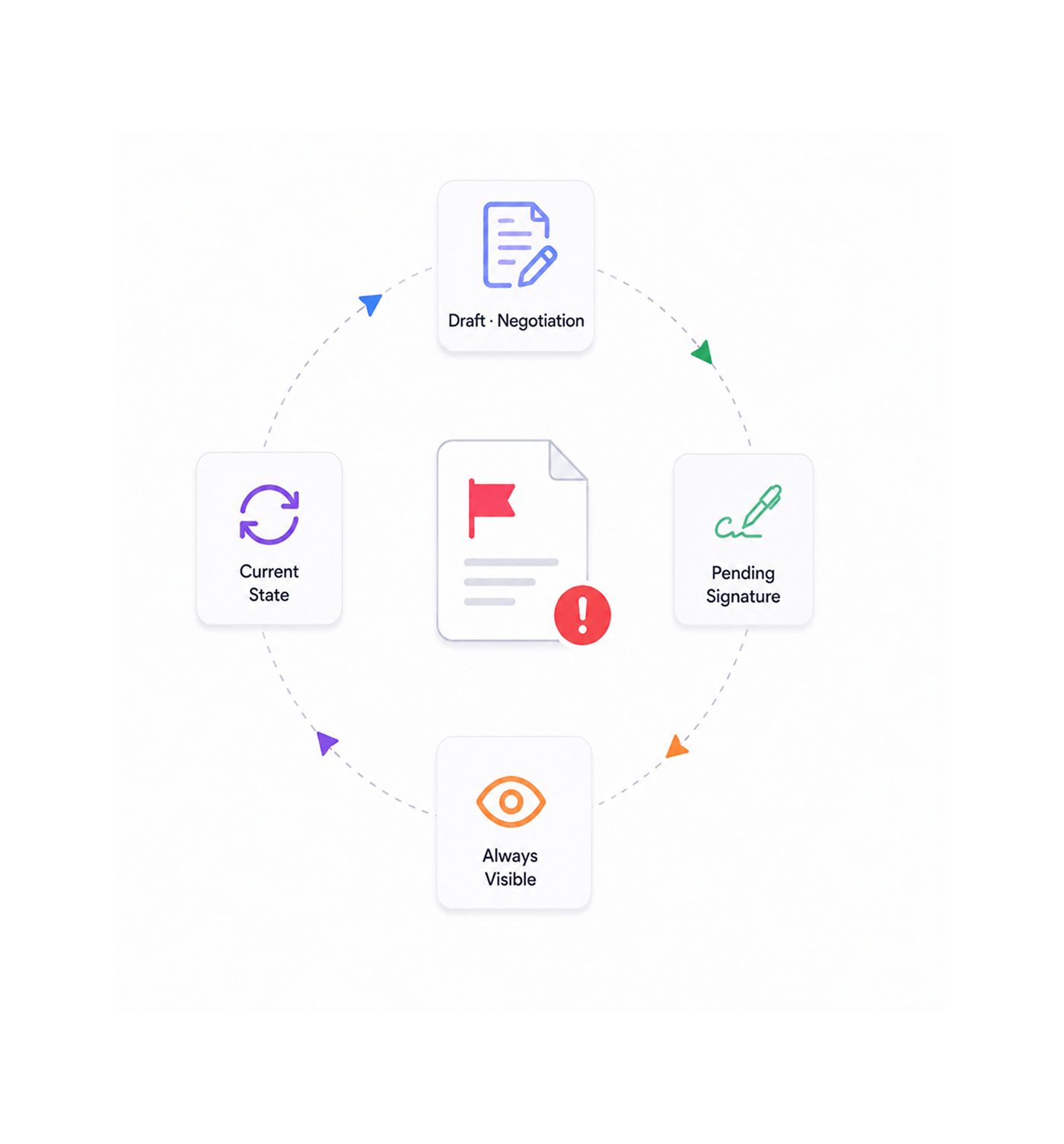
Active State
Flags stay open while the contract is active
While the contract is in draft, negotiation, or pending signature, open flags stay visible in the dashboard. The team always sees what still needs work. Flags don't vanish early, don't get lost, and reflect the document's current state.
- Draft · Negotiation
- Pending Signature
- Always Visible
- Current State
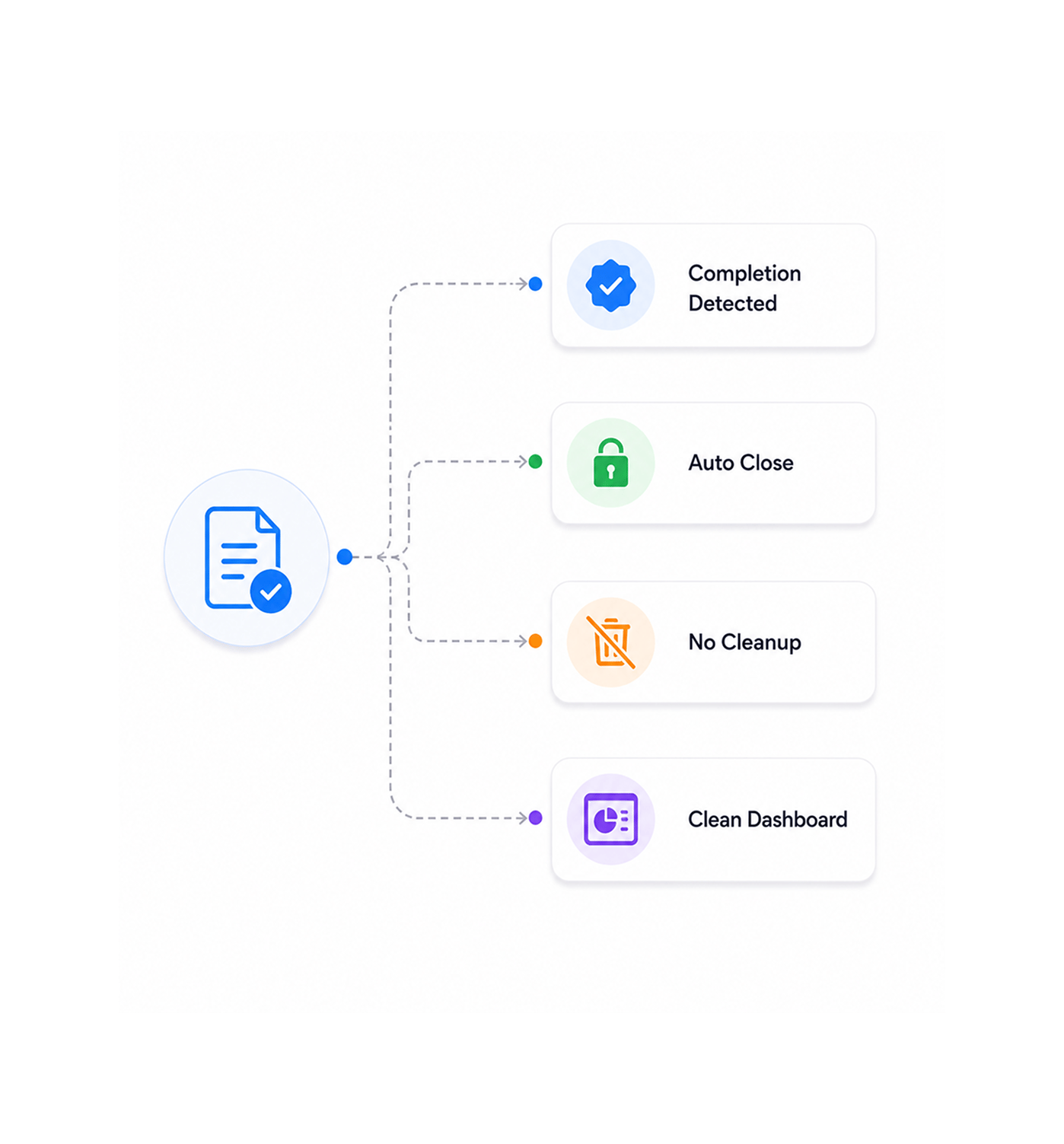
Auto Resolve
Document completes, flags auto resolve
The moment the document reaches a completed state, all its open flags auto resolve and close. No manual cleanup, no checklist, no orphan items lingering in the dashboard. The contract closes its open work cleanly and moves to the resolved log.
- Completion Detected
- Auto Close
- No Cleanup
- Clean Dashboard
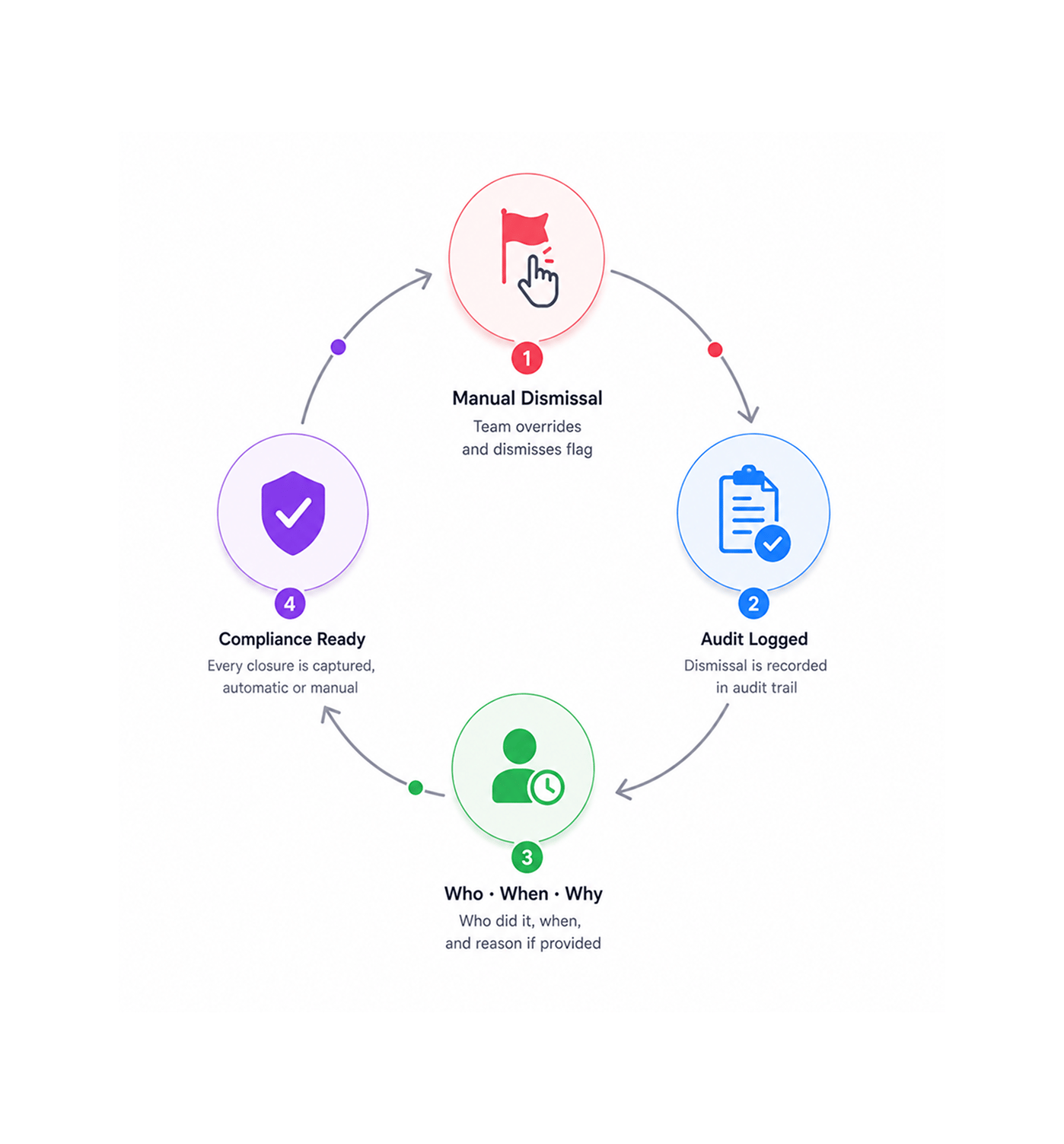
Manual Dismiss
Manual dismissal with audit trail entry
When the team needs to dismiss a flag manually, the override is available. The dismissal logs an audit entry with who dismissed it, when, and the reason if notes are added. The compliance picture stays clean because every closure is captured.
- Manual Override
- Audit Logged
- Who · When · Why
- Compliance Ready
Six reasons the risk dashboard stays clean
Auto resolution on completion, manual dismissal when needed, audit trail on every action. The risk picture stays current with no cleanup.

No manual cleanup of stale flags
Closing flags after a contract is signed is busywork. The risk is already addressed, so the flag is meaningless. Auto resolution removes the closing task entirely.

Dashboard always reflects current state
A dashboard full of stale items loses meaning, and the team starts ignoring it. Auto resolution keeps it clean, so what shows is what still needs work and stays trusted.

Manual dismissal available when needed
Sometimes a flag is accepted, marked not applicable, or needs to close without the document completing. Manual dismissal handles those cases.

Every dismissal logs an audit trail entry
Manual closures once lived in informal chat. Now every dismissal logs who did it, when, and the reason if notes were added, so compliance reviews see who closed what and why.

Risk Analysis stays useful at scale
Without auto resolution, Risk Analysis gets harder as volume grows and flags pile up. Auto resolution scales it, clean at ten contracts or a hundred.

Compliance teams get the audit trail they need
Compliance reviews want to see what risks were detected, addressed, and dismissed. The audit trail captures it all, no chasing legal for context.


7600+
Teams whose risk dashboards stay clean automatically
Built for teams who refuse to spend time closing flags they have already addressed
In house counsel managing high contract volumes. Legal ops leads keeping portfolio hygiene. Compliance teams needing full audit trails on closures. Anyone whose risk dashboard went stale once nobody had time to close items.
On Done
Dismiss Path
Trail Per Action
Cleanup Required
Auto closes flags when contract completes
When the document reaches a completed state, all open flags for that document auto resolve and close. No manual cleanup, no orphan items, no checklist to work through. The completed contract closes its open work cleanly.
Everything the resolution layer ships with
Auto resolve on completion, document state detection, manual dismissal, audit trail, dashboard, history.

Auto Resolve On Completion
When the document reaches a completed state, all its open flags auto resolve and close. No manual cleanup, no orphan items, no team intervention.

Document State Detection
Sigi detects when a document reaches a completed state, by signature, archive, or closure, then triggers auto resolution.

Manual Dismissal Available
When a flag must close without the document completing, manual dismissal handles it. Accepted risks and closures flow through.

Audit Trail Per Action
Every closure, automatic or manual, logs an audit entry: who closed the flag, when, and why. The compliance picture stays complete.

Real Time Dashboard Updates
As flags resolve or get dismissed, the dashboard updates in real time. The team sees current open flags, not a stale snapshot.

Resolution History Logged
Resolved flags move to the history log, not gone. The team can review what was caught and how it was addressed for any contract.
Everything you need to know
Questions on completed state, auto resolve, manual dismissal, audit trail, and Risk Analysis.
Any state that signals the contract work is done. Fully signed by all required signers. Explicitly archived by the team. Manually marked as completed in the platform. Each of these counts as a completion trigger, and the team can configure which signals apply to their workflow. Once a document is in a completed state, every flag attached to it auto resolves on the next check.