


See who's signing.
And who's stalling.
Sigi tracks each signer: when they opened, time spent, pages viewed. AI predicts likelihood and flags 24-hour stalls.
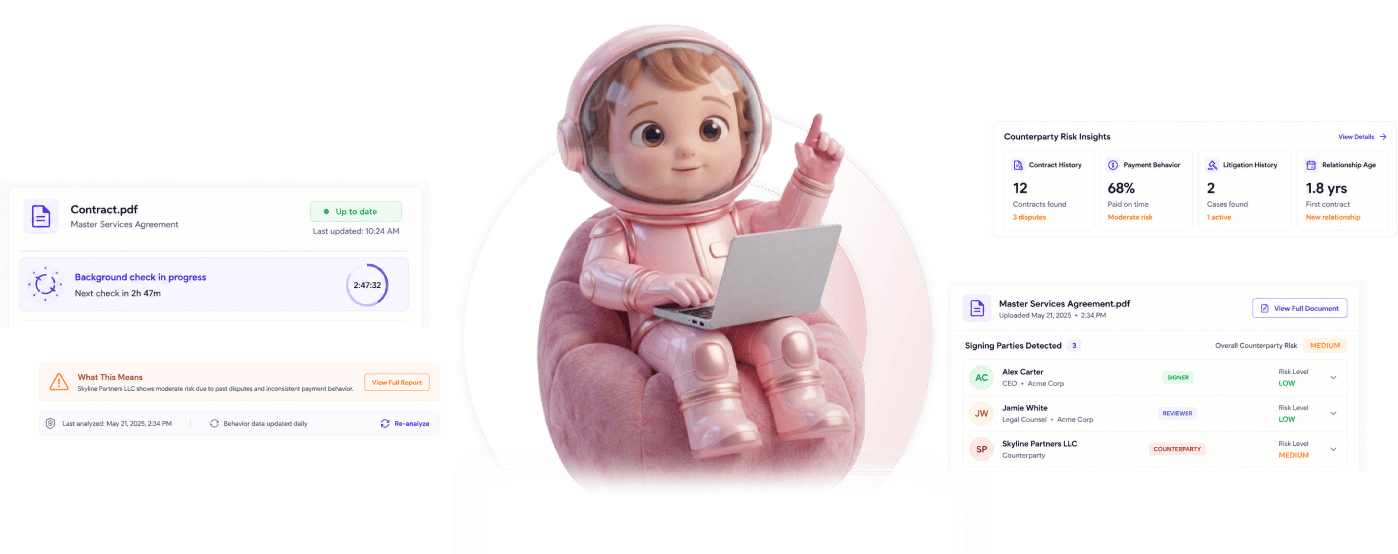
From sent contract to signed deal in 4 steps
Contract goes out, behavior gets tracked, AI predicts likelihood, stalled signers get caught early.
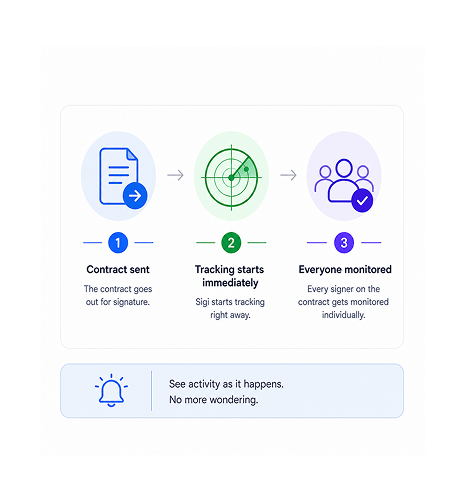
Tracking Starts
Contract sent, tracking starts immediately
The moment the contract goes out for signature, Sigi starts tracking. Every signer on the contract gets monitored individually. The team sees activity as it happens rather than wondering whether the document ever reached the right inbox.
- Sent for Signature
- Tracking Active
- Per Signer
- No Setup
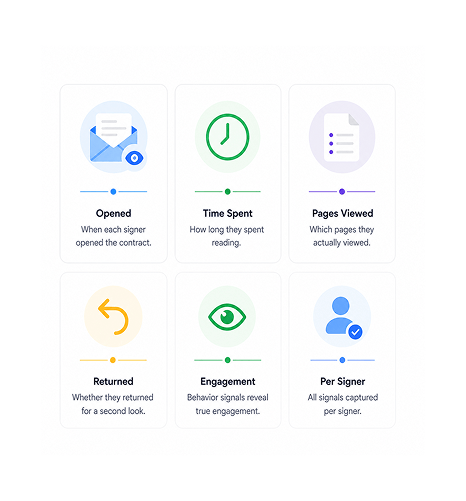
Behavior Signals
Behavior signals get captured per signer
When each signer opened the contract, how long they spent reading, which pages they actually viewed, whether they returned for a second look. The behavior signals reveal whether the signer is genuinely engaged with the document or has set it aside.
- First Open
- Time Spent
- Pages Viewed
- Return Visits
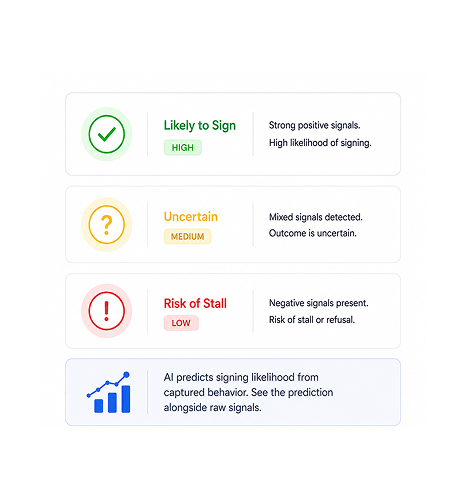
AI Likelihood
AI predicts signing likelihood
From the captured behavior, Sigi predicts how likely each signer is to sign. Green means likely, yellow uncertain, red risk of stall. Teams see the prediction with the signals, so they see why each contract sits.
- Green Likely
- Yellow Uncertain
- Red Risk
- Reasoning Shown
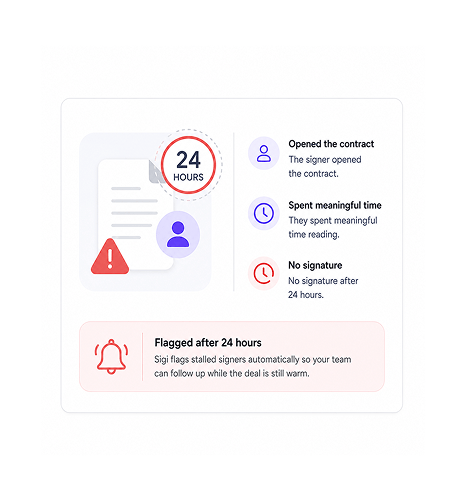
Stalled Detection
Stalled signers get flagged after 24 hours
A signer who opened the contract, spent real time reading, and hasn't signed after 24 hours is stalled. Sigi flags them automatically so the team can follow up while the deal is warm, not at quarter end.
- 24 Hour Threshold
- Viewed But Unsigned
- Auto Flagged
- Follow Up Triggered
Six reasons sent contracts stop disappearing
With per-signer tracking, AI likelihood prediction, and 24-hour stall detection, the team sees what happens after sending.

Sent contracts stop disappearing into a void
A contract sent with no visibility into what happens next is the default. The signer opens it, or doesn't. Sigi removes the guesswork.

Signing likelihood becomes a real number
Will they sign stops being a gut feel and becomes a green, yellow, or red prediction. The team prioritises follow-ups by signal rather than hope.

Stalled signers caught early, not at quarter end
A signer who viewed but didn't sign after 24 hours is worth acting on while warm. Catching it next day, not next month, saves the deal.

Behavior signals reveal hesitation before it kills the deal
A signer who spent thirty seconds differs from one who spent twenty minutes on pages. Behavior signals reveal what response the hesitation needs.

Sales operations gets visibility legal traditionally hides
Contract status historically lived in legal's workflow. Sigi exposes behavior to the sales ops team, without legal losing control.

Background checks run on their own
The 6-hour check cycle runs without anyone refreshing a dashboard. The picture stays current, and the next stalled signer surfaces at the threshold.


9200+
Teams seeing every signer's behavior, not waiting in the dark
Built for teams who don’t send contracts and hope.
Sales ops teams chasing close who need visibility into where every deal sits. Founders waiting on signatures who won't wonder if the document was opened. Any team whose revenue depends on signatures.
Tracked
Check Cycle
Detection
Likelihood
Opens, time spent, pages viewed per signer
Every signer gets tracked individually. When they opened, how long they spent, which pages they viewed, whether they returned. The signals reveal whether the signer is engaged or has set the document aside.
Everything the tracking layer ships with
Per-signer open tracking, time spent, pages viewed, AI signing likelihood, stall detection, background checks.

Per Signer Open Tracking
Every signer gets tracked individually from the moment the document is sent. The team sees who opened, who hasn't, and exactly when each first engaged.

Time Spent Per Signer
How long each signer spent in the document gets captured precisely. Thirty seconds versus twenty minutes reveal different signals.

Pages Viewed Tracking
Which pages each signer viewed gets recorded. A signer returning to a page repeatedly reveals where the hesitation lives.

AI Signing Likelihood Prediction
From the captured signals, AI predicts how likely each signer is to sign: green, yellow, or red with reasoning shown.

Stalled Signer Detection
Signers who opened the contract but haven't signed after 24 hours get flagged automatically, while the deal is still warm.

Background Checks Every 6 Hours
The check cycle runs every 6 hours with no one refreshing a dashboard. Stalled signers surface the moment they qualify.
Everything you need to know
What gets tracked, how AI prediction works, what counts as stalled, and the 6-hour cycle.
Every interaction each signer has with the contract. First open time, total time spent inside the document, which specific pages were viewed, whether the signer returned for additional reads, how long each visit lasted. The signals are captured per signer rather than aggregated across the whole contract, so the team sees each individual's engagement separately.