


Every contract, traceable.
Across every stage.
Seven lifecycle stages tracked end to end, with declined and expired handled automatically. Every transition logged.
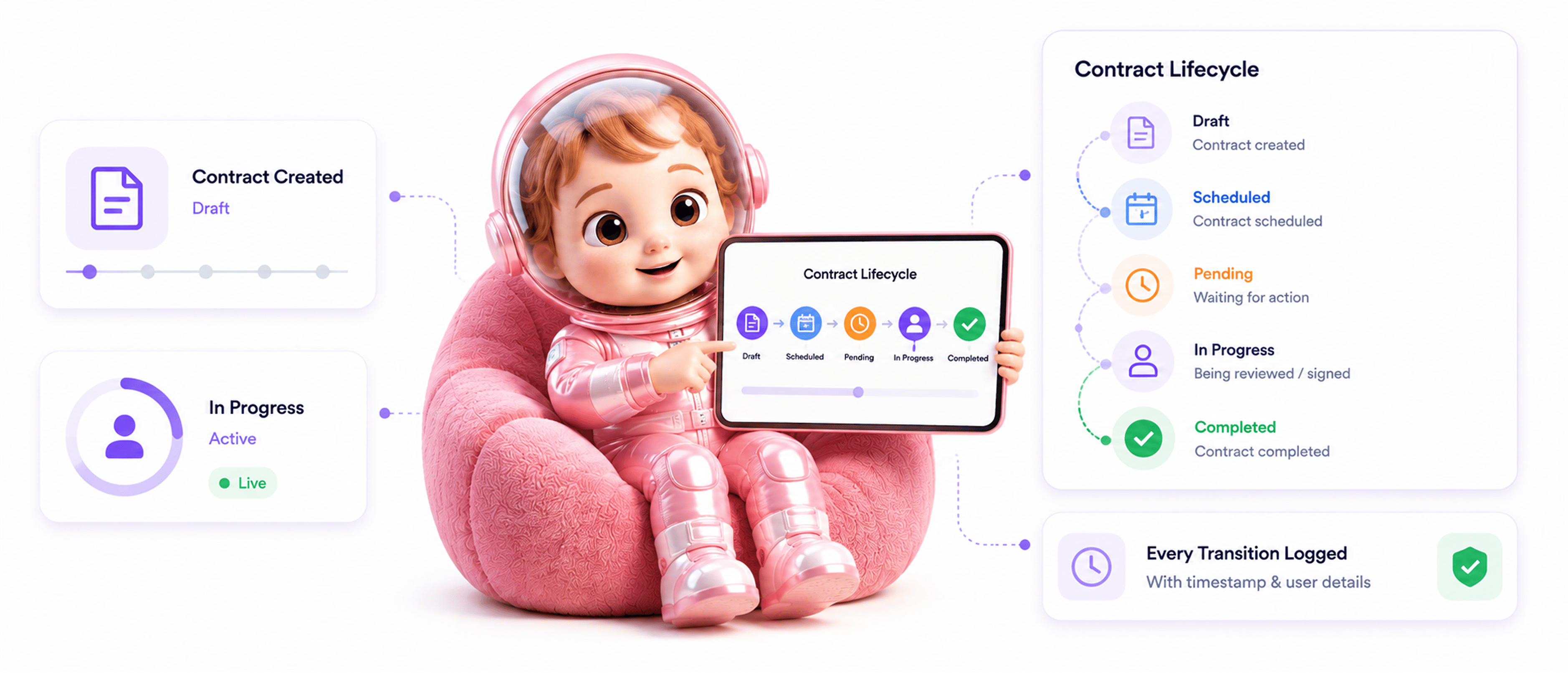
From draft to final state in 4 steps
Documents move from draft through scheduled, pending, and in progress to completed or auto handled exit states.
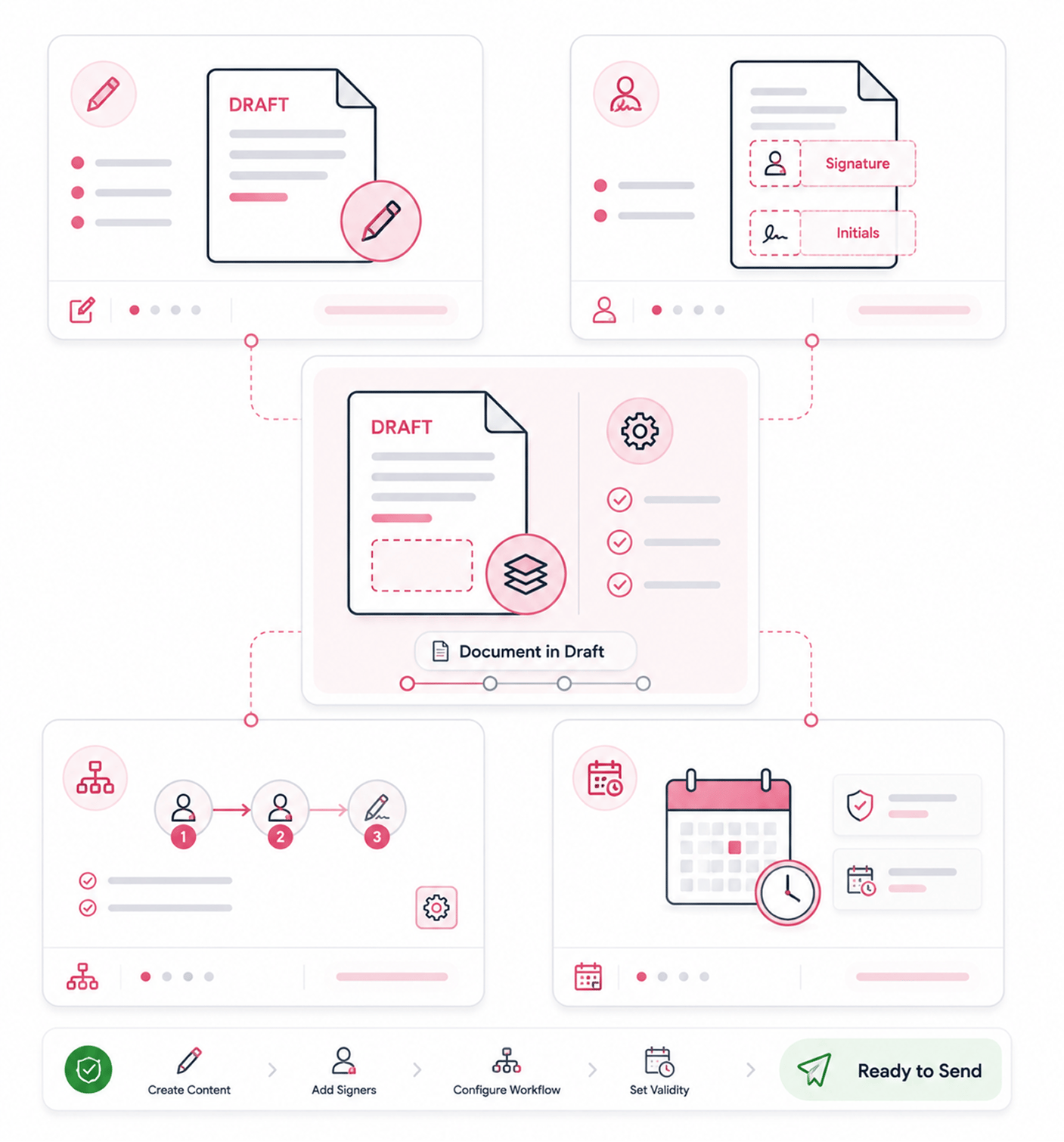
Draft Stage
Document enters as draft
A new document starts in draft, the preparation phase before anything goes out. The team adds content, places signature fields, configures the workflow, and sets validity windows. Nothing is sent yet, so changes are free.
- Draft Stage
- Preparation Phase
- Free To Edit
- Nothing Sent
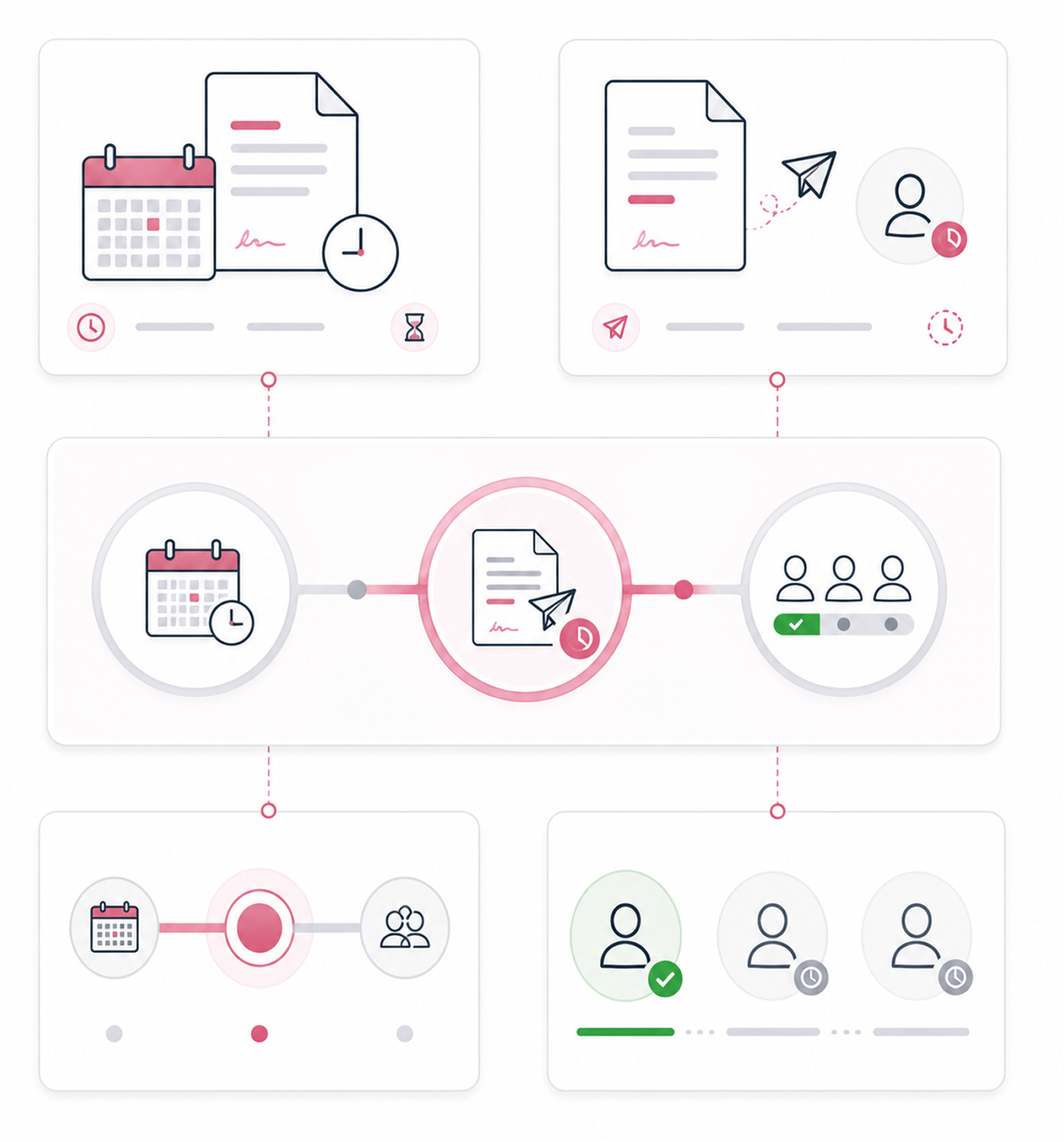
Forward Stages
Moves through scheduled, pending, in progress
Scheduled means the document is configured to send at a future time and is waiting. Pending means it has been sent and is waiting for the first signer. In progress means a signer has acted but the workflow is not finished.
- Scheduled · Pending
- In Progress
- Clear Meaning
- Specific Position
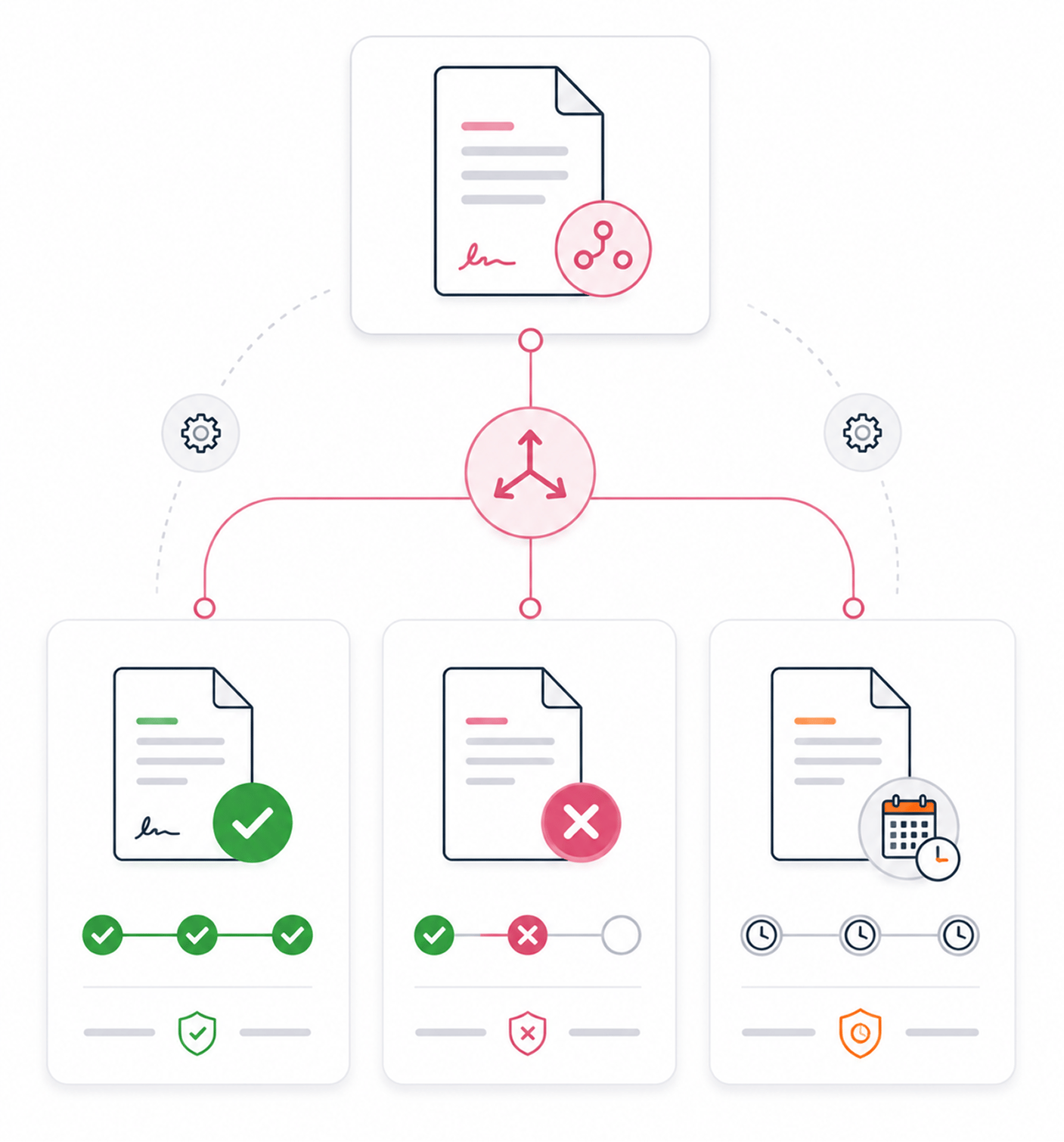
Final State
Reaches completed, declined, or expired
Three final states. Completed when every signer has signed and the workflow finished. Declined when a signer rejects. Expired when the validity window closes. Declined and expired are handled automatically, no intervention.
- Completed
- Declined · Expired
- Auto Handled
- Current Reality
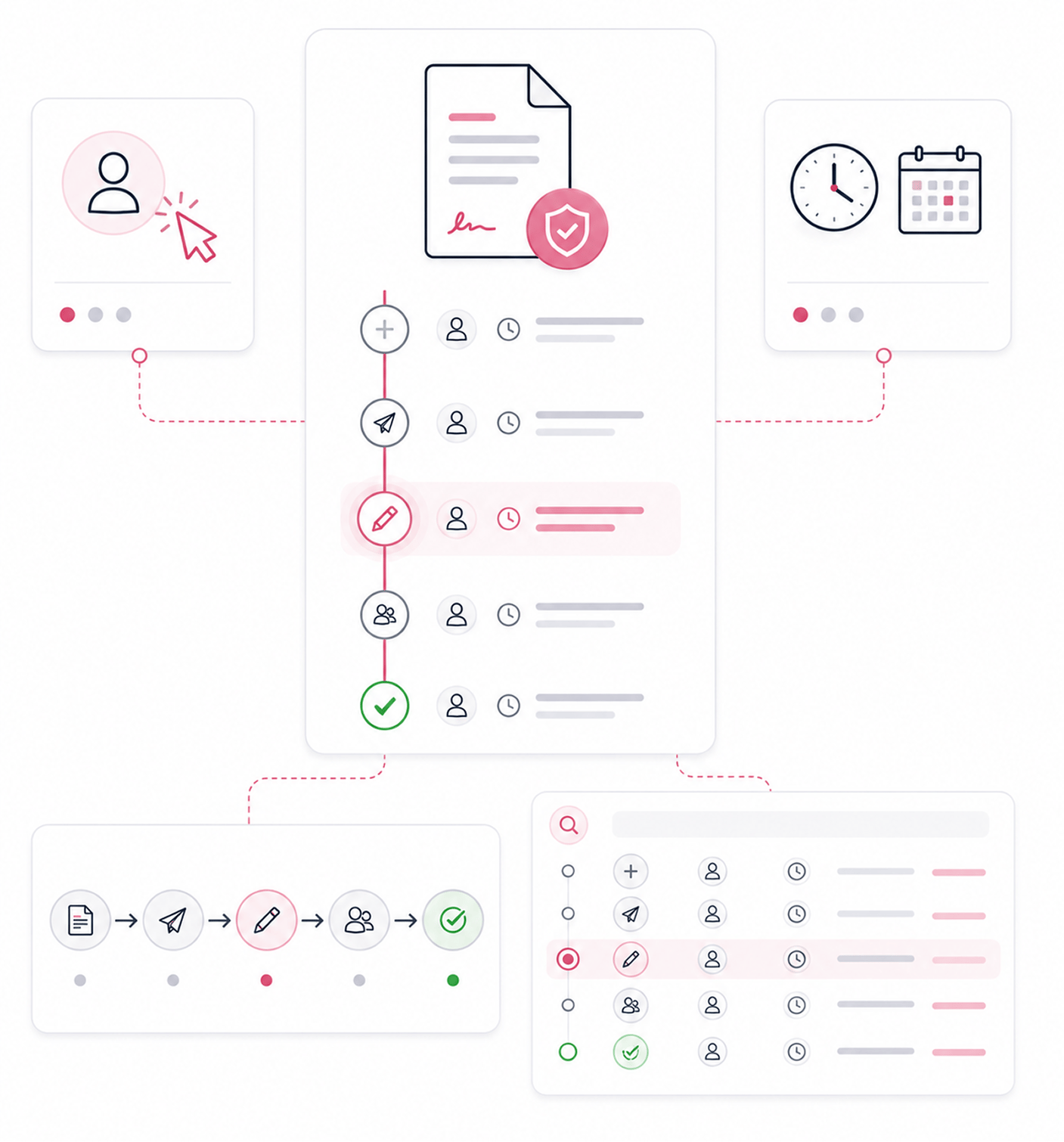
Transitions Logged
Every transition logged with time and user
Each move from one stage to another is logged automatically with the exact timestamp, the user who triggered it, and the new state. The team can review any contract's full history and how long it spent in each stage.
- Full Logging
- Time And User
- Full History
- Time In Stage
Six reasons contracts stop getting lost in the pipeline
Seven lifecycle stages, clear forward progression, automatic handling of declined and expired, full transition logging with attribution.

Seven lifecycle stages cover every real document state
Most platforms reduce contracts to active or completed. Seven stages match the real phases a contract moves through, so the team sees each.

Forward progression follows a clear, predictable path
Draft to scheduled to pending to in progress to completed. Each stage flows into the next predictably, so the team knows what comes next and new members learn it in minutes.

Declined and expired states handled automatically
A rejection should not require manual status updates, nor should a closing validity window. Both are detected and applied automatically, so contract status stays current.

Every transition logged with timestamp and user attribution
When a contract changes stage, the log captures who triggered it and when. Reviewing any document means reading one clean transition log, not reconstructing scattered events.

The team always knows exactly where each contract sits
Knowing a contract is active but not whether it is pending, in progress, or expiring blocks action. Clear stage information lets the team act.

Stage tracking powers reports and operational analytics
Lifecycle stages are the foundation for every metric. Time in each stage, completion versus expiry, where deals get stuck. Reports and Analytics builds on this stage data.


12100+
Teams who never lose track of where contracts are in the pipeline
Built for teams who refuse to lose track of contracts in the middle of the pipeline
Operations teams running the full pipeline who need to see where every document sits. Sales ops tracking deal velocity. Legal ops managing many contracts at different stages. Compliance teams verifying transition audit trails.
Stages Tracked
Declined And Expired
Logged
Time And User
Draft, scheduled, pending, in progress, completed
Five forward stages cover every real document state from preparation through completion. Each has clear meaning and predictable progression, so the team sees where every contract sits without guessing.
Everything the lifecycle layer ships with
Draft, scheduled, pending and in progress, completed, declined and expired auto handling, transition logging.

Draft Stage
New documents start in draft. The team adds content, signature fields, and workflows. Nothing is sent yet, so changes are free.

Scheduled Stage
Documents set to send later wait in scheduled. The team can still edit or reschedule. At the set time, it moves to pending.

Pending and In Progress Stages
Pending means the document is sent and awaiting the first signer. In progress means a signer has acted but the workflow is open.

Completed State
When every signer has signed and the workflow finishes, the document reaches completed, triggering the certificate and closing it.

Declined and Expired Auto Handling
When a signer rejects, it moves to declined. When a validity window closes without completion, it expires. No intervention needed.

Transition Logging With Attribution
Every move between stages logs automatically with timestamp and user. The team can review any contract's full history per stage.
Everything you need to know
Questions about each stage, transitions, separate exit states, and attribution.
What does each stage mean?
Each stage shows where the document sits. Draft means the team is still preparing it and nothing is sent. Scheduled means it is set to send later. Pending means it is sent and awaits the first signer. In progress means a signer acted but the workflow is open. Completed means every signer has signed and the workflow finished. Declined means a signer rejected it. Expired means the validity window closed without completion.
How do stage transitions happen?
Why are declined and expired separate from completed?
What does transition attribution capture?
How does this connect to other Sigi features?
Can the team filter by stage?