Worksbuddy Logo

Every action logged. Never edited, never lost.

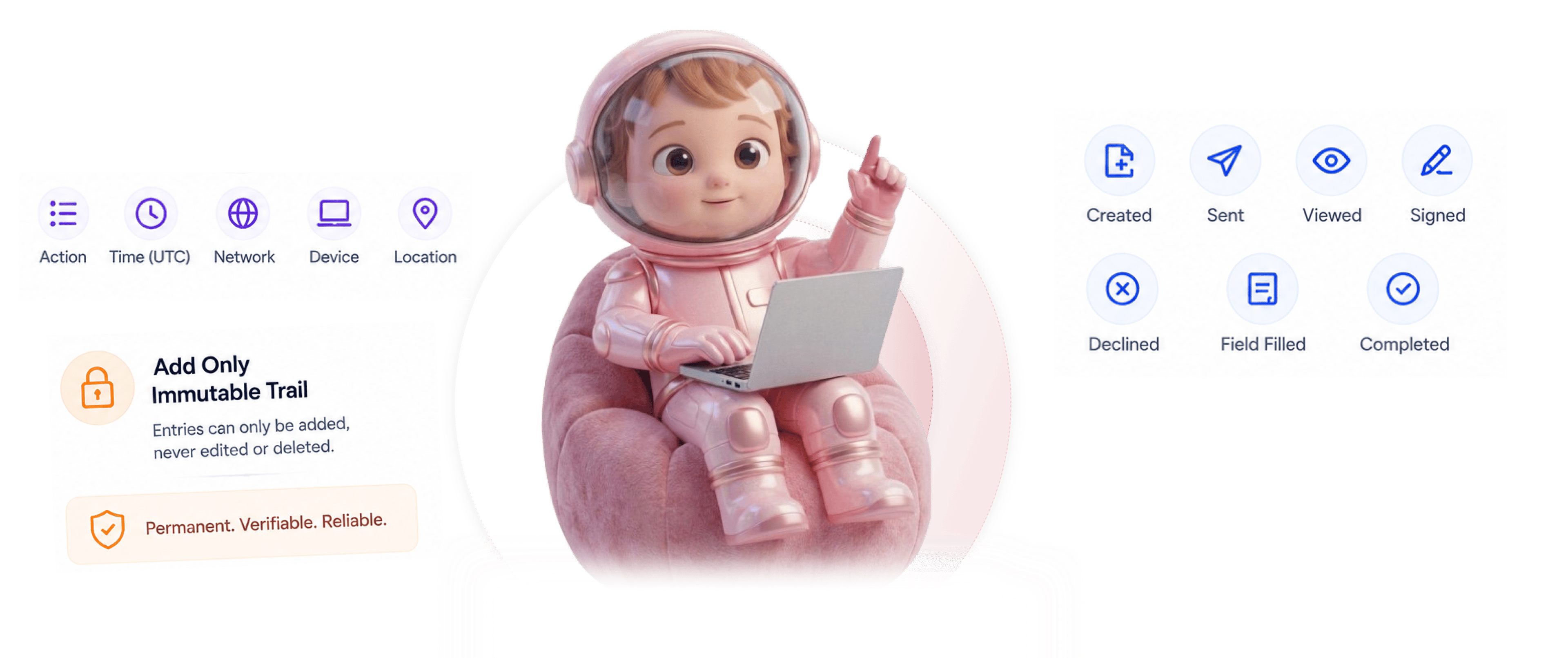
Every document event is logged permanently. Created, sent, viewed, signed, declined, field filled, completed. Each entry captures the action, the time it happened, the network address, the device, and the location. Entries can only be added, never edited or deleted, and document fingerprinting catches any tampering after the signature.

Every
How It Works

From document event to proof that holds up in 4 steps

Every event logs to the audit trail, each entry captures full context, entries can only be added, document fingerprinting catches any tampering.

1
2
3
4

Every Event Logged

Every document event logs to the audit trail

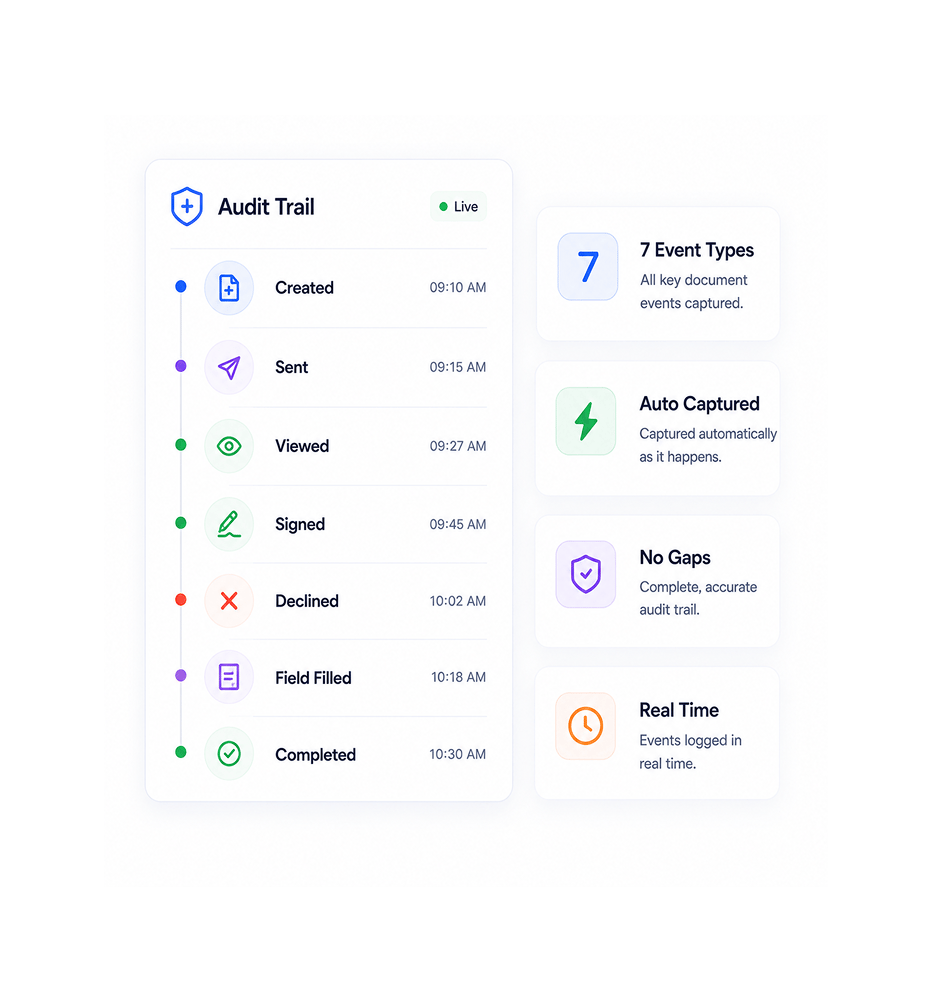
Seven event types get captured automatically. Created, sent, viewed, signed, declined, field filled, completed. No manual logging, no missed events, no gaps in the trail. From the moment a document enters the system through its final completion, every meaningful action is recorded as it happens.

7 Event TypesAuto CapturedNo GapsReal Time

Full Context

Each entry captures full context

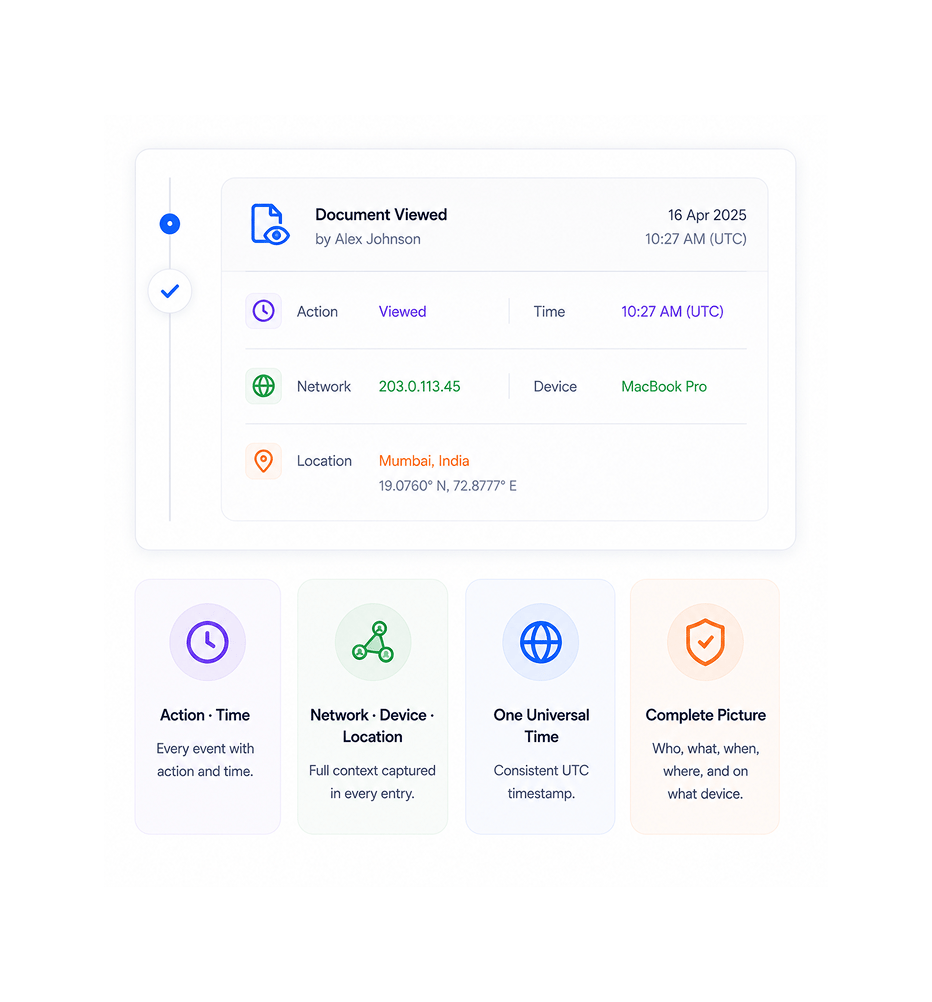
Every event records the action type, the time it happened, the network address it came from, the device used, and the location coordinates. The full context behind each action lives in one entry rather than scattered across logs. Reviews see the complete picture of who did what, when, from where, and on what device.

Action · TimeNetwork · Device · LocationOne Universal TimeComplete Picture

Add Only

Entries added, never updated or deleted

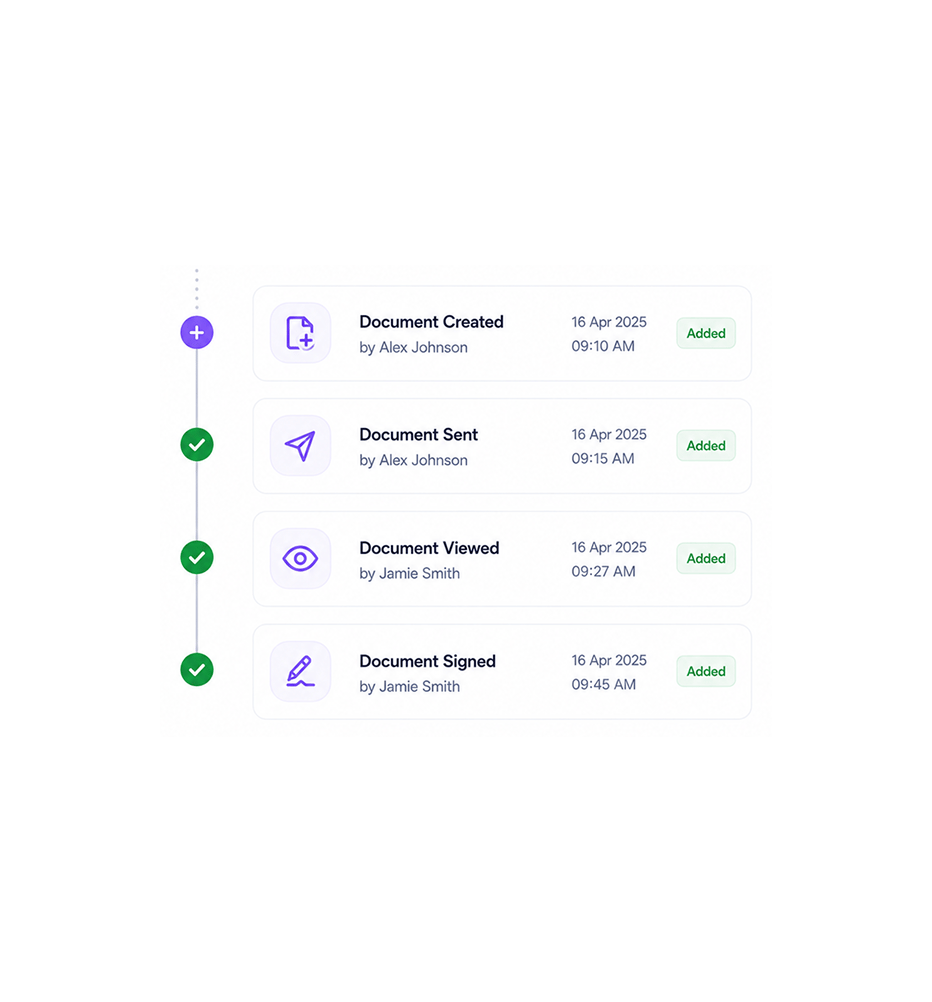
The audit trail is permanent by design. Entries can be added but never modified or removed. Even system administrators cannot edit a logged event. This guarantees the trail tells the actual story rather than a cleaned up version, which is what audit reviewers and legal disputes actually need. 90 day retention with automatic cleanup keeps the trail current.

Add OnlyNever UpdatedNever Deleted90 Day Retention

Tamper Detection

Document fingerprinting catches tampering

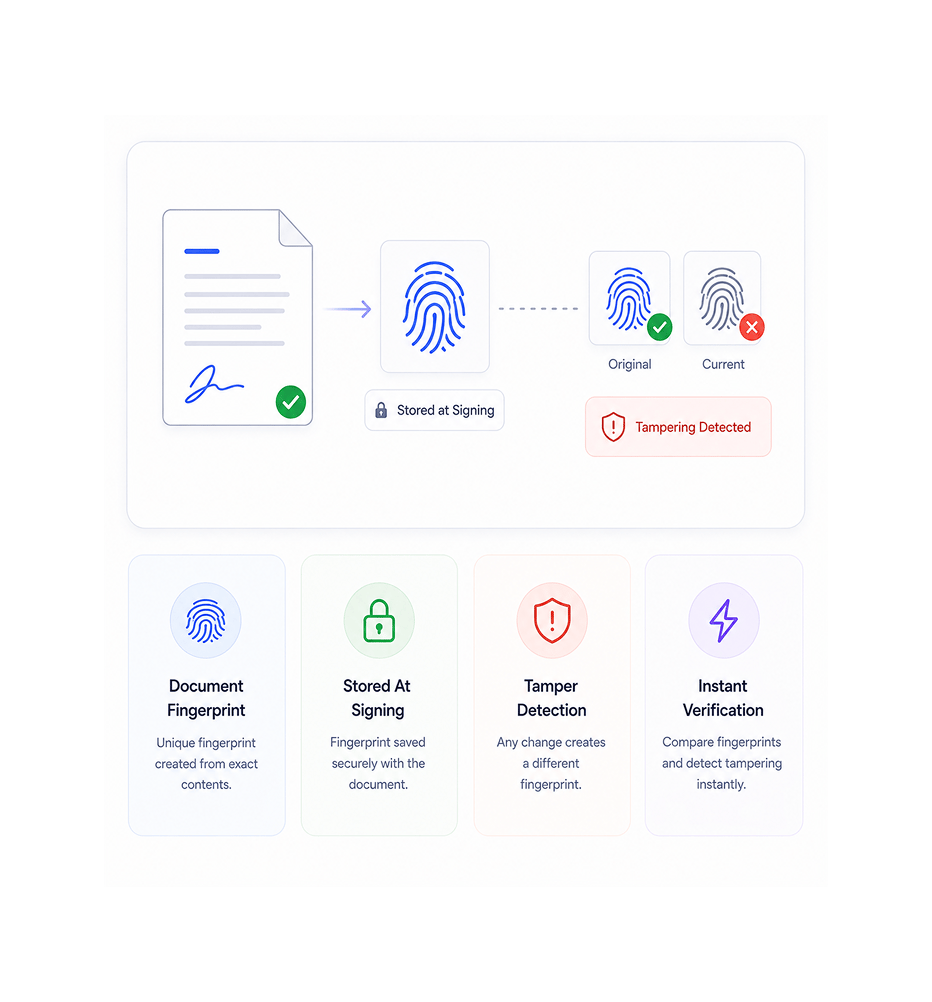
When a document gets signed, the platform creates a unique fingerprint based on the exact contents. The fingerprint gets stored alongside the document. Any later change to the document, even a single character, produces a different fingerprint. Comparing the original fingerprint to the current document reveals tampering instantly.

Document FingerprintStored At SigningTamper DetectionInstant Verification
Why Teams Choose SIGI

Six reasons the audit trail actually holds up

Every event captured, full context per entry, add only permanence, single universal time reference, document fingerprinting for tamper detection, 90 day retention with automatic cleanup. The audit setup real legal review requires.

Every document event captured automatically

Every document event captured automatically

Audit trails that only capture some events leave gaps that audit reviewers and legal disputes immediately notice. Seven event types capture every meaningful document action automatically. No manual logging, no missed events, no gaps in the trail. The audit story is complete by default.

Full context per entry, not just the action

Full context per entry, not just the action

Knowing somebody signed a document is not enough. Audit reviewers need to know when, from where, on what device, from what network address. Each entry captures the full context, so the audit story has the depth that legal review actually needs, not just a thin trail of action names.

Add only design means evidence cannot be edited

Add only design means evidence cannot be edited

An audit trail that can be edited is worth nothing. Even if the team trusts itself, audit reviewers and dispute proceedings will not. Add only design guarantees the trail tells the actual story. No administrator, no engineer, nobody can change a logged event after it happens.

One universal time reference ends time disputes

One universal time reference ends time disputes

Device clocks can be wrong, changed, or set to different time zones. The platform captures every timestamp on its own server using one universal time reference. The trail uses a single definitive clock rather than the clock of whichever device the user happened to be on.

Document fingerprinting catches tampering

Document fingerprinting catches tampering

A signed contract that gets quietly changed later defeats the entire purpose of signing. Document fingerprinting at the moment of signature creates a unique pattern that matches only the original content. Any later change produces a different fingerprint, revealing tampering instantly.

90 day retention with automatic cleanup

90 day retention with automatic cleanup

90 day retention covers the active window where most audit questions arise. Automatic cleanup keeps the trail current rather than growing forever. For longer term needs, the audit data can be exported before cleanup to the team's own archive, so nothing is lost when retention rolls over.

Stop piecing together evidence after the fact. Start running on an audit trail that holds up by default.

Every event logged with full context. Add only by design. Document fingerprinting catches any tampering. The audit setup your compliance reviews and legal defence have always needed.

Who uses SIGI immutable audit trail
Deepak MehrotraDeepak MehrotraDeepak MehrotraDeepak Mehrotra

12400+

Teams whose audit trail holds up in legal review and dispute

Built for teams whose audit defence cannot rely on email screenshots and patched together logs

Compliance teams that need solid evidence on every contract action that holds up in review. Legal operations teams that need tamper proof contract records that hold up in disputes. In-house counsel preparing for audits and disputes who need the complete picture of what happened on every contract. Risk teams checking contract management evidence quality across vendor and customer agreements. Security teams checking contract platform integrity as part of broader system reviews.

7 Event

Types Logged

Add Only

Permanent

Document

Fingerprinting

90 Day

Retention

Event Layer

Every action, time, network, device, location

Seven event types captured automatically. Each entry records the action, the time it happened on one universal reference, the network address, the device, and the location. Full context behind every action lives in one entry rather than scattered across logs.

Every action, time, network, device, location
Features

Everything the audit layer ships with

Seven event types logged, full context per entry, server side time stamping, add only permanence, document fingerprinting, 90 day automatic retention.

Seven Event Types Logged

Seven Event Types Logged

Created, sent, viewed, signed, declined, field filled, completed. Every meaningful document action captured automatically. No manual logging required, no missed events, no gaps in the trail from intake through completion.

Full Context Per Entry

Full Context Per Entry

Each entry records the action type, the time it happened, the network address, the device used, and the location. The full picture behind every action lives in one entry rather than scattered across multiple log sources.

Server Side Time Stamping

Server Side Time Stamping

Every timestamp captured on the platform's own server using one universal time reference. Device clocks can be wrong, changed, or in different time zones. The server side time gives one definitive reference that ends every time related dispute.

Add Only Permanence

Add Only Permanence

Entries can be added to the audit trail but never changed or deleted. Not by users, not by administrators, not by engineers. The trail is guaranteed to tell the actual story rather than a cleaned up version, which is what legal review actually needs.

Document Fingerprinting

Document Fingerprinting

At the moment of signing, the platform creates a unique fingerprint based on the exact document contents. The fingerprint stores alongside the document. Any later change produces a different fingerprint, revealing tampering instantly.

90 Day Automatic Retention

90 Day Automatic Retention

90 day retention covers the active audit window. Automatic cleanup keeps the trail current rather than growing forever. Audit data can be exported before cleanup for teams that need longer term archival, so nothing is lost when retention rolls over.

Seven Event Types Logged

Seven Event Types Logged

Created, sent, viewed, signed, declined, field filled, completed. Every meaningful document action captured automatically. No manual logging required, no missed events, no gaps in the trail from intake through completion.

Full Context Per Entry

Full Context Per Entry

Each entry records the action type, the time it happened, the network address, the device used, and the location. The full picture behind every action lives in one entry rather than scattered across multiple log sources.

Server Side Time Stamping

Server Side Time Stamping

Every timestamp captured on the platform's own server using one universal time reference. Device clocks can be wrong, changed, or in different time zones. The server side time gives one definitive reference that ends every time related dispute.

Add Only Permanence

Add Only Permanence

Entries can be added to the audit trail but never changed or deleted. Not by users, not by administrators, not by engineers. The trail is guaranteed to tell the actual story rather than a cleaned up version, which is what legal review actually needs.

Document Fingerprinting

Document Fingerprinting

At the moment of signing, the platform creates a unique fingerprint based on the exact document contents. The fingerprint stores alongside the document. Any later change produces a different fingerprint, revealing tampering instantly.

90 Day Automatic Retention

90 Day Automatic Retention

90 day retention covers the active audit window. Automatic cleanup keeps the trail current rather than growing forever. Audit data can be exported before cleanup for teams that need longer term archival, so nothing is lost when retention rolls over.

Questions & Answers

Everything you need to know

Common questions about which events get logged, what's in each entry, why add only matters, how document fingerprinting works, what 90 day retention covers, and connection to other Sigi features.

Seven event types capture every meaningful document action. Created when the document first enters the system. Sent when it goes out for signing. Viewed when a recipient opens it. Signed when a signer completes their signature. Declined when a signer rejects. Field filled when input data gets entered. Completed when the full workflow finishes. Each of these triggers an audit log entry automatically without any manual setup.

Network background
SIGI · Immutable Audit Trail

Stop hoping your audit defence holds up. Start running on an audit trail built for legal review.

Every event logged with full context. Add only by design. Document fingerprinting catches any tampering. 90 day retention with automatic cleanup. The audit setup your compliance reviews have always needed.

Sigi · AI documents and e-signature

Sigi drafts, sends, and gets it signed without the chasing.

Turn a contract into a signed, audited document in minutes while AI flags risky clauses before they reach your signer.

5 min
average time to signed
0
risky clauses missed
100%
documents with audit trail
6
signing workflows supported